

AssetCenter
AssetCenter tracks your assets from buy to bye, so you always know what's up with zero hassle.
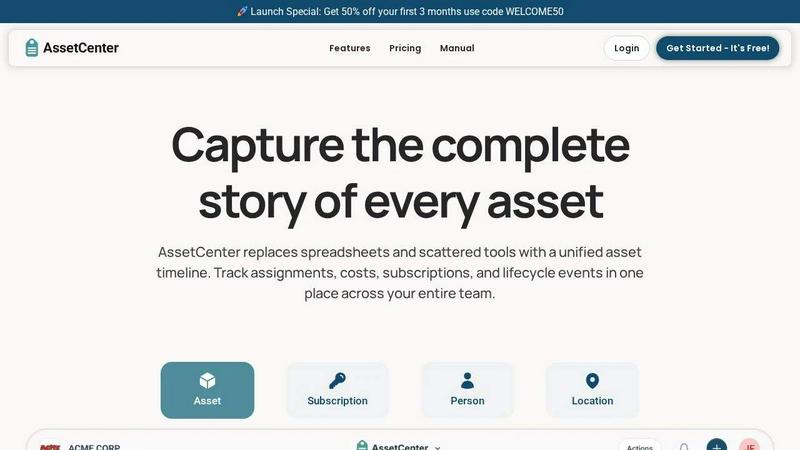
About AssetCenter
Alright, let's be real for a sec. If you're running any kind of organization, you know the struggle of tracking your stuff. You got laptops, software licenses, office chairs, maybe even a fleet of vans, and they're all living in some chaotic spreadsheet, a half-forgotten email chain, or that one sticky note on your monitor. It's a mess, and it's costing you time and money. Enter AssetCenter. This isn't your grandpa's asset management software. It's a modern, sleek platform that gives you complete visibility and control over every single thing you own, from the moment you buy it to the day you say goodbye. Think of it as the ultimate timeline for all your stuff.
AssetCenter is built around a single, unified timeline for every asset, subscription, person, and location. Instead of hunting through five different systems to find out who has that projector or when a software license expires, you just look at the timeline. Boom. Every event is there: purchases, assignments, maintenance, transfers, decommissions, you name it. It's one single source of truth that's actually easy to understand and act on. This tool is for anyone who's tired of the chaos—IT managers, facility coordinators, nonprofit ops folks, construction foremen, healthcare admins, basically anyone who needs to know where their stuff is and what's happening to it. It's flexible enough to work for any industry, with customizable categories and fields so you can model your real-world workflows without fighting the software. No more rigid constraints. No more guessing. Just total control.
Features of AssetCenter
Unified Timeline for Everything
Forget scrolling through endless rows in a spreadsheet. Every single asset, subscription, person, and location gets its own dedicated timeline. You can see the whole story at a glance: when you bought it, who it was assigned to, when it got repaired, when it was transferred, and when it was finally retired. It's like a social media feed for your stuff, but way more useful. You can even add quick notes or to-do items, so nothing slips through the cracks. It's the ultimate way to see what's happened and what needs to happen next.
Customizable Timeline Events
AssetCenter comes pre-loaded with all the standard events you need for an asset's lifecycle: acquisition, assignment, maintenance, decommission, etc. But here's the kicker: you can fully customize them or create your own. Need to log a "firmware update" for your IoT devices? Go for it. How about an "oil change" for your fleet vehicles? Easy peasy. You can even create custom fields for each event type. This flexibility means the software bends to your workflow, not the other way around. It's like building your own lego set for tracking stuff.
Dashboard for Total Visibility
The dashboard is your command center. It brings everything together in one place so you can see the big picture. Track total costs, spot upcoming expirations for subscriptions, and identify end-of-life assets that need to be replaced. You can also see recent activity across all your resources without jumping between pages. It's like having a real-time operations center for your entire inventory. No more guessing if that software license is about to expire or if that piece of machinery is due for maintenance. The dashboard has your back.
Bulk Import and Custom Categories
Getting started with AssetCenter is stupidly easy. You can create unlimited, custom categories for any type of asset or subscription you have. Whether you're tracking laptops, medical equipment, or software licenses, you can organize them exactly how you want. And if you already have a massive list of stuff in a spreadsheet? No sweat. Just download their bulk import Excel templates, fill them in, and upload them. Boom. You're up and running in minutes, not days. It's designed to get you from zero to hero with minimal effort.
Use Cases of AssetCenter
IT Asset Management for Growing Companies
For any IT team, keeping track of laptops, monitors, software licenses, and dongles is a nightmare. AssetCenter lets you track every piece of hardware from purchase to disposal. You can see who has what, when it was assigned, and when it's due for a refresh. Plus, you can manage software subscriptions, track renewal dates, and avoid those nasty surprise bills. It's the perfect way to keep your IT inventory organized and your budget under control, making sure no device gets lost in the shuffle.
Equipment Tracking for Construction Sites
Construction sites are a logistical nightmare. You've got tools, heavy machinery, and safety equipment scattered across multiple job sites. With AssetCenter, you can assign assets to specific locations and people. Log maintenance events like oil changes or repairs directly on the timeline. Track when equipment was last inspected. This gives you full accountability and helps prevent costly downtime. No more wondering where that expensive concrete saw went or if that generator is due for service.
Nonprofit Resource Management
Nonprofits often operate on tight budgets and rely on donated or grant-funded equipment. AssetCenter helps you track every single resource, from laptops for your staff to projectors for community events. You can log donations, track assignments to volunteers, and generate reports for grant compliance. The timeline feature is a lifesaver for showing auditors the full history of an asset. It's a simple, powerful way to maximize the impact of every single resource you have, ensuring nothing goes to waste.
Healthcare Equipment Lifecycle Management
Hospitals and clinics have a ton of expensive, life-saving equipment that needs constant tracking. From MRI machines to defibrillators, AssetCenter lets you log every calibration, maintenance event, and repair. You can assign equipment to specific departments or personnel, and the timeline gives you a complete audit trail for compliance purposes. This ensures your equipment is always safe, up-to-date, and ready when you need it. No more hunting for that portable ultrasound or wondering when the last service was done.
Frequently Asked Questions
What is a "unified timeline" in AssetCenter?
It's the core feature of the platform. Every single asset, subscription, person, or location gets its own chronological feed. Instead of having data scattered across different systems or spreadsheets, all events related to that item are captured in one place. You can see the acquisition, every assignment, maintenance log, note, and the eventual decommission all in a single, clear view. It's like a history book for each item, making it super easy to understand its full lifecycle.
Can I customize AssetCenter for my specific industry?
Absolutely. That's the whole point. AssetCenter lets you create unlimited custom categories and fields. So whether you're in healthcare, construction, education, or IT, you can model your exact workflows. You can create custom timeline events like "oil change," "firmware update," or "patient assignment." It's built to be flexible, so you're not stuck with a one-size-fits-all solution. You can tailor it to fit your team's unique needs.
Is there a free trial, and what does it include?
Yes! You can try AssetCenter for free with 25 assets, and there's no time limit on that trial. You don't even need a credit card to get started. The free trial gives you full access to the entire platform, including the unified timeline, dashboard, custom categories, and bulk import features. It's a great way to see if it fits your workflow before committing to a paid plan.
How do I get my existing data into AssetCenter?
Easy peasy. AssetCenter provides bulk import Excel templates. You just download the template, fill it in with all your existing assets, subscriptions, people, and locations, and then upload it into the app. It's designed to get you up and running in minutes, not hours. You don't have to manually enter every single item. It's a super smooth onboarding process.
Pricing of AssetCenter
Get 50% off your first 3 months use code WELCOME50. You can get started for free with a 14-day free trial that includes 25 assets with no time limit and no credit card required. This gives you full access to the entire platform.
Explore more in this category:
Similar to AssetCenter

Novastart
Apps and files on an infinite canvas where people and AI agents work together.

Panzoe
Panzoe is an all-in-one AI platform for personal productivity, business automation, AI assistants, content creation, and custom AI solutions.

AUTOMATER.ai
A tray helper for every AI coding tool: one searchable library of past sessions, waiting alerts and usage across 9 providers.

AI Email Filter
AI Email Filter sorts incoming mail into folders using plain-language prompts you write. Works with any IMAP mailbox; bring your own LLM if you want.

Kody Tools
Free collection of online developer utilities, code formatters, and digital converters designed to streamline your daily workflow.

Forms Plugin
The #1 Native Form Builder Plugin for Framer - No Code, No Embeds, No External Platforms.

Product Launch Checklist
A free launch checklist for SaaS, apps, AI tools and more. Every step says why it matters and when you can skip it.

HomeAnswerBook
Practical, independent guides to home repairs, maintenance, costs, troubleshooting, and everyday fixes.