

BlueHumanizer
BlueHumanizer turns stiff AI text into smooth, natural writing in one click, keeping your meaning intact and it's totally free.
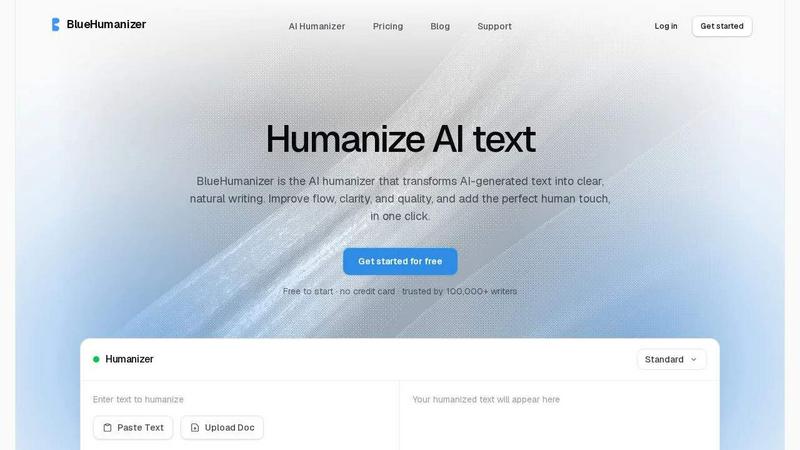
About BlueHumanizer
Yo, meet BlueHumanizer, the absolute MVP for anyone who's ever stared at an AI-generated block of text and thought, "Bruh, this sounds like a robot wrote it." Because, well, it did. BlueHumanizer is the tool that takes that stiff, robotic output from ChatGPT, Claude, Gemini, or whatever AI writer you're using, and turns it into smooth, natural-sounding prose in a single click. No cap. It's not just a synonym swap either; this thing actually rewrites the whole sentence structure, giving your text a vibe that feels like a real human typed it up after a good night's sleep. It keeps your original meaning, tone, and key points locked in, so you're not losing the plot. The best part? Your quotes, citations, and references stay totally untouched, which is a lifesaver for students and researchers who need to keep their sources legit. With support for over 50 languages, adjustable humanization levels, and tone controls, this tool is built for literally everyone who writes with AI. Whether you're a student trying to make an essay sound less like a bot, a marketer shipping brand copy that actually slaps, or just someone warming up emails and reports, BlueHumanizer delivers writing that's clean, natural, and ready to hit publish. And it's free to start, no credit card required, so you can test the vibes before you commit. Trusted by over 100,000 writers already, this is the real deal for making AI text sound less like a robot and more like you.
Features of BlueHumanizer
Humanize AI Text in One Click
This is the main event, fam. You literally just copy your AI-generated text, paste it into BlueHumanizer, and hit the humanize button. That's it. No setup, no learning curve, no fiddling with settings if you don't want to. The tool instantly rewrites your text into clear, polished prose that flows naturally. It's like having a ghostwriter who actually gets the assignment. Whether you're working on an essay, a research paper, or a marketing email, this feature turns stiff AI output into something that reads like you actually wrote it, all in under a second.
Clearer, Smoother Writing That Actually Flows
Most humanizer tools are trash because they just swap words for synonyms, leaving your text still sounding robotic. BlueHumanizer is different. It tightens your phrasing, varies the sentence rhythm, and improves the overall flow so your writing reads smooth and natural, like butter on a hot pancake. It doesn't change what you actually said, it just makes it sound way better. Think of it as a vibe check for your writing, catching all the awkward phrasing and making it crisp without losing your original voice.
Keeps Your Intent and Tone Intact
This is huge. When you humanize text, you don't want the tool to completely change your message or make it sound like a different person wrote it. BlueHumanizer preserves your tone, your intent, and your key points, it just cleans up the phrasing. So if you wrote something serious, it stays serious. If you wrote something casual, it stays casual. The tool just makes it sound more natural and less like a robot had a stroke on the keyboard. You get the same meaning, just with way better flow.
Citations and Quotes Stay Untouched
For all the students and researchers out there, this feature is a total game-changer. BlueHumanizer recognizes your quotes, citations, and references and leaves them exactly as they are. Only the writing around them changes. So you can humanize your entire paper or essay without worrying about messing up your APA, MLA, or Chicago style citations. It's like having a personal editor who knows not to touch your sources. No more re-checking every single citation after you hit humanize, which saves you a ton of time and headaches.
Use Cases of BlueHumanizer
Students Refining Essays and Assignments
You know the drill. You use ChatGPT to draft an essay because you're running on three hours of sleep and a Monster energy drink. But the output sounds like a textbook wrote it, all stiff and formal. BlueHumanizer is your savior here. Just paste that AI-generated draft in, hit humanize, and boom, it comes out sounding like you actually wrote it with your own brain. The phrasing gets tighter, the flow gets smoother, and your professor won't be able to tell it started as a bot's work. It's perfect for refining those last-minute assignments into clear, well-structured writing that actually gets you that A.
Researchers and Academics Polishing Papers
For the academics in the house, writing papers is already a grind. You don't need your AI drafts sounding like they were generated by a robot from 2015. BlueHumanizer lets you refine your AI-drafted papers and abstracts into clear, natural prose without touching a single citation. Your references stay intact, your meaning stays the same, but the writing itself gets a major glow-up. It's perfect for getting that manuscript ready for submission or just making your research sound more professional and less like a machine spat it out.
Marketers and Content Teams Shipping Brand Copy
If you're a marketer, you know the pain of trying to get AI to write copy that sounds on-brand. Most of the time it comes out generic and lifeless. BlueHumanizer changes that. You can paste in your AI-generated blog posts, emails, or landing page copy, and the tool rewrites it to match the tone of your brand. Whether you need it casual, professional, or somewhere in between, the tone controls let you dial it in. The result is copy that actually reads well, resonates with your audience, and doesn't sound like every other generic AI-generated blog post out there.
Non-Native Writers Making English Flow Naturally
For anyone who speaks English as a second language, writing in English can be a struggle. You know what you want to say, but it doesn't always come out sounding fluent. BlueHumanizer is a huge help here. You can write your draft in your native language, translate it with AI, and then run it through BlueHumanizer to make the English flow naturally. The tool smooths out awkward phrasing and makes your writing sound effortless and fluent. It's like having a native English speaker edit your work, but way faster and without the awkwardness of asking someone for help.
Frequently Asked Questions
Is BlueHumanizer really free to start?
Yeah, for real. You can get started with BlueHumanizer without paying a single cent and no credit card is required. You get to test out the humanization features and see if it vibes with your workflow before you commit to anything. It's a pretty sweet deal for anyone who wants to see if the tool actually works before dropping any cash. Trusted by over 100,000 writers, so you know it's legit.
Does BlueHumanizer work with all AI models?
Absolutely. BlueHumanizer is built to work with any AI writer you throw at it. Whether you're using ChatGPT, Claude, Gemini, Mistral AI, or any other model, the tool handles it all. It doesn't matter if you're using the latest GPT model or some niche AI tool, BlueHumanizer will humanize that text and make it sound natural. So no matter what bot you're using, this tool has your back.
Will my citations and references be changed?
Nope, not at all. This is one of the best features of BlueHumanizer. Your quotes, citations, and references stay exactly as they are. The tool is smart enough to recognize them and only rewrite the surrounding text. So if you're working on a research paper with a ton of APA or MLA citations, you don't have to worry about them getting messed up. It's a huge time saver and takes away the stress of having to re-check every single source after humanizing.
Can I control the tone of the humanized text?
Yes, you can. BlueHumanizer comes with tone controls that let you dial in the style of the rewrite. Whether you want your text to sound casual, professional, formal, or somewhere in between, you can adjust it to match your needs. There are also adjustable humanization levels, so you can control how much the text gets rewritten. It gives you full control over the final output, so you're not stuck with a one-size-fits-all result.
Similar to BlueHumanizer

screenRIG
Signage and kiosk infrastructure for AI agents. Your agent publishes images, video, streams, web pages and apps to screens via one plugin.screenRIG is

AUTOMATER.ai
A tray helper for every AI coding tool: one searchable library of past sessions, waiting alerts and usage across 9 providers.

Luminus Tools
A fast, privacy-first suite of online calculators, financial desks, health trackers, and developer utilities running completely in your browser withou


amaze.directory
A directory of AI tools where a person used each one first.

Speechyou
AI transcription for voice notes, meetings, and audio files in 1,700 languages, with AI summaries and subtitle export and unlimited chat ai usage.