

ClipUtils
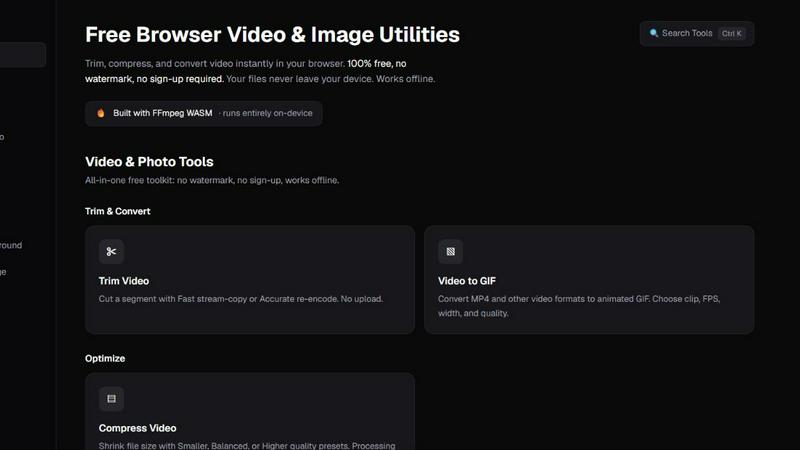
Free browser video & image tools: trim, compress, convert, resize & remove backgrounds. 100% on-device — your files never leave your browser.
About ClipUtils
ClipUtils is a free toolkit of privacy-first media tools that run entirely in your browser. Nothing to install, no account, no watermark — and unlike most online tools, your files are never uploaded to a server. Every conversion happens on your own device.
The toolkit covers both video and images:
• Video — trim clips, compress file size, and convert video to GIF
• Images — convert iPhone HEIC photos to JPG/PNG, batch-compress JPG/PNG/WebP, resize by pixels or percentage, and hit an exact file-size target (e.g. under 100 KB) for job-application and government portals
• AI Background Remover — cuts out subjects entirely on-device, free and unlimited, where alternatives upload your photo and charge per image
It's powered by WebAssembly (FFmpeg and libheif) plus an in-browser AI model, so heavy media processing runs locally at no cost to your privacy. That makes ClipUtils a genuinely private alternative to upload-based tools like TinyPNG, remove.bg, and iLoveIMG — ideal for anyone handling personal photos, IDs, signatures, or sensitive documents.
Explore more in this category:
Similar to ClipUtils

Crazy Frog AI
Turn 1–2 photos into the viral Crazy Frog invisible-moped chase video in seconds.

AIVideoAgent
Turn text ideas or reference images into videos through conversation, with agent-assisted prompts and a choice of video models.


LaunchIntel
Your AI agent picks relevant directories, submits your product in your browser and tracks every step. One-time purchase.


airapvideo
AI rap video generator that turns two portraits into a vertical, lip-synced rap music video. Pick framing and length, get a shareable MP4.

ImageAgent
Create and edit AI images through conversation, using text or reference images and refining results in chat.

CloneWebsite
Clone any webpage pixel-perfect, export HTML/CSS/ZIP or React/Vue components.