

Image to Image AI
Transform your images in a snap with AI magic, turning your ideas into stunning visuals effortlessly.
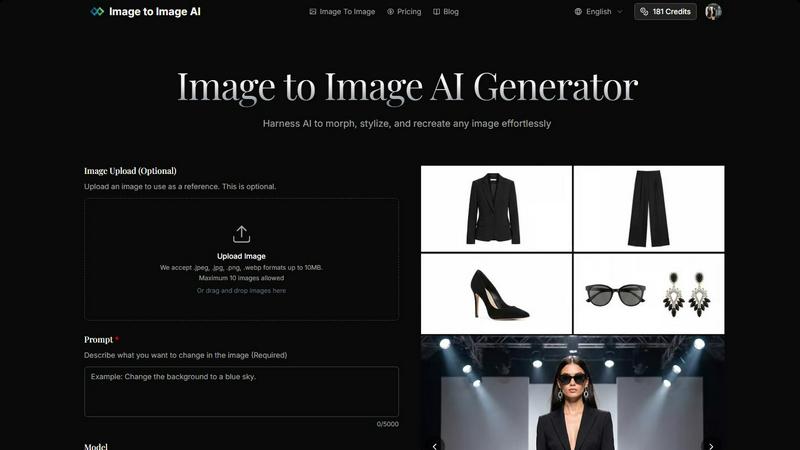
About Image to Image AI
Image to Image AI is your go-to online platform for transforming images and generating fresh visuals with a sprinkle of creativity. Whether you’re a designer itching to bring concepts to life, a marketer hunting for eye-catching social media content, or just a creative soul ready to experiment, this tool has got your back. It allows you to upload your own images or simply describe what you want using text prompts. The AI then works its magic, producing high-quality images in various aspect ratios and resolutions. You can choose from 9+ models that cater to different styles and preferences, ensuring you get top-notch results every time. With capabilities to generate 2K and 4K imagery, this platform is perfect for anyone looking to elevate their visual content without needing advanced design skills. Plus, you can do all this straight from your browser—easy peasy!
Features of Image to Image AI
Easy Image Upload
You can easily upload one or multiple images to use as references. It supports popular formats like .jpeg, .jpg, .png, and .webp, so you can get started without any hassle. Plus, with a max size limit of 10MB per image, you can work with just about anything.
Diverse Model Selection
Choose from a variety of AI models tailored for different image generation needs. Whether you need the fast and efficient Google model or the artistic flair of Nano Banana Pro, you have options. Each model brings its unique style, allowing you to pick one that fits your creative vision.
Custom Aspect Ratios and Resolutions
Image to Image AI doesn’t box you in with fixed sizes. You can select from multiple aspect ratios like 1:1, 16:9, or 9:16, and resolutions ranging from 1K to 4K. This flexibility ensures that your images are ready for any platform, be it social media, websites, or print.
Professional-Quality Outputs
No more mediocre visuals! The platform generates high-resolution images that are perfect for commercial use. Whether you’re creating product visuals or marketing materials, you can count on Image to Image AI to deliver stunning results that impress.
Use Cases of Image to Image AI
Social Media Content Creation
Looking to spice up your social media game? Use Image to Image AI to create unique visuals that stand out in feeds. Generate eye-catching images that reflect your brand’s personality and keep your audience engaged.
Concept Art Development
For artists and designers, this tool is ideal for developing concept art. Upload your sketches or initial ideas and let the AI help you visualize them in stunning detail, making your brainstorming sessions way more productive.
Product Visualization
Whether you’re launching a new product or refreshing an old one, Image to Image AI can help you create professional-quality product shots. Showcase your items with high-resolution images that can attract more customers and drive sales.
Marketing Campaigns
Marketers can leverage this tool to generate multiple variations of campaign assets. Create diverse visual content quickly, allowing you to test different designs and messages without breaking a sweat.
Frequently Asked Questions
How does Image to Image differ from Text to Image generation?
Image to Image focuses on transforming existing images based on your prompts, while Text to Image generates visuals from scratch based on descriptive text. This means you can maintain the original structure while adding your creative flair.
What types of images work best with the transformation?
Clear images with good lighting and resolution tend to yield the best results. High-quality reference images help the AI understand what you're aiming for, leading to more accurate transformations.
How much control do I have over the transformation process?
You have significant control! You can specify the aspect ratio, choose from various models, and adjust transformation parameters to tailor the output to your liking, ensuring your vision comes to life.
How long does the transformation process take?
The transformation process is super quick! You can typically generate multiple variations in seconds, allowing you to explore different creative directions without the wait.
Pricing of Image to Image AI
Credit-based pricing starts at $12 per month, offering a variety of plans based on your needs. With no software installation required, everything runs smoothly in your browser, making it super convenient to access and use.
Explore more in this category:
Similar to Image to Image AI

Budgetpixel AI
Create and edit AI images, videos, music, and designs in one workspace, with multiple models, reusable characters, and API access.

Try OC Maker
Create OCs from text or images, customize their look, and turn them into animated videos with AI.

FreeVideoGenerator
Free AI video generator: turn text prompts and photos into video clips with Sora 2, Veo 3.1, Wan and more. Free starter credits, no watermark download


ImageGenerator
Create and edit AI images online with multiple models, text-to-image, image-to-image, background removal, and upscaling.

ROIpad
ROIpad delivers dynamic competitive positioning intelligence for SaaS. Reveal high-converting messaging gaps and outmaneuver rivals with live data.

Ideogram 4.5
AI image generation and editing with precise typography, native 2K output, and localized edits.

nanobanana 21
Fast, simple AI image studio for creating and editing high-quality images with readable text, consistent characters, and up to 14 reference images.