

KalTalk
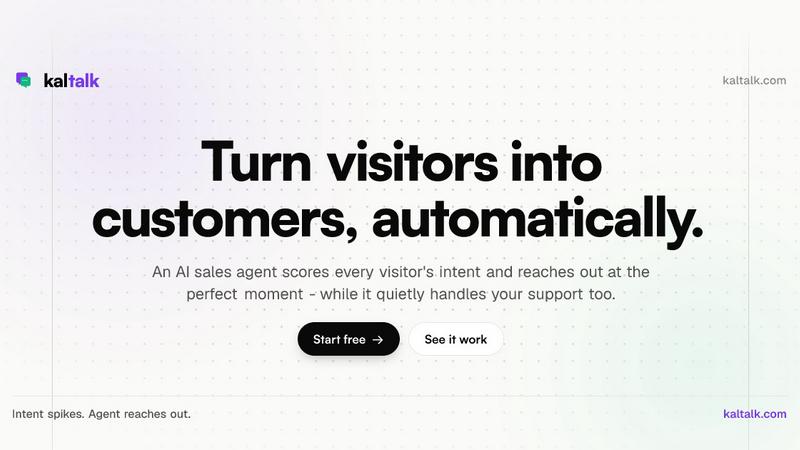
KalTalk's one AI agent handles your support tickets and spots buying signals, so you don't need separate sales and support teams.
About KalTalk
KalTalk is basically your support and sales team rolled into one ridiculously smart AI agent that lives on your site. No more juggling between five different tools, no more losing context when a ticket gets handed off, and definitely no more paying for two separate software subscriptions. This thing does both jobs at the same time, from the same inbox, for one flat price. Meet Kal, the AI agent that answers support questions straight from your own docs, watches every single visitor on your site like a hawk, and reaches out the moment someone looks ready to buy. It learns from your knowledge base, past conversations, and any PDF or URL you throw at it, so answers stay grounded in your real product. No hallucinations, no guessing, just straight facts with citations. The real magic is the intent scoring. Kal tracks every page, click, and return visit, updating a live intent score in real time. When someone hits the pricing page for the third time and lingers, Kal slides into their chat with a perfectly timed message. If a human actually needs to step in, the handoff comes with full context so nobody has to repeat themselves. KalTalk is built for small to medium teams that are tired of drowning in repetitive tickets while missing out on sales opportunities. Whether you run a Shopify store, a SaaS startup, or a service business, you can stand up your AI support and sales team in minutes with zero coding required.
Features of KalTalk
Support Agent that Answers from Your Docs
Forget training AI on generic data. KalTalk lets you point your agent at any help center URL, PDF, or markdown file, and it crawls, indexes, and keeps everything current automatically. When a customer asks a question, Kal replies with a direct answer and cites the exact source so customers actually trust the response. It handles routine stuff like refunds, password resets, and scheduling without bothering your team, and only escalates the weird edge cases with full conversation context attached. You can drop the chat widget on your site in sixty seconds, point your support email at a KalTalk subdomain, and link a WhatsApp number with a simple QR scan. Every channel lands in one unified inbox.
Sales Agent with Real-Time Visitor Intent
This is where KalTalk goes hard. Every lead and conversation lives inside the platform, so there is no CRM to wire up or sync. The sales agent watches every single visitor, scores their intent in real time based on pages visited, clicks made, and return visits, and reaches out the second your rules say go. You set conditions like pricing page plus three visits plus over sixty percent intent equals reach out in chat. Kal drafts the message and sends it. When the visitor replies, the conversation routes back to the same inbox where the agent can keep things moving until a human handoff is needed. No cold emails, no spam, just perfectly timed outreach.
Customer Map with Live World View
KalTalk comes with a live world map that shows you exactly who is on your site right now, where they are located, what page they are viewing, and their current intent score. It updates in real time so you can literally watch a visitor move from your blog to your pricing page and see their intent spike. This feature is insane for sales teams who want to jump on hot leads the second they show buying behavior. You can click on any dot on the map and see their entire session history, including past conversations and support tickets, all in one place.
Outreach Rules Builder with No Code
Writing outreach rules in KalTalk feels like building a sentence, not writing code. You stack conditions in plain language, choosing from triggers like URL matches, intent score thresholds, time on page, number of visits, referrer source, and scroll depth. Then you pick the action, which is usually reach out in chat with a custom message. You can change the rules anytime without touching a single line of code. This means you can test different outreach strategies, refine your targeting, and scale your sales process without hiring a developer or buying a separate automation tool.
Use Cases of KalTalk
E-commerce Stores Drowning in Order Status Tickets
If you run an online store, you know the pain of waking up to hundreds of where is my order emails every morning. KalTalk handles those automatically by pulling order status from your system and replying with tracking links and delivery estimates. The founder of Crazyvendor.io said KalTalk resolved eighty percent of their order status tickets before they even opened their laptops. The agent only pings the human team when something genuinely needs attention, like a lost package or a refund request that breaks policy.
SaaS Startups Struggling with Onboarding and Upgrades
SaaS companies deal with two massive pain points: new users who get stuck during onboarding and existing users who are ready to upgrade but never get asked. KalTalk handles both. It answers setup questions from your documentation, guides users through the first few steps, and watches their behavior to spot upgrade intent. When a user visits the pricing page multiple times or starts hitting usage limits, Kal reaches out with a personalized message about the next plan. No sales calls, no demos, just a timely nudge that converts.
Service Businesses Managing Client Communication
Agencies, consultancies, and service providers often have clients hitting them up on email, chat, and WhatsApp at all hours. KalTalk unifies every channel into one inbox so nothing slips through. It answers common questions about pricing, availability, and project timelines from your knowledge base. When a client shows high intent, like repeatedly checking the booking page, Kal reaches out to offer a call or schedule a session. The handoff to a human is seamless, with full conversation history so the client never has to repeat themselves.
Product Hunt Launches and High Traffic Events
When you launch on Product Hunt or run a big marketing campaign, your support queue explodes and your sales team gets flooded with inbound interest. KalTalk scales instantly to handle both sides. It answers the flood of feature questions and setup queries from your docs, while simultaneously spotting the high intent visitors who are ready to buy. You can set specific rules for launch day, like trigger outreach when a visitor comes from Product Hunt, visits the pricing page, and stays for more than thirty seconds. This turns a chaotic launch into a smooth revenue machine.
Frequently Asked Questions
How does KalTalk learn from my knowledge base?
KalTalk crawls any URL you point it at, whether its a help center, a documentation site, or a blog. It also accepts PDFs and markdown files. The system indexes everything and keeps it current by re-crawling continuously. When a customer asks a question, Kal searches the indexed content and returns an answer with a citation to the exact source. This means the AI never guesses or hallucinates because it is literally reading your own docs and pulling the answer from there.
Can KalTalk handle both support and sales at the same time?
Yes, that is literally the whole point. Kal is one agent that does two jobs simultaneously. It resolves support tickets from your documentation while simultaneously tracking every visitor on your site for sales intent. The same customer could ask a support question, get it resolved by Kal, and then later when they visit the pricing page, Kal recognizes them and reaches out with an upgrade offer. No handoff between tools, no lost context, one inbox for everything.
What channels does KalTalk support?
KalTalk supports chat via a widget you drop on your site in sixty seconds, email by pointing your support address at a KalTalk subdomain, and WhatsApp by linking a number with a simple QR scan. Every channel feeds into the same unified inbox so your team sees everything in one place. The AI agent works across all channels, answering questions and spotting intent regardless of where the customer reaches out.
How does the handoff to a human work?
When Kal decides a conversation needs a human, either because the customer asked for one or because the issue is outside the AI rules, it passes the entire conversation history with full context. The human agent sees everything that happened, including the customer's intent score, past tickets, and session history. Nobody has to repeat themselves, and the handoff feels seamless. You set the escalation rules in the settings, so you control exactly when and how humans get involved.
Similar to KalTalk


HireJosie
HireJosie is your 24/7 AI assistant that answers calls, books appointments, and follows up, all for free with zero hassle.

GoFish.Rocks
GoFish.Rocks hooks you up with a flat $1.50 per passenger online booking system for your charter trips, no sneaky percentage cuts.

Unio Digital
Unio Digital is your one-stop shop for seamless IT, cabling, and security solutions that keep your biz running smooth and connected.

Bidmyroom
Score killer group hotel deals as hotels compete for your booking, all hassle-free and commission-free with BidMyRoom.

SAS Joy
Meet SAS Joy, your 24/7 AI answering service that captures leads, handles calls, and connects your customers to the right person instantly!.