

KPI Studio
KPI Studio turns your boring spreadsheets into fire video charts in seconds no keyframes needed.
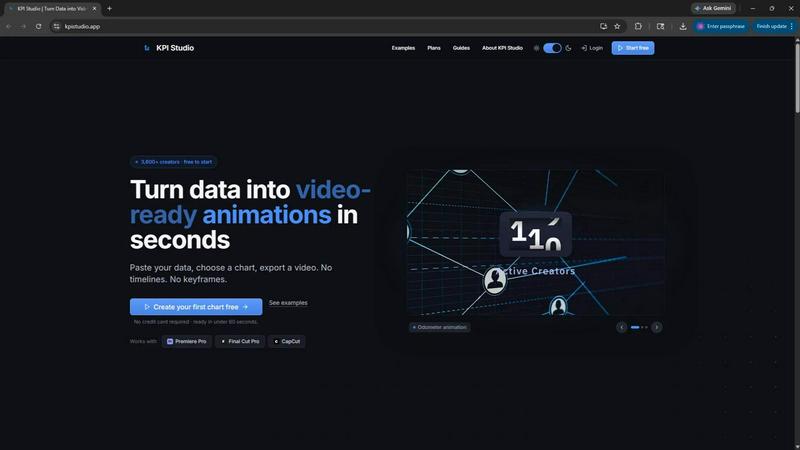
About KPI Studio
KPI Studio is basically the cheat code for data-driven video creators who need slick, animated charts in every video but don't have the time or patience for motion design. You know the struggle: screenshots look like you just discovered PowerPoint in 2005, Canva templates are way too rigid, and firing up After Effects means kissing your whole afternoon goodbye. Freelancers? They're slow, expensive, and you're stuck waiting on them like it's 2019. Even those AI video tools are unpredictable and definitely not built for precise data visualization.
KPI Studio just removes that entire headache. The workflow is stupid simple: paste your data, pick a chart style, and boom, you get a fully animated, video-ready visual in under 60 seconds. No timelines to fiddle with, no keyframes to set, zero setup. It's built for creators who are on a publish schedule and need that chart ready today, not next week. Exports come with transparent backgrounds so you can drop them directly into Premiere Pro, Final Cut, or CapCut without any extra editing. For the advanced folks, there's even JSON export for deeper customization and integration into custom pipelines. Over 3,600 creators are already using it, and it's free to start. No credit card needed. Just paste, customize, and export. It's that fast.
Features of KPI Studio
Paste and Go Workflow
You literally paste your data, choose a chart type, and hit export. That's it. No learning curve, no tutorials, no watching a 20-minute YouTube guide just to make a bar chart move. The whole process takes under 60 seconds, which means you can crank out multiple visuals for a single video without breaking a sweat. It's designed for speed, so you can focus on your actual content instead of wrestling with animation software.
Video-Ready Exports with Transparency
Every export is built to drop straight into your editing timeline. You get MP4, GIF, MOV with alpha channel (transparent background), and PNG sequences. That means no fiddling with chroma key or masking. Just import the file into Premiere Pro, Final Cut, CapCut, or any editor, and it's ready to layer over your footage. It works for all the major aspect ratios too: 16:9 widescreen, 1:1 square, 9:16 stories, and 4:3 standard.
Real-Time Preview and Customization
Before you hit export, you can see exactly what your chart will look like as an animation. Tweak the colors, fonts, and animation style in real time. No guessing games. If your data changes, just paste the new numbers and re-export. You don't have to redo any keyframes or rebuild the whole project. It's built for iteration, which is perfect when your boss or client changes the numbers at the last minute.
JSON Export for Advanced Workflows
For creators who need more control, KPI Studio offers JSON export. This lets you take your chart data and animation parameters into custom pipelines, integrate with other tools, or do deeper editing in After Effects or similar software. It's a power move for those who want the speed of KPI Studio but need the flexibility of a full motion design suite for final touches.
Use Cases of KPI Studio
YouTube Channel Analytics and Growth Reports
If you run a YouTube channel, you're constantly showing off subscriber milestones, view counts, and revenue numbers. Instead of taking a static screenshot of your analytics page, you can paste that data into KPI Studio and export an animated count-up counter or a growing bar chart. It makes your growth look way more impressive and keeps viewers engaged. Plus, you can drop it right into your video without any extra editing.
Social Media Shorts and Reels
Short-form content is all about grabbing attention fast. Animated KPIs are perfect for Instagram Reels, TikTok, and YouTube Shorts where you need to show a quick stat or comparison. A self-drawing line chart or a count-up number can hook viewers in the first few seconds. Export in 9:16 format with a transparent background, and you can layer it over your footage or a solid color background for a clean, professional look.
Client Reports and Case Studies
When you're presenting results to a client, static screenshots just don't cut it anymore. Animated charts and counters make your data feel alive and impressive. You can whip up a professional-looking KPI reveal in under a minute, drop it into a PowerPoint or Google Slides presentation, or include it in a video case study. It saves you from hiring a motion designer and makes you look like a pro.
Internal Team Dashboards and Presentations
For team meetings or all-hands presentations, you need to communicate metrics quickly and clearly. KPI Studio lets you turn raw numbers into animated visuals that keep your team's attention. Whether it's showing quarterly revenue growth, customer acquisition costs, or project milestones, you can create a polished, video-ready visual in seconds. No more boring spreadsheets or static slides.
Frequently Asked Questions
Do I need any design or animation experience to use KPI Studio?
Nope, not even a little bit. KPI Studio is built for people who have zero time and zero patience for motion design. You just paste your data, choose a chart, and hit export. There are no keyframes, no timelines, and no complicated settings. If you can copy and paste, you can use KPI Studio. It's literally that simple.
What file formats does KPI Studio support for export?
You get a bunch of options depending on your needs. There's MP4 for standard video, GIF for lightweight loops, MOV with alpha channel for transparent backgrounds, and PNG sequences for frame-by-frame control. You can also export JSON for advanced workflows. All exports are optimized for video editors like Premiere Pro, Final Cut, and CapCut.
Can I change the data after I've created a chart?
Absolutely. That's one of the best parts. If your numbers change, just paste the new data into the chart and re-export. You don't have to rebuild anything or redo any keyframes. It's designed for iteration, so you can update your visuals as many times as you need without wasting time.
Is there a free plan, and what are the limitations?
Yes, there's a free plan that doesn't even require a credit card. With the free plan, you get unlimited PNG exports and three free animated exports. You also get access to all chart types and real-time preview. If you need more, there's a one-time Creator Pack for $11.99 that gives you 10 video exports with no watermark at 1080p, or the Pro plan for $19.99 per month with unlimited video exports at 4K and no watermark.
Pricing of KPI Studio
KPI Studio keeps it simple with three straightforward options. The Free plan is $0 per month and gives you unlimited PNG exports, three free animated exports, all chart types, and real-time preview. No credit card needed, so you can try it on your next video risk-free. The Creator Pack is a one-time purchase for $11.99, perfect for client projects or deadline-driven edits. It includes everything in Free plus 10 video exports (GIF, MP4, WebM, and MOV) with no watermark and 1080p resolution. Credits never expire. The Pro plan is the most popular option at $19.99 per month, built for creators who publish every week. It includes everything in Free plus unlimited video exports with no watermark, 4K resolution, and you can cancel anytime.
Similar to KPI Studio

Leadeon
AI growth tool for X and LinkedIn: write posts in your voice, schedule at your best times, find leads on X and see what works.

Genjutsu AI
Genjutsu AI turns your ideas into cinematic videos, product ads, social media shorts, and high-quality images in minutes.


hotel-lobby
Two-person AI video concepts with warm, natural call-and-response scenes.


LTX 2.3 Free
LTX 2.3 prompts, workflows, demos, and practical AI video guidance.
