

Lens AI - Reverse Image Search
Snap a pic and let Lens AI instantly identify plants, animals, products, and more for free—your go-to visual search buddy!.
About Lens AI - Reverse Image Search
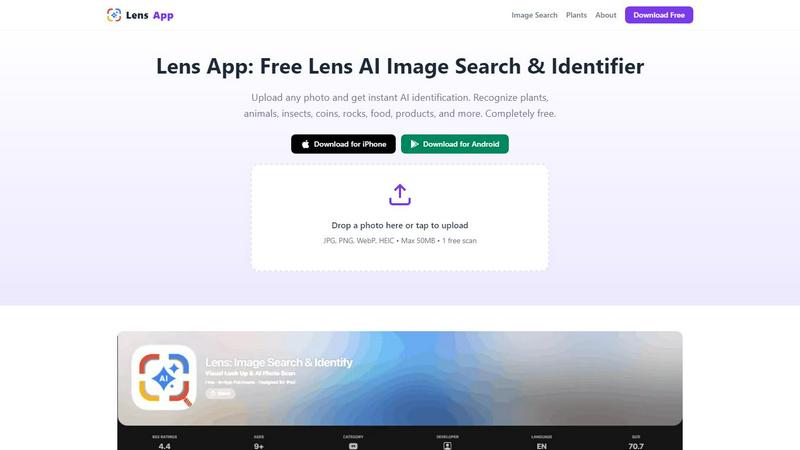
Lens AI is your go-to buddy for turning the unknown into the known, all from the comfort of your mobile device. This freemium app is not just for the tech-savvy; it's for anyone who has ever stared at a photo, wondering what on Earth that thing is. Whether it’s a plant, an animal, or even a random rock you found on your hike, Lens AI has got your back. With its advanced AI image recognition, this app takes your photos and analyzes them in seconds, providing instant identification and context. Students, travelers, shoppers, and casual explorers alike can benefit from its capabilities. Forget the old school way of typing in search queries; with Lens AI, you simply snap a pic and let the magic happen. It’s perfect for anyone who needs quick answers without the hassle of traditional searches. Plus, it’s available for both iOS and Android, making it super accessible for everyone.
Features of Lens AI - Reverse Image Search
Instant Identification
Snap a photo or upload an image, and Lens AI swiftly identifies what you're looking at. It analyzes various visual features like shape, color, and texture to deliver accurate results in seconds. Perfect for when you need to know whether that plant is a succulent or a cactus.
Reverse Image Search
Ever wondered where that image came from or what it's all about? Lens AI offers a reverse image search feature that allows you to find similar images and related context, giving you all the background info you could ask for. This is a game-changer for finding product details or tracking down similar objects.
Text Translation
Got a photo full of foreign text? Lens AI can translate that for you, instantly turning written language into something you can understand. Perfect for travelers who come across menus or signs in unfamiliar languages, this feature makes navigating new places way easier.
Calorie Estimation
Trying to keep track of your diet? Lens AI can estimate calories right from a food photo. Just snap a pic of your meal, and it’ll give you a quick calorie count, helping you stay on track with your nutritional goals without the need for manual logging.
Use Cases of Lens AI - Reverse Image Search
Identifying Plants and Animals
Imagine you're out in nature, and you spot a cool-looking flower or animal. With Lens AI, you can quickly identify it just by taking a picture. This is a fantastic tool for nature lovers and biology students who want to learn more about their surroundings.
Product Comparison
Shopping made simple! If you’re in a store and can’t decide between two products, just snap a pic and use Lens AI to compare them. It’ll help you find the best options, prices, and reviews in no time.
Exploring Landmarks
Traveling somewhere new? Use Lens AI to snap photos of landmarks and get instant information about their history, significance, and nearby attractions. It’s like having a personal tour guide in your pocket!
Cataloging Collectibles
If you’re a collector of coins, stamps, or other memorabilia, Lens AI makes it super easy to catalog your finds. Just take a picture, and you’ll get information about its value, rarity, and tips on care, making your hobby a whole lot more organized.
Frequently Asked Questions
How does Lens AI identify objects?
Lens AI uses advanced image recognition technology to analyze the visual features of your photo—like shape, color, and texture—and matches them against a vast database of known images. It’s fast and efficient!
Is Lens AI available on both iOS and Android?
Absolutely! Lens AI is designed to work on both iOS and Android devices, making it accessible to a wide range of users looking for quick image identification.
Can I use Lens AI for free?
Yes, Lens AI offers a freemium model. You can download the app and use its basic features for free, but additional features may require a subscription or in-app purchases.
What types of images can I upload?
You can upload various image formats, including JPG, PNG, WebP, and HEIC, with a maximum file size of 50MB. This allows for diverse uses, whether it’s a casual snapshot or a more detailed image.
Explore more in this category:
Similar to Lens AI - Reverse Image Search

AIVideoAgent
Turn text ideas or reference images into videos through conversation, with agent-assisted prompts and a choice of video models.

Easemic
Open-source Android comic & manga reader with encrypted cloud streaming and AI ad-page stripping.

LaunchIntel
Your AI agent picks relevant directories, submits your product in your browser and tracks every step. One-time purchase.

Rhinobird
AI video ads, UGC-style videos, and product visuals for cross-border sellers and e-commerce brands.

GenX
All-in-one AI workspace to generate images, videos, and audio with multiple leading AI models.

Bloom
An adaptive AI tutor that turns topics or your materials into courses, lessons, and answers tailored to how you learn.

screenRIG
Signage and kiosk infrastructure for AI agents. Your agent publishes images, video, streams, web pages and apps to screens via one plugin.screenRIG is

AUTOMATER.ai
A tray helper for every AI coding tool: one searchable library of past sessions, waiting alerts and usage across 9 providers.