

Online Keyboard Shortcuts
Stop fumbling around and level up your workflow with every key combo for Windows, Mac, and Linux at OnlineShortcuts.com.
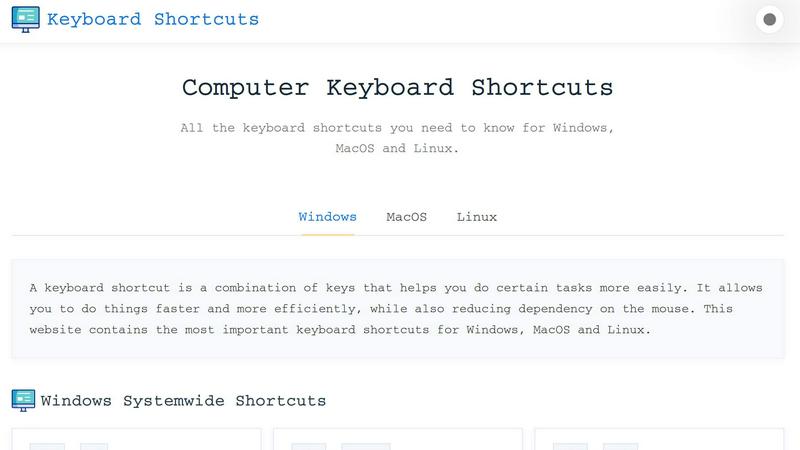
About Online Keyboard Shortcuts
Alright, let's get real for a second. You know that annoying moment when you're deep in the zone, fingers flying across the keyboard, and then you have to stop everything just to grab your mouse and click some tiny button? That's a productivity killer, my friend. Online Keyboard Shortcuts is here to save you from that nightmare. This is your ultimate cheat sheet for every keyboard shortcut that actually matters on Windows, macOS, and Linux. Think of it as your personal speedrun tool for getting stuff done without ever touching that rodent-like device on your desk.
We're talking about a massive, curated list of all the essential key combos that let you close windows, switch apps, open settings, snap windows, and even launch secret menus like a total pro. It's designed for everyone from the casual user who just wants to stop hunting for the "X" button to the hardcore developer who lives in the terminal. The main value prop? You work faster, you look cooler, and you stop relying on that mouse like it's a crutch. The website breaks everything down by operating system, so whether you're a Windows warrior, a macOS minimalist, or a Linux legend, you'll find exactly what you need. Plus, they throw in application-specific shortcuts for stuff like Command Prompt, File Explorer, text editing, virtual desktops, and web browsers. And the best part? It's completely free, no ads, no upsells, no spyware. Just pure, unadulterated keyboard wizardry. So if you're ready to level up your workflow and start flexing on your coworkers with your lightning-fast navigation skills, this is the spot.
Features of Online Keyboard Shortcuts
Massive Cross-Platform Library
This isn't some half-baked list with just the basics. Online Keyboard Shortcuts brings the heat with a comprehensive library covering all three major operating systems: Windows, macOS, and Linux. You get system-wide shortcuts, OS-specific key combos, and even application-specific hotkeys for things like Command Prompt, File Explorer, and web browsers. Whether you're snapping windows with Win + Arrow keys or opening the Emoji Panel with Win + Period, every important combo is right there, organized and ready to copy. It's like having a cheat code database for your entire computer.
Downloadable Cheat Sheets
Sometimes you need your shortcuts offline, and this site has your back. You can download the entire Windows shortcuts list as a handy PDF file or as a PNG image in both dark and light themes. That means you can print it out, pin it to your wall, set it as your desktop wallpaper, or just keep it on your phone for quick reference. No more frantically Googling "how to open task manager" when your mouse freezes up. Just whip out your cheat sheet and look like a boss.
Sarcastic and Relatable FAQ Section
Let's be honest, most FAQ sections are boring and corporate. Not this one. The site leans into the chaos with a FAQ section that's actually funny and self-aware. Questions like "How do I use Computer Keyboard Shortcuts?" get answered with "Browse the list and find the one you need. You'll figure it out." And when you ask about updates, they straight-up say "No. Maybe. Let's see." It's refreshing, it's real, and it makes learning keyboard shortcuts feel less like homework and more like hanging out with a friend who's also a tech nerd.
Clean and Responsive Design
The website is built to be accessible on any device, whether you're on a massive desktop monitor, a tablet propped up on your desk, or your phone while you're pretending to work at a coffee shop. The shortcuts are displayed in neat, easy-to-read tables with clear key icons and descriptions. No clutter, no pop-ups, no nonsense. You just scroll, find your shortcut, and get back to work. It's the kind of design that respects your time and your sanity.
Use Cases of Online Keyboard Shortcuts
Power User Productivity Boost
You're the kind of person who has 47 tabs open, three virtual desktops running, and a dozen apps minimized. You need to move fast. With Online Keyboard Shortcuts, you can master combos like Win + Tab for Task View, Ctrl + Shift + Esc for Task Manager, and Win + D to show the desktop instantly. No more clicking around like a noob. You'll be switching between tasks, snapping windows, and opening settings faster than your coworkers can say "wait, how did you do that?" It's a straight-up productivity cheat code.
Learning New Operating Systems
Maybe you just switched from Windows to macOS, or you're trying out Linux for the first time because you heard it's cool. Either way, you're lost. The keyboard shortcuts are completely different, and you keep hitting the wrong keys. Online Keyboard Shortcuts helps you bridge that gap fast. You can compare the shortcuts side-by-side, learn the new combos, and stop feeling like a confused toddler trying to use a toaster. It's the ultimate guide for OS migrants.
Teaching or Training Others
You're the IT guy, the office tech wizard, or the friend everyone calls when their computer is acting up. You need to teach people how to be more efficient without spending hours explaining the same thing over and over. Just send them to Online Keyboard Shortcuts. It's self-explanatory, easy to navigate, and the sarcastic FAQ section will actually make them laugh while they learn. You'll save hours of your life, and your coworkers will finally stop asking you how to close a window.
Gaming and Multitasking Mastery
Gamers, listen up. You know that moment when you're in the middle of a raid and you need to alt-tab to check Discord or change your music? Every millisecond counts. Online Keyboard Shortcuts teaches you the fastest ways to switch between apps, lock your screen when you need to step away, or even create a screenshot with Win + Shift + S. You'll be able to multitask like a pro without ever breaking your flow. Plus, you can flex on your friends with your lightning-fast desktop navigation.
Frequently Asked Questions
What is Computer Keyboard Shortcuts?
Computer Keyboard Shortcuts is a comprehensive, no-nonsense guide to keyboard shortcuts for a wide variety of software applications and operating systems. It's designed to help you improve your productivity by giving you quick and easy access to all the important commands and hotkeys. Basically, it's the cheat sheet you never knew you needed, but now you can't live without.
How do I use Computer Keyboard Shortcuts?
Simple. You browse the list, find the shortcut that matches what you want to do, and then you press those keys on your keyboard. It's not rocket science. The site is organized by operating system and application, so you can quickly find what you need. If you're still confused, just try pressing random combos until something happens. You'll figure it out.
Can I request a new software to be added?
Absolutely. You can request new software by thinking of a keyboard shortcut really hard. We will mentally receive your message and add it to the list. For real though, the site is community-driven, so if you have a suggestion, just send some good vibes into the universe and we'll handle the rest.
How accurate are the keyboard shortcuts?
The shortcuts are curated to be as accurate as possible for the specified software versions. However, software updates can sometimes change hotkeys, so it's always a good idea to verify with the specific version you're running. If something doesn't work, don't panic. Just check if you're pressing the right keys, and if all else fails, blame the update. We won't judge.
Explore more in this category:
Similar to Online Keyboard Shortcuts

@fuck.it - email with attitude
Private email. Pure. Secure. Exclusive. No ads, no tracking, no data selling. GDPR compliant, EU-hosted.

FreeVideoGenerator
Free AI video generator: turn text prompts and photos into video clips with Sora 2, Veo 3.1, Wan and more. Free starter credits, no watermark download

Novastart
Apps and files on an infinite canvas where people and AI agents work together.

Panzoe
Panzoe is an all-in-one AI platform for personal productivity, business automation, AI assistants, content creation, and custom AI solutions.

AUTOMATER.ai
A tray helper for every AI coding tool: one searchable library of past sessions, waiting alerts and usage across 9 providers.


AI Email Filter
AI Email Filter sorts incoming mail into folders using plain-language prompts you write. Works with any IMAP mailbox; bring your own LLM if you want.
