

ProcessSpy
ProcessSpy lets you effortlessly monitor and manage macOS processes like a pro with advanced filters, real-time data, and sleek performance.
About ProcessSpy
Yo, fellow Mac enthusiasts! Let me introduce you to ProcessSpy, your new best friend when it comes to monitoring processes on macOS. Forget about Activity Monitor hiding the juicy details; ProcessSpy lays it all out for you in a sleek package. This tool is crafted for developers, power users, and anyone who wants to dig deeper than the vanilla options provide. With features like process trees, environment variables, and the ability to terminate stubborn apps in a snap, you're in for a treat. Whether you're juggling multiple Java apps or just trying to figure out what's hogging your CPU, ProcessSpy gives you the intel you need to take control. It's like having a backstage pass to your Mac's inner workings—so buckle up and get ready to unleash the power of ProcessSpy!
Features of ProcessSpy
Advanced Tree View
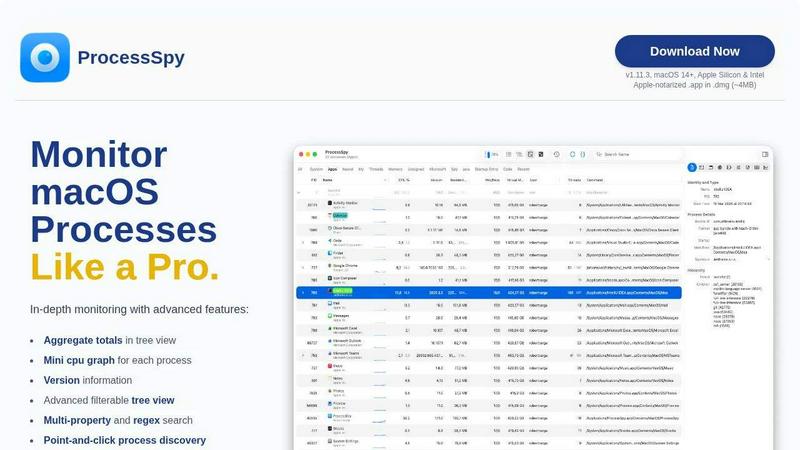
ProcessSpy's Advanced Tree View is where the magic happens, fam! It lets you visualize process hierarchies in real time, giving you insights into CPU, Memory, and Thread usage like never before. Plus, with filtering options and JS filters, you can find exactly what you're looking for without breaking a sweat. Say goodbye to guessing games!
Javascript Filters
Get your code on with ProcessSpy's Javascript Filters! These bad boys allow you to create complex filtering conditions that make finding the right processes a breeze. Want to see only processes with "java" in the name and "-Xmx" in the command line? You got it! This feature is perfect for those who love customization and need specific data at their fingertips.
Advanced Process Info (Paid)
Unlock a treasure trove of advanced details with just one click! ProcessSpy lets you dive deep into processes, revealing entitlements, Info.plist, and bundle IDs. This paid feature is a game-changer for developers who need to scrutinize every aspect of their apps and processes without breaking a sweat.
Process History Recording (Paid)
Ever wonder what your processes were up to last week? With Process History Recording, you can track historical values for CPU, Memory, and Threads over time. This paid feature even allows you to export your findings to CSV—perfect for those who love to analyze data, share findings, or just keep tabs on long-term performance trends.
Use Cases of ProcessSpy
Developer Debugging
If you're a developer juggling multiple apps, ProcessSpy is your go-to. It helps you identify which process corresponds to which app version, letting you debug like a pro. No more guessing games with identical process names—just pure, actionable insights!
Performance Monitoring
Got a sluggish Mac? Use ProcessSpy to track down the culprits. With advanced filtering and real-time insights, you can pinpoint resource hogs and take action to optimize performance. Say goodbye to lag and hello to a snappier experience!
Environment Variable Inspection
For those who need to dive into the nitty-gritty, ProcessSpy lets you inspect environment variables of running processes. This is especially useful when you're troubleshooting or need to ensure that the right settings are in place for your apps. Get the info you need without the hassle!
Historical Data Analysis
Want to track how a process has behaved over time? With ProcessSpy’s historical data recording, you can analyze trends in CPU and Memory usage. It’s perfect for performance reviews or simply keeping an eye on processes that might be misbehaving over time!
Frequently Asked Questions
Is ProcessSpy safe to install on my Mac?
Absolutely! ProcessSpy is Apple-notarized and comes as a signed .app in a .dmg, so you can rest easy knowing it's safe for both Intel and Apple Silicon Macs.
Does ProcessSpy support older versions of macOS?
Nope, ProcessSpy is designed for macOS 14 and newer. If you're rocking an older version, it's time to upgrade your OS to get in on the action!
What is the license model?
You'll love this—ProcessSpy's license is valid for one user across unlimited devices. Plus, it includes lifetime updates and new features, so you're all set for the long haul without any hidden fees!
How do I unlock the paid features?
Unlocking the paid features is a breeze! Just purchase your license on Gumroad for $24.99, and you'll get access to a treasure trove of advanced features like environment variables, process history, and more. Easy peasy!
Similar to ProcessSpy

SightRadar
Face recognition API, a drop-in replacement for AWS Rekognition. Index, search, compare and detect faces, billed per photo with no subscription.


Luminus Tools
A fast, privacy-first suite of online calculators, financial desks, health trackers, and developer utilities running completely in your browser withou

Sprite Sheet Maker
A free browser-based toolkit for creating, cutting, converting, and previewing sprite sheet animations.

Forms Plugin
The #1 Native Form Builder Plugin for Framer - No Code, No Embeds, No External Platforms.


