
Sketch To
Transform your pics into stunning sketches with Sketch To's AI tool, perfect for creators at any level!.
About Sketch To
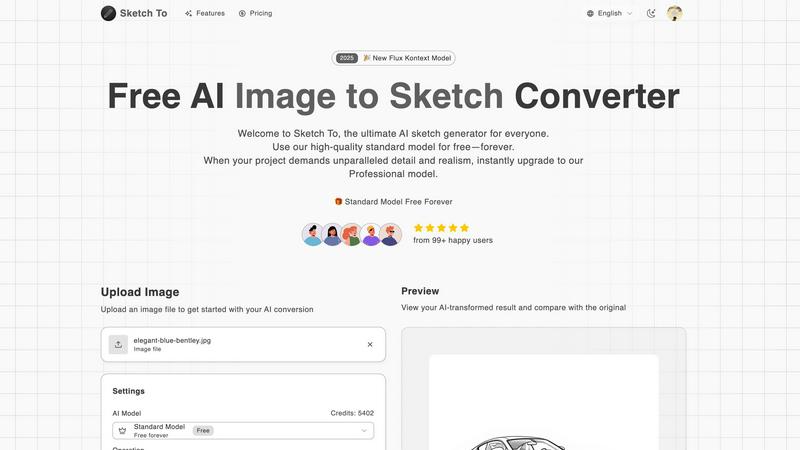
Welcome to Sketch To, the coolest AI tool out there for turning your everyday photos into jaw-dropping sketches and revamping your doodles into photorealistic art! Whether you're a creative soul looking to jazz up your Instagram feed, a student wanting to make your projects pop, or just a curious mind wanting to experiment with art, Sketch To is your go-to playground. This tool harnesses cutting-edge AI tech to deliver stunning transformations in a flash. You can easily switch between converting images to sketches and vice versa, making it super versatile for all your artistic adventures. Plus, new users can dive in with free trial credits, meaning you can explore its features without spending a dime. Say goodbye to clunky software and hello to instant artistic expression with Sketch To!
Features of Sketch To
Image to Sketch Conversion
Turn your photos into stunning pencil sketches using advanced AI technology. This feature is perfect for artists, designers, and anyone looking to add an artistic flair to their images. With just a few clicks, you can create beautiful, clean sketches that capture the essence of your original image.
Sketch to Image AI
Transform your simple sketches into realistic images that boast incredible detail and depth. This feature utilizes the Pro model's advanced capabilities, allowing you to bring your artistic visions to life. Whether you're a professional artist or a hobbyist, this conversion feature will elevate your work to new heights.
Instant Processing
No more waiting around for your creations! With our powerful cloud-based AI processing, you can get your image or sketch conversions in seconds. This speedy turnaround means you can quickly iterate on your designs, perfect for those moments when inspiration strikes.
High-Resolution Output
Download your creations in high resolution, making them perfect for print or professional use. Whether you're looking to showcase your work online or create physical copies, Sketch To ensures that your final images maintain their quality and detail.
Use Cases of Sketch To
Social Media Posts
Level up your social media game by converting your favorite photos into stunning sketches. Perfect for creating unique content that stands out in your feed, Sketch To allows you to express your creativity and grab attention with eye-catching visuals.
Creative Projects
Artists and hobbyists can use Sketch To to enhance their creative projects. Whether you're designing a poster, crafting a unique greeting card, or simply experimenting with art styles, this tool provides the versatility and quality you need to bring your ideas to life.
School Assignments
Students can use Sketch To to make their school projects more engaging and visually appealing. Turning a regular photo or doodle into a sketch adds a creative touch that can impress teachers and classmates alike, making your presentations memorable.
Professional Art Projects
For professional artists and designers, Sketch To's Pro model offers world-class realism and detail, making it an invaluable tool for commercial projects. Whether you’re working on illustrations, marketing materials, or client designs, this tool can help you achieve stunning results that wow your clients.
Frequently Asked Questions
How does Sketch To work?
Sketch To uses advanced AI algorithms to analyze your uploaded images and convert them into sketches or vice versa. The process is simple: upload your file, choose your desired style, and hit generate!
Can I try Sketch To for free?
Absolutely! New users receive trial credits that allow them to explore the features of our standard model without any cost. It's a great way to get started and see what you can create.
What formats can I upload?
You can upload a variety of image formats, including JPEG and PNG. Just drag and drop your files onto the canvas, and you're good to go!
Is there a limit to how many images I can convert?
While there are no strict limits, each conversion uses credits based on the model you select. The standard model uses 1 credit per conversion, while the Pro model requires more for its enhanced features.
Similar to Sketch To

screenRIG
Signage and kiosk infrastructure for AI agents. Your agent publishes images, video, streams, web pages and apps to screens via one plugin.screenRIG is

AUTOMATER.ai
A tray helper for every AI coding tool: one searchable library of past sessions, waiting alerts and usage across 9 providers.

Luminus Tools
A fast, privacy-first suite of online calculators, financial desks, health trackers, and developer utilities running completely in your browser withou


amaze.directory
A directory of AI tools where a person used each one first.

Speechyou
AI transcription for voice notes, meetings, and audio files in 1,700 languages, with AI summaries and subtitle export and unlimited chat ai usage.