
StreamGen
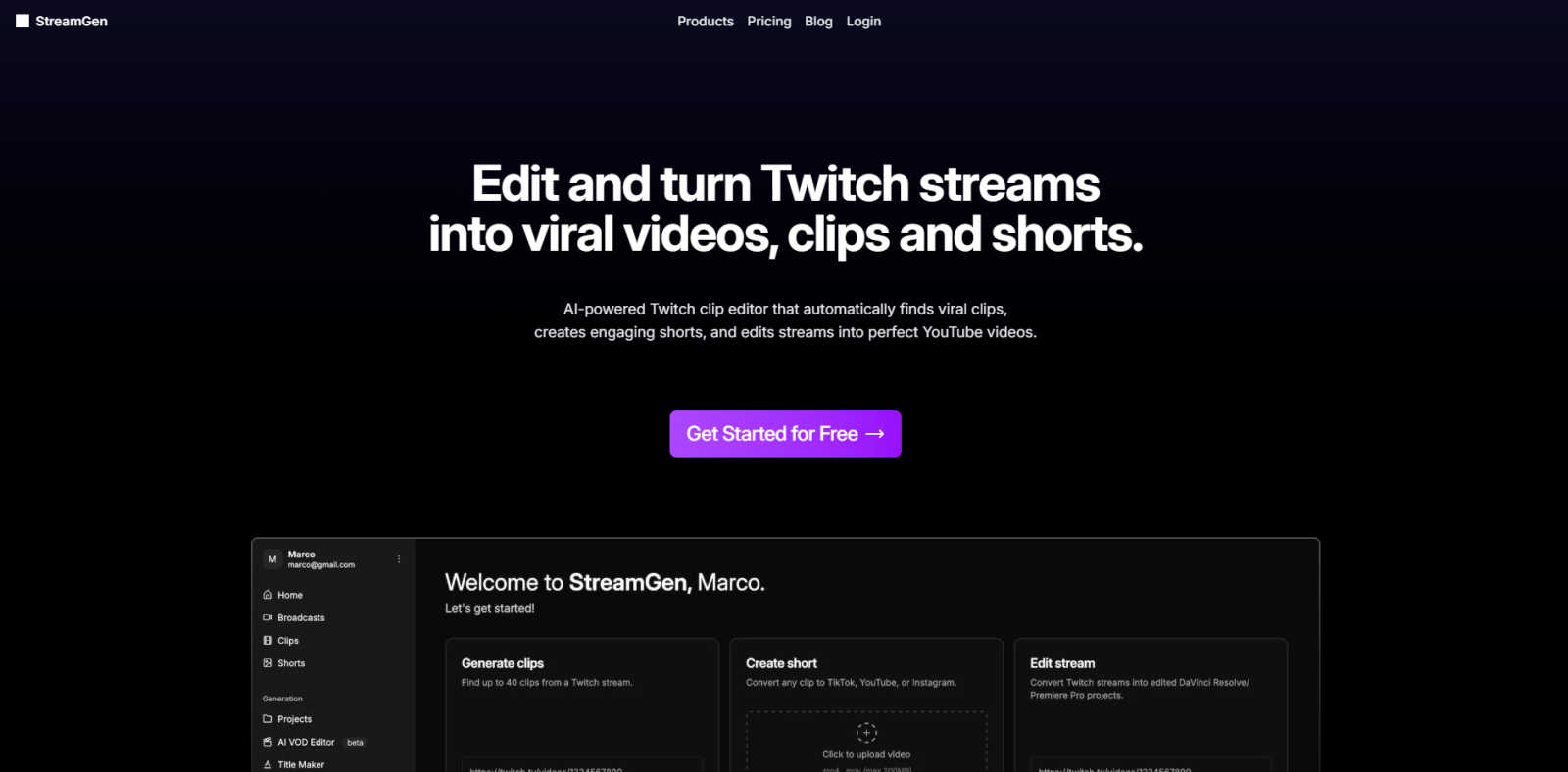
StreamGen turns your Twitch streams into viral TikTok and YouTube Shorts, making clip creation a breeze for streamers.
About StreamGen
Yo, streamers! Are you ready to level up your content game? Say hello to StreamGen, the ultimate AI-powered tool that transforms your long Twitch streams into viral-ready clips for TikTok and YouTube Shorts. Whether you're a newbie or a seasoned pro, StreamGen is here to do the heavy lifting for you. No more wasting hours sifting through 8+ hour streams to find those epic moments. Our powerful AI scans your streams, auto-magically identifying the hype screams, clutch plays, and hilarious fails that your audience craves. It edits these moments into slick, polished clips, complete with captions in over 90 languages, and even removes the awkward silences. Join over 1000 streamers who are already using StreamGen to boost their streaming careers. Stop stressing about editing and start focusing on what you do best: creating awesome content. Your audience is waiting, and StreamGen is your ticket to reaching them on all platforms!
Features of StreamGen
AI Twitch Clip Generator
With StreamGen's advanced AI models, you can say goodbye to manually searching for clips. Our intelligent system analyzes your entire Twitch VOD to spot viral moments and create highlight clips that are ready to rock.
AI VOD Editor
Transform your long Twitch streams into fully edited projects for DaVinci Resolve and Adobe Premiere Pro in a flash. StreamGen makes it a breeze to customize your content with professional-grade tools.
AI Captions in 90+ Languages
Want to reach a global audience? StreamGen has got you covered! Our AI generates captions in over 90 languages, letting you engage with viewers from around the world without breaking a sweat.
Schedule Your Clips
Consistency is key in content creation. With StreamGen, you can connect your TikTok and YouTube accounts to schedule your clips, ensuring that your content goes live at the best times with minimal effort.
Use Cases of StreamGen
Effortless Content Creation
StreamGen is perfect for streamers who want to maximize their reach without sacrificing their streaming time. Automatically generate clips that can be published across various platforms, keeping your audience engaged while you focus on your streams.
Boosting Brand Awareness
If you're looking to grow your brand, using StreamGen to create viral shorts can help you gain visibility. The AI-generated clips highlight your best moments, making it easier for potential followers to discover your channel.
Time-Saving for Busy Streamers
For those juggling full-time jobs and streaming, StreamGen is a lifesaver. It automates the tedious editing process, allowing you to generate high-quality clips quickly, so you can spend more time streaming and less time editing.
Engaging with Your Community
Use StreamGen to create fun and interactive clips that resonate with your community. Highlight the best moments from your streams to keep your followers entertained and coming back for more.
Frequently Asked Questions
How does StreamGen find the best clips from my streams?
StreamGen uses advanced AI algorithms to analyze your Twitch VODs, identifying key moments that are likely to go viral, so you can focus on your gameplay instead of editing.
Can I customize the clips created by StreamGen?
Absolutely! Once the clips are generated, you can easily customize them with captions, effects, and more, all within the StreamGen platform. It’s all about making it your own.
What platforms can I schedule my clips on?
StreamGen allows you to connect your TikTok and YouTube accounts, making it super easy to schedule and post your clips on both platforms, ensuring you always stay active.
Is StreamGen suitable for new streamers?
Definitely! StreamGen is designed for streamers of all levels. Whether you are just starting out or have been streaming for years, it can help enhance your content creation process and grow your audience.
Explore more in this category:
Similar to StreamGen

BuildingNow Podcast
BuildingNow shares founder conversations and practical lessons on building products, finding customers, and growing a business.

FreeVideoGenerator
Free AI video generator: turn text prompts and photos into video clips with Sora 2, Veo 3.1, Wan and more. Free starter credits, no watermark download

Posy
A link-in-bio page that looks hand-made. Pick a look, add your links and publish in a minute. Free, open source, and your AI can edit it for you.

Leadeon
AI growth tool for X and LinkedIn: write posts in your voice, schedule at your best times, find leads on X and see what works.

Riff
Free Chrome extension. Paste your rough point and Chrome's built-in AI writes a fresh reply for that post on X, LinkedIn, Facebook or Instagram.

Genjutsu AI Video Editor
AI video-to-video editing for character, outfit, object and visual-style changes guided by your original clip.


Genjutsu AI
Edit a video clip with reference images while keeping the original motion