

TaleHug AI Story Generator for Kids
TaleHug turns a kid's voice, drawing, or idea into a custom AI storybook for safe co-reading, no cap.
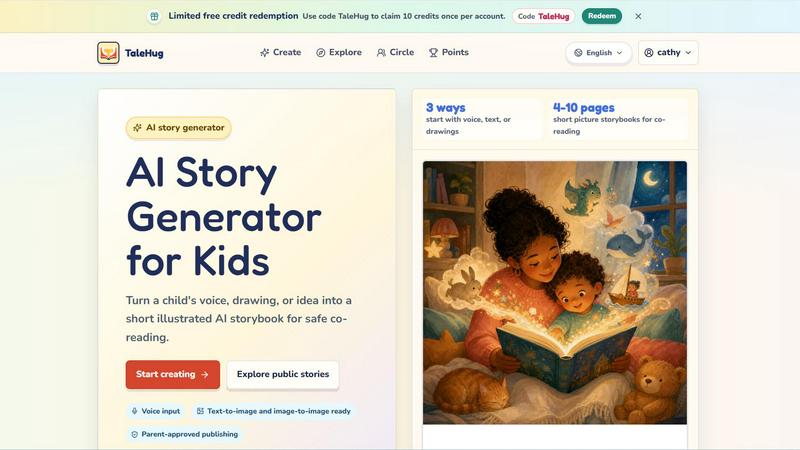
About TaleHug AI Story Generator for Kids
Alright, let's be real for a sec. You've got a tiny human at home who's bursting with wild ideas, scribbles that look like abstract art, and stories that jump from talking dinosaurs to magical ice cream cones in a single breath. Enter TaleHug, the AI story generator that's basically a creative sidekick for kids. This isn't some boring, corporate tool. It's a colorful, kid-friendly playground where your child can turn their voice, a random doodle, or a half-baked idea into a legit illustrated storybook in minutes.
TaleHug is built for the preschool and kindergarten crew (think ages 3 to 6) and their parents who want a safe, engaging way to spark a love for reading and writing. The whole vibe is about making storytelling feel like a game, not homework. Kids can speak their story into the app, upload a drawing they made with crayons, or pick from a bunch of parent-approved prompts. The AI then whips up a short picture book with 4 to 10 pages, complete with vibrant illustrations and simple sentences that are perfect for co-reading.
But here's the kicker: safety is the main character. TaleHug is private by default. No public comments, no sharing personal info like full names or addresses. If a kid wants to publish their masterpiece to the public gallery or even just their "Circle" of trusted people, an adult has to give the thumbs up. It's all about letting kids create freely while keeping the internet's chaos at bay. Plus, you can save and share those stories, making them instant keepsakes. It's like having a tiny publishing house and art studio rolled into one, with a heavy dose of parental peace of mind. Whether you're looking for a bedtime story generator, a way to encourage a reluctant writer, or just some screen time that actually feels productive, TaleHug is the real deal.
Features of TaleHug AI Story Generator for Kids
Voice, Text, or Drawing Input
Kids don't always want to type, and that's totally fine. TaleHug lets them start a story three different ways: they can speak their idea out loud, type it in if they're feeling fancy, or upload a drawing they made. The AI takes that raw input and turns it into a coherent storybook. It's perfect for little ones who can't spell yet or for those days when a scribble of a purple monster needs to become a real character. This feature makes the tool accessible for all skill levels and keeps the creative flow going without any frustrating roadblocks.
AI-Powered Illustration Generation
This is where the magic really happens. TaleHug doesn't just write a story; it generates full-color illustrations for every single page. Think of it as a text-to-image and image-to-image engine that's kid-friendly. If your child uploads a drawing of a wonky house, the AI can use that as a base to create a polished, storybook-style image. Each page gets a strong visual, a short sentence, and a stored prompt so you can regenerate the image if the vibe isn't quite right. It's like having a personal illustrator who never gets tired of drawing the same space bunny over and over.
Parent-Approved Publishing and Safety Controls
TaleHug takes the "stranger danger" concept and applies it to digital storytelling. All story drafts start as private, so no one sees them but the creator. If a kid wants to share their story with the world or even just their "Circle" (a private group of family and friends), an adult has to approve it first. There are no public comments, no asking for personal details like school names or addresses, and the public gallery only shows examples that have been vetted. It's a safe space where kids can be creative without accidentally oversharing or encountering weird online interactions.
Customizable Characters and Themes
Every kid has a favorite character or a go-to theme, and TaleHug leans into that hard. The platform offers a library of story ideas and prompts, like "Moon rabbit bedtime" or "Garden courage," that kids can use as a starting point. But they can also customize the characters, settings, and plot points. Want a brave knight who drinks tea with a witch? Done. A classroom social story about sharing a red truck? Easy. This flexibility means the stories feel personal and relevant, which keeps kids engaged and excited to create more.
Use Cases of TaleHug AI Story Generator for Kids
Bedtime Story Creation for Reluctant Readers
Let's face it, some kids just aren't into the whole "sit still and listen to a story" thing. TaleHug flips the script by making them the author. Before bed, a parent and kid can brainstorm a quick idea, like a cloud-hopping adventure or a feelings-under-the-sea journey. The AI generates a short, illustrated book in minutes, and then you read it together. It turns the bedtime routine from a passive activity into an interactive bonding experience. Plus, the kid is way more likely to pay attention when they're the one who created the main character.
Classroom Social Stories for Kindergarten Teachers
Teachers, we see you. You need quick, effective tools to teach social skills like sharing, taking turns, and asking for help. TaleHug is perfect for that. A teacher can use a prompt like "Sharing the red truck" to generate a custom social story tailored to their class's specific needs. The AI creates simple sentences and relatable illustrations that make abstract concepts concrete for little learners. It's faster than drawing your own, cheaper than buying a book, and way more engaging because the kids can help choose the characters and setting.
Encouraging Reluctant Writers to Find Their Voice
Some kids freeze up when they see a blank page. The pressure to write a "good" story can be paralyzing. TaleHug removes that pressure by doing the heavy lifting. A kid can just say "I want a story about a dragon who is scared of the dark," and boom, the AI generates a draft. The child can then tweak it, add their own ideas, or just enjoy reading what the AI came up with. It's a low-stakes way to build confidence and show kids that storytelling is fun, not a chore. Over time, they might even start contributing more of their own ideas.
Creating Personalized Gifts and Keepsakes
Grandparents go absolutely bonkers for this stuff. Imagine the look on Grandma's face when she receives a printed storybook that her grandkid "wrote" and illustrated with the help of AI. TaleHug makes it easy to create personalized stories for birthdays, holidays, or just because. You can save the stories digitally or print them out. It's a thoughtful, creative gift that's way more memorable than a store-bought toy. Plus, it captures a snapshot of your child's imagination at a specific age, making it a priceless keepsake for years to come.
Frequently Asked Questions
Is TaleHug really safe for my child to use?
Absolutely. Safety is literally the foundation of the whole platform. TaleHug is designed with parent-guided sharing in mind. All drafts are private by default. If a child wants to share a story publicly or with their Circle, an adult must approve it. There are no public comments, no collection of personal details like full names, school names, or addresses. The public gallery only shows approved examples. It's a walled garden for creativity, not a free-for-all on the open internet.
How does the AI handle my child's drawings or voice recordings?
When your child uploads a drawing or speaks a story idea, TaleHug uses it as a creative prompt, not as personal data. The AI analyzes the input to generate a story and illustrations. Your child's original drawing or voice recording is not stored or shared publicly. The platform minimizes personal data collection and focuses only on what's needed to generate the storybook. You can think of it as the AI taking inspiration from your kid's idea, not stealing their art.
Can I print the stories my child creates?
Yes, you can! TaleHug allows you to save and share the stories your child creates. While the platform itself is digital, you can easily export or print the storybooks at home or through a printing service. This is a great way to create physical keepsakes, gifts for family, or even a classroom library. The stories are designed to be short picture books (4 to 10 pages), so they're perfect for printing and reading together.
How many stories can my child create for free?
TaleHug offers a limited free credit redemption system. You can use the code "TaleHug" to claim 10 credits once per account. Each credit likely allows you to generate one storybook. After you use those initial credits, you would need to purchase more or explore any premium plans they offer. The free credits are a great way to test the waters and see if your kid loves the experience before committing to anything.
Explore more in this category:
Similar to TaleHug AI Story Generator for Kids

Clever AI Humanizer
Clever AI Humanizer is a free tool that makes AI-generated text sound more human.

Delta Report
Free, Live 3D Satellite, Space Weather & Climate Tracker in real time on an interactive globe alongside articles and insights.

The French Corner
Learn French through visual stories told by a native speaker. Words you meet come back on their own, right before you'd forget them.


YT Video Summarizer
Turn Long YouTube Videos into Quick AI Summaries in Seconds.


SALBCALC Crack Analyzer
Snap a pic of a cracked slab and get an instant AI verdict on whether it's a DIY quick-fix or a full-on call-the-engineer situation.