

TinyFast
Shrink your files on Mac in seconds with TinyFast—just drag, drop, and keep your data private and safe!.
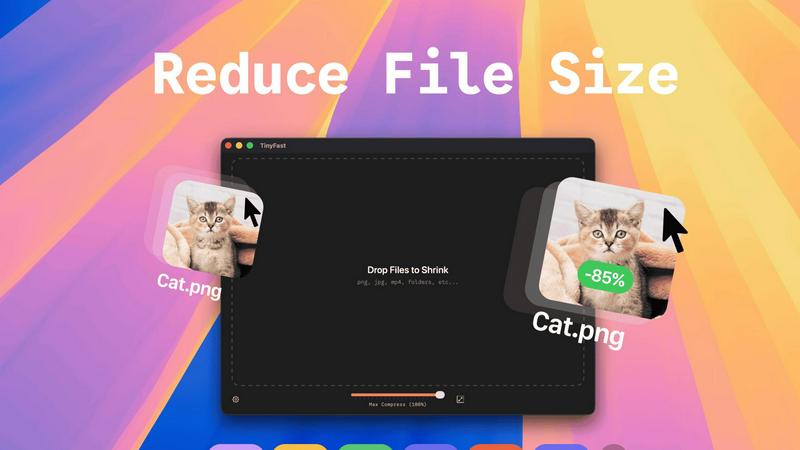
About TinyFast
Alright, let’s get real. TinyFast is the Mac app you didn’t know you needed until you dive into the world of file compression. Think of it as your personal file-shrinking wizard, right there on your desktop, ready to tackle those hefty files that are just too big to handle. Whether you’ve got a chunky PNG from your latest design project, a massive MP4 from your video editing adventures, or a PDF that’s ballooned to an unacceptable size, TinyFast has your back. Just drag your files in and watch the magic happen—no uploads to sketchy servers, no waiting around for results, and absolutely no one peeking at your confidential work. Designed with a focus on speed and privacy, this app is a must-have for developers, designers, and creators who crave efficiency and security. If you’re all about keeping your files local while zipping them down to size, TinyFast is the ultimate upgrade your workflow has been begging for.
Features of TinyFast
Batch & Drag-Drop Shrink
TinyFast’s batch and drag-drop feature lets you drop entire folders in for optimization, saving you tons of time. Say goodbye to the tedious process of compressing files one at a time; just drag and drop, and you’re good to go. The app handles everything in the blink of an eye, delivering optimized files in seconds.
Blazing-Fast Compression
Forget about waiting for uploads and downloads. With TinyFast, you get blazing-fast compression thanks to optimized native engines built specifically for speed. Whether it’s images, videos, or documents, the app compresses your files almost instantly, letting you keep your workflow chugging along without interruptions.
Resize Resolution
Need to resize your images or videos? TinyFast’s automatic resize resolution feature has got you covered. Just set your desired dimensions and let the app do the heavy lifting for you. It’s perfect for ensuring your files are not only smaller but also perfectly sized for your specific needs.
100% Local & Private
Privacy is key, and TinyFast takes it seriously. Your files never leave your Mac, so there's no risk of them being stored on shady servers or getting accessed by prying eyes. This means you can compress sensitive assets without a worry, making it a great choice for professionals who need to maintain confidentiality.
Use Cases of TinyFast
Streamlining Design Projects
If you’re a designer, TinyFast can be a game-changer for your workflow. Compress all those high-res images you need for presentations or online portfolios without sacrificing quality. It’s a simple drag-and-drop process, making it easy to optimize your files for web use or client delivery.
Speeding Up Video Editing
Video editors can save precious time by compressing large video files before uploading them to editing software or sharing with clients. With TinyFast, you can quickly optimize those hefty MP4s and MOVs, speeding up your workflow and freeing up space on your hard drive.
Simplifying Document Management
For anyone dealing with heavy PDF or DOCX files, TinyFast simplifies document management. Reduce file sizes for easier email sharing and faster uploads, ensuring you can send those important documents without hitting size limits or compromising on quality.
Enhancing Code Efficiency
Developers can also benefit from using TinyFast to compress files like JS, CSS, and JSON. Keeping code files lean not only helps with project organization but also improves loading times and overall performance in web applications.
Frequently Asked Questions
How does TinyFast ensure my files stay private?
TinyFast works entirely offline on your Mac, meaning your files never leave your device. There are no uploads to external servers, ensuring that your sensitive information remains confidential and secure.
Can I compress multiple files at once?
Absolutely! With TinyFast’s batch and drag-drop feature, you can drop entire folders of files in for compression. This saves you a ton of time, allowing you to optimize multiple files in just a few seconds.
What file types does TinyFast support?
TinyFast supports a wide array of file types, including images (PNG, JPG, GIF, and more), videos (MP4, MOV), documents (PDF, DOCX), code files (JS, CSS), and audio files (MP3). It’s a versatile tool for all your compression needs.
Is TinyFast easy to use for non-techies?
Yes! TinyFast is designed with simplicity in mind. The drag-and-drop interface makes it incredibly user-friendly, so even if you’re not tech-savvy, you can easily compress your files in no time.
Explore more in this category:
Similar to TinyFast

@fuck.it - email with attitude
Private email. Pure. Secure. Exclusive. No ads, no tracking, no data selling. GDPR compliant, EU-hosted.

FreeVideoGenerator
Free AI video generator: turn text prompts and photos into video clips with Sora 2, Veo 3.1, Wan and more. Free starter credits, no watermark download

ImageGenerator
Create and edit AI images online with multiple models, text-to-image, image-to-image, background removal, and upscaling.

Novastart
Apps and files on an infinite canvas where people and AI agents work together.

SightRadar
Face recognition API, a drop-in replacement for AWS Rekognition. Index, search, compare and detect faces, billed per photo with no subscription.

Panzoe
Panzoe is an all-in-one AI platform for personal productivity, business automation, AI assistants, content creation, and custom AI solutions.

Ideogram 4.5
AI image generation and editing with precise typography, native 2K output, and localized edits.

AIPetGen
AIPetGen turns a photo of your dog, cat, or other pet, or a written description, into a new picture or a short animation.