
Updaytr
Ditch the meetings, your team just phones in updates and our AI sorts it all out.
About Updaytr
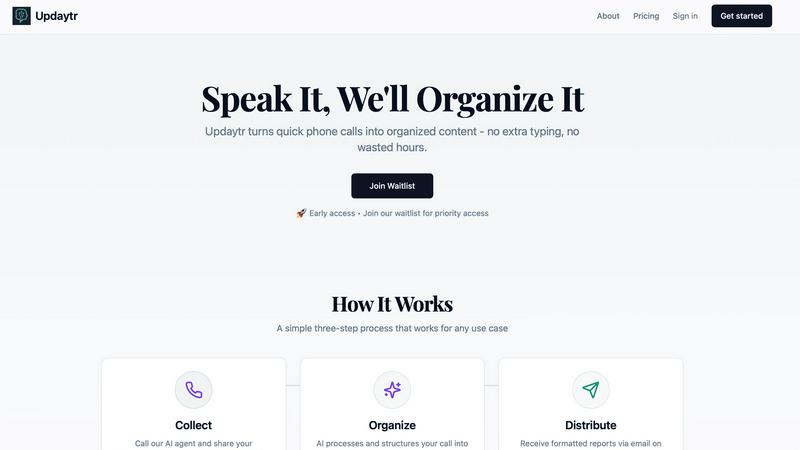
Alright, let's get real. Meetings are the worst, and paperwork is a soul-sucking chore. Updaytr is here to yeet both into the sun. Think of it as your team's AI-powered hype-man that turns boring, rambling phone calls into slick, professional reports. No apps to download, no typing—your crew just picks up any phone (yes, even that ancient landline collecting dust) and starts talking. It's built for anyone with people in the field: construction bosses, sales squads, service techs, you name it. The main vibe? Your team stays locked in on doing the actual work, while Updaytr's AI handles the boring admin stuff. It remembers your last convo, asks smart follow-ups to get the full tea, and then magically formats everything into a report that doesn't look like it was written by a robot. You get to choose when reports land—instantly, daily, or weekly—so managers are in the loop without being micromanaging nightmares. It's basically content creation, but you just have a chill conversation instead. Team updates, minus the meetings. Let's go.
Features of Updaytr
Phone-In Updates, Zero Fuss
Your team doesn't need another app to ignore. They just call a number from any phone—cell, desk, potato, whatever—and talk to our friendly AI agent. Spill the beans on your progress, your wins, your blockers, and hang up. That's it. No typing, no forms, no extra steps. It's the lowest-friction way to get updates from the field, period.
AI That Actually Listens & Organizes
This isn't some dumb transcription bot. Updaytr's AI is smart. It remembers context from previous calls, asks intelligent questions to fill in the blanks, and then auto-magically tags and organizes updates by project, client, or team. It structures the chaos of daily chatter into something that actually makes sense, so you're not left deciphering a word salad.
Beautiful, Automated Reports
Say goodbye to reports that look like they were formatted in a cave. Updaytr transforms raw conversation into polished, professional reports delivered straight to stakeholders' inboxes. You control the schedule: get 'em instantly, in a daily digest, or a weekly recap. Managers stay informed without having to chase people down. It's pure, automated bliss.
Built for Real-World Teams
This isn't just for tech bros in Silicon Valley. Updaytr is crafted for the grinders: construction supervisors, HVAC techs, sales reps on the road, delivery drivers. It understands the lingo and the workflow of hands-on industries. Set up your team in minutes, assign numbers, and you're rolling. It's the sidekick your field team never knew they needed.
Use Cases of Updaytr
Construction Crews & Site Supervisors
Ditch the clipboard and the end-of-day chaos. Foremen and crew leads can call in quick progress reports, safety notes, or material needs from the job site. Updaytr organizes it all by project and sends a clean summary to the main office and project managers, keeping everyone aligned without a single site meeting.
Field Service Technicians (HVAC, Plumbing, etc.)
After finishing a job, instead of typing up a service report on a tiny tablet, your tech just calls it in while driving to the next client. They describe the work done, parts used, and customer notes. Updaytr formats it into a professional report and sends it to dispatch and the customer automatically. More jobs done, less admin time.
Sales Teams on the Road
Sales reps can do a quick voice debrief after a client visit right from their car. Share key takeaways, next steps, and competitive intel. Updaytr captures it all, tags it by client and opportunity, and pops a summary into the CRM or the sales manager's inbox. No more forgotten details or late-night data entry.
Independent Contractors & Solopreneurs
Even if you're a team of one, staying organized is key. Use Updaytr as your personal log for daily tasks, project milestones, or client communications. Call in your notes and get a well-organized summary for your records or to share with clients. It's like having a personal assistant for the price of a phone call.
Frequently Asked Questions
Do my team members need to download an app?
Nope! That's the whole magic. Zero apps required. They use any phone—smartphone, flip phone, office landline—to call in. It works with the technology they already have and know how to use. Maximum simplicity, maximum adoption.
How smart is the AI really?
It's legit. It's not just transcribing; it's comprehending. The AI can follow the thread of a conversation, remember details from past calls about the same project, and ask relevant clarifying questions to get the full picture. It then structures that info logically, so your reports are coherent and useful.
Is my data secure?
Totally. We take security seriously. Your voice data and the reports generated are handled with care. While we're not HIPAA compliant (so don't use it for protected health info), we have measures in place to keep your business updates private and secure. Check out our Security page for the deep dive.
Can I customize the reports and who gets them?
Absolutely. You're the boss. You can set up different distribution schedules (instant, daily, weekly) for different people or projects. You manage your team's access and define where updates should be routed. It's flexible enough to fit your workflow, not the other way around.
Explore more in this category:
Similar to Updaytr

@fuck.it - email with attitude
Private email. Pure. Secure. Exclusive. No ads, no tracking, no data selling. GDPR compliant, EU-hosted.

FreeVideoGenerator
Free AI video generator: turn text prompts and photos into video clips with Sora 2, Veo 3.1, Wan and more. Free starter credits, no watermark download


Novastart
Apps and files on an infinite canvas where people and AI agents work together.

Panzoe
Panzoe is an all-in-one AI platform for personal productivity, business automation, AI assistants, content creation, and custom AI solutions.

AUTOMATER.ai
A tray helper for every AI coding tool: one searchable library of past sessions, waiting alerts and usage across 9 providers.


AI Email Filter
AI Email Filter sorts incoming mail into folders using plain-language prompts you write. Works with any IMAP mailbox; bring your own LLM if you want.