

Veo 4 video generator
Veo 4 turns your wildest prompts into crisp, cinematic video clips that actually look real and don't suck.
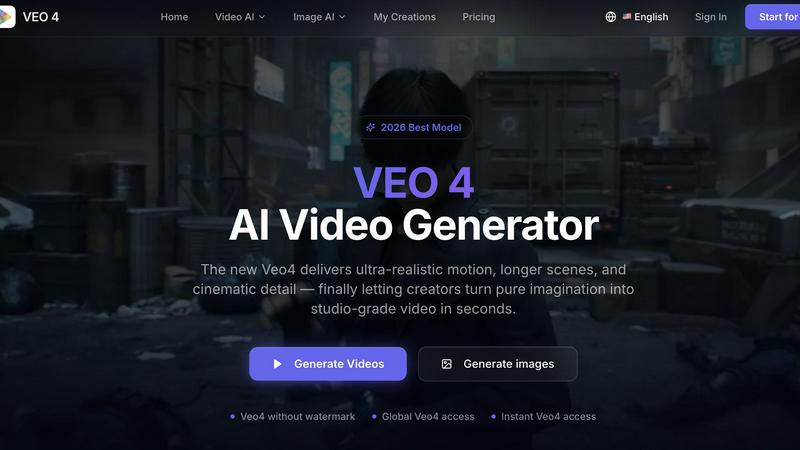
About Veo 4 video generator
Alright, let’s talk about Veo 4, the AI video generator that’s basically the cheat code creators and brands have been waiting for. This isn’t some janky, low-res experiment that looks like a glitchy fever dream. Veo 4 is the real deal—a next-gen workflow that turns your text prompts, images, or even existing video clips into studio-grade, cinematic footage in seconds. Think of it as your personal film crew that never sleeps, never complains, and actually listens to your directions. Whether you’re a solo creator trying to level up your TikTok game, a marketing team cranking out ad concepts for a product launch, or an agency that needs to iterate fast without burning budget, Veo 4 is built for you. The main vibe here is speed and realism. You get ultra-smooth motion, crisp details, and scenes that feel intentional, not random. No more wrestling with slow renders or awkward AI artifacts. Veo 4 is designed to be practical—it takes your raw ideas and turns them into usable clips for ads, landing pages, social campaigns, and branded storytelling. It supports text-to-video, image-to-video, and even video-to-video workflows, so you can remix, restyle, or extend existing footage without starting from scratch. The tool is global, instant, and watermark-free, meaning you own your output and can drop it straight into your editing pipeline. In short, Veo 4 is the AI video generator that finally makes “turn imagination into video” not just a buzzword, but a real, usable tool for anyone who needs to move fast and look good doing it.
Features of Veo 4 video generator
Multi-Modal Input: Text, Image, or Video
Veo 4 lets you start from wherever your creative process begins. Drop in a text prompt when you want to explore a wild concept, upload a still image when you need a specific visual direction, or feed it an existing video clip when you want to restyle, extend, or improve the motion without rebuilding everything from scratch. This flexibility means you’re never stuck with a single workflow. If you’ve got a rough cut that needs a cleaner look, just toss it in. If you have a product photo that needs to come to life, upload it. It’s all about reducing friction between your idea and the final output, so you spend less time fiddling and more time creating.
Ultra-Realistic Motion and Scene Control
One of the biggest gripes with early AI video tools was the janky, unnatural movement. Veo 4 fixes that hard. It delivers smoother motion, cleaner framing, and scenes that feel more intentional and less like a random glitch generator. You get stronger ad creative and more believable visual storytelling because the AI actually understands how objects, people, and cameras should behave in a real scene. Whether you’re animating a product shot, a cinematic landscape, or a character walking through a city, the motion feels grounded. Plus, you can tweak aspect ratios, motion direction, and visual style to match your brand or campaign goals, giving you real control over the final look.
Commercial-Ready Outputs for Ads and Social
Veo 4 isn’t just for fun experiments—it’s built for real marketing workflows. The tool is optimized for common commercial jobs like product launches, paid social videos, branded storytelling, and short-form content testing. The outputs are clean, high-resolution, and export-ready, so you can drop them straight into editing timelines, landing pages, or ad platforms without extra cleanup. No watermarks, no weird artifacts, no excuses. If your team needs to produce first drafts faster, compare variations, or shorten the gap between concept and publishable media, Veo 4 is the workhorse. It’s designed to fit into existing production pipelines, not disrupt them.
Longer Clips with Clean Exports
While many AI video generators tap out after a few seconds, Veo 4 lets you create longer clips that are actually usable for narrative sequences, campaign concepts, and product explainers. The exports are clean and polished, making it easy to move straight into editing software or publish directly to your site. This is a game-changer for teams that need more than a flashy 3-second loop. You can build out a full 15-30 second ad concept, a mini-story for social, or an explainer that actually explains something. The longer clip support means you’re not constantly cutting and stitching together tiny fragments—you get a coherent piece of content that feels like a real video, not a collection of AI snippets.
Use Cases of Veo 4 video generator
Rapid Ad Concepting for Marketing Teams
Marketing teams are constantly under pressure to produce multiple ad variations for A/B testing, seasonal campaigns, and product launches. Veo 4 lets you go from a text prompt to a polished video ad in seconds, without waiting on a production crew or expensive stock footage. You can generate different visual styles, motion directions, and aspect ratios to see what resonates with your audience. Instead of spending days storyboarding and shooting, you can iterate on concepts in real-time, compare variations side-by-side, and pick the winner. It’s perfect for paid social ads, pre-rolls, and display videos where speed and volume matter more than perfection.
Social Media Content for Creators and Influencers
If you’re a creator grinding on TikTok, Instagram Reels, or YouTube Shorts, you know the content treadmill is brutal. Veo 4 is your secret weapon for keeping the feed fresh without burning out. Use it to turn a simple idea into a visually stunning clip that stands out in the scroll. Whether it’s a surreal landscape, a product demo, or a cinematic B-roll sequence, you can generate high-quality video in seconds. No need for expensive gear, complicated editing software, or a film degree. Just type your prompt, pick your ratio, and let Veo 4 do the heavy lifting. It’s like having a VFX team in your pocket, and it’s perfect for keeping your audience engaged with consistent, high-quality content.
Product Storytelling and Launch Videos
Brands launching new products need compelling video content fast, and Veo 4 delivers. You can upload a product image and turn it into a dynamic video that showcases features, usage, and lifestyle contexts. Imagine animating a sleek new gadget rotating in 3D space, showing it being used in a real setting, or creating a cinematic reveal sequence. Veo 4 handles the motion and detail so your product looks premium and polished. This is huge for e-commerce landing pages, email campaigns, and launch events where first impressions matter. Instead of hiring a production team for a one-off shoot, you can generate multiple product videos in different styles and test which one converts best.
Video-to-Video Iteration for Existing Footage
Sometimes you already have footage, but it needs a new look, stronger pacing, or cleaner motion. Veo 4’s video-to-video workflow is a lifesaver for teams that don’t want to reshoot. You can take a rough cut, a source clip, or even old B-roll and feed it into Veo 4 to restyle it, extend the scene, or improve the overall quality. This is especially useful for agencies and production houses that need to iterate on client feedback without going back to set. Instead of rebuilding from scratch, you can remix and refine existing material, saving time and budget while still delivering a fresh final product. It’s the ultimate tool for post-production polish.
Frequently Asked Questions
What is Veo 4 and how does it work?
Veo 4 is an AI video generator that turns text prompts, images, or existing video clips into realistic, cinematic footage. You start by choosing your input method—text, image, or video. Then you set parameters like aspect ratio, motion direction, and style. The AI processes your input and generates a polished video clip in seconds. It’s designed for speed and quality, so you get usable output without the slow production pipeline. The tool is accessed via a web interface, and you can generate videos instantly with a credit-based system. No watermarks, no hidden fees, just pure AI video creation.
Can I use Veo 4 for commercial projects?
Absolutely. Veo 4 is built specifically for marketing teams, creators, agencies, and brands that need commercial-ready video content. The outputs are clean, high-resolution, and free of watermarks, so you can use them in ads, landing pages, social media campaigns, product launches, and branded storytelling. The tool is optimized for common commercial workflows, and the video-to-video feature is especially useful for iterating on existing footage. Just make sure you have the rights to any images or videos you upload, and you’re good to go.
What’s the difference between text-to-video, image-to-video, and video-to-video?
Text-to-video lets you generate a video entirely from a written prompt—perfect for exploring new concepts or creating something from scratch. Image-to-video takes a still image and animates it, giving you visual direction and control over the final look. Video-to-video is for when you already have footage and want to restyle, extend, or improve it. This is great for post-production polish, remixing old clips, or adapting existing content for new platforms. Each mode serves a different purpose, and you can switch between them depending on where you are in the creative process.
How long can the generated videos be?
Veo 4 supports longer clips compared to many other AI video generators, making it suitable for narrative sequences, campaign concepts, and product explainers. While exact maximum length depends on your plan and credit usage, the tool is designed to produce clips that are usable for real marketing workflows, not just short loops. The exports are clean and ready to drop into editing software, so you can build out full 15-30 second ads or mini-stories without stitching together multiple tiny clips. Check your account for specific duration limits based on your subscription tier.
Similar to Veo 4 video generator

Genjutsu AI Video Editor
AI video-to-video editing for character, outfit, object and visual-style changes guided by your original clip.


Genjutsu AI
Edit a video clip with reference images while keeping the original motion

DanseAI - Alors on Danse AI Video Genera
Make the Alors on Danse AI meme video from two photos, soundtrack included

Opus 5.5 Video Generator
Turn a prompt into a 1080p motion-graphics MP4 planned and coded by Claude Opus 5.5

Rumpelstiltskin AI Video Generator
Make the viral Rumpelstiltskin tiptoe dance meme video from two photos.

AIPetGen
AIPetGen turns a photo of your dog, cat, or other pet, or a written description, into a new picture or a short animation.

Hotel Lobby AI Video Generator
Turn two photos into a Hotel Lobby dance video in the orange A COLORS SHOW booth