

YouTube to Transcript
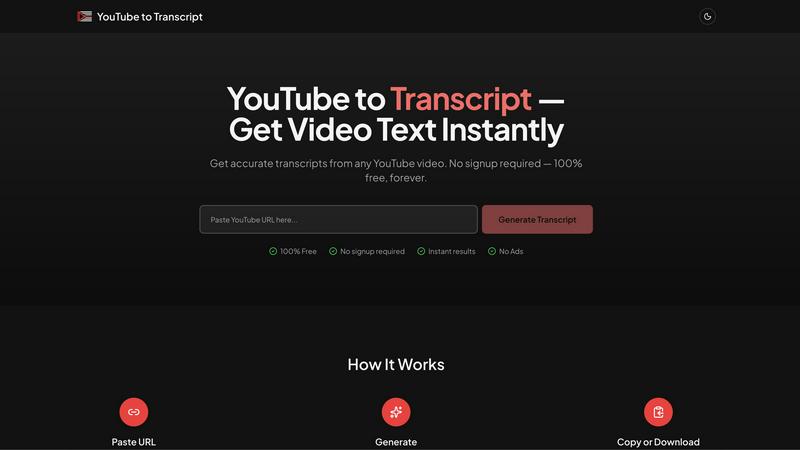
Turn any YouTube video into text instantly and for free with no signups or limits—just paste the URL and go!.
About YouTube to Transcript
YouTube to Transcript is your new best friend for snagging text from YouTube videos without a hitch. Whether you're a content creator looking to repurpose video material, a student trying to ace that lecture, or a researcher diving deep into video content, this tool has got your back. By simply pasting in the URL of any YouTube video, you can instantly generate a high-quality transcript with minimal effort. No sign-ups, no fees, no nonsense—just pure, unadulterated access to video content in text form. It's perfect for those who want to save time and enhance their productivity. With support for over 125 languages and the ability to handle videos of any length, YouTube to Transcript is the ultimate utility for anyone who needs quick and reliable access to video transcripts. Say goodbye to tedious note-taking and hello to a streamlined transcription experience!
Features of YouTube to Transcript
Completely Free
YouTube to Transcript is 100% free to use, forever. Forget about hidden fees or premium tiers that make you pull your hair out. What you see is what you get—no strings attached. It's a budget-friendly solution for everyone.
Multi-language Support
Got international friends or a diverse audience? This tool supports translation into over 125 languages. With just a click, you can translate your transcripts, making your content accessible to a global audience and expanding your reach.
No Restrictions
Whether it's a short clip or a lengthy documentary, YouTube to Transcript imposes no limits on video duration. You can generate transcripts for any video length without worrying about annoying restrictions or pesky sign-up requirements.
Clean Formatting
Export your transcripts in a clean, easy-to-read format. Whether you're using them for SEO purposes, taking notes, or repurposing content for blogs and social media, you’ll get text that looks sharp and is ready to go.
Use Cases of YouTube to Transcript
Content Creation
Content creators can leverage YouTube to Transcript to grab text from their videos for blog posts, social media captions, or even scripts for future videos. It saves time and ensures they have all the material they need at their fingertips.
Academic Research
Students and researchers can use this tool to extract key information from educational videos, lectures, and tutorials. Instead of watching multiple times, they can quickly reference the transcript for important quotes and data.
Accessibility
If you're creating content for audiences with hearing impairments, YouTube to Transcript provides a quick way to generate subtitles. This ensures your videos are accessible to everyone, promoting inclusivity and engagement.
Multilingual Audiences
If you're targeting diverse audiences, you can quickly translate your transcripts into various languages. This feature helps break down language barriers and allows for a broader reach in your content strategy.
Frequently Asked Questions
Is YouTube to Transcript free to use?
Absolutely! YouTube to Transcript is entirely free, with no hidden fees or premium memberships. You can use it as much as you want without spending a dime.
How do I get a transcript of a YouTube video?
It's super easy! Just copy the URL of the YouTube video you want to transcribe, paste it into the input field on our site, and click the "Generate" button. Boom! You've got your transcript.
How long does it take to generate the transcript?
The process is lightning-fast! Usually, you can expect to have your transcript ready in just a few seconds, depending on the video's length and complexity. It's all about instant gratification!
Can I download the transcript?
You bet! Once the transcript is generated, you can either copy it directly to your clipboard or download it as a TXT file for later use. It's all about convenience!
Explore more in this category:
Best Content Creation AI tools
Best Education & Learning AI tools
Similar to YouTube to Transcript

Safe Outreach
AI-powered platform that evaluates the safety of LinkedIn automation tools and helps reduce the risk of account restrictions.

How Long How Many Tool
Timers and hourly checks to figure how out long until a certain time or how many days away.

PavoAI
All-in-one AI video studio for text-to-video, image-to-video, editing, avatars, music, subtitles, and upscaling.

Tip Toeing in My Jordans
Put your photo in the viral Rumpelstiltskin tip toe meme and get a 12-second AI video, with an optional friend as the woman in the hay.

AIdeaFlow - AI Podcast Generator
AI podcast generator: turn any text into a 2-host show

Agent Pets
Every Claude Code, Codex, OpenCode and omp session becomes a pet on every page in Chrome. Approve, deny and reply from any tab.

Outstanding Tiny Desk AI
Put you and a friend in the Outstanding Tiny Desk meme: upload photos, get a 15-second 9:16 AI video with sound for TikTok, Reels and Shorts.
