

ytskim
Ytskim transcribes and sums up YouTube vids so you can skip the fluff and grab the good stuff fast.
About ytskim
ytskim is your new best friend for ripping through YouTube videos without actually watching them. Its a dead simple tool that grabs accurate transcripts and spits out structured summaries from any YouTube video in seconds. No fluff, no signup friction, just pure speed. Think of it like having a superpowered assistant who watches the video for you and hands you a neat little cheat sheet with all the key points. Whether you are a student trying to digest a 2 hour lecture, a content creator looking for quotable moments, a researcher pulling data from multiple sources, or just someone who hates wasting time on fluff content, ytskim is built for you. The main value prop here is insane time savings and precision. Instead of scrubbing through a timeline or manually transcribing audio, you drop a link and boom, you get a clean, organized breakdown of everything that matters. It is designed for the modern internet user who wants information fast, accurate, and without any friction. No accounts, no credits, no nonsense. Just paste, click, and get your structured summary ready to copy, paste, or repurpose. ytskim is the ultimate productivity hack for anyone who consumes video content but values their time more than the full playback experience.
Features of ytskim
Instant Transcript Extraction
ytskim pulls the full transcript from any YouTube video faster than you can say "skip intro." It uses the video's own caption data to deliver a word for word text version of the entire video, including timestamps and speaker labels if available. This means you get a searchable, editable document of the video content without waiting for buffering or processing. Perfect for when you need to quote a specific line or verify a fact without rewatching the whole thing. The extraction is lightning fast and works on videos of any length, from quick TikToks to 3 hour deep dives.
AI Powered Structured Summaries
This is where ytskim really flexes. After grabbing the transcript, the AI goes to town and breaks it down into a clean, organized summary. It identifies the main topics, key arguments, important data points, and action items, then structures them into bullet points, numbered lists, or short paragraphs. You are not just getting a wall of text. You are getting a digestible, skimmable version that highlights the core takeaways. The AI is smart enough to filter out filler words, off topic rambling, and repetitive statements so you only get the meat of the content.
Timestamp Linked Key Moments
ytskim doesnt just give you a summary, it also links each major point back to the exact timestamp in the video. So if you see something interesting in the summary and want to see the original context, you can click the timestamp and jump straight to that part of the video. This is a game changer for creators who need to clip specific segments, students who want to revisit a confusing concept, or anyone doing research that requires video citation. No more guessing where that one important line was. ytskim marks the spot.
No Signup, No Friction Workflow
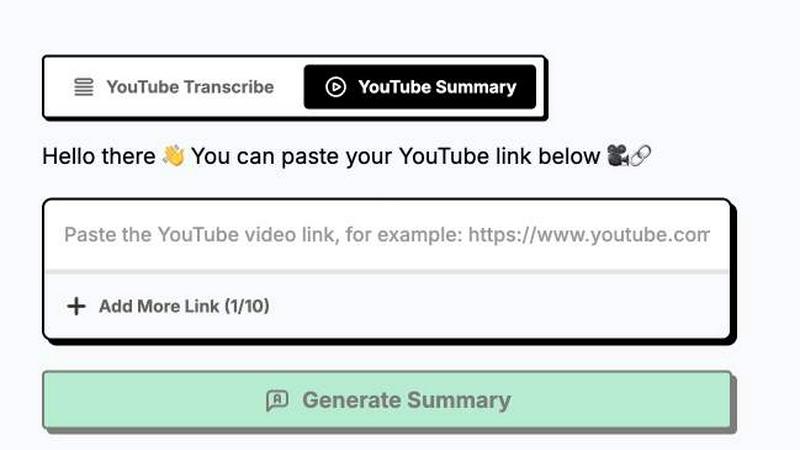
One of the best things about ytskim is that it respects your time and your privacy. There is no account creation, no email verification, no credit card required. You just paste a YouTube link, hit the button, and get your results instantly. The whole process is designed to be as frictionless as possible. You can be in and out in under 30 seconds. This is perfect for power users who need to process multiple videos in a row or for people who just want a one off transcript without committing to yet another online service. It is pure utility with zero fluff.
Use Cases of ytskim
Students Cramming for Exams
If you are a student staring down a mountain of lecture recordings, ytskim is your lifeline. Instead of sitting through hours of a professor droning on, you can paste the video link and get a structured summary of the key concepts, definitions, and examples in seconds. You can then use the timestamp links to jump to the parts you actually need to review. This turns a 90 minute lecture into a 5 minute read, freeing up massive amounts of study time. Plus, you can easily copy the summary into your notes or flashcard app for quick revision.
Content Creators Repurposing Videos
Creators who live on YouTube can use ytskim to repurpose their own content or research competitors. Grab the transcript and summary of your latest video to quickly generate blog posts, social media captions, newsletter snippets, or tweet threads. You can also analyze competitor videos to see what topics they cover and how they structure their arguments. The structured summary gives you a ready made outline that you can adapt into your own content. It saves hours of manual note taking and transcription work.
Researchers and Journalists Fact Checking
When you are researching a topic and need to pull quotes or data from multiple YouTube sources, ytskim makes the process painless. Instead of watching 10 different videos to find one specific statistic or quote, you can run them all through ytskim and scan the summaries for the information you need. The timestamp links let you verify the original source instantly. This is huge for journalists who need to fact check claims, or for market researchers analyzing video interviews and presentations. It turns video content into a searchable database.
Busy Professionals and Executives
If your calendar is packed and you have a list of "must watch" industry videos piling up, ytskim helps you stay informed without sacrificing your schedule. Paste the link, get the summary, and decide if the video is worth your full attention or if the summary is enough. You can quickly absorb the key takeaways from a competitor's product launch, an industry keynote, or a training module in under a minute. It is the ultimate tool for staying ahead of the curve when you are constantly short on time.
Frequently Asked Questions
Does ytskim work on any YouTube video?
ytskim works on the vast majority of YouTube videos that have captions or transcripts enabled by the uploader. This includes most public videos, educational content, news clips, and vlogs. It does not work on videos that have captions turned off or are age restricted or private. If the video has auto generated captions, ytskim can usually grab those as well, though the accuracy might be slightly lower for heavy accents or poor audio quality. It is always best to check if the video has the "CC" icon available.
Is there a limit on video length or number of videos?
There is no hard limit on video length for a single transcript. ytskim can handle everything from a 30 second short to a 4 hour long podcast or lecture. The processing time might be slightly longer for very long videos, but it is still lightning fast compared to manual transcription. As for the number of videos, the free tier typically allows a generous number of daily uses, and there are no restrictive caps that make it unusable. Heavy users who need to process hundreds of videos a day might want to check for any usage guidelines on the site.
Can I download the transcript or summary as a file?
Yes, absolutely. After ytskim generates your transcript and structured summary, you can easily copy the text to your clipboard or download it as a plain text file. This makes it super easy to save the content for offline use, import it into other tools like Notion or Obsidian, or share it with team members. There is no proprietary format or lock in. You get clean, portable text that you can use however you want.
Is my data private and secure when using ytskim?
Privacy is a big deal for ytskim. The tool does not require you to create an account, so there is no personal data stored on their servers. The YouTube video link and the generated transcript are processed temporarily and are not saved or shared with third parties. The AI processing happens in a secure environment, and once you close the session or navigate away, the data is gone. You can use ytskim with confidence knowing that your viewing habits and extracted content are not being tracked or stored.
Explore more in this category:
Similar to ytskim

@fuck.it - email with attitude
Private email. Pure. Secure. Exclusive. No ads, no tracking, no data selling. GDPR compliant, EU-hosted.

FreeVideoGenerator
Free AI video generator: turn text prompts and photos into video clips with Sora 2, Veo 3.1, Wan and more. Free starter credits, no watermark download

Novastart
Apps and files on an infinite canvas where people and AI agents work together.

Panzoe
Panzoe is an all-in-one AI platform for personal productivity, business automation, AI assistants, content creation, and custom AI solutions.

AUTOMATER.ai
A tray helper for every AI coding tool: one searchable library of past sessions, waiting alerts and usage across 9 providers.


AI Email Filter
AI Email Filter sorts incoming mail into folders using plain-language prompts you write. Works with any IMAP mailbox; bring your own LLM if you want.
