
Alternatives to Opal
Explore the best alternatives and competitors to Opal.
Explore 20 alternatives to Opal. Compare features, pricing, and find the best fit for your needs.

How Long How Many Tool
Timers and hourly checks to figure how out long until a certain time or how many days away.
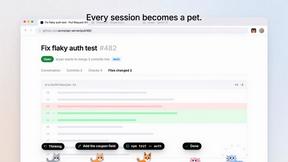
Agent Pets
Every Claude Code, Codex, OpenCode and omp session becomes a pet on every page in Chrome. Approve, deny and reply from any tab.

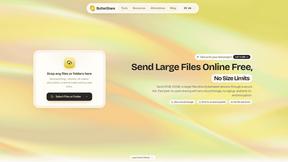
ButterShare
Realtime peer-to-peer file transfer in the browser. Send files directly between devices, no account and no upload to a server.
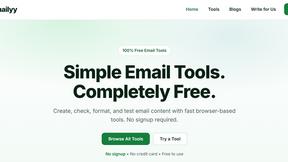
Emailyy
Free email tools for signatures, subject lines, HTML previews, word counts, and email headers. Browser-based, simple to use, and no signup required.

Uniclip
Clip pages, take full-page screenshots and batch-capture list data to Notion, Feishu, Obsidian, Markdown, CSV or JSON.
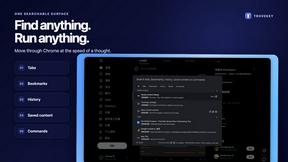
TroveKey
Search tabs, Chrome bookmarks and history, run browser commands, and save webpages and social posts locally—no account.
Screen Issues
Free Online Screen Test Tool - Instantly diagnose dead pixels, lines, color issues, and flickering. Multiple test modes, no download needed.

Context Board
Context Board brings your numbers, docs, clients, content and day into one workspace that Claude and Codex can read and update.

@fuck.it - email with attitude
Private email. Pure. Secure. Exclusive. No ads, no tracking, no data selling. GDPR compliant, EU-hosted.

FreeVideoGenerator
Free AI video generator: turn text prompts and photos into video clips with Sora 2, Veo 3.1, Wan and more. Free starter credits, no watermark download

Panzoe
Panzoe is an all-in-one AI platform for personal productivity, business automation, AI assistants, content creation, and custom AI solutions.

AUTOMATER.ai
A tray helper for every AI coding tool: one searchable library of past sessions, waiting alerts and usage across 9 providers.

AI Email Filter
AI Email Filter sorts incoming mail into folders using plain-language prompts you write. Works with any IMAP mailbox; bring your own LLM if you want.

Kody Tools
Free collection of online developer utilities, code formatters, and digital converters designed to streamline your daily workflow.
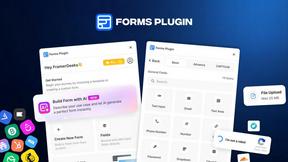
Forms Plugin
The #1 Native Form Builder Plugin for Framer - No Code, No Embeds, No External Platforms.
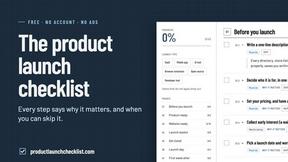
Product Launch Checklist
A free launch checklist for SaaS, apps, AI tools and more. Every step says why it matters and when you can skip it.
About Opal Alternatives
Opal is this rad visual workspace that lets you organize all your projects and notes in a way that feels super natural. It’s designed for folks who think spatially, meaning if you’re tired of digging through nested folders or losing track of your genius ideas, Opal’s got your back. With its infinite digital canvas, you can drag and drop everything you need, from notes to files, so it feels like you’re working on your own personal desk. It’s especially great for solopreneurs, consultants, and creatives who need to keep everything visible and ready to roll. But hey, sometimes Opal might not check all the boxes for everyone, right? Users often seek alternatives for a range of reasons, like budget constraints, specific feature needs, or platform compatibility. When you’re on the hunt for an alternative, look for something that aligns with your workflow and offers the right tools without the clutter. Consider how intuitive the interface is, whether it supports collaboration if that's your jam, and if it fits your budget. The right alternative should make your life easier, not harder, so you can keep your focus on creating and getting things done.
FAQs about Opal Alternatives
What is Opal?
Opal is a visual knowledge and project management workspace that helps users organize their projects and notes in a spatial manner. It's designed for individuals who prefer a visual approach to managing their information, providing an infinite digital canvas to drag and drop various elements. This unique layout enables users to remember the location of their ideas and notes, making retrieval quick and hassle-free.
Who is Opal for?
Opal is ideal for solopreneurs, consultants, agency owners, writers, and anyone whose business revolves around managing conversations, details, and promises. It caters to those who thrive in a visual environment and need a tool that keeps their active projects and creative ideas easily accessible and organized. Essentially, if you need to juggle multiple tasks and details without losing your flow, Opal is designed for you.
Is Opal free?
Opal offers various pricing options, but it typically does not provide a completely free version. Users can explore different tiers that may include free trials or limited features, allowing them to experience the platform before committing. It's best to check the official Opal website for the most accurate and up-to-date pricing information.
What are the main features of Opal?
Opal's main features include an infinite digital canvas that allows users to visually organize their notes, documents, files, and links. The drag-and-drop functionality makes it easy to rearrange content, while the spatial memory approach enhances retrieval speed. Additionally, Opal is designed to keep all your active projects and client details visible and top-of-mind, streamlining your workflow and helping you stay focused on your tasks.