
Alternatives to RecordFlow
Explore the best alternatives and competitors to RecordFlow.
Explore 20 alternatives to RecordFlow. Compare features, pricing, and find the best fit for your needs.
How Long How Many Tool
Timers and hourly checks to figure how out long until a certain time or how many days away.
Agent Pets
Every Claude Code, Codex, OpenCode and omp session becomes a pet on every page in Chrome. Approve, deny and reply from any tab.

ButterShare
Realtime peer-to-peer file transfer in the browser. Send files directly between devices, no account and no upload to a server.
Emailyy
Free email tools for signatures, subject lines, HTML previews, word counts, and email headers. Browser-based, simple to use, and no signup required.

Uniclip
Clip pages, take full-page screenshots and batch-capture list data to Notion, Feishu, Obsidian, Markdown, CSV or JSON.
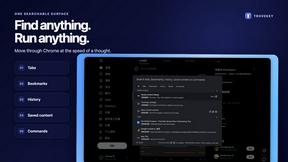
TroveKey
Search tabs, Chrome bookmarks and history, run browser commands, and save webpages and social posts locally—no account.
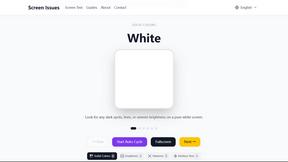
Screen Issues
Free Online Screen Test Tool - Instantly diagnose dead pixels, lines, color issues, and flickering. Multiple test modes, no download needed.
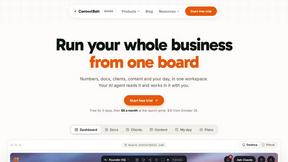
Context Board
Context Board brings your numbers, docs, clients, content and day into one workspace that Claude and Codex can read and update.

@fuck.it - email with attitude
Private email. Pure. Secure. Exclusive. No ads, no tracking, no data selling. GDPR compliant, EU-hosted.
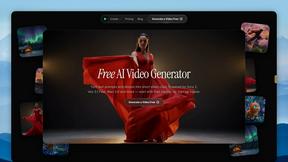
FreeVideoGenerator
Free AI video generator: turn text prompts and photos into video clips with Sora 2, Veo 3.1, Wan and more. Free starter credits, no watermark download

Panzoe
Panzoe is an all-in-one AI platform for personal productivity, business automation, AI assistants, content creation, and custom AI solutions.
AUTOMATER.ai
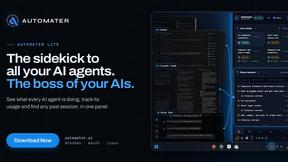
A tray helper for every AI coding tool: one searchable library of past sessions, waiting alerts and usage across 9 providers.

AI Email Filter
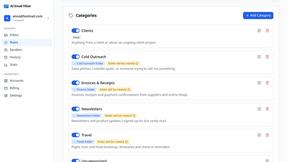
AI Email Filter sorts incoming mail into folders using plain-language prompts you write. Works with any IMAP mailbox; bring your own LLM if you want.

Kody Tools
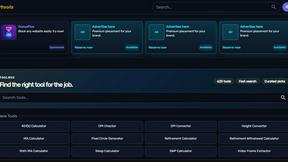
Free collection of online developer utilities, code formatters, and digital converters designed to streamline your daily workflow.
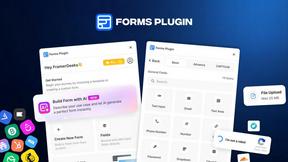
Forms Plugin
The #1 Native Form Builder Plugin for Framer - No Code, No Embeds, No External Platforms.
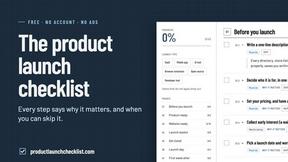
Product Launch Checklist
A free launch checklist for SaaS, apps, AI tools and more. Every step says why it matters and when you can skip it.
About RecordFlow Alternatives
So, you’ve been vibing with RecordFlow, the ultimate productivity hack that automatically yeets your Zoom cloud recordings straight into Google Drive the second a meeting wraps up. It’s basically the plug for coaches, therapists, and small teams who are tired of manually downloading files or paying Zoom’s storage tax. But maybe you’re feeling the itch to explore other options—maybe the pricing doesn’t slap for your budget, you need support for a different cloud platform like Dropbox, or you just want a tool that plays nicer with your specific workflow. Whatever the reason, you’re not alone; people ditch tools all the time when the features don’t match their vibe or the setup feels too locked in. When you’re hunting for a replacement, don’t just grab the first shiny thing you see. You gotta look for something that keeps that same “set it and forget it” energy—auto-syncing, no manual downloads, and a setup that doesn’t require a PhD in tech. Check if it handles all your file types (video, audio, transcripts, chat logs) without choking on big files, and make sure it’s got solid security like OAuth and encryption so your data doesn’t get leaked. Also, peep the pricing model—some tools charge per user or per storage, which can sneak up on you. The goal is to find a solution that’s as effortless as RecordFlow but fits your unique ecosystem like a glove.
FAQs about RecordFlow Alternatives
What is RecordFlow?
RecordFlow is a productivity tool that automatically backs up your Zoom cloud recordings to Google Drive the moment a meeting ends, with a backfill of the past two years. It eliminates the need for manual downloads and forgotten files by syncing video (MP4), audio (M4A), transcripts (VTT and a formatted Google Doc), and chat logs—all organized by year and date. Setup takes just 60 seconds: sign in with Zoom, connect your Drive, and pick a folder, then it runs forever without any extra effort.
Who is RecordFlow for?
RecordFlow is built for coaches, consultants, therapists, professors, and small teams who can't afford to lose a single recording. It's ideal for anyone who relies on Zoom for client sessions, classes, or meetings and needs a reliable, hands-off way to archive those files without paying for extra Zoom storage. If you're drowning in manual downloads or constantly worrying about storage caps, this tool is your digital safety net.
Is RecordFlow free?
The provided content doesn't specify if RecordFlow is free or paid, but it emphasizes a 60-second setup and automatic syncing that saves you from paying for unnecessary Zoom storage. Typically, tools like this operate on a subscription or freemium model, so you'd need to check their official site for exact pricing. What's clear is that it's designed to cut costs by letting you delete recordings from Zoom after they're safely copied to Google Drive.
What are the main features of RecordFlow?
RecordFlow's main features include automatic archiving of every Zoom cloud recording to Google Drive within minutes of a meeting ending, plus a backfill of the past two years. It transfers all file types (MP4, M4A, VTT transcripts, and chat logs) organized by year and date, and offers an optional auto-delete that clears Zoom storage on a safe delay after the Drive copy is verified. The tool uses chunked transfers for large files, smart deduplication to avoid duplicates, automatic retries, and never stores recordings on its servers—relying on OAuth 2.0 and AES-256 encryption for security.