
Alternatives to Restore Old Photos
Explore the best alternatives and competitors to Restore Old Photos.
Explore 20 alternatives to Restore Old Photos. Compare features, pricing, and find the best fit for your needs.
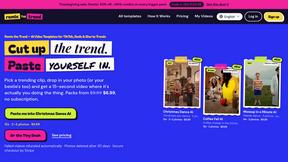
Remix the Trend
Turn your photos into 15-second AI videos of viral TikTok, Reels, and Shorts trends. Packs from $9.99; optional monthly plans.


LooksMeter
Upload one photo for a free PSL score and face rating. 47 tools cover face shape, symmetry, color season and more. No signup needed.

Vikas Editor AI
AI creative studio for cinematic portraits, fashion edits, festive greetings, and photo-to-video concepts.

VirtualTryOn
Try on clothes, glasses, rings, hairstyles, and hair colors on your own photos with AI.

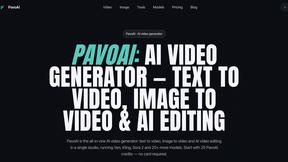
PavoAI
All-in-one AI video studio for text-to-video, image-to-video, editing, avatars, music, subtitles, and upscaling.

Tip Toeing in My Jordans
Put your photo in the viral Rumpelstiltskin tip toe meme and get a 12-second AI video, with an optional friend as the woman in the hay.


Outstanding Tiny Desk AI
Put you and a friend in the Outstanding Tiny Desk meme: upload photos, get a 15-second 9:16 AI video with sound for TikTok, Reels and Shorts.

AIVideoAgent
Turn text ideas or reference images into videos through conversation, with agent-assisted prompts and a choice of video models.
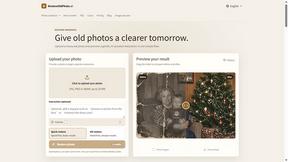
RestoreOldPhoto
Restore old photos with RestoreOldPhoto.ai: repair scratches, creases and fading, sharpen faces and details, and optionally colorize family memories.

airapvideo
AI rap video generator that turns two portraits into a vertical, lip-synced rap music video. Pick framing and length, get a shareable MP4.
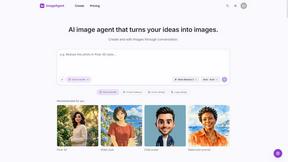
ImageAgent
Create and edit AI images through conversation, using text or reference images and refining results in chat.

AppIconGenerator
Generate iOS and Android app icons from any image and export all platform sizes for free.

Nano AI
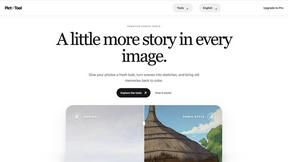
Create and edit AI images, generate videos, and compare models in one creative workbench.

LightScreen
Free light screen tool online. Turn any display into a flashlight, ambient light, or solid-color screen. No download or sign-up.

Tip Toe AI
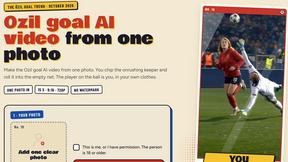
Upload a Dancer photo and a Partner photo and get your own AI Tip Toe barn-dance video. Free 5s preview, 12s HD from $4.90. No subscription.
About Restore Old Photos Alternatives
So you've heard about Restore Old Photos, that slick AI-powered web tool that basically acts as a time machine for your faded, scratched-up pics. It's in the photo editing and content creation space, letting you upload, fix, and colorize old memories with just a few clicks. It's the digital equivalent of a magic wand for your family album. But hey, maybe you're browsing for other options. Totally get it. Maybe the pricing isn't a perfect fit, or you need a specific feature it doesn't have. Some folks might want a desktop app instead of a website, or maybe they're just curious what else is out there in the wild world of AI photo revival. It's all about finding the right tool for your vibe. When you're on the hunt for something similar, think about what matters most to you. Is it all about that AI magic for automatic fixes, or do you need more hands-on control? Check if colorizing black and whites is a must-have, or if repairing major damage like tears is your top priority. And of course, keep an eye on the cost and how easy the thing is to actually use. No one wants to fight with complicated software.
FAQs about Restore Old Photos Alternatives
What is Restore Old Photos?
It's an online platform that uses advanced AI technology to instantly restore, colorize, and repair old, damaged, or faded photographs.
Who is Restore Old Photos for?
It's for anyone with old photos, from casual users to nostalgia buffs, who wants to revive cherished memories without needing editing skills.
Is Restore Old Photos free?
The provided content does not specify pricing, so you would need to check their website for current plans and any free trial options.
What are the main features?
The key features are AI-powered restoration, colorization of black and white photos, a damage repair tool for cracks and tears, and an easy-to-use drag-and-drop interface.