
Alternatives to Shrinkpad
Explore the best alternatives and competitors to Shrinkpad.
Explore 20 alternatives to Shrinkpad. Compare features, pricing, and find the best fit for your needs.


Reelslaunch
AI video platform for faceless Reels: cinematic clips with native audio and auto-posting
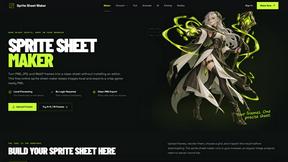
Sprite Sheet Maker
A free browser-based toolkit for creating, cutting, converting, and previewing sprite sheet animations.

FaceCoda
Free AI attractiveness test and face analysis with private, on-device photo processing.

Product Launch Checklist
A free launch checklist for SaaS, apps, AI tools and more. Every step says why it matters and when you can skip it.

ViduAI
Create consistent videos from text, images, up to seven references, or first and last frames with ViduAI, a practical Vidu video generator powered by


Wan Video
Create Wan AI videos from text, images, references, and clips with Wan 2.7 workflows, task history, previews, and API access.

TryKlingAI
Create Kling AI videos from text, images, audio, and motion references with Kling 3.0, Motion Control, Lip Sync, and API access.

Happy Horse AI
AI video generation from text, images, and references with 720P/1080P output, optional audio, task tracking, downloads, and API workflows.

Hailuo AI
Create high-quality Hailuo AI videos from text or images with guided prompts, motion and camera controls, flexible settings, task tracking, and downlo
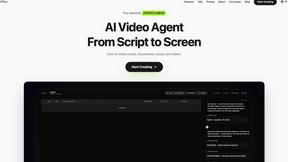
Pixo
Pixo is an AI video director that turns a prompt or script into a storyboard, consistent scenes, voiceover, and an edited final cut.

ProfileLoom
ProfileLoom turns one photo into platform-ready AI portraits for professional, social, and creator profiles, with presets and built-in editing.
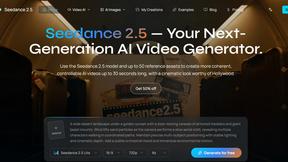
Seedance 2.5
Seedance 2.5 is a multimodal AI video generator by ByteDance for 30-second, high-fidelity cinematic video creation and AI video editing.

Free Gemini Omni
Create, remix, and edit cinematic AI videos online with Free Gemini Omni using text, image, audio, and video prompts.

Magic Eraser
AI photo editor for removing objects and backgrounds, enhancing images, and creating polished visuals across web and mobile.

AI Image Editor
Free AI image editor that edits, retouches, and transforms photos with natural-language text prompts.

About Shrinkpad Alternatives
So you've heard about Shrinkpad, the Mac app that's basically a digital Marie Kondo for your photos and videos, helping you batch compress media files to save a ton of space. It's a lifesaver for creatives and regular folks drowning in massive image and video files. But hey, maybe you're on the hunt for something else—maybe the price tag isn't your vibe, you need Windows or Linux support, or you're just curious what else is out there in the optimization universe. When you're scrolling through options, you gotta know what's important to you. Think about whether you need cloud processing or if you're a privacy hawk who wants everything done locally on your machine. Check if it handles all your weird file formats and if the compression is actually smart, not just making your pics look like pixelated potato quality. Your perfect match depends on your specific storage drama and workflow needs. --- FAQ_SEPARATOR--- [
{"question": "What is Shrinkpad?", "answer": "Shrinkpad is a batch compression tool for Mac that lets you quickly reduce the file size of images and videos directly on your computer, saving storage space."},
{"question": "Who is Shrinkpad for?", "answer": "It's perfect for photographers, designers, or any Mac user tired of huge media files slowing down their device and hogging storage."},
{"question": "Is Shrinkpad free?", "answer": "The provided content doesn't specify pricing, so you would need to check the official Shrinkpad website or the Mac App Store for current cost details."},
{"question": "Why choose Shrinkpad?", "answer": "It processes files locally for security, supports over 50 formats, and can reduce sizes by up to 90% without a noticeable loss in quality."}
]