
3DAIStudio vs Regi AI
Side-by-side comparison to help you choose the right AI tool.

3DAIStudio
Transform your ideas into stunning 3D models from text or images in seconds with 3DAIStudio—no skills needed, just magic!.
Last updated: April 4, 2026

Level up your creative grind with pro AI tools and free utilities that get you results in seconds.
Last updated: March 1, 2026
Visual Comparison
3DAIStudio

Regi AI
Feature Comparison
3DAIStudio
Text to 3D
Transform your text prompts into detailed 3D models in mere seconds. Just type what you envision and let the AI work its magic, generating production-ready assets that are perfect for any project. No more tedious modeling—just pure creativity unleashed!
Image to 3D
Turn any 2D image, sketch, or illustration into a fully textured 3D model instantly. Upload your reference image and watch as the AI crafts a stunning model that you can immediately use in your projects. It's that easy and quick!
AI Texturing
Say goodbye to the hassle of manual texturing! With our AI texturing feature, you can apply realistic textures to your 3D models effortlessly. Generate PBR materials from text prompts or paint custom details directly onto your models, resulting in stunningly realistic visuals.
Quad Remesh
Optimize your mesh topology with our automated quad remeshing tool. This feature cleans up your models, reduces polygon counts, and generates levels of detail (LODs) automatically, ensuring your assets are ready for production without any manual cleanup.
Regi AI
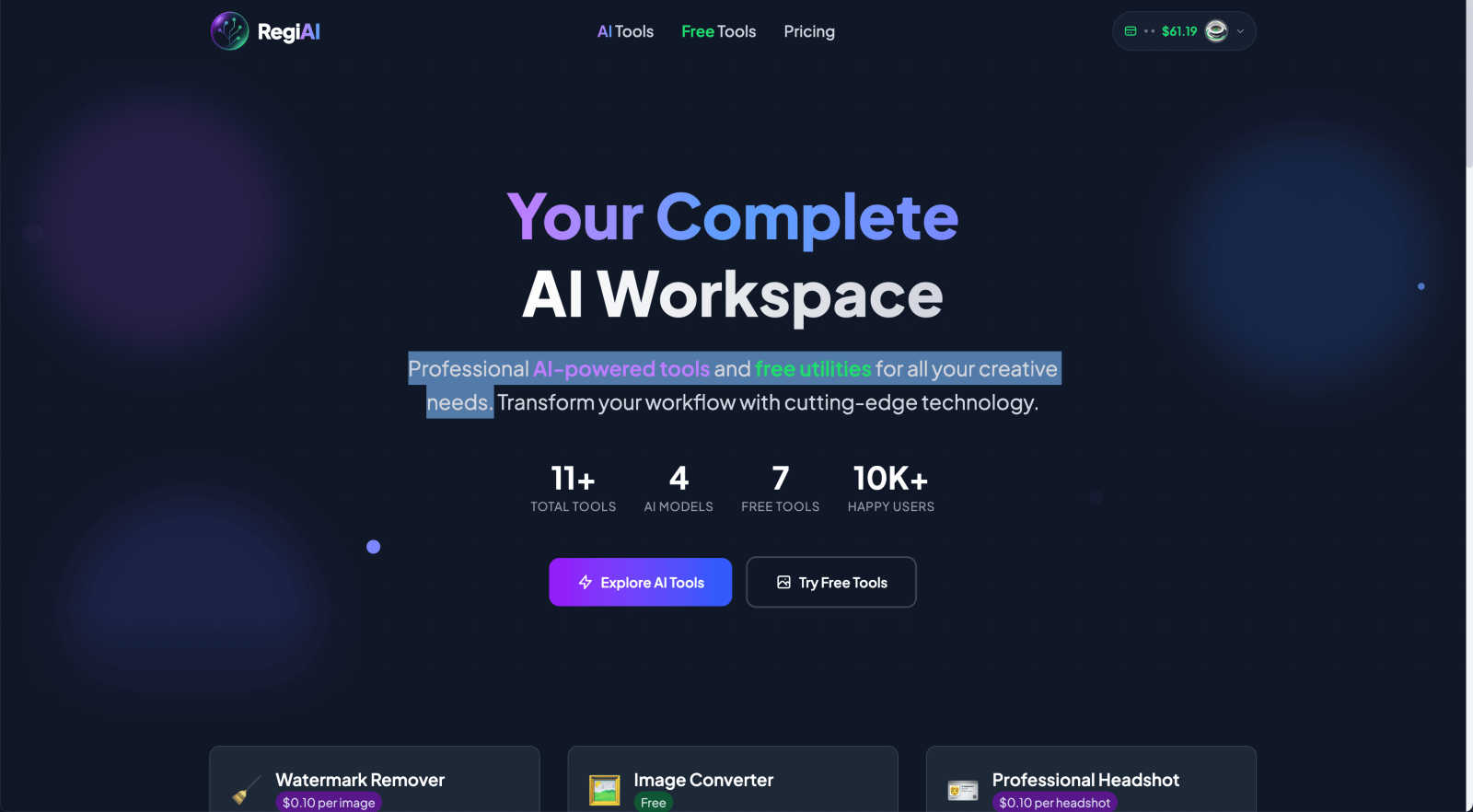
AI Watermark Remover
This tool is your secret weapon for cleaning up images. Got a perfect stock photo ruined by a giant logo? Snap a pic with an unwanted text overlay? This AI doesn't just clumsily smudge it out. It uses advanced tech to surgically remove watermarks, text, and logos while keeping the original image quality crispy and intact. It's like having a digital eraser that actually works, leaving zero traces behind. Perfect for creators who need clean visuals fast.
AI Professional Headshot
Forget booking a pricey studio session. This feature lets you transform any casual selfie or photo into a legit, polished professional headshot. The AI works its magic by adding perfect studio lighting, smoothing out backgrounds, and giving you that sharp, confident look you need for LinkedIn, your company website, or your resume. It even comes with commercial use rights, so you can use it for your business branding without any stress.
AI Action Figure Generator
This is where Regi AI gets seriously fun. Ever wanted to see yourself as a superhero or a movie character? This tool lets you turn any portrait into an ultra-realistic, custom-designed action figure. It generates the figure itself and even creates the classic blister-pack packaging for that authentic toy-aisle vibe. It's a total game-changer for creating unique gifts, wild social media content, or just fulfilling your childhood dreams.
Free Utility Suite
Beyond the flashy AI stuff, Regi AI hooks you up with a solid set of free, essential tools. We're talking about a Background Remover to instantly delete distracting backdrops, an Image Converter to switch between JPG, PNG, and WebP without fuss, and other handy helpers. These are the no-brainer, everyday utilities that save you time and keep your workflow smooth, proving that powerful editing doesn't have to cost a thing.
Use Cases
3DAIStudio
Game Development
Game developers can rapidly prototype characters, environments, and assets that bring their game worlds to life. With instant 3D model creation, you can iterate faster, making the development process smoother and more efficient.
Film Production
From indie films to Hollywood blockbusters, filmmakers can create stunning visual effects or props in record time. 3DAIStudio allows for quick turnarounds on 3D assets, keeping production schedules on track without sacrificing quality.
Product Design
Designers can visualize their concepts in 3D before moving to production. By generating 3D models from sketches or descriptions, product teams can collaborate more effectively, gather feedback, and refine their designs.
Education
Educators and students can use 3DAIStudio to create engaging learning materials and 3D models for projects. This hands-on approach to learning makes complex subjects more accessible, allowing students to explore and understand concepts visually.
Regi AI
Social Media Content Creation
For influencers, marketers, and anyone trying to stand out on the 'gram or TikTok, Regi AI is a content machine. Use it to design eye-catching YouTube thumbnails from 160+ templates, remove watermarks from potential assets, create viral-worthy action figures of yourself, or generate clean headshots for your profile. It's all about creating pro-level visuals that boost engagement without needing a design degree.
Personal Photo Restoration & Enhancement
Got a box of old, faded, or damaged family photos? Bring those precious memories back to life. The AI Photo Restoration tool can automatically repair scratches, fix tears, enhance details, and even add vibrant color to black and white pictures. It's like a time machine for your photos, letting you preserve and share your history in stunning quality.
Small Business Branding on a Budget
For startups, freelancers, and small teams, looking professional is key but budgets are tight. Regi AI solves this. Generate uniform, high-quality headshots for your entire team page, remove unwanted elements from product photos, create branded graphics, and upscale low-res images for your website—all for just pennies per task. It delivers big-brand visual polish without the agency price tag.
Creative Projects & Personalized Gifts
Unleash your inner artist or create something truly unique for someone. Design a custom action figure of your friend for their birthday, restore and colorize an old photo as a heartfelt gift, or use the AI image generator to bring your wildest ideas to life. The platform is a playground for turning creative concepts into tangible, shareable, and often mind-blowing visual reality.
Overview
About 3DAIStudio
Welcome to 3DAIStudio, your go-to AI-powered toolkit that turns your wildest ideas into stunning 3D models in just seconds. Whether you are a designer, developer, or a creative looking to spice up your projects, this tool is built for you. Forget about the days when creating 3D assets meant hours of painstaking modeling and texturing. With 3DAIStudio, you can simply type a prompt or upload an image, and boom, you have a high-quality 3D model ready to go. It's like having a magic wand for 3D creation! Our platform is perfect for everyone, from complete newbies to seasoned pros. Join the 1,000,000+ creators who trust 3DAIStudio to bring their ideas to life. With features like text-to-3D and image-to-3D generation, we’re redefining how 3D assets are made. Get ready to unleash your creativity and step into the future of 3D modeling!
About Regi AI
Alright, let's break it down. Regi AI is basically your new creative sidekick, a whole digital toolbox packed with AI magic that makes you look like a pro, even if you're just starting out. Think of it as the Swiss Army knife for your images and visual content, but way cooler and powered by some seriously smart tech. It's built for literally everyone – from that friend who just wants to clean up a meme, to artists crafting their next masterpiece, to businesses needing slick headshots for the team page.
The whole vibe is about giving you insane power without the insane price tag. You get a killer mix of premium AI tools (like making yourself into an action figure, which is as awesome as it sounds) and totally free utilities (because who wants to pay just to convert a file format?). With over 16 tools in the box, you can remove watermarks, restore grandma's faded photos, generate YouTube thumbnails designed to crush the algorithm, and so much more. The best part? You only pay for what you actually use, with credits starting at a single penny. No subscriptions locking you in, no hidden fees. It's the ultimate, budget-friendly power-up for your creative workflow, letting you experiment and execute without your wallet crying for mercy.
Frequently Asked Questions
3DAIStudio FAQ
How does 3DAIStudio generate 3D models?
3DAIStudio utilizes advanced AI algorithms to interpret your text prompts or images, transforming them into high-quality 3D models in seconds. It’s designed to make 3D creation accessible to everyone.
Do I need any 3D modeling experience to use this tool?
Not at all! 3DAIStudio is user-friendly and perfect for beginners. You can create professional-quality 3D models without any prior experience, making it ideal for creatives at any skill level.
Can I export my models for use in other applications?
Yes! The 3D models you create in 3DAIStudio are export-ready and compatible with major engines like Unity, Unreal, and Three.js, allowing for seamless integration into your projects.
What types of assets can I create with 3DAIStudio?
With 3DAIStudio, you can create a wide range of 3D assets, including characters, environments, props, and even complex textures. The possibilities are endless, limited only by your imagination!
Regi AI FAQ
How much does Regi AI cost?
Regi AI uses a super flexible pay-per-use credit system, so you only pay for the tools you actually run. Prices start as low as $0.01 for tools like the AI Image Describer or Face Swap. More complex tasks, like creating a Professional Headshot or removing a watermark, cost $0.10 per use. There are no monthly subscriptions or commitments—you just buy credits and use them whenever you need. It's the ultimate budget-friendly model.
Are there any free tools on Regi AI?
Absolutely! Regi AI isn't just about the premium AI magic. They offer a suite of completely free utilities for everyday tasks. This includes tools like the Background Remover and the Image Converter (changing JPG to PNG, etc.). You can use these as much as you want without spending a single credit, which is perfect for basic edits and keeping your workflow efficient.
What kind of images can I restore with the AI Photo Restoration tool?
This tool is built to handle a wide range of classic photo problems. It works great on old physical photos that are faded, have scratches, stains, or even small tears. It can also dramatically improve blurry or low-quality digital scans. The AI automatically detects the damage, repairs it, enhances sharpness and detail, and can even intelligently colorize black and white photos to bring them into the modern day.
Can I use the AI-generated content for commercial purposes?
Yes, for most tools you can! Specifically, content created with tools like the AI Professional Headshot comes with commercial use rights, meaning you can use those headshots on your business website, marketing materials, etc. It's always a good idea to double-check the terms for the specific tool you're using, but the platform is designed with creators and businesses in mind.
Alternatives
3DAIStudio Alternatives
3DAIStudio is a rad AI-powered tool that lets you whip up quality 3D models from images or text in just a few clicks. Perfect for designers and creators, this platform sits snugly in the content creation category, offering a way to generate custom 3D assets that are super handy for your projects. But hey, sometimes 3DAIStudio might not tick all the boxes for everyone. Users often seek alternatives due to reasons like pricing, specific features, or the need for compatibility with different platforms. When hunting for an alternative, keep an eye out for similar capabilities, ease of use, pricing plans, and any extra perks that might get your creative juices flowing.
Regi AI Alternatives
Regi AI is your one-stop creative sidekick, packing a whole suite of AI tools and free utilities for image editing and enhancement. It lives in that sweet spot of productivity and management tools, helping you get visual tasks done in a flash without needing a degree in Photoshop. People hunt for alternatives for all sorts of reasons. Maybe they need a tool that's totally free forever, or one with a specific feature Regi doesn't have. Sometimes it's about wanting a flat monthly subscription instead of pay-per-use, or needing an app that works directly on their phone. It's all about finding the right vibe for your workflow and wallet. When you're scrolling through options, think about your non-negotiables. Do you need bulk processing, or just edit a pic here and there? Is watermark removal your main jam, or are you all about that AI art generation? Check the pricing model, see if it plays nice with your devices, and always, always peek at the output quality. Don't just settle for the first one you see.