
AEO lite vs DigitalMagicWand
Side-by-side comparison to help you choose the right AI tool.

AEO lite
Get your site AI-ready with a quick score and a cheat sheet to fix it.
Last updated: March 1, 2026

DigitalMagicWand
DigitalMagicWand is your all-in-one AI toolkit for creating and editing images, audio, video, and text like a total pro.
Last updated: March 18, 2026
Visual Comparison
AEO lite
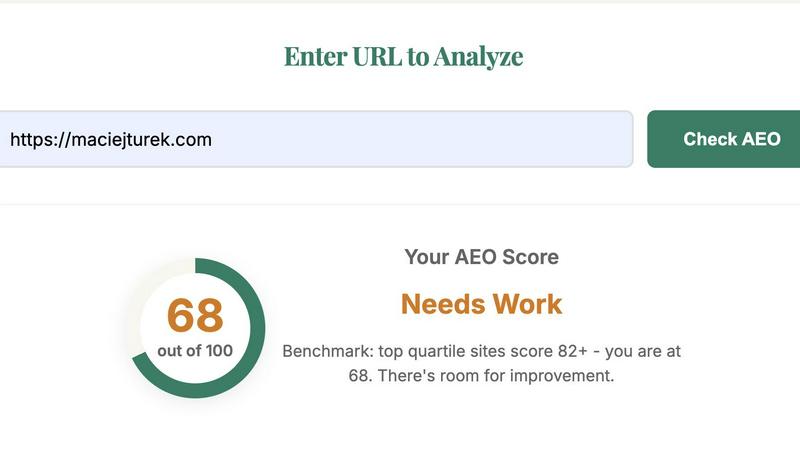
DigitalMagicWand

Feature Comparison
AEO lite
Laser-Focused AEO Scorecard
This ain't your grandpa's SEO report. AEO Lite hits your page with a 100-point analysis across six critical categories that AI answer engines actually care about. We're talking Answer Readiness, Schema Essentials, Entity & Links, and more. It's a brutally honest assessment that shows you exactly where you stand in the new search landscape, complete with a total score that tells you if you're crushing it or need to go back to the lab.
Hard-Fail Detector & Priority Fix List
The tool doesn't mess around. It immediately flags any "hard-fail" issues that will get your page completely ignored by AI, like blocking LLM crawlers or having no schema at all (instant score of zero, yikes!). Beyond that, it generates a super clear, prioritized list of actionable recommendations. No fluff, just the specific things you need to fix first to make your page answer-engine friendly, explained in language even your non-techy teammates will get.
Schema & Structure Deep-Dive
AEO Lite gets into the nitty-gritty, auditing the specific structured data (JSON-LD schema) that acts as a cheat sheet for AI. It checks for must-haves like FAQPage, HowTo, Article, and Organization schema. It also analyzes your content structure, looking for question-form headers and concise 40-60 word answers that AI loves to snack on. This feature shows you exactly what's missing from your page's technical backbone.
Real-World Benchmarking & Briefing Tool
Built from insights from actual AEO projects, this tool helps you benchmark your key pages against what works. The clear output isn't just for you—it's the perfect briefing doc for your content creators and developers. You can hand them the detailed breakdown and prioritized fixes, aligning your AEO hustle with your existing SEO strategy without endless meetings and confusion.
DigitalMagicWand
The Ultimate AI Text Toolkit
This isn't just a spell-checker on steroids. We're talking a full-on text lab. Got a block of AI-generated text that sounds a little too robotic? Our Undetectable AI Humanizer will rework it until it passes every detector out there, keeping your meaning but ditching the digital fingerprints. On the flip side, our Accurate AI Detector is your built-in lie detector for text, giving you a clear confidence score so you're never left guessing if you're reading human genius or machine output. It's your one-stop shop for mastering the written word in the AI age.
Studio-Grade Audio Alchemy
Forget complicated audio software that takes years to learn. Our audio tools are straight-up magic for your ears. With UnMixIt Pro, you can rip any song into its separate stems—vocals, drums, bass, the works—with studio-quality precision for remixing or sampling. Just want karaoke? Regular UnMixIt zaps the vocals out in seconds. And for the musicians, Digital Ear Piano is a legend; it listens to your piano recording and spits out a perfect MIDI file, capturing every nuance of your performance. It's like having a sound engineer in your pocket.
Mind-Blowing Image Generation & Editing
This is where the "magic" in the wand really shines. You can literally type a description of anything—"a cyberpunk cat drinking coffee on Mars"—and bam, you get a stunning, high-res image. Need a logo? Describe it and get a clean, scalable vector (.svg) file, not some pixelated mess. But it doesn't stop at creation. Our AI Image Editor lets you edit photos by just typing commands. Want to remove a photobomber, swap the sky, or put your product on a model? Just type what you want. It's Photoshop powers without the steep learning curve.
Precision Image Utilities
Sometimes you don't need to generate a whole new scene; you just need to fix or tweak what you've got. That's where our utility tools come in clutch. The Instant Background Removal tool is a lifesaver for product shots or profile pics, cleanly cutting out subjects with scary-good accuracy. While we've got an older "replace anything" tool, the new AI Image Editor is the upgraded beast for all your object removal and in-painting needs. These are the quick, powerful fixes that make your existing images pop.
Use Cases
AEO lite
Pre-Publish Content Gut Check
You've just drafted a banger of a blog post or a new product page. Before you hit "publish," run it through AEO Lite. Get an instant read on how "answer-ready" it is. Catch missing schema, weak headers, or a lack of clear Q&A structure before it goes live, saving you from having to go back and fix it later when it gets zero AI love.
Diagnosing Underperforming Pages
Got pages that get traffic but never seem to get cited or featured in AI Overviews? Pop the URL into AEO Lite. The analysis will quickly pinpoint the reason—maybe your FAQ schema is busted, you're not linking authoritatively, or you're accidentally blocking AI crawlers. It turns mystery into a clear action plan.
Streamlining Team Workflows
Stop the endless Slack threads explaining AEO. Use AEO Lite's detailed, non-technical reports to brief your content writers on exactly what to include (like step-by-step instructions and comparison tables) and your devs on which specific schema markup to implement. It aligns everyone with a single source of truth.
Competitor Page Analysis
Want to know why your competitor keeps popping up in ChatGPT answers? Run their URL through AEO Lite (shh, it's our secret). Reverse-engineer their success by seeing their score breakdown. Discover what schema they're using, how they structure answers, and identify gaps in your own content that you can exploit.
DigitalMagicWand
For Content Creators & Social Media Managers
You're grinding out posts, reels, and stories daily. Use the AI image generator to create unique thumbnails and graphics in your brand's style in seconds. Use the background remover for clean product shots. Humanize your AI-written captions to keep your voice authentic. It's all about creating more engaging content, faster, without blowing your budget on stock photos or copywriters.
For Musicians & Producers
Hit a creative wall? Drop a track into UnMixIt Pro to isolate the drum loop or vocal melody for sampling. Record a piano idea on your phone and use Digital Ear to convert it to MIDI for editing in your DAW. Need an acapella for a remix? UnMixIt has you covered. It's like having a full production suite that breaks down any audio barrier between your idea and the final track.
For Students & Academics
Navigating the new world of AI in education is tough. Use the Accurate AI Detector to check your own work or review sources. If you're using AI tools for research assistance, run the output through the Humanizer to ensure your final paper has a natural, scholarly tone and avoids any plagiarism or AI-detection flags. It's your secret weapon for maintaining integrity and clarity in your work.
For Marketers & Small Business Owners
You need to look pro without a pro budget. Generate custom vector logos and marketing images with text prompts. Create perfect, background-free images of your products for your website or Amazon listings. Quickly edit team photos or create promotional visuals by typing edits into the AI Image Editor. It empowers you to build a strong, cohesive visual brand entirely on your own.
Overview
About AEO lite
Alright, listen up, content hustlers and SEO grinders. You know the game has changed. It's not just about ranking on Google anymore; it's about getting your stuff featured in the AI-powered answer engines like ChatGPT, Claude, and Google's AI Overviews. That's where AEO Lite comes in. Think of it as your personal, no-BS coach for Answer Engine Optimization. This tool is built for marketers, founders, and SEO pros who are tired of the guesswork and don't wanna drop a bag on a fancy agency just to figure out if their content is AI-ready. You just paste a URL, hit analyze, and it goes to work. It tears apart your page, checking for all the secret sauce that makes AI sit up and take notice: your schema markup, your headings, your content structure, FAQ game, and those crucial entity signals. You don't just get a vague score; you get a full breakdown—what's slaying, what's failing, and a straight-to-the-point priority list of fixes. Built with real insights from projects in SaaS, fintech, and e-commerce, AEO Lite cuts the jargon and gives you actionable intel you can actually use to brief your team and level up your pages. It's your shortcut to making sure your content doesn't just exist online, but actually gets quoted by the AIs that everyone's using to find answers.
About DigitalMagicWand
Alright, let's break it down. DigitalMagicWand is basically your all-in-one digital Swiss Army knife, but powered by some seriously smart AI. Think of it as a massive online playground where you can twist, tweak, and totally transform any kind of digital content you throw at it. We're talking images, audio, video, and text. Stuck with a boring photo? Wand it. Need to know if that essay was written by a human or ChatGPT? Wand it. Dreaming of turning your piano jam into a MIDI file? You guessed it—Wand it. It's built for literally anyone creating stuff online, from musicians and streamers drowning in audio edits to marketers who need fire social media visuals yesterday, and even students trying to make their work sound more... human. No more juggling ten different sketchy apps. The main vibe here is giving you pro-level creative power without needing a PhD in computer science. Just point, click, and let the AI do the heavy lifting.
Frequently Asked Questions
AEO lite FAQ
What's the deal with the scoring? What do the buckets mean?
AEO Lite scores your page out of 100 across six key buckets. "Answer Readiness" (25 pts) checks for Q&A format and concise answers. "Schema Essentials" (20 pts) validates your JSON-LD markup. "Entity & Links" (15 pts) looks at topic focus and citations. "FAQ/HowTo Surfaceability" (15 pts) checks for visible structured content. "Tech Basics" (15 pts) covers indexability and tags. "Trust & Author" (10 pts) verifies author and date info. It's a holistic health check for the AI era.
How does this help with Google AI Overviews and ChatGPT?
These AI answer engines are like super-picky researchers. They crave structured, easy-to-parse info they can trust and quote. AEO Lite audits your page for the exact signals they look for: proper schema to understand context, clear question-and-answer formatting, authoritative links, and technical accessibility. By fixing what the tool recommends, you massively increase your chances of being sourced in those AI-generated answer boxes.
What if my page gets a score of zero?
A score of zero means you hit a "Hard-Fail" rule. This is a major red flag that completely blocks AI engines. The most common reasons are: your robots.txt file blocks LLM crawlers (like ChatGPT's), your page has a 'noindex' tag, your content is too thin (under 150 words), or you have no schema markup at all. The report will tell you which one it is so you can fix it ASAP.
Are the recommendations actually actionable for non-coders?
Totally! The whole point of AEO Lite is to cut through the tech jargon. The recommendations are written in plain language, telling you what needs to be fixed and why it matters. For example, instead of just saying "implement FAQPage schema," it'll explain that you need a visible FAQ section on the page that can be marked up with code—something you can then clearly task to a developer. It bridges the gap between strategy and execution.
DigitalMagicWand FAQ
Do I need to download any software to use DigitalMagicWand?
Nope, not at all! DigitalMagicWand is a fully online platform. All you need is a web browser and an internet connection. You can access all the magic from your laptop, tablet, or even your phone. No bulky downloads, no system requirements to worry about—just head to the site and start creating.
How accurate is the AI Text Detector?
Our detector is built to be seriously accurate, analyzing text for the subtle statistical patterns left by models like ChatGPT, Gemini, and Claude. It gives you a clear confidence score (like 98% likely AI), so you're not just getting a yes/no guess. While no detector is 100% infallible, ours is constantly updated to stay on top of the latest AI models, making it one of the most reliable tools out there for cutting through the noise.
Can I use the images I generate for commercial purposes?
Heck yes, you own what you create! The images, vectors, and edits you make using DigitalMagicWand's tools are yours to use. You can use them in your social media, on your website, in client projects, or even on merchandise. There's no hidden licensing fee or royalty to pay. Create with confidence and monetize your creativity.
What's the difference between UnMixIt and UnMixIt Pro?
Think of UnMixIt as the quick, easy tool for everyday fun. It's perfect for making karaoke tracks or isolating vocals for practice. UnMixIt Pro is the powerhouse for serious audio work. It gives you studio-grade separation into multiple stems (vocals, drums, bass, other instruments) with much higher quality and control, which is essential for music production, remixing, and professional audio restoration.
Alternatives
AEO lite Alternatives
So you've heard about AEO lite, the slick tool that gives your URLs a vibe check for AI Overviews. It's basically your cheat code for Answer Engine Optimization, helping you tweak your content so it slaps in those new AI search results. It's for anyone trying to game the SEO system without the agency-level budget. But hey, maybe you're browsing around. Totally get it. Maybe the price point isn't your jam, or you need something that plays nicer with your specific tech stack. Some folks want more bells and whistles, while others just need a different flavor of analysis. It's all about finding the right fit for your hustle. When you're on the hunt, keep your eyes peeled for what actually matters to you. Think about the depth of the analysis, how easy it is to actually use the reports, and whether it gives you actionable steps, not just a scary number. The goal is to find a tool that doesn't just talk the talk but actually helps you walk the walk with your content.
DigitalMagicWand Alternatives
So you've heard the buzz about DigitalMagicWand, the all-in-one AI suite that's like a Swiss Army knife for your digital content. It's a major player in the AI assistant game, letting you whip images, audio, video, and text into shape with some seriously smart tech. It's the go-to for creators who want one platform to rule all their media. But let's keep it a hundred—no single tool is everyone's perfect match. Maybe your wallet's giving you side-eye at the subscription cost, or you need a specific feature that's just not in the deck. Some folks just vibe better with a simpler, single-purpose app, or they're locked into a different ecosystem entirely. It's totally normal to shop around. When you're on the hunt for something else, think about your non-negotiables. Is it all about that price point, or are you chasing a killer feature for your niche? Check if it plays nice with your other apps and what the output quality is like. Don't sleep on the user experience either; a clunky interface can kill your creative flow faster than you can say "AI."