
Blueberry vs Mod
Side-by-side comparison to help you choose the right AI tool.

Blueberry
Blueberry is your AI-native Mac workspace that merges your editor, terminal, and browser so your AI sees everything.
Last updated: February 28, 2026

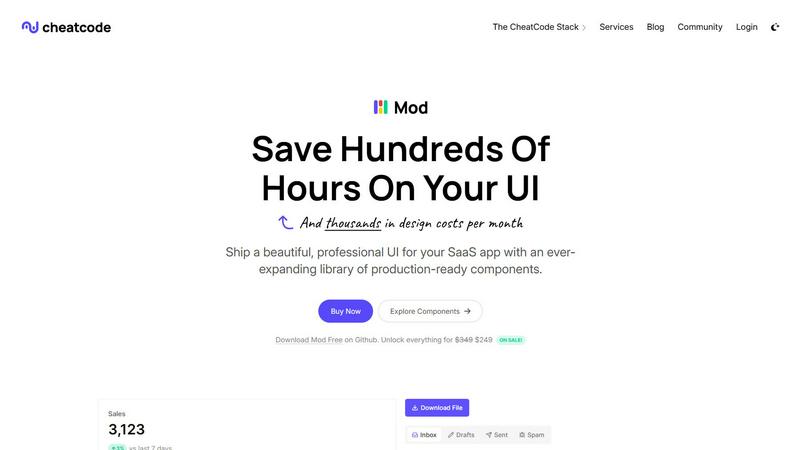
Mod is your go-to CSS framework for whipping up killer SaaS UIs in no time with a dope library of components.
Visual Comparison
Blueberry

Mod
Feature Comparison
Blueberry
The All-in-One Focused Workspace
This is the main event. Blueberry kills app-switching fatigue by giving you a legit code editor, a fully functional terminal, and a live preview browser all in one tidy, draggable window. It's not just them slapped together; they're designed to feel like they were always meant to be one tool. You get full syntax highlighting, multi-cursor editing, find/replace, and Git integration in the editor—no compromises. The terminal runs your models and commands, and the browser shows a real-time preview of your app. It's your entire dev loop, unified.
Blueberry MCP (Full Context for Your AI)
This is the secret sauce that makes the AI in Blueberry actually useful. The built-in MCP (Model Context Protocol) server is a game-changer. It lets your connected AI (Claude, Codex, etc.) see and interact with your entire workspace context live. We're talking the code you have open, the output in your terminal, what's currently rendering in the preview browser, and even your pinned apps. Your AI assistant finally has the full picture, so you can ask "how does this route work?" or "why is this button broken?" without manually feeding it a million snippets.
Pinned Apps for Constant Context
Why stop at just dev tools? Blueberry lets you dock your other essential apps—like GitHub, Linear, Figma, or PostHog—right inside your workspace. They load up with your project and, crucially, share their context with your AI via MCP. Need your AI to reference a specific Linear ticket or a Figma frame? It's already there, in the loop. It turns your workspace into the central hub for everything related to your product, not just the code.
Visual Context with Screenshot & Element Select
Sometimes you need to show, not tell. Blueberry's preview browser comes with built-in tools to give your AI visual context. You can capture screenshots of your app or, even cooler, directly select specific HTML elements from the preview. This means you can point at a busted component and ask your AI to fix it, and it knows exactly what you're talking about. It bridges the gap between the visual front-end and the code in a way that feels like magic.
Mod
88+ Components
With over 88 ready-made components, Mod lets you build your UI faster than ever. From buttons to modals, each component is designed to be super customizable, so you can tweak them to fit your brand's vibe.
168 Styles
Mod offers a massive library of 168 styles, giving you a ton of options to ensure your SaaS app stands out. Whether you're going for a minimalist look or something more vibrant, you’ll find the perfect style to match your creative vision.
Dark Mode
In a world where dark mode is the new black, Mod has got you covered. This feature allows your users to switch to a dark theme with just a click, making it easier on the eyes, especially during those late-night coding sessions.
Framework-Agnostic
Worried about compatibility? Fret not! Mod plays nice with all the popular frameworks like Next.js, Nuxt, Vite, and more. It’s built to integrate seamlessly, so you can focus on building and not on troubleshooting.
Use Cases
Blueberry
Rapid Prototyping & Iteration
You're building an MVP and need to move at light speed. With Blueberry, you can write a component in the editor, see it update live in the preview browser, debug an error in the terminal, and ask your AI to refactor the logic—all without leaving the window. The tight feedback loop and constant AI context turn hours of work into minutes, letting you experiment and iterate on ideas before your coffee gets cold.
AI-Powered Debugging & Pair Programming
Hit a gnarly bug or a confusing error message? Instead of scouring Stack Overflow alone, you can have your AI model, armed with the full context of your running app, terminal logs, and relevant code files, help you diagnose it in real-time. It's like having a senior engineer looking over your shoulder who never gets tired and has perfect memory of your entire codebase.
Streamlined Full-Stack Development
Working on a full-stack web app means constantly context-switching between server code, client code, and the database. Blueberry simplifies this by keeping your API route code, your frontend component, and the resulting web page preview visible simultaneously. You can run your backend server in one terminal tab, your frontend dev server in another, and see how they interact live, making API integrations and data flow way easier to reason about.
Cross-Device Preview & Responsive Design
Building a modern app means it has to look good on every screen. Blueberry's preview browser has desktop, tablet, and mobile viewports built right in. You can instantly see what your users will see on different devices without needing to grab your phone or open a separate emulator. It makes responsive design checks a seamless part of your regular coding flow.
Mod
Rapid Prototyping
Need to whip up a prototype for a demo? Mod’s extensive library of components and styles lets you create a stunning UI in no time. Impress stakeholders without losing your sanity!
Freelance Projects
As a freelancer, you want to deliver high-quality work without spending ages on design. With Mod, you can quickly implement polished styles that make your projects shine, keeping clients happy and your portfolio looking fresh.
Startups
For startups hustling to get their MVP off the ground, Mod is a game-changer. It allows you to rapidly iterate on your design, ensuring that your app is not only functional but also visually appealing to attract early adopters.
Team Collaboration
If you’re part of a dev team, Mod streamlines collaboration by providing a standardized design system. Everyone can work from the same components and styles, reducing confusion and speeding up the development process.
Overview
About Blueberry
Alright, let's break it down. Blueberry is that one app you didn't know you needed until you try it and then you can't imagine your workflow without it. It's basically a super-powered, AI-native workspace built specifically for macOS that smashes your code editor, terminal, and live preview browser into one single, focused window. No more frantic Alt-Tabbing between a dozen different apps, losing your train of thought, or wasting brain cycles on window management. It's built for the modern product builder—the devs, founders, and indie hackers who are shipping web apps and need to move fast without the tooling friction. The core vibe? Stop copy-pasting context for your AI. Blueberry connects to your favorite models (Claude, Gemini, Codex, you name it) via MCP and gives them a live feed of your entire project: your open files, your terminal output, and even what's rendering in the browser preview. It's like giving your AI pair programmer a super-high-resolution screen share of your mind. And the best part? It's 100% free during the beta. So if you're tired of the juggle, this is your invite to a smoother, more integrated way to build.
About Mod
Yo, let’s talk about Mod, the ultimate CSS toolkit for all you SaaS warriors out there. Mod is part of the CheatCode stack, which includes Joystick and Push, and it’s designed to make your life a whole lot easier when it comes to styling your applications. With over 88 components and 168 styles at your fingertips, you can whip up some seriously slick UIs without breaking a sweat. Whether you’re flying solo or part of a team, Mod is here to help you ship faster and cut down on design costs. It's got your back with dark mode, responsive layouts, and a mobile-first approach, making sure your designs look fire on any device. Plus, it’s framework-agnostic, so whether you’re jamming with Next.js, Nuxt, or even Django, Mod fits right in. With simple pricing and yearly updates, you’ll always have the latest and greatest features.
Frequently Asked Questions
Blueberry FAQ
Is Blueberry really free?
Heck yes! Blueberry is 100% free during its beta period. The team is focused on building an amazing tool and getting it into the hands of builders. There's no credit card required to download and use it. Just grab it and start building.
What AI models does Blueberry work with?
Blueberry is super flexible. It can connect to any AI model that supports the Model Context Protocol (MCP). This includes popular ones like Anthropic's Claude, Google's Gemini, and OpenAI's Codex. You're not locked into one ecosystem; you can use the model that works best for you and your project.
Is Blueberry only for web development?
While it's optimized for building web applications (thanks to the integrated live preview browser), the core workflow of an editor, terminal, and AI with full context is useful for many types of software development. However, its sweet spot is definitely developers and product builders working on web-based projects.
Is it available for Windows or Linux?
Not yet, fam. Currently, Blueberry is a macOS-only application. It's built as a native Mac app to deliver the best possible performance and integration. The team might consider other platforms in the future, but for now, you'll need a Mac to join the party.
Mod FAQ
What is Mod?
Mod is a CSS toolkit designed specifically for building beautiful SaaS UIs with ease. It comes with a vast library of components and styles, making it a go-to solution for developers looking to save time and enhance their apps.
Can I use Mod with my favorite framework?
Absolutely! Mod is framework-agnostic, meaning it works seamlessly with popular frameworks like Next.js, Nuxt, Vite, and many others, ensuring you can integrate it into your existing projects without a hitch.
Is there support for dark mode?
You bet! Mod includes a dark mode feature that allows users to switch their app's theme effortlessly. This makes for a better user experience, especially for those late-night coding or binge-watching sessions.
How often does Mod get updates?
CheatCode offers yearly updates for Mod, ensuring that you always have access to the latest components, styles, and features. This way, you can stay ahead of the design game without having to worry about outdated tools.