
CalcFi vs ConvertBankToExcel
Side-by-side comparison to help you choose the right AI tool.

CalcFi
500+ free financial calculators — mortgage, compound interest, retirement, salary, tax, debt, investing & more. No signup, instant results.

ConvertBankToExcel
ConvertBankToExcel zaps your bank statements from PDF to Excel or CSV in under 30 seconds with over 99% accuracy—no.
Last updated: February 28, 2026
Visual Comparison
CalcFi
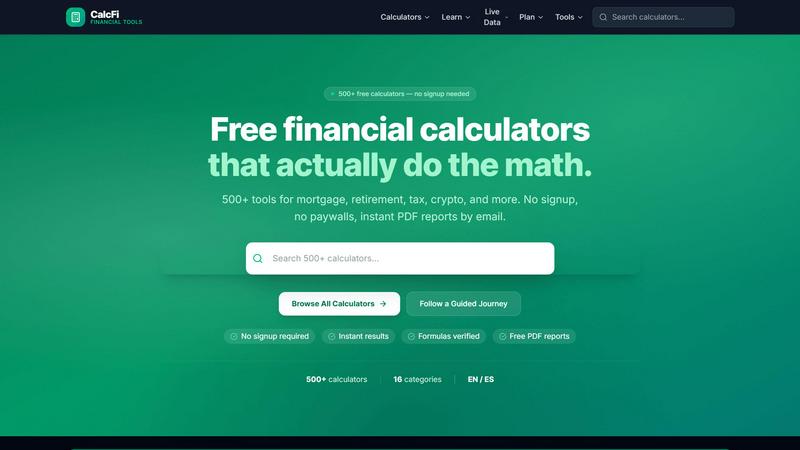
ConvertBankToExcel

Overview
About CalcFi
CalcFi is a free, no-signup financial calculator platform with 500+ tools covering mortgage payments, compound interest, retirement savings, salary/paycheck, tax brackets, debt payoff, investment returns, budgeting, net worth, and more. State-specific data for all 50 US states. Dark-mode UI, mobile-first, instant results. Built with Next.js, deployed on Vercel.
About ConvertBankToExcel
ConvertBankToExcel is like your secret weapon for tackling those tedious bank statements. This AI-powered platform is tailor-made for accounting pros who are done with the mind-numbing grind of manual data entry. With the power of artificial intelligence, it automatically extracts transaction data from your PDF bank statements and converts it into formats like Excel, CSV, and QuickBooks in under 30 seconds! Say goodbye to the chaos of spreadsheets and hello to seamless data management. Trusted by over 50,000 CPAs and bookkeepers, ConvertBankToExcel has processed more than a million bank statements, making it a go-to solution for financial accuracy. Plus, with a free tier that allows you to convert 7 pages daily, you can start optimizing your workflow without spending a dime. If you're ready to elevate your accounting game, this tool is here to transform your bank statements into actionable insights.