
CleanPaste.org vs DigitalMagicWand
Side-by-side comparison to help you choose the right AI tool.
CleanPaste.org
CleanPaste instantly strips AI watermarks and hidden characters from your text, no signup needed.
Last updated: March 1, 2026

DigitalMagicWand
DigitalMagicWand is your all-in-one AI toolkit for creating and editing images, audio, video, and text like a total pro.
Last updated: March 18, 2026
Visual Comparison
CleanPaste.org
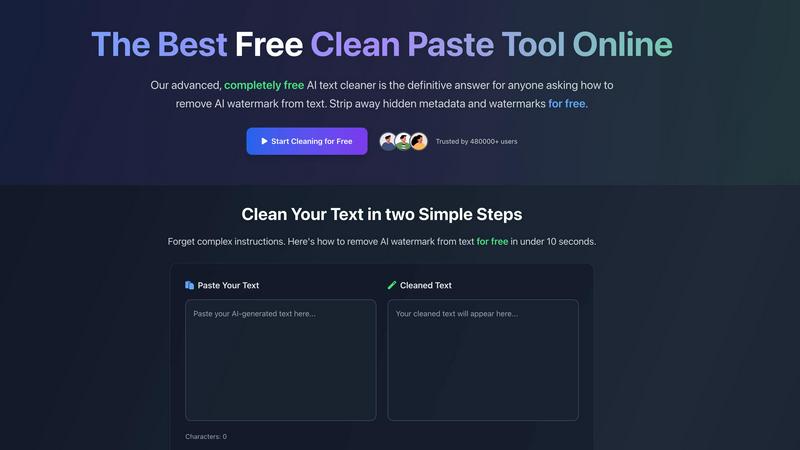
DigitalMagicWand

Feature Comparison
CleanPaste.org
Deep AI Watermark Removal
This is the main event. CleanPaste doesn't just skim the surface; it performs a deep scan to find and obliterate the statistical patterns and hidden markers that AI models leave behind like digital breadcrumbs. It's what makes your ChatGPT or Gemini output suddenly look like it came from a human brain, helping it sail past AI detectors without raising any alarms. No more glowing neon signs saying "BOT WROTE THIS."
Invisible Character & Metadata Stripper
Beyond AI stuff, text can be littered with invisible junk—zero-width spaces, weird formatting artifacts, hidden metadata you can't even see. These ghosts in the machine can mess with word counts, formatting, and sometimes even trigger spam filters. CleanPaste acts like a digital magnet for all that crap, pulling it out and leaving you with nothing but clean, pure text. It's a deep clean for your copy-paste.
Instant, One-Click Processing
The whole point is speed and zero hassle. You won't find a complicated dashboard or a 10-step tutorial here. You paste your sus text into the box, hit the "Remove AI Watermarks" button, and bam—your cleaned, human-looking text appears instantly. No waiting, no processing queues. It's so fast it feels like magic, getting you back to your work in under 10 seconds.
100% Free, No Limits Mode
This is the feature that makes everyone do a double-take. CleanPaste is completely free. For real. No freemium model, no "upgrade to Pro" pop-ups, no daily character limits, and you don't even need to sign up with an email. It's a rare W in today's subscription-everything world. You get the full power of the tool, unlimited use, forever, with zero catch.
DigitalMagicWand
The Ultimate AI Text Toolkit
This isn't just a spell-checker on steroids. We're talking a full-on text lab. Got a block of AI-generated text that sounds a little too robotic? Our Undetectable AI Humanizer will rework it until it passes every detector out there, keeping your meaning but ditching the digital fingerprints. On the flip side, our Accurate AI Detector is your built-in lie detector for text, giving you a clear confidence score so you're never left guessing if you're reading human genius or machine output. It's your one-stop shop for mastering the written word in the AI age.
Studio-Grade Audio Alchemy
Forget complicated audio software that takes years to learn. Our audio tools are straight-up magic for your ears. With UnMixIt Pro, you can rip any song into its separate stems—vocals, drums, bass, the works—with studio-quality precision for remixing or sampling. Just want karaoke? Regular UnMixIt zaps the vocals out in seconds. And for the musicians, Digital Ear Piano is a legend; it listens to your piano recording and spits out a perfect MIDI file, capturing every nuance of your performance. It's like having a sound engineer in your pocket.
Mind-Blowing Image Generation & Editing
This is where the "magic" in the wand really shines. You can literally type a description of anything—"a cyberpunk cat drinking coffee on Mars"—and bam, you get a stunning, high-res image. Need a logo? Describe it and get a clean, scalable vector (.svg) file, not some pixelated mess. But it doesn't stop at creation. Our AI Image Editor lets you edit photos by just typing commands. Want to remove a photobomber, swap the sky, or put your product on a model? Just type what you want. It's Photoshop powers without the steep learning curve.
Precision Image Utilities
Sometimes you don't need to generate a whole new scene; you just need to fix or tweak what you've got. That's where our utility tools come in clutch. The Instant Background Removal tool is a lifesaver for product shots or profile pics, cleanly cutting out subjects with scary-good accuracy. While we've got an older "replace anything" tool, the new AI Image Editor is the upgraded beast for all your object removal and in-painting needs. These are the quick, powerful fixes that make your existing images pop.
Use Cases
CleanPaste.org
For Students Polishing Essays
You used AI to brainstorm or draft that paper, but now you need to submit something that won't get flagged by Turnitin or your professor's detector of choice. CleanPaste is your academic wingman. It scrubs the AI fingerprints and hidden formatting from your draft, giving you clean text that reflects your own work and voice, so you can submit with confidence and avoid any awkward conversations.
For Content Creators & Bloggers
Keeping your brand's voice authentic is everything. If you use AI to scale content creation, the last thing you want is for your posts to sound robotic or get dinged by SEO tools for being AI-generated. Run your drafts through CleanPaste to remove watermarks and invisible junk, ensuring your final post has that natural, human flow that actually connects with your audience and keeps your brand vibe consistent.
For Professionals & Business Communication
Drafting reports, client emails, or internal docs with AI is a huge time-saver, but sending out something that feels "off" or clearly automated is a bad look. CleanPaste helps professionals polish that AI-assisted text, making it sound polished, natural, and professional. It ensures your communications maintain a high-quality, human-touch standard without the robotic aftertaste.
For Non-Native English Speakers
If English isn't your first language, AI is an amazing tool for helping draft clear, grammatically correct emails or documents. But sometimes the output can sound a bit too perfect or structured. CleanPaste helps by removing the obvious AI markers, allowing your own voice and intent to shine through in a more natural, nuanced way, making your communication smoother and more relatable.
DigitalMagicWand
For Content Creators & Social Media Managers
You're grinding out posts, reels, and stories daily. Use the AI image generator to create unique thumbnails and graphics in your brand's style in seconds. Use the background remover for clean product shots. Humanize your AI-written captions to keep your voice authentic. It's all about creating more engaging content, faster, without blowing your budget on stock photos or copywriters.
For Musicians & Producers
Hit a creative wall? Drop a track into UnMixIt Pro to isolate the drum loop or vocal melody for sampling. Record a piano idea on your phone and use Digital Ear to convert it to MIDI for editing in your DAW. Need an acapella for a remix? UnMixIt has you covered. It's like having a full production suite that breaks down any audio barrier between your idea and the final track.
For Students & Academics
Navigating the new world of AI in education is tough. Use the Accurate AI Detector to check your own work or review sources. If you're using AI tools for research assistance, run the output through the Humanizer to ensure your final paper has a natural, scholarly tone and avoids any plagiarism or AI-detection flags. It's your secret weapon for maintaining integrity and clarity in your work.
For Marketers & Small Business Owners
You need to look pro without a pro budget. Generate custom vector logos and marketing images with text prompts. Create perfect, background-free images of your products for your website or Amazon listings. Quickly edit team photos or create promotional visuals by typing edits into the AI Image Editor. It empowers you to build a strong, cohesive visual brand entirely on your own.
Overview
About CleanPaste.org
Yo, ever get that sinking feeling when your AI-generated text just screams "ROBOT"? Like it's got a digital fingerprint that every detector app on the planet can spot from a mile away? That's the whole vibe CleanPaste.org exists to obliterate. Think of it as your text's witness protection program or a digital cloak of invisibility. This ain't your grandma's copy-paste tool; it's a full-spectrum, deep-clean sanitizer for your words, built specifically to nuke the tell-tale signs of AI. We're talking about stripping more than just weird formatting. CleanPaste goes full detective mode, hunting down and deleting statistical AI watermarks, hidden metadata, and sneaky invisible characters (like zero-width spaces) that most basic tools completely miss. It's for anyone who uses AI as a sidekick but needs the final product to pass as 100% organic, human-crafted content. Students polishing essays, content creators keeping their brand voice authentic, professionals cleaning up reports—this is their secret weapon. The biggest flex? It does all this in seconds, for absolutely free, no cap. No sign-ups, no paywalls, no "10 free uses" nonsense. Over 480,000 users already trust it to make their text undetectable. It's pure, unadulterated cleaning power, on tap.
About DigitalMagicWand
Alright, let's break it down. DigitalMagicWand is basically your all-in-one digital Swiss Army knife, but powered by some seriously smart AI. Think of it as a massive online playground where you can twist, tweak, and totally transform any kind of digital content you throw at it. We're talking images, audio, video, and text. Stuck with a boring photo? Wand it. Need to know if that essay was written by a human or ChatGPT? Wand it. Dreaming of turning your piano jam into a MIDI file? You guessed it—Wand it. It's built for literally anyone creating stuff online, from musicians and streamers drowning in audio edits to marketers who need fire social media visuals yesterday, and even students trying to make their work sound more... human. No more juggling ten different sketchy apps. The main vibe here is giving you pro-level creative power without needing a PhD in computer science. Just point, click, and let the AI do the heavy lifting.
Frequently Asked Questions
CleanPaste.org FAQ
How does CleanPaste actually remove AI watermarks?
It uses advanced algorithms that are tuned to detect the specific statistical patterns and hidden metadata that popular AI models embed in their text. Think of it like a specialized filter that only catches the "robot dust." When you paste your text, it scans deeply, identifies these non-human markers, and strips them out while keeping your actual content and meaning completely intact. It's a targeted cleanup, not a random rewrite.
Is CleanPaste really free? What's the catch?
For real, it's 100% free. No catch, no "first 5 uses are free" junk. We don't have paid plans, usage limits, or a required sign-up. You can use it as much as you want, forever. The goal is to provide a legit, powerful tool for everyone who needs it without putting up a paywall. It's a community service vibe.
What kinds of invisible stuff does it remove?
It cleans out all the sneaky digital litter you can't see. This includes zero-width spaces (a favorite for hiding text), leftover formatting metadata from different editors, non-printing characters, and of course, the specific artifacts and watermarks left by AI text generators. It's a full-system flush for your text, getting rid of anything that isn't pure, visible content.
Will using CleanPaste get me in trouble with AI detectors?
CleanPaste is designed specifically to help your text pass AI detection by removing the tell-tale signs that detectors look for. While no tool can guarantee a 100% pass rate every single time (detectors evolve too), users consistently report that text cleaned with CleanPaste scores significantly higher as "human-written" on multiple popular AI detection platforms. It's your best shot at flying under the radar.
DigitalMagicWand FAQ
Do I need to download any software to use DigitalMagicWand?
Nope, not at all! DigitalMagicWand is a fully online platform. All you need is a web browser and an internet connection. You can access all the magic from your laptop, tablet, or even your phone. No bulky downloads, no system requirements to worry about—just head to the site and start creating.
How accurate is the AI Text Detector?
Our detector is built to be seriously accurate, analyzing text for the subtle statistical patterns left by models like ChatGPT, Gemini, and Claude. It gives you a clear confidence score (like 98% likely AI), so you're not just getting a yes/no guess. While no detector is 100% infallible, ours is constantly updated to stay on top of the latest AI models, making it one of the most reliable tools out there for cutting through the noise.
Can I use the images I generate for commercial purposes?
Heck yes, you own what you create! The images, vectors, and edits you make using DigitalMagicWand's tools are yours to use. You can use them in your social media, on your website, in client projects, or even on merchandise. There's no hidden licensing fee or royalty to pay. Create with confidence and monetize your creativity.
What's the difference between UnMixIt and UnMixIt Pro?
Think of UnMixIt as the quick, easy tool for everyday fun. It's perfect for making karaoke tracks or isolating vocals for practice. UnMixIt Pro is the powerhouse for serious audio work. It gives you studio-grade separation into multiple stems (vocals, drums, bass, other instruments) with much higher quality and control, which is essential for music production, remixing, and professional audio restoration.
Alternatives
CleanPaste.org Alternatives
So, you've heard about CleanPaste.org, the go-to free tool for scrubbing AI watermarks and invisible gunk from your text. It's the ultimate AI text sanitizer, built for anyone who needs their AI-assisted writing to look and feel 100% human-crafted, no questions asked. But hey, maybe you're on the hunt for something different. Maybe you need a tool that integrates directly into your favorite writing app, or you're looking for extra features like a full rewrite engine. Some folks might want a subscription model with more bells and whistles, while others just want to see what else is out there in the wild world of AI text cleaners. When you're shopping around, keep your eyes peeled for a few key things. You'll want something that actually nukes the deep AI fingerprints, not just the surface-level formatting. Check if it handles those sneaky invisible characters, and of course, see if the vibe and price point match your needs. The goal is always the same: getting that smooth, undetectable, human-polished text without the hassle.
DigitalMagicWand Alternatives
So you've heard the buzz about DigitalMagicWand, the all-in-one AI suite that's like a Swiss Army knife for your digital content. It's a major player in the AI assistant game, letting you whip images, audio, video, and text into shape with some seriously smart tech. It's the go-to for creators who want one platform to rule all their media. But let's keep it a hundred—no single tool is everyone's perfect match. Maybe your wallet's giving you side-eye at the subscription cost, or you need a specific feature that's just not in the deck. Some folks just vibe better with a simpler, single-purpose app, or they're locked into a different ecosystem entirely. It's totally normal to shop around. When you're on the hunt for something else, think about your non-negotiables. Is it all about that price point, or are you chasing a killer feature for your niche? Check if it plays nice with your other apps and what the output quality is like. Don't sleep on the user experience either; a clunky interface can kill your creative flow faster than you can say "AI."