
CloneUI vs Proofapp
Side-by-side comparison to help you choose the right AI tool.

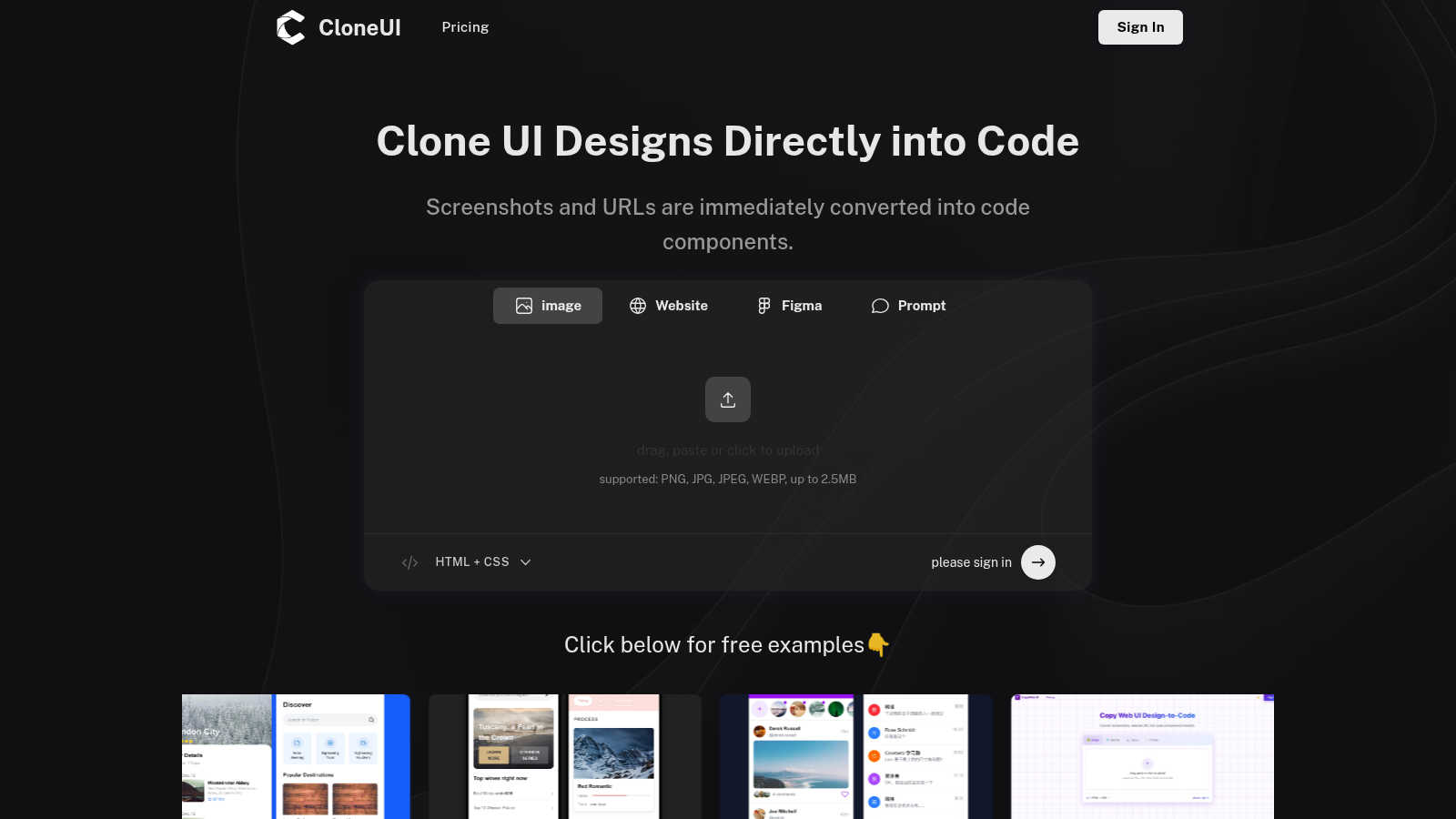
CloneUI turns website screenshots or URLs into ready-to-use React, Vue, or HTML code in seconds, no sweat!.
Last updated: March 1, 2026

Proofapp
Proofapp lets you drop visual feedback right on your website, speeding up design reviews and cutting out email chaos.
Last updated: March 4, 2026
Visual Comparison
CloneUI
Proofapp

Feature Comparison
CloneUI
URL to Code Cloning
With CloneUI, you can effortlessly clone entire website structures just by throwing in a URL. No more guesswork—just paste the link and watch as CloneUI does its magic, generating all the necessary code components in mere seconds.
Screenshot to Code Conversion
Got a design screenshot that’s calling your name? Simply upload it, and CloneUI will whip up pixel-perfect code faster than you can say "HTML." This feature is perfect for turning those design dreams into reality without breaking a sweat.
Figma to Code Transformation
Designers, rejoice! With CloneUI's one-click Figma to code conversion, you can instantly transform your Figma designs into production-ready code. No more manual labor—just upload your design, and let CloneUI take care of the rest.
Intelligent Component Recognition
CloneUI flexes its AI muscles with intelligent component recognition. It automatically identifies UI elements in your design and maps them to code, ensuring that every detail is captured perfectly. This means less time fiddling with code and more time focusing on creating epic designs.
Proofapp
Visual Commenting
With Proofapp, feedback has never been easier. Click anywhere on your website to leave contextual comments right on the screenshot. No more vague descriptions like "top left, under the nav." Just pin your thoughts exactly where they belong, and watch clarity reign supreme.
Multi-Breakpoint Testing
Capture the full experience of your website at both desktop and mobile breakpoints effortlessly. Proofapp automatically generates screenshots across devices, so you can ensure your designs look flawless everywhere, without the hassle of manual checks.
Secure Share Links
Need to share your project with clients? No problem! Generate secure, expirable links that keep your work safe while allowing clients to view and comment. They don’t even need an account to give you their input, making it super easy for everyone involved.
Real-time Collaboration
Say goodbye to waiting around for feedback. With Proofapp, you can see comments from your team in real-time. This allows for quick replies, easy resolutions, and a seamless tracking of progress, making collaboration feel like a breeze rather than a chore.
Use Cases
CloneUI
Rapid Prototyping
Need a prototype for your project but short on time? CloneUI lets you quickly convert designs into functional code, allowing you to showcase your ideas in a snap. Impress your team or clients with speedy iterations that keep the creative juices flowing.
Client Project Development
Stop wasting hours on manual coding for client projects. With CloneUI, you can turn client designs into clean, production-ready code in no time. This means you can meet deadlines without sacrificing quality and keep your clients happy.
Learning and Deconstructing
Ever wanted to learn how a specific website works? Use CloneUI to clone your favorite sites and dig into the code. It's a hands-on way to learn coding best practices and understand how different design elements come together.
Design Handoff Made Easy
Designers and developers can finally speak the same language. CloneUI simplifies the design handoff process by providing developers with ready-to-use code. This means fewer miscommunications and a smoother workflow for everyone involved.
Proofapp
Freelancers
Freelancers can leverage Proofapp to collect client feedback efficiently without breaking the bank. With visual comments and organized feedback, they can save hours on every project, presenting a polished image to clients while keeping revisions to a minimum.
Small Dev Teams
Small development teams will find Proofapp to be a game-changer for streamlining client approvals. It eliminates enterprise-level pricing while offering the tools needed to manage projects effectively, ensuring everyone is on the same page.
Design Teams
Design teams can benefit massively from Proofapp's visual feedback system. By pinning precise comments directly on designs, they can eliminate confusion and foster a more productive review process, ultimately delivering better results faster.
Marketing Teams
Marketing teams can utilize Proofapp to review landing pages and campaigns visually with their entire crew. This allows for quick iterations and collaborative input, ensuring that campaigns are not only visually appealing but also aligned with the overall strategy.
Overview
About CloneUI
Alright, let's get real. CloneUI is your new coding BFF, designed to zap away the tedious grind of turning killer designs into actual code. You know that feeling when you come across a stunning website or have a Figma design that’s just begging to be built, but the thought of coding it from scratch makes you want to binge-watch your favorite show? Enter CloneUI! This AI-powered tool lets you clone website designs like a wizard. Just drop a screenshot or a URL, and boom! You’re gifted with clean, responsive, production-ready HTML, CSS, or even framework-specific code for React or Vue. It's like having a magic wand for your design-to-code journey. Tailored for designers and developers who are all about speed and efficiency, CloneUI lets you skip the boring parts of coding. Whether you're whipping up prototypes, tackling client projects, or just deconstructing a cool site for fun, CloneUI gives you a massive head start. No more staring blankly at a code editor—just throw in a visual and let the AI take the wheel, so you can focus on creating awesomeness!
About Proofapp
Proofapp is the ultimate visual feedback and website review platform that makes collaborating on design projects as easy as pie. Whether you’re a designer, developer, or a client trying to make sense of things, Proofapp has got your back. Just toss in any website URL, and poof! Proofapp captures slick desktop and mobile screenshots, ready for your input. Say goodbye to those endless email chains that make you want to pull your hair out. With Proofapp, you can pin comments directly onto your designs, reply in threads, attach files, and resolve feedback without needing an account. This means that everyone stays in sync, and no one’s left scratching their heads over vague feedback. Plus, features like real-time notifications, Slack integration, and multi-page support ensure that you’re not just organized but also working smart. With a generous free tier to boot, Proofapp is perfect for freelancers, agencies, and anyone who needs to streamline their feedback process. It’s all about keeping things visual, organized, and actionable, so you can focus on what really matters—getting your projects shipped.
Frequently Asked Questions
CloneUI FAQ
Which input formats are compatible with CloneUI?
CloneUI supports various image formats, including PNG, JPG, JPEG, and WEBP, with a maximum file size of 2.5MB. So go ahead and upload those design screenshots without worrying about compatibility issues.
How is the code generated?
The magic happens when you upload a screenshot or paste a URL. CloneUI's AI analyzes the visual elements and instantly generates clean, responsive code, tailored to your preferred framework or plain HTML/CSS.
Supported frameworks?
CloneUI allows you to export your code to popular frameworks such as React and Vue, in addition to standard HTML and CSS. This flexibility means you can work in your favorite environment without a hitch.
Is the generated code customizable?
Absolutely! The generated code is not just a one-size-fits-all deal. You can tweak and customize it to fit your specific needs, ensuring that your final product is exactly how you envisioned it.
Proofapp FAQ
How does Proofapp improve my feedback process?
Proofapp revolutionizes feedback by making it visual and contextual. Instead of going back and forth through emails, you can pin comments directly on your designs, which saves time and reduces misunderstandings.
Is there a free trial available?
Absolutely! Proofapp offers a generous 2-month free trial with full access, and you don't even need to whip out your credit card. It's the perfect way to see how it can transform your workflow.
Do clients need an account to leave feedback?
Nope! Clients can leave feedback without creating an account. You can simply share a secure link with them, and they can add their comments directly on the site, making it super convenient.
What kind of security does Proofapp offer?
Proofapp takes security seriously. It offers role-based permissions, audit logs, and secure data handling to ensure that your project remains safe and confidential, giving you peace of mind while you collaborate.
Alternatives
CloneUI Alternatives
CloneUI is your go-to tool for transforming website designs into functional code at lightning speed, sitting snugly in the Design Tools and Development categories. Users often seek alternatives to CloneUI when they want different pricing options, specific feature sets, or compatibility with various platforms that fit their unique workflows. The quest for the perfect alternative usually hinges on factors like ease of use, the quality of generated code, and the ability to integrate with existing projects without hassle. When on the hunt for an alternative, you should consider what coding frameworks you need support for, how intuitive the interface is, and the overall flexibility of the tool. It’s essential to weigh how well the alternative can handle your design files, whether it’s screenshots or URLs, and if it can deliver the clean, responsive code that keeps your projects thriving.
Proofapp Alternatives
Proofapp is a dope visual feedback and website review platform designed to make life easier for designers, developers, and clients. It's all about that smooth collaboration vibe, letting you upload website URLs and snag instant screenshots—both desktop and mobile. This tool lives in the design realm, helping you keep feedback tidy and actionable while ditching the chaos of scattered emails. So why are folks on the hunt for alternatives? Maybe it’s about finding a better price point, more features that fit their unique workflow, or simply a platform that jives better with their team’s needs. When shopping around for the right alternative, keep your eyes peeled for user-friendly interfaces, solid integrations, and features that cater to your specific design processes. You want something that not only gets the job done but also fits seamlessly into your creative hustle.