
conceptviz vs Picture to Drawing
Side-by-side comparison to help you choose the right AI tool.

conceptviz
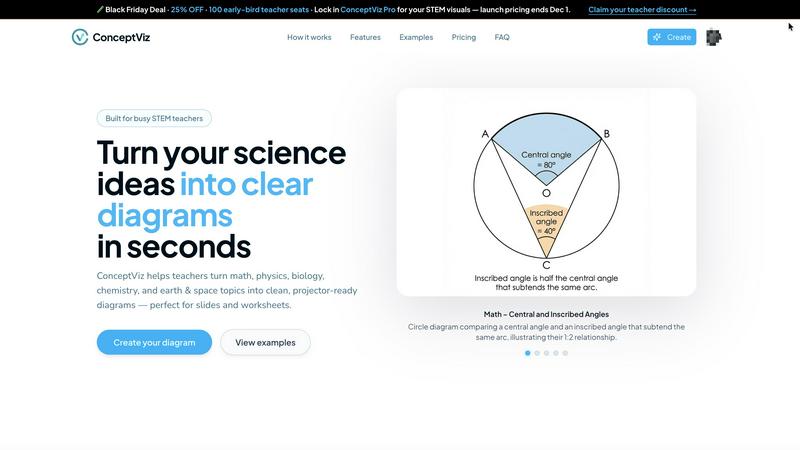
ConceptViz makes turning your science and math ideas into clear, slick diagrams super easy for classrooms and research.
Last updated: March 1, 2026

Picture to Drawing
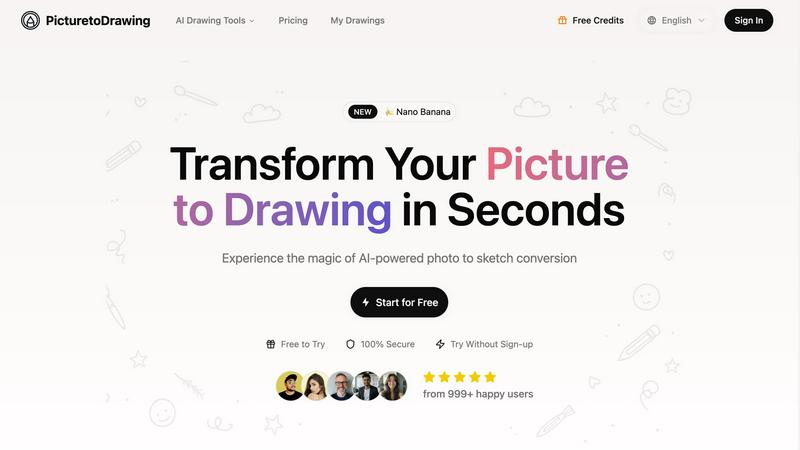
Turn your pics into stunning hand-drawn art in seconds with our AI magic, no skills needed!.
Last updated: February 28, 2026
Visual Comparison
conceptviz
Picture to Drawing
Feature Comparison
conceptviz
Easy Three-Step Process
ConceptViz makes creating diagrams a breeze with a three-step process. Sign in, describe the visual you need, and generate it instantly. No complicated software skills required!
Projector-Ready Clarity
Every diagram you create is designed to look sharp and clear on projectors. With thick lines and legible labels, your visuals will grab attention from the front row to the back.
Subject and Grade Presets
You can start with presets tailored specifically for various STEM subjects and grade levels. Whether it’s physics, biology, or chemistry, you have quick options that fit perfectly in K-12 and beyond.
High-Resolution Downloads
ConceptViz allows you to download high-resolution PNG images that are perfect for slides or printouts. This means you can easily incorporate your diagrams into PowerPoint or Google Slides without losing quality.
Picture to Drawing
Advanced AI Technology
Picture to Drawing utilizes cutting-edge AI that meticulously analyzes your photos, ensuring that every detail is preserved in the conversion. This means you get an authentic artistic representation that captures the original's essence, emotions, and textures. It’s like having a personal artist at your fingertips!
Multiple Artistic Styles
Feeling creative? With Picture to Drawing, you can choose from a diverse collection of artistic styles, including pencil sketches, watercolor paintings, and more. Each style offers a unique flair, allowing you to express your creativity and match the artwork to the vibe you’re going for. Say goodbye to generic filters!
High-Resolution Output
Once your photo is transformed into an art piece, you can download it in crisp high resolution. This feature is perfect for those who want to print, frame, or share their artwork on social media platforms without sacrificing quality. Your art deserves to look its best!
Privacy Protection
Worried about your personal images being stored or misused? Picture to Drawing has got your back! All photos are processed securely and automatically deleted after conversion. Your privacy is a top priority, so you can create art worry-free.
Use Cases
conceptviz
Classroom Presentations
Teachers can use ConceptViz to create engaging visuals for their classroom presentations. Imagine having a custom diagram that perfectly illustrates your lesson without any hassle.
Student Projects
Students can leverage ConceptViz for their science projects, generating diagrams that clearly explain their concepts. This way, they can present their findings with confidence and style.
Research Papers
Researchers can quickly generate diagrams for academic papers or presentations. The ability to create accurate visuals on demand saves time and enhances the quality of their work.
Study Aids
ConceptViz is perfect for creating study aids. Students can design diagrams that summarize key concepts, making it easier to review for tests or exams.
Picture to Drawing
Personalized Gifts
Need a unique gift? Transform cherished family photos into artistic drawings that make for heartfelt presents. Whether it’s for anniversaries, birthdays, or just because, these custom artworks will be a hit!
Social Media Content
Want to stand out on Instagram or Facebook? Use Picture to Drawing to create eye-catching artistic content that captures attention and drives engagement. Your followers will love the fresh, creative vibe!
Marketing Materials
Elevate your brochures, websites, and advertisements with distinctive artwork. Picture to Drawing helps you create memorable visual branding that sets you apart from the competition and leaves a lasting impression.
Home Decoration
Transform your favorite memories into stunning wall art that reflects your style. With Picture to Drawing, you can create cohesive home decor that’s both personalized and visually appealing. Your walls will thank you!
Overview
About conceptviz
Yo, educators and science buffs! Say hello to ConceptViz, your new best buddy for crafting classroom-ready science diagrams in a flash. This tool is a game-changer for STEM teachers, students, and researchers who need to transform complex concepts into super clear visuals without the hassle of endless image searches. Forget about settling for “almost right” images that don’t quite fit your lesson plans. With ConceptViz, you can whip up stunning, projector-ready diagrams in mere seconds. Whether you're in a K-12 classroom or tackling university-level research, ConceptViz has got your back. From illustrating Newton's laws to breaking down the structure of a cell, this tool turns your plain explanations into eye-popping visuals that are ready to dazzle in presentations or handouts. Plus, it’s designed with real classrooms in mind, ensuring that your diagrams are not just pretty but also practical and effective. Time to ditch the stress of prepping visuals and start teaching with style!
About Picture to Drawing
Picture to Drawing is like your personal art studio, but without the mess and paint stains. This AI-powered platform takes your regular photos and turns them into stunning artistic drawings in just seconds. Whether you're looking to transform a family portrait into a timeless pencil sketch or create a vibrant watercolor painting, this tool has got you covered. It's designed for everyone—from casual users wanting to spice up their social media feeds to professionals needing high-quality artwork for marketing materials. The main value proposition? You get authentic, hand-drawn conversions that keep the essence and emotion of your original photo while making it look like a masterpiece. No need to be an art wizard; just upload your image and watch the magic happen!
Frequently Asked Questions
conceptviz FAQ
What subjects does ConceptViz support?
ConceptViz covers a wide range of subjects, including physics, biology, chemistry, earth and space science, and math, making it suitable for various educational levels.
Do I need any design skills to use ConceptViz?
Not at all! ConceptViz is designed for everyone, so you don't need any design or drawing skills. Just describe what you need, and let the tool do the work for you.
Can I download the diagrams I create?
Absolutely! You can download your diagrams in high-resolution PNG format, perfect for use in presentations, worksheets, or any other educational materials.
Is there a free trial available?
Yes! ConceptViz offers a free 4K Ultra HD trial, so you can try it out without a credit card. See how it works and create stunning visuals before committing to a plan.
Picture to Drawing FAQ
How does Picture to Drawing work?
Picture to Drawing employs advanced AI algorithms that analyze your uploaded images and convert them into various artistic styles. Just upload a photo, select a style, and watch the transformation in real-time!
What types of images can I upload?
You can upload images in JPG, PNG, WEBP, or HEIC formats. No matter what kind of photo you have, Picture to Drawing can help you turn it into a work of art.
Is there a limit to how many images I can convert?
You can use Picture to Drawing daily for free, with options for additional credits. This means you can experiment with different styles and images without breaking the bank!
Can I use my converted images for commercial purposes?
Absolutely! Once you download your artwork, you have full rights to use it. Whether it’s for personal projects or professional marketing materials, feel free to showcase your unique creations!
Alternatives
conceptviz Alternatives
ConceptViz is a rad tool designed to help educators and researchers whip up stunning diagrams for science and math concepts in a flash. As part of the design tools category, it's perfect for anyone looking to transform complex ideas into visual forms that pop. However, users often seek alternatives due to reasons like pricing, specific feature sets, or the need for compatibility across different platforms. When hunting for alternatives, keep an eye out for user-friendly interfaces, customization options, and the quality of the visuals produced. It's crucial to find a tool that aligns with your teaching style and meets your specific subject needs without causing a headache during prep time.
Picture to Drawing Alternatives
Picture to Drawing is this super cool AI-powered platform that takes your average pics and turns them into jaw-dropping artistic drawings in just seconds. It falls under the category of AI Assistants and Image & Photo, making it a must-try for anyone looking to give their snapshots a creative twist. Now, you might be wondering why folks are on the hunt for alternatives. Maybe they’re looking to save a few bucks, or perhaps they need features that fit their unique style. Others might be searching for platforms that work better on their devices or offer different artistic styles. When you're on the lookout for an alternative, keep an eye out for pricing, ease of use, and the variety of styles available to make sure you find the perfect fit for your creative vibes.