
Disavow.ai vs DR Checker
Side-by-side comparison to help you choose the right AI tool.

Disavow.ai
Stop toxic backlinks from wrecking your SEO with our easy, budget-friendly spam detection and disavow tool.
Last updated: April 4, 2026

DR Checker is your trust-building sidekick, but it's taking a quick breather right now.
Visual Comparison
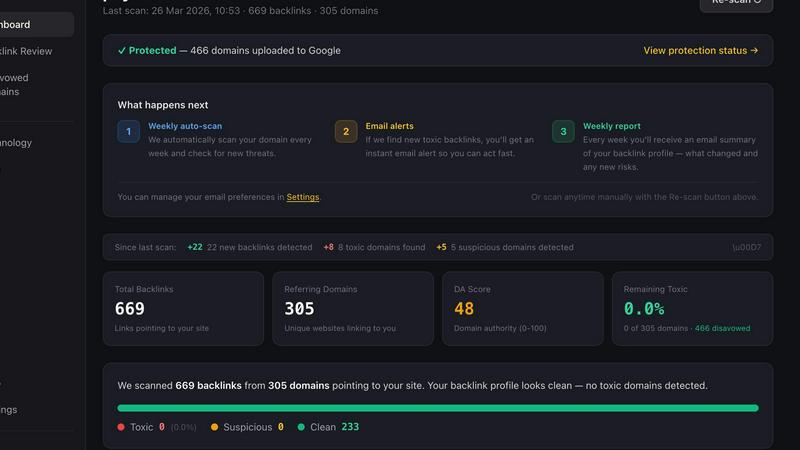
Disavow.ai
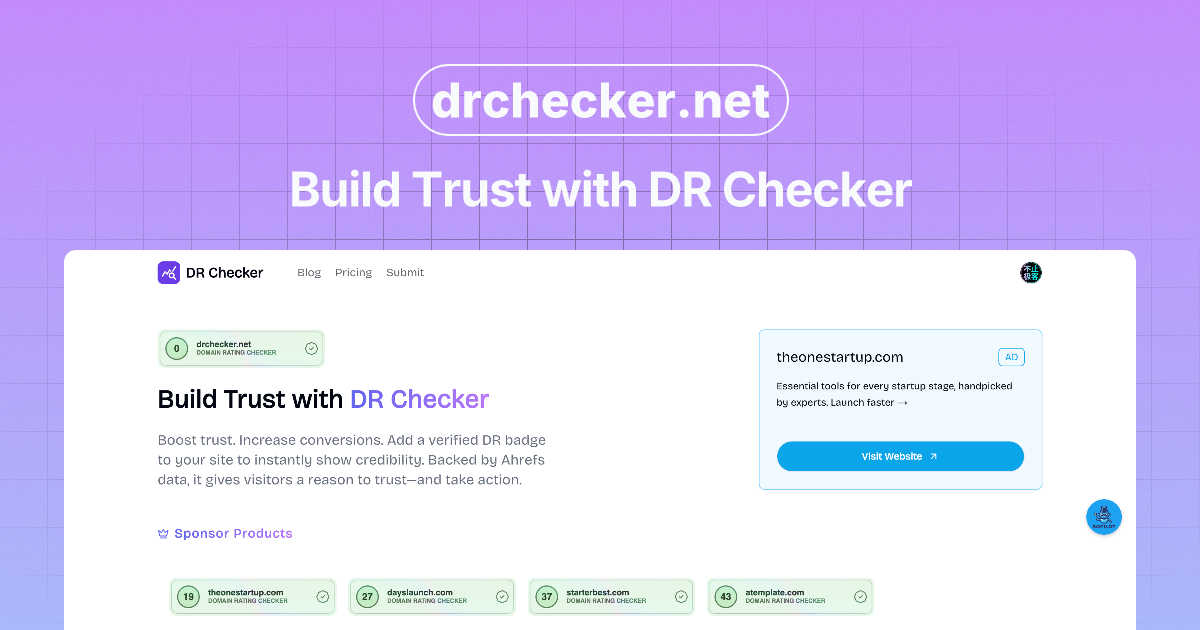
DR Checker
Feature Comparison
Disavow.ai
The Smart Risk Engine
This ain't your average, lazy spam score. Disavow.ai's Smart Risk Engine is a 4-layer beast that cross-examines every link. It checks against a shield of trusted domains, hunts for 50+ spam patterns, mixes authority with spam signals for context, and flags anything iffy for you to decide. The result? Way fewer false positives, so you never accidentally disavow a golden link. It's the detective work, done for you.
DA Score Authority Metric
Forget guessing if a linking site is legit. Every domain gets a Disavow.ai Authority (DA) Score from 0-100. This isn't pulled from one sketchy source; it's a composite built from multiple data points—backlink strength, spam signals, the whole shebang. A score over 80 is basically the web's A-list. A score under 15? That's a digital gremlin that's probably dragging you down. It's your instant trust-o-meter.
One-Click Disavow File Generation
Once you've seen the damage, you need to act. Disavow.ai cuts out the hours of manual file formatting. With one click, it generates a perfectly formatted .txt file ready to upload straight to Google Search Console. No coding, no fuss. It turns a complex SEO task into a literal button press, saving you a massive headache.
Automated Backlink Monitoring & Alerts
The web doesn't sleep, and neither does Disavow.ai on the Pro plan. It runs weekly auto-scans of your backlink profile and sends you email alerts the moment new toxic links appear. It's like having a 24/7 security guard for your site's reputation, so you can catch negative SEO attacks or fresh spam before Google even notices.
DR Checker
Deep-Crawl Link Autopsy
This ain't no surface-level scan. DR Checker uses some advanced crawling tech to fully map out your website's structure, digging into every page and post to find every single link, good and bad. It's like having a super-organized robot intern who never sleeps and has a perfect memory, ensuring no problematic link hides in the shadows of your deep archive or nested menus.
Broken Link & 404 Ninja Detection
The core of the operation. This feature specifically hunts down broken links and those all-too-common 404 "Page Not Found" errors. It identifies URLs that lead to dead ends, saving you from the embarrassment of sending your users into the digital void and preventing those nasty hits to your site's credibility and search engine ranking.
Sketchy Link & Security Snitch
Beyond just broken stuff, DR Checker's got your back on security. It sniffs out links that point to expired domains, suspicious websites, or potentially malicious connections. This is your early warning system against linking to bad neighborhoods on the web, helping you protect your visitors and your site's rep from shady characters.
No-Code, User-Friendly Dashboard
Built for humans, not just robots. The platform boasts an intuitive interface that turns complex website data into simple, actionable reports. Whether you're a seasoned developer or just figuring out WordPress, you can understand what's wrong, where it is, and how to fix it, making website maintenance less of a chore.
Use Cases
Disavow.ai
Recovering from a Google Penalty
Got hit with a manual action or saw your rankings tank out of nowhere? Panic mode: activated. Disavow.ai is your first responder. It'll quickly audit your entire backlink profile, pinpoint the toxic links causing the penalty, and give you the disavow file to submit for reconsideration. It's the essential tool for damage control and getting back in Google's good graces.
Proactive SEO Health Maintenance
Smart site owners don't wait for a penalty. Use Disavow.ai's free tier for a regular check-up. Scan every month or quarter to see if any new sketchy links have popped up. Catching and disavowing low-quality links early stops them from accumulating and keeps your backlink profile squeaky clean, which Google absolutely loves.
Investigating Unnatural Traffic or Ranking Drops
Notice a weird traffic dip or a specific page falling off? Could be a negative SEO attack from a competitor spamming you with bad links. Fire up Disavow.ai, run an audit, and use its PBN detection and anchor text analysis to spot any unnatural patterns. Identifying the source of the attack is the first step to blocking it.
Auditing After Buying an Existing Website
Buying a website is risky biz—you might inherit a backlink profile full of ancient spam. Before you invest more time and money, do a full Disavow.ai audit. Uncover any hidden toxic links from the previous owner's shady SEO tactics and clean them up immediately. It protects your investment from day one.
DR Checker
The SEO & Content Marketer's Clean-Up
You've spent months building backlinks and crafting perfect content, but hidden broken links are silently killing your SEO gains. Run DR Checker before a big campaign or as part of your monthly audit to find and fix those issues, ensuring your site's link equity flows smoothly and Google sees you as a reliable source.
The Web Developer's Pre-Launch Checklist
About to launch a shiny new site or a major update? Use DR Checker as the final step in your QA process. It'll crawl the entire staging or live site to catch any linking errors you might have missed, from incorrect URLs to outdated resource links, guaranteeing a polished, professional launch.
The E-commerce Store Manager's Trust Boost
For online stores, a broken link can mean a lost sale or a loss of customer trust, especially if it's in a product description or FAQ. Regularly scanning with DR Checker helps maintain a flawless shopping experience, ensuring every link to product pages, policies, or support guides works perfectly.
The Blogger's Archive Maintenance
Old blog posts with broken outbound links look unprofessional and can harm your authority. DR Checker can scan your entire archive to find those outdated references to other articles, tools, or resources, allowing you to update or remove them and keep your evergreen content actually evergreen.
Overview
About Disavow.ai
Alright, let's get real. The internet is a messy place, and your website's backlink profile is probably a digital dumpster fire you didn't even start. Think spam networks, sketchy link farms, and scraper sites that just won't quit. Google sees that mess and slaps your rankings with a penalty faster than you can say "algorithm update." That's where Disavow.ai comes in—it's your cleanup crew. This tool is for any website owner, blogger, or SEO who's tired of playing whack-a-mole with toxic backlinks. Its main gig? It deep-scans every single link pointing to your site, runs them through a super-smart 4-layer "Smart Risk Engine," and sorts them into "clean," "suspicious," or "toxic." No confusing jargon, just plain-English reasons like "Spam & Link Farms" or "Risky Extensions." Then, it hands you the exact file Google needs to ignore the bad apples. The best part? You can start for free, see your top 15 sketchiest links, and decide if you need the Pro power-up to handle unlimited links and weekly auto-scans. It's like having a bouncer for your backlinks, keeping the riff-raff out so your site can climb the rankings in peace.
About DR Checker
Alright, listen up, website warriors and digital hustlers. DR Checker (or DrCheck, whatever you wanna call it) is basically your site's personal doctor, but for links. Think of it as that friend who points out the spinach in your teeth before you go on a date, but for your entire website. It's a web-based tool that goes full detective mode on your site, crawling through every nook and cranny to find links that are straight-up broken, sketchy, or just not pulling their weight. We're talking about the 404 errors that make visitors bounce, the links pointing to expired domains (RIP), and even those sneaky connections to potentially malicious sites that could get you in hot water with Google or, worse, your users. It's built for anyone who owns, builds, or markets a website - from the solo blogger to the agency pro. The main vibe? Stop letting crappy links tank your user experience and SEO cred. DR Checker gives you the actionable intel to clean house, keep your site trustworthy, and make sure your visitors have a smooth, safe journey. It's about maintaining that squeaky-clean, high-performance online presence without needing a PhD in tech stuff. Heads up though, the squad's currently on a break - the deployment is temporarily paused, so you can't book an appointment just yet.
Frequently Asked Questions
Disavow.ai FAQ
Will disavowing links hurt my rankings?
Nah, not if you do it right. Disavowing tells Google to ignore specific links, not to penalize you for them. The risk is accidentally disavowing good links. That's why Disavow.ai's Smart Risk Engine is clutch—it minimizes false positives so you're only blocking the actual trash. It's surgical removal, not a blanket bomb.
How is DA Score different from other metrics?
Other tools often give you a single, vague "spam score" based on one data source. Disavow.ai's DA Score is a composite beast. It mashes up data from multiple independent sources—looking at backlink strength, spam signals, TLD risk, and more—to give you a much more reliable picture of a domain's true authority and trustworthiness.
Do I need to audit if I have a new site?
Absolutely, 100%. Spam bots and scraper sites don't care how old your site is. New sites can attract toxic links just as fast as established ones. Running an early audit with the free tier sets a clean baseline and helps you build a healthy backlink profile from the start. It's a smart habit.
What happens if I disavow a good link by mistake?
First, don't panic. You can reverse it. Just remove the domain from your disavow file and re-submit the updated file to Google Search Console. It might take a few weeks for Google to re-process the link. This is exactly why Disavow.ai has a "suspicious" category—to flag iffy links for your review instead of auto-banning them.
DR Checker FAQ
What exactly does DR Checker do?
DR Checker is a web-based tool that acts like a health check for your website's links. It automatically scans your entire site to find problems like broken links (404 errors), URLs that point to expired domains, and links that might lead to suspicious or malicious websites. It gives you a report so you can fix them and keep your site running smoothly and securely.
Who should use DR Checker?
Literally anyone who cares about their website! It's perfect for website owners, digital marketers focused on SEO, web developers, content creators, and e-commerce managers. If you have a site and want to stop broken links from hurting your user experience or search rankings, this tool is for you. It's built to be useful for both tech-savvy people and total beginners.
I'm not technical. Is this hard to use?
Not at all! That's the whole point. DR Checker is designed with a simple, intuitive dashboard. You don't need to write any code. You basically just tell it your website URL, it runs the scan, and then presents the problems in a clear report that tells you what's broken and where it is on your site, making fixes super straightforward.
The site says "deployment is temporarily paused." What does that mean?
It means the DR Checker service is currently on a temporary hiatus and isn't available for new scans or users at this moment. Think of it like the doctors are out of the office. The platform isn't actively running, so you can't use it right now. You'd need to check back later for updates on when the service will be live again.