
GPT Create Image vs SparkPix
Side-by-side comparison to help you choose the right AI tool.

GPT Create Image
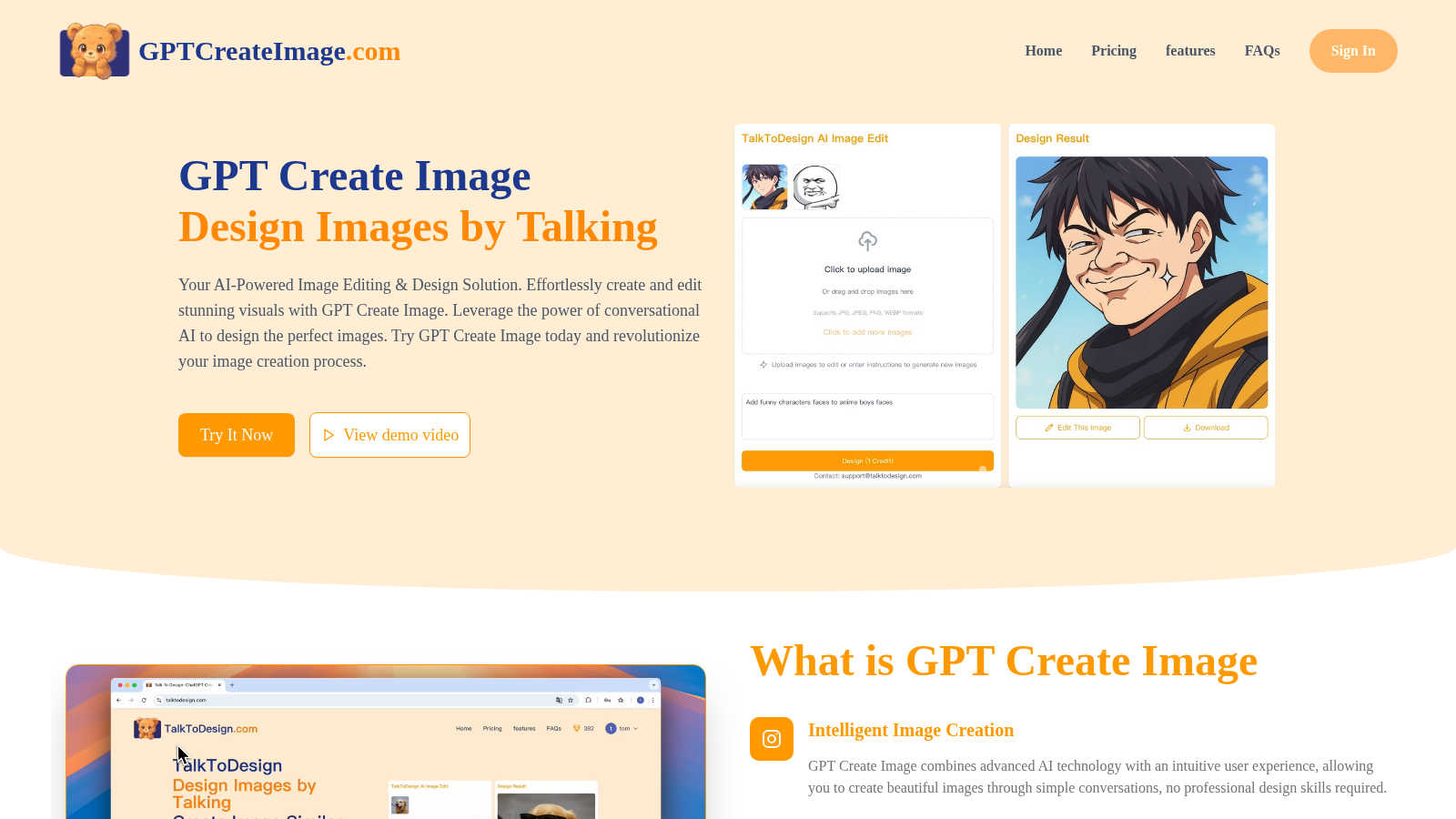
Chat your way to stunning images with GPT Create Image, your AI buddy for effortless design and editing magic.
Last updated: March 1, 2026

SparkPix
Transform your photos with SparkPix by typing your edits—remove backgrounds, enhance quality, and unleash your creativity for free!.
Last updated: March 11, 2026
Visual Comparison
GPT Create Image
SparkPix

Feature Comparison
GPT Create Image
Intelligent Image Creation
GPT Create Image utilizes advanced AI technology to turn your words into beautiful images. You simply describe what you want, and the AI does the heavy lifting, ensuring a seamless and intuitive user experience.
Conversational Design Experience
Forget the endless tutorials and complicated interfaces. With GPT Create Image, you can communicate your ideas naturally. The AI understands your requests in a conversational manner, making image editing feel effortless and fun.
Professional-Quality Results
This tool isn’t just for the casual user; it delivers exceptional quality visuals tailored for creative professionals. Fine-tuning tools allow you to refine your images, ensuring your design work stands out in any crowd.
Effortless Image Transformation
Editing images is now as simple as talking! GPT Create Image allows you to describe your desired changes in everyday language, making complex edits easy and accessible to everyone, regardless of technical know-how.
SparkPix
AI Photo Editor
This feature is a game changer! Just type what you want to change in your photo, like "remove background" or "sharpen this image," and watch as SparkPix's AI works its magic in under 30 seconds. It takes the hassle out of photo editing, meaning you can focus on what really matters—getting your pics looking stunning!
Background Remover
Say goodbye to messy backgrounds! With just one click, SparkPix can remove backgrounds from portraits, product photos, and even complex scenes. Whether you want a clean, transparent background for professional use or a fun new backdrop for your social posts, this feature makes it as easy as pie.
Unblur Image
Ever taken a shot that turned out all fuzzy? No worries! The unblur image feature uses AI to fix motion blur, out-of-focus shots, and compression artifacts. It's perfect for saving those precious moments that might have otherwise ended up in the trash bin. Trust SparkPix to bring clarity back to your favorite memories!
Photo Restoration
Got old family photos that need some love? SparkPix’s photo restoration feature is here to rescue them! It repairs old, faded, scratched, or damaged photos, making it ideal for preserving family archives. Bring those cherished memories back to life in a matter of moments, ensuring they can be enjoyed for generations to come.
Use Cases
GPT Create Image
Social Media Content Creation
Level up your social media game by using GPT Create Image to craft eye-catching visuals. Just describe your ideas, and watch as the AI generates stunning images that will make your posts pop!
Graphic Design Projects
Whether you're designing a logo or creating marketing materials, GPT Create Image provides the tools you need. It helps you visualize your concepts quickly, allowing for faster project turnarounds and creative exploration.
Personal Art Projects
Channel your creativity into personal art projects without the frustration of traditional editing software. With GPT Create Image, you can explore your artistic side and create unique visuals tailored to your vision.
Educational Materials Design
Teachers and educators can enhance their presentations and materials with GPT Create Image. By simply describing the visuals they need, they can create engaging and informative graphics that capture students' attention.
SparkPix
Social Media Content Creation
If you’re a social media enthusiast or influencer, SparkPix is a must-have. Use its AI photo editor to quickly create eye-catching posts with clean backgrounds and enhanced colors. Your followers will be wowed by your stunning visuals, and you’ll save tons of time!
E-Commerce Photography
Running an online shop? SparkPix can help you create professional product photos. Just upload your images and specify the edits you need, like background removal or enhancing colors, and voilà! Your listings will look more appealing to potential customers.
Personal Photo Restoration
Have some old family photos that are faded or damaged? With SparkPix, you can restore these precious memories effortlessly. Upload the images and let the AI handle the rest, turning back time on your cherished snapshots.
Creative Art Projects
Feeling artistic? Use the style transfer feature to convert your photos into stunning works of art. Whether you want a watercolor effect or a funky anime style, SparkPix lets you explore your creative side without needing any special skills.
Overview
About GPT Create Image
Yo, welcome to the game-changer in image editing, GPT Create Image! This next-gen AI tool is designed for everyone from casual users to hardcore graphic designers. Imagine crafting stunning visuals just by chatting! You don’t need any fancy design skills or complicated software. Just articulate your ideas in plain English, and boom, the AI gets to work, transforming your thoughts into jaw-dropping images. It’s like having a creative buddy who totally gets your vibe. Whether you're looking to spice up your social media feed or create professional-quality graphics, GPT Create Image is here to make that happen. With its intuitive conversational design experience, you can tap into your creative potential and produce visuals that truly stand out. Get ready to unleash your inner artist and revolutionize your image creation process with just a few words!
About SparkPix
SparkPix is your new BFF in the world of photo editing, powered by cutting-edge AI technology. Imagine being able to transform your photos just by typing out what you want—no more wrestling with complicated software like Photoshop. Whether you're a casual user, a social media influencer, or a small business owner needing stunning product shots, SparkPix has got your back. With features designed for everyone, from complete novices to seasoned pros, this web-based app brings your creative visions to life in a snap. The main value proposition? It combines ease of use with powerful functionality, letting you edit your photos quickly and efficiently. Plus, you can start for free with no credit card required, making it super accessible!
Frequently Asked Questions
GPT Create Image FAQ
How does GPT Create Image work?
GPT Create Image uses advanced AI to interpret your conversational prompts. You describe the image or edit you want, and the AI generates it in real-time, making the process super intuitive and user-friendly.
Do I need design experience to use GPT Create Image?
Absolutely not! GPT Create Image is designed for everyone, regardless of their design background. You just need to express your ideas in simple language, and the AI takes care of the rest.
Can I use GPT Create Image for commercial projects?
Yes! With the commercial use option included in the plans, you can create and edit images for any business or commercial purpose without any hassle.
Is there a free trial available?
Yes! GPT Create Image offers a free plan that includes 100 daily credits and access to all basic features, allowing you to test the waters before committing to a paid plan.
SparkPix FAQ
How does SparkPix work?
SparkPix uses advanced AI algorithms to understand your text commands and apply the requested edits to your photos. It makes photo editing accessible to everyone, regardless of skill level.
Is SparkPix free to use?
Yes! SparkPix offers 5 free credits to get you started with no credit card required. You can try out various features and see what works best for you before committing to a paid plan.
What types of edits can I request?
You can request a wide range of edits, including background removal, photo restoration, unblurring images, and applying artistic styles. Just type in your instructions, and the AI will take care of the rest.
On which platforms can I use SparkPix?
SparkPix is web-based, meaning you can use it on any device with an internet connection. It works seamlessly on desktops, iPhones, and Android devices, so you're never far from your photo editing needs.
Alternatives
GPT Create Image Alternatives
Yo, let’s talk about GPT Create Image! This rad AI tool is all about making image creation and editing a breeze, fitting right into the content creation and design tools category. It’s perfect for anyone who wants to whip up stunning visuals just by chatting with the AI. But hey, not everyone’s gonna vibe with it, which is why peeps often look for alternatives. Maybe they’re after better pricing, specific features, or even a different platform that suits their workflow more smoothly. When you’re on the hunt for an alternative, keep it real by looking for user-friendly interfaces, quality output, and unique features that match your creative needs. You want something that makes your design process easy and fun, just like GPT Create Image does. Remember, a solid alternative should deliver the goods without breaking the bank or complicating your creative flow!
SparkPix Alternatives
SparkPix is an AI-powered online photo editor that lets you unleash your creativity by simply typing what you want to do with your photos. Whether it's enhancing an image, restoring faded memories, or transforming your pics into stunning art styles, it's all about easy editing without needing to master complex software. But while SparkPix is super handy, users often find themselves on the hunt for alternatives due to various reasons like pricing, feature sets, or specific platform compatibility that fits their unique needs. When searching for alternatives, think about what you really need—considering aspects like ease of use, the types of edits you want to make, and whether you prefer a web-based tool or something that can be downloaded. You want an editor that suits your workflow and budget while still delivering impressive results, so take your time exploring different options before making a choice.