
Hush Touch | Voice-to-Text for MacOS vs KaiCalls
Side-by-side comparison to help you choose the right AI tool.

Hush Touch | Voice-to-Text for MacOS
Hush Touch turns your voice into text on Mac, learning your lingo offline for a flawless, no-subscription dictation.
Last updated: February 28, 2026

KaiCalls
KaiCalls is your 24/7 AI phone agent that answers calls and captures leads while you sleep.
Last updated: February 28, 2026
Visual Comparison
Hush Touch | Voice-to-Text for MacOS

KaiCalls
Feature Comparison
Hush Touch | Voice-to-Text for MacOS
Dual-Engine Recognition
Hush Touch uses a dual-engine system that combines DictationTranscriber and SFSpeechRecognizer. This dynamic duo handles the natural flow of your speech and boosts custom vocabulary recognition. The result? You get a transcription that’s not only accurate but also understands the lingo you actually use, whether it’s technical jargon or casual slang.
Custom Vocabulary
Tired of apps butchering your specific terms? Hush Touch lets you set up to 500 custom vocabulary terms with auto-learning from corrections. If you regularly dictate complex phrases or brand names, this feature adapts over time, ensuring your voice gets the recognition it deserves, every time.
Smart Text Processing
Say goodbye to filler words and awkward pauses. Hush Touch processes your speech in real time, removing unnecessary fillers and auto-correcting common mistakes. Whether it's detecting that pesky "actually" or formatting lists, this feature keeps your dictation neat and polished without breaking your flow.
Context Modes & Hands-Free Options
Switch it up with four different context modes tailored for General, Email, Code, and Notes. Feeling hands-free? Just say "Hey Siri, start touch," and let the app take over. It auto-inserts text after a brief pause, so you can focus on what you want to say without worrying about hitting buttons.
KaiCalls
24/7 Natural Voice AI
This isn't a clunky, robotic IVR that makes people press 1 for pain. KaiCalls uses a super smooth, natural voice AI that has real, agentic conversations. It answers complex questions, handles common objections, and knows exactly when a human touch is needed, seamlessly transferring the call to your team. It's like having your best sales rep on duty all day, every day, without the burnout.
Intelligent Lead Scoring & Capture
Every conversation is a goldmine, and KaiCalls is your automatic prospector. It listens, understands intent, and autonomously scores each lead as Hot, Warm, or Cold in real-time. No more guessing games. You instantly know who's ready to buy now and who needs nurturing, so your team can prioritize follow-ups like bosses and close deals faster.
Multi-Channel Mastery
Your customers hit you up everywhere—calls, texts, emails, you name it. KaiCalls is your one-stop-shop AI agent that handles all these channels simultaneously. Whether someone calls, sends a text, or shoots an email, they get consistent, accurate, and instant responses. One AI, unified conversations, zero dropped balls.
Context-Aware Conversations & Continuous Learning
This AI has a memory. When a customer calls back, KaiCalls remembers previous chats, what was quoted, and where things left off, picking up the conversation seamlessly. Plus, it's always getting smarter. It learns from every interaction, adapting to your specific business lingo and unique situations, so it handles your niche better over time.
Use Cases
Hush Touch | Voice-to-Text for MacOS
Drafting Emails
Whether you’re responding to a colleague or firing off a quick note to a friend, Hush Touch makes email drafting a breeze. Just speak your mind, and the app will turn your thoughts into well-structured text, ready to send in seconds.
Taking Notes in Class
Students will love how easy it is to take notes during lectures. Just start dictating your thoughts, and Hush Touch will capture everything accurately. No more scribbling down notes while trying to keep up with the professor; just talk, and you’re good to go.
Creating Content for Blogs
Writers can unleash their creativity by dictating blog posts or articles hands-free. Hush Touch captures your ideas as they flow, making the writing process feel more natural and less like a chore. You can focus on your creative flow without the stress of typing.
Recording Meeting Minutes
In professional settings, capturing meeting minutes can be a hassle. With Hush Touch, you can record discussions as they happen. Just dictate what’s being said, and the app will handle the transcription, ensuring you never miss a detail.
KaiCalls
The Overwhelmed Small Business Owner
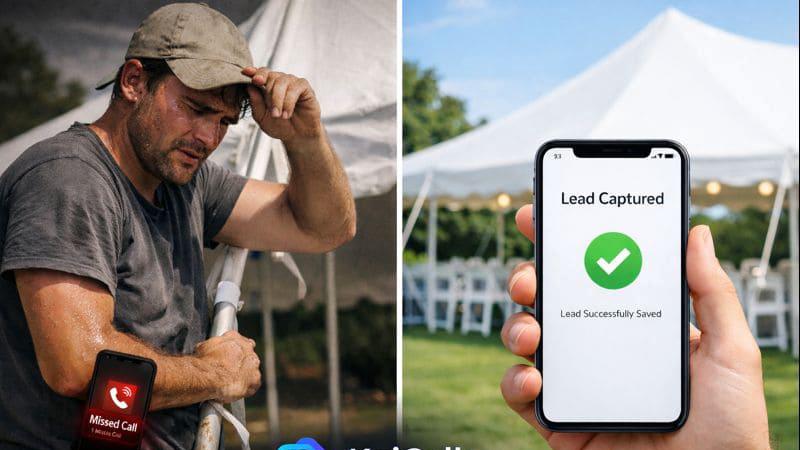
You're a solo HVAC contractor or a real estate agent. Your phone blows up during dinner, you miss calls while on jobs, and leads slip through the cracks. KaiCalls becomes your 24/7 front desk, answering every call, qualifying leads, and booking appointments directly to your calendar. You stop being a receptionist and get back to being the expert, all while capturing more business.
The Service-Based Agency Needing Scalability
You run a law firm or a medical practice. New client intake calls are time-consuming, and after-hours emergencies need handling. KaiCalls automates the initial qualification, collects crucial info, schedules consultations, and can even handle basic FAQ. It filters the urgent calls to the right person, saving your team hours of admin work and improving client response times dramatically.
The Team Drowning in Repetitive Queries
Your customer support is flooded with the same questions about pricing, hours, or service details. KaiCalls acts as the first line of defense, instantly providing accurate information 24/7. It frees your human team to tackle complex, high-value issues instead of being a broken record, boosting overall efficiency and customer satisfaction.
The Hustler Maximizing Lead Conversion
You're in sales and every lead is precious. KaiCalls ensures not a single one goes unanswered, engaging callers immediately when intent is highest. It qualifies them, books demos, and sends follow-up texts—all automatically. This means your sales pipeline is always full with pre-qualified, sales-ready leads, even while you're sleeping.
Overview
About Hush Touch | Voice-to-Text for MacOS
Hush Touch is your new best friend for voice-to-text dictation on macOS, designed for those who crave speed, privacy, and a natural speaking experience. No more waiting for cloud processing or dealing with awkward misunderstandings. This app runs entirely on your device, ensuring your voice stays private while delivering spot-on transcription. It combines two powerful Apple transcription engines with a final touch from Apple Intelligence, making your text cleaner and more accurate than ever. With a lightweight footprint of just 5.5 MB, it seamlessly integrates into your daily writing routine, whether you're drafting emails, taking notes, or even coding. Plus, you can kick it off with a hotkey or just ask Siri to get started. Whether you’re a student, a busy professional, or just someone who loves to jot down ideas hands-free, Hush Touch is built just for you. Embrace a new way of writing that feels as natural as speaking, all without a subscription tether.
About KaiCalls
Alright, let's cut through the noise. KaiCalls is your 24/7 AI phone agent, basically the superhero sidekick your service business has been dreaming of but didn't think you could afford. Tired of playing phone tag, missing leads after hours, or drowning in customer queries? KaiCalls is your clutch play. It's an AI-powered virtual receptionist that answers every single call, text, and email with a shockingly natural, human-like conversation. It doesn't just take a message; it qualifies leads on the fly (tagging them as Hot, Warm, or Cold), books appointments directly into your calendar, and even follows up via SMS. Built for the grinders—think HVAC contractors, real estate agents, law firms, and medical offices—it captures every opportunity, even at 2 AM, so you never lose a potential customer to voicemail again. The best part? It plugs into your existing workflow like a charm, integrating with tools like Salesforce, HubSpot, and over 5,000 other apps via Zapier. All this magic starts at a price that's basically a fancy coffee per month, with no scary contracts. Set up in 5 minutes and watch your customer service level up from "constantly overwhelmed" to "smoothly automated."
Frequently Asked Questions
Hush Touch | Voice-to-Text for MacOS FAQ
Is my data safe with Hush Touch?
Absolutely! Hush Touch processes everything on-device, meaning there’s no cloud dependency or data collection. Your voice remains private and secure, giving you peace of mind.
Can I customize my vocabulary?
Yes! Hush Touch allows you to set up to 500 custom terms that it learns from corrections you make. This means it gets better at recognizing your specific language and jargon over time.
What devices support Hush Touch?
Hush Touch is specifically designed for macOS. Just download the app on your Mac, and you’re ready to start dictating without any hassle.
How much does Hush Touch cost?
You can get a lifetime license for just $20. No subscriptions, no monthly fees. Just one payment, and you’re set for life with a powerful dictation tool.
KaiCalls FAQ
How does KaiCalls sound so human and natural?
KaiCalls uses cutting-edge conversational AI and voice synthesis tech. It's trained to understand context, nuance, and natural speech patterns, not just keywords. This allows it to have fluid, two-way conversations, handle interruptions, and respond with appropriate tone, making callers feel like they're talking to a real person, not a robot.
Can KaiCalls really book appointments directly into my calendar?
Absolutely! Once you connect your calendar (like Google Calendar or Outlook), KaiCalls can check your availability in real-time and book appointments directly. It confirms the details with the caller, sends them a confirmation, and pops the event right into your schedule—no manual entry required. It's a total game-changer for scheduling.
What if a caller needs to talk to a real human?
No problem! KaiCalls is smart enough to know when a situation is too complex or emotionally charged. It can seamlessly transfer the call to you or a designated team member. You can also set specific triggers or keywords that prompt an immediate handoff, ensuring customers always get the right level of care.
Is my customer data safe with an AI system?
100%. KaiCalls uses enterprise-grade, bank-level encryption to protect every conversation and all customer data. They have a strict privacy policy: your data is never used to train public AI models. Your information and your customers' details stay private and secure within your account.
Alternatives
Hush Touch | Voice-to-Text for MacOS Alternatives
Hush Touch | Voice-to-Text for MacOS is your go-to app for turning speech into text without the hassle of being online. It’s in the AI Assistants category and is designed to make dictation as smooth as butter. Users often seek alternatives for various reasons, like wanting different pricing options, feature sets, or compatibility with other platforms. Sometimes, folks just want something that vibes better with their workflow or personal preferences. When you’re on the hunt for an alternative, consider the main features that matter to you—like whether it works offline, how it handles punctuation, or if it learns your style over time. Also, think about how user-friendly it is and if it fits into your daily routine without a ton of setup.
KaiCalls Alternatives
So you're vibing with the whole AI phone agent thing but wanna shop around? Smart move. KaiCalls is that slick, 24/7 AI receptionist that answers calls and texts for service businesses, basically a superhero in the speech and voice tech category. It's a solid pick, but it's not the only player in the game. People hunt for alternatives for all sorts of reasons. Maybe the price tag needs to fit a tighter budget, or you need a specific feature it doesn't have. Sometimes it's about platform love—you're deep in a certain CRM ecosystem and need a tool that plays nicer. Or perhaps you just wanna see what other flavors are out there before you commit. When you're scrolling through options, keep your eyes peeled for a few key things. Nail down what you absolutely need, like natural-sounding voices, lead scoring, or specific app integrations. Check the pricing structure—is it per call, per minute, or a flat monthly fee? And always, always peep the setup process. You don't wanna sign up for a project that needs a PhD to install.