
Hush Touch | Voice-to-Text for MacOS vs Seedance2 Video Generator
Side-by-side comparison to help you choose the right AI tool.

Hush Touch | Voice-to-Text for MacOS
Hush Touch turns your voice into text on Mac, learning your lingo offline for a flawless, no-subscription dictation.
Last updated: February 28, 2026

Seedance2 Video Generator
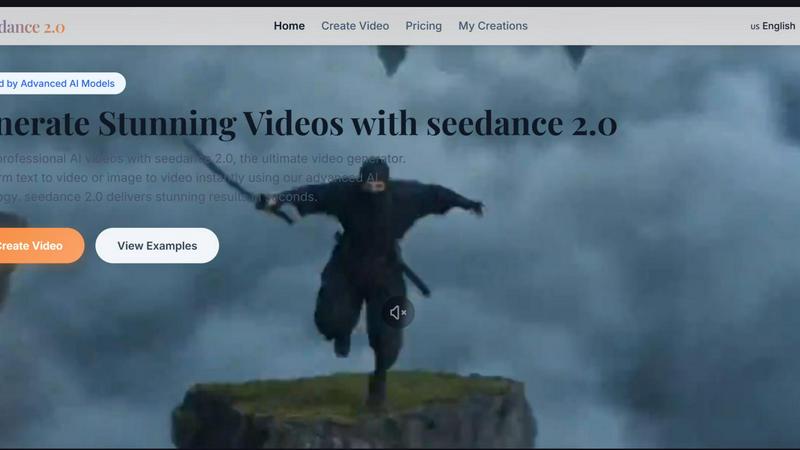
Create epic videos in a snap with Seedance2, turning text and images into stunning visuals instantly!.
Last updated: February 27, 2026
Visual Comparison
Hush Touch | Voice-to-Text for MacOS

Seedance2 Video Generator
Feature Comparison
Hush Touch | Voice-to-Text for MacOS
Dual-Engine Recognition
Hush Touch uses a dual-engine system that combines DictationTranscriber and SFSpeechRecognizer. This dynamic duo handles the natural flow of your speech and boosts custom vocabulary recognition. The result? You get a transcription that’s not only accurate but also understands the lingo you actually use, whether it’s technical jargon or casual slang.
Custom Vocabulary
Tired of apps butchering your specific terms? Hush Touch lets you set up to 500 custom vocabulary terms with auto-learning from corrections. If you regularly dictate complex phrases or brand names, this feature adapts over time, ensuring your voice gets the recognition it deserves, every time.
Smart Text Processing
Say goodbye to filler words and awkward pauses. Hush Touch processes your speech in real time, removing unnecessary fillers and auto-correcting common mistakes. Whether it's detecting that pesky "actually" or formatting lists, this feature keeps your dictation neat and polished without breaking your flow.
Context Modes & Hands-Free Options
Switch it up with four different context modes tailored for General, Email, Code, and Notes. Feeling hands-free? Just say "Hey Siri, start touch," and let the app take over. It auto-inserts text after a brief pause, so you can focus on what you want to say without worrying about hitting buttons.
Seedance2 Video Generator
Text to Video Generation
Turn your written words into eye-catching videos with Seedance2’s cutting-edge AI tech. Just type out a description, and watch as your narrative transforms into a cinematic experience, making storytelling a breeze.
Image to Video Animation
Got a killer photo you want to animate? Seedance2 lets you upload any image and breathe life into it, creating dynamic videos that capture attention. Perfect for making memories or adding a creative twist to your visuals.
HD Quality Output
Say goodbye to pixelated videos! Seedance2 generates high-definition content that’s not just clear but also professionally polished. Whether it’s for social media or business presentations, your videos will look sharp and stunning.
Social Media Ready Formats
Seedance2 takes the guesswork out of video dimensions. Whether you’re posting on TikTok, Instagram Reels, or YouTube, videos are automatically formatted for each platform, so you can share your creations instantly without a fuss.
Use Cases
Hush Touch | Voice-to-Text for MacOS
Drafting Emails
Whether you’re responding to a colleague or firing off a quick note to a friend, Hush Touch makes email drafting a breeze. Just speak your mind, and the app will turn your thoughts into well-structured text, ready to send in seconds.
Taking Notes in Class
Students will love how easy it is to take notes during lectures. Just start dictating your thoughts, and Hush Touch will capture everything accurately. No more scribbling down notes while trying to keep up with the professor; just talk, and you’re good to go.
Creating Content for Blogs
Writers can unleash their creativity by dictating blog posts or articles hands-free. Hush Touch captures your ideas as they flow, making the writing process feel more natural and less like a chore. You can focus on your creative flow without the stress of typing.
Recording Meeting Minutes
In professional settings, capturing meeting minutes can be a hassle. With Hush Touch, you can record discussions as they happen. Just dictate what’s being said, and the app will handle the transcription, ensuring you never miss a detail.
Seedance2 Video Generator
Content Creation
Content creators rejoice! Seedance2 is the perfect sidekick for generating engaging videos that keep your audience hooked. Whether you’re crafting tutorials, vlogs, or promotional content, this tool makes it super easy and fast.
Product Promotional Video
Launch your products with style! Seedance2 helps you create captivating product showcases that highlight features and benefits, all with professional flair. Attract potential customers and boost sales with stunning visuals.
Educational Animation
Need to make learning materials? Seedance2 can help you create clear and engaging educational videos that explain complex topics simply. Perfect for teachers, trainers, or anyone wanting to share knowledge in a fun way.
Creative Story Video
Bring your wildest stories to life! Use Seedance2 to create cinematic storytelling experiences with emotional scenes and movie-like visuals. Perfect for writers and creatives looking to share their narratives in a dynamic format.
Overview
About Hush Touch | Voice-to-Text for MacOS
Hush Touch is your new best friend for voice-to-text dictation on macOS, designed for those who crave speed, privacy, and a natural speaking experience. No more waiting for cloud processing or dealing with awkward misunderstandings. This app runs entirely on your device, ensuring your voice stays private while delivering spot-on transcription. It combines two powerful Apple transcription engines with a final touch from Apple Intelligence, making your text cleaner and more accurate than ever. With a lightweight footprint of just 5.5 MB, it seamlessly integrates into your daily writing routine, whether you're drafting emails, taking notes, or even coding. Plus, you can kick it off with a hotkey or just ask Siri to get started. Whether you’re a student, a busy professional, or just someone who loves to jot down ideas hands-free, Hush Touch is built just for you. Embrace a new way of writing that feels as natural as speaking, all without a subscription tether.
About Seedance2 Video Generator
Seedance2 Video Generator is your go-to tool for whipping up stunning AI-generated videos in a snap! Built on ByteDance’s powerful Seedance 2 model, this platform’s all about making video creation as easy as pie for everyone, whether you're a content creator, marketer, or just someone with a cool idea you want to bring to life. With Seedance2, you can transform plain text or images into engaging videos that pop with style and clarity. The user-friendly web interface allows you to experiment and validate ideas quickly, making it perfect for rapid content creation. No more fumbling around with complex software; Seedance2 has your back, delivering high-quality videos in seconds, ready to impress your audience on any platform!
Frequently Asked Questions
Hush Touch | Voice-to-Text for MacOS FAQ
Is my data safe with Hush Touch?
Absolutely! Hush Touch processes everything on-device, meaning there’s no cloud dependency or data collection. Your voice remains private and secure, giving you peace of mind.
Can I customize my vocabulary?
Yes! Hush Touch allows you to set up to 500 custom terms that it learns from corrections you make. This means it gets better at recognizing your specific language and jargon over time.
What devices support Hush Touch?
Hush Touch is specifically designed for macOS. Just download the app on your Mac, and you’re ready to start dictating without any hassle.
How much does Hush Touch cost?
You can get a lifetime license for just $20. No subscriptions, no monthly fees. Just one payment, and you’re set for life with a powerful dictation tool.
Seedance2 Video Generator FAQ
How fast can Seedance2 generate a video?
Seedance2 is all about speed. You can expect your stunning videos to be generated in seconds, making it ideal for quick turnarounds and last-minute projects.
Do I need any design skills to use Seedance2?
Not at all! Seedance2 is designed for everyone, regardless of skill level. Its user-friendly interface makes video creation simple and accessible for anyone looking to create great content.
Can I use Seedance2 videos on social media?
Absolutely! Seedance2 generates videos in formats that are perfectly optimized for popular social media platforms like TikTok, Instagram, and YouTube, so you can share your work effortlessly.
Is there a free trial available for Seedance2?
Yes! Seedance2 offers a free trial, so you can test it out without needing to enter credit card info. Dive in and start creating your first video today, risk-free!
Alternatives
Hush Touch | Voice-to-Text for MacOS Alternatives
Hush Touch | Voice-to-Text for MacOS is your go-to app for turning speech into text without the hassle of being online. It’s in the AI Assistants category and is designed to make dictation as smooth as butter. Users often seek alternatives for various reasons, like wanting different pricing options, feature sets, or compatibility with other platforms. Sometimes, folks just want something that vibes better with their workflow or personal preferences. When you’re on the hunt for an alternative, consider the main features that matter to you—like whether it works offline, how it handles punctuation, or if it learns your style over time. Also, think about how user-friendly it is and if it fits into your daily routine without a ton of setup.
Seedance2 Video Generator Alternatives
Looking to crank out some cool videos in a snap? Seedance2 Video Generator is your go-to AI buddy in the realm of video creation. Built on that slick Seedance 2 model from ByteDance, it’s all about fast and easy transformations of text and images into snazzy videos. But hey, not everyone vibes with it, and that’s why folks often search for alternatives. Maybe it’s the pricing, maybe they want more features, or perhaps they're hunting for something that plays nice with their specific platform. When you're on the hunt for the perfect alternative, think about what matters most to you. Are you after a user-friendly interface, or do you need something that packs a little more punch in terms of features? Consider your budget, the learning curve, and any specific needs you have. It’s all about finding that sweet spot where the tool meets your creative flow!