
Imgezy vs SparkPix
Side-by-side comparison to help you choose the right AI tool.

Imgezy
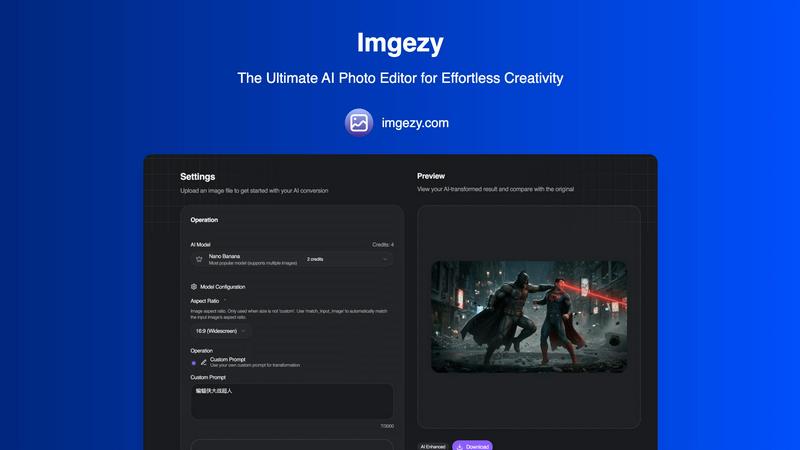
Imgezy is your go-to AI photo editor that zaps away objects and swaps backgrounds in seconds—no skills needed!.
Last updated: February 28, 2026

SparkPix
Transform your photos with SparkPix by typing your edits—remove backgrounds, enhance quality, and unleash your creativity for free!.
Last updated: March 11, 2026
Visual Comparison
Imgezy
SparkPix

Feature Comparison
Imgezy
Object Removal
Say goodbye to distractions! Imgezy's object removal feature uses advanced AI to identify and eliminate unwanted items or people from your photos, ensuring that your images are as pristine as your vision. No more awkward photobombers or random trash ruining your perfect shot.
Background Replacement
Want to swap that gray sky for a vibrant sunset? Imgezy lets you change backgrounds in a snap. Whether you want a solid color or a breathtaking landscape, this feature allows you to instantly transport your image to a whole new setting, making your photos look professionally edited.
Photo Enhancement
Imgezy doesn't just stop at object removal and background changes; it also enhances your photos automatically. Expect improved colors, lighting, and sharpness that will make your images pop, ensuring that every detail shines through beautifully.
Batch Processing
Got a ton of photos to edit? No sweat! With Imgezy's batch processing feature, you can edit multiple images at once, saving you loads of time. It’s a game changer for those larger projects or when you just need to give a whole gallery a quick upgrade.
SparkPix
AI Photo Editor
This feature is a game changer! Just type what you want to change in your photo, like "remove background" or "sharpen this image," and watch as SparkPix's AI works its magic in under 30 seconds. It takes the hassle out of photo editing, meaning you can focus on what really matters—getting your pics looking stunning!
Background Remover
Say goodbye to messy backgrounds! With just one click, SparkPix can remove backgrounds from portraits, product photos, and even complex scenes. Whether you want a clean, transparent background for professional use or a fun new backdrop for your social posts, this feature makes it as easy as pie.
Unblur Image
Ever taken a shot that turned out all fuzzy? No worries! The unblur image feature uses AI to fix motion blur, out-of-focus shots, and compression artifacts. It's perfect for saving those precious moments that might have otherwise ended up in the trash bin. Trust SparkPix to bring clarity back to your favorite memories!
Photo Restoration
Got old family photos that need some love? SparkPix’s photo restoration feature is here to rescue them! It repairs old, faded, scratched, or damaged photos, making it ideal for preserving family archives. Bring those cherished memories back to life in a matter of moments, ensuring they can be enjoyed for generations to come.
Use Cases
Imgezy
Social Media Creators
If you’re a social media influencer or content creator, Imgezy is your secret weapon. With just a few clicks, you can create stunning visuals that catch eyes and drive engagement. Say goodbye to those hours spent trying to perfect a single image.
Small Business Owners
For small business owners, showcasing products is crucial. Imgezy allows you to remove backgrounds and enhance product images, making your listings pop. This can lead to better sales and a more professional online presence without breaking the bank on a photographer.
Travelers
Travelers love sharing their adventures, but sometimes those photos need a little help. Whether it's removing a random person from your beach pic or enhancing the colors of a sunset, Imgezy helps you present your journeys in the best light possible.
Everyday Users
Not a professional? No problem! Imgezy is perfect for anyone looking to enhance their personal photos, be it family gatherings, vacations, or just random moments. You don’t need design skills; just your imagination and some quick typing will do the trick.
SparkPix
Social Media Content Creation
If you’re a social media enthusiast or influencer, SparkPix is a must-have. Use its AI photo editor to quickly create eye-catching posts with clean backgrounds and enhanced colors. Your followers will be wowed by your stunning visuals, and you’ll save tons of time!
E-Commerce Photography
Running an online shop? SparkPix can help you create professional product photos. Just upload your images and specify the edits you need, like background removal or enhancing colors, and voilà! Your listings will look more appealing to potential customers.
Personal Photo Restoration
Have some old family photos that are faded or damaged? With SparkPix, you can restore these precious memories effortlessly. Upload the images and let the AI handle the rest, turning back time on your cherished snapshots.
Creative Art Projects
Feeling artistic? Use the style transfer feature to convert your photos into stunning works of art. Whether you want a watercolor effect or a funky anime style, SparkPix lets you explore your creative side without needing any special skills.
Overview
About Imgezy
Alright, let’s get real about Imgezy. This isn’t just another photo editing app that complicates your life. Imgezy is your go-to AI-powered photo editor designed to make your images pop without the need for any professional skills. Whether you need to kick out an unwanted photobomber, swap out a dull background, or just give your travel pics that extra flair, Imgezy has your back. With its intuitive interface, you simply type your wish and watch the magic unfold in seconds. This tool is perfect for anyone, from social media influencers wanting to up their game, small business owners showcasing their products, to everyday folks looking to elevate their personal photos. Imgezy’s main value proposition? It's all about transforming your creative ideas into stunning visuals with minimal effort. Just upload your image, describe what you want, and let the AI do its thing. Easy peasy!
About SparkPix
SparkPix is your new BFF in the world of photo editing, powered by cutting-edge AI technology. Imagine being able to transform your photos just by typing out what you want—no more wrestling with complicated software like Photoshop. Whether you're a casual user, a social media influencer, or a small business owner needing stunning product shots, SparkPix has got your back. With features designed for everyone, from complete novices to seasoned pros, this web-based app brings your creative visions to life in a snap. The main value proposition? It combines ease of use with powerful functionality, letting you edit your photos quickly and efficiently. Plus, you can start for free with no credit card required, making it super accessible!
Frequently Asked Questions
Imgezy FAQ
How does Imgezy work?
Imgezy uses advanced artificial intelligence to analyze and edit your photos. You simply upload your image, describe the edits you want, and the AI processes the changes in seconds, giving you a polished photo ready for sharing.
What types of images can I edit with Imgezy?
You can edit a variety of image formats including JPG, PNG, and WebP. Whether it's a snapshot from your phone or a high-resolution image, Imgezy can handle it with ease.
Is there a limit to how many images I can edit?
Yes, depending on the plan you choose, there are limits to the number of credits you have available for editing images. Each credit typically allows for one photo edit, so plan accordingly based on your needs.
Can I use Imgezy for commercial purposes?
Absolutely! If you choose the Pro plan, it comes with a commercial license, allowing you to use the edited images for business purposes without any hassle. Perfect for those looking to enhance their brand presence!
SparkPix FAQ
How does SparkPix work?
SparkPix uses advanced AI algorithms to understand your text commands and apply the requested edits to your photos. It makes photo editing accessible to everyone, regardless of skill level.
Is SparkPix free to use?
Yes! SparkPix offers 5 free credits to get you started with no credit card required. You can try out various features and see what works best for you before committing to a paid plan.
What types of edits can I request?
You can request a wide range of edits, including background removal, photo restoration, unblurring images, and applying artistic styles. Just type in your instructions, and the AI will take care of the rest.
On which platforms can I use SparkPix?
SparkPix is web-based, meaning you can use it on any device with an internet connection. It works seamlessly on desktops, iPhones, and Android devices, so you're never far from your photo editing needs.
Alternatives
Imgezy Alternatives
Imgezy is your go-to AI photo editor that transforms your photo editing experience. It’s designed to make removing distractions and swapping backgrounds as easy as chatting with a friend. Users often seek out alternatives to Imgezy for various reasons, such as pricing concerns, specific feature needs, or compatibility with different platforms. When hunting for an alternative, consider what features are most important to you, whether it’s ease of use, pricing, or additional editing capabilities that can elevate your photos. Finding the right tool can make all the difference, so think about what you want from an AI photo editor. Are you looking for seamless background changes, or maybe a more advanced set of tools? Whatever your needs, there’s a world of options that can help you create stunning images without the steep learning curve that traditional software often demands.
SparkPix Alternatives
SparkPix is an AI-powered online photo editor that lets you unleash your creativity by simply typing what you want to do with your photos. Whether it's enhancing an image, restoring faded memories, or transforming your pics into stunning art styles, it's all about easy editing without needing to master complex software. But while SparkPix is super handy, users often find themselves on the hunt for alternatives due to various reasons like pricing, feature sets, or specific platform compatibility that fits their unique needs. When searching for alternatives, think about what you really need—considering aspects like ease of use, the types of edits you want to make, and whether you prefer a web-based tool or something that can be downloaded. You want an editor that suits your workflow and budget while still delivering impressive results, so take your time exploring different options before making a choice.