
Looktara vs SupaSidebar
Side-by-side comparison to help you choose the right AI tool.

Looktara
Upload your pics once and your private AI chef cooks up pro photos for any vibe.
Last updated: February 28, 2026

SupaSidebar
SupaSidebar is your Mac's ultimate hub for links, files, and folders, keeping everything you need just a click away.
Last updated: February 28, 2026
Visual Comparison
Looktara
SupaSidebar
Feature Comparison
Looktara
Your Private AI Model
This isn't some generic filter slapped on a random face. You feed Looktara around 30 pics of yourself, and it trains a unique, encrypted AI model that knows you and only you. Your data is locked down and never mixed with anyone else's, so every photo it generates is built from your specific vibe and features. It's like having a digital twin that actually looks like you, not some weird, generic avatar.
Text-to-Photo Magic
No more awkward posing or hunting for the right background. You're the creative director. Just type what you want into the prompt box—think "confident tech founder in a sleek modern office" or "friendly smile in a sunny park." Hit go, and in about 5 seconds, Looktara whips up a brand new, high-resolution photo matching your description. It's instant content creation without the hassle of an actual photoshoot.
Authentic, Studio-Grade Quality
Looktara is engineered to dodge the classic AI photo fails. We're talking no plastic-smooth skin, no dead-eyed stares from the uncanny valley. Instead, it delivers photos with realistic skin texture, natural-looking light and shadows, and genuine expressions. The results are so good they pass for professional studio shots, giving you that polished, legit look for any platform.
Platform-Perfect Styling
Different apps, different vibes. Looktara gets it. You can tailor your prompts to generate the perfect photo for any channel. Need a sharp, authoritative headshot for LinkedIn? Done. A more casual, creative shot for Instagram? Easy. A warm and friendly pic for a newsletter? You got it. It's one authentic you, styled flawlessly for wherever you're posting, so your personal brand stays consistent and on-point.
SupaSidebar
Instant Saving
No one has time to waste, and SupaSidebar gets that. With a quick keyboard shortcut (CMD CTRL S), you can save or copy URLs in a heartbeat. This means you can keep your research flowing without the hassle of stopping to save links manually. It's all about efficiency, baby.
Recent Tracker
Ever lost track of that one important website you visited two days ago? SupaSidebar’s Recents feature tracks every site you’ve used in the past 48 hours. This nifty tool means you can find what you need in a flash, making your workflow smoother than ever.
Fast Search
Switching between apps can be a drag, but not with SupaSidebar. Just hit CMD CTRL K and start typing to find any file, folder, website, or app instantly. This feature keeps you in the groove and helps you avoid wasting time searching—because we all know time is money.
Pinned Favorites
Opening the same links repeatedly can be a major time sink. SupaSidebar lets you pin your favorite items right at the top of your sidebar, offering quick access whenever you need it. You customize your workspace to fit your flow, making it easy to jump between your most-used resources.
Use Cases
Looktara
For the Job Seeker & LinkedIn Pro
Stop using that grainy, cropped photo from your cousin's wedding on your LinkedIn profile. With Looktara, you can generate a suite of professional, industry-appropriate headshots that scream "hire me." Need a formal shot for your resume, a smart-casual one for your bio, and a confident speaking pose for your featured section? Generate them all in minutes without leaving your desk, making your profile look effortlessly polished and current.
For the Content Creator & Solopreneur
Consistently showing up online is key, but you can't afford a photographer for every new idea or campaign. Looktara is your infinite content buddy. Need a "day-in-the-life" cafe shot for Stories, a serious "behind-the-work" desk pic for a Reel, and a celebratory "launch day" photo for Twitter? Just describe it and generate. Keep your feed fresh, authentic, and engaging without ever repeating the same background or outfit.
For the Founder & Startup Team
Building a brand means putting a face to the name, especially for early-stage startups. Use Looktara to generate cohesive, high-quality team photos for your "About Us" page, press kits, and investor decks. Everyone can get a consistent style of professional photo without the logistical nightmare and cost of organizing a real photoshoot. It ensures your team looks unified, professional, and ready for business.
For the Dating App User
First impressions on apps like Tinder or Hinge are everything, and your photos are your main currency. Ditch the blurry selfies and awkward group pics. Use Looktara to generate a few great solo shots that show off your personality—a friendly smile, a shot of you with a hobby, a sharp casual look. Get photos that actually look like you on your best day, helping you stand out and attract better matches.
SupaSidebar
Researching Like a Pro
If you're knee-deep in research, SupaSidebar is your best friend. With its ability to save links and track recent sites, you can easily gather all your resources in one spot. No more fumbling through countless tabs or losing track of that one insightful article.
Creative Projects
For creators juggling various files, links, and resources, SupaSidebar is a game changer. Its organized sidebar keeps everything you need at your fingertips, allowing you to focus on your creative process without getting sidetracked by disorganization.
Study Buddy
Students, rejoice! SupaSidebar helps you manage study materials and resources efficiently. You can save lecture notes, important links, and reference materials all in one place, making studying a breeze and helping you ace those exams.
Team Collaborations
Collaboration can get messy, but with SupaSidebar, it doesn't have to. Share links and files easily with your team members, keeping everyone on the same page. It’s perfect for brainstorming sessions or project planning, ensuring no idea gets lost in the shuffle.
Overview
About Looktara
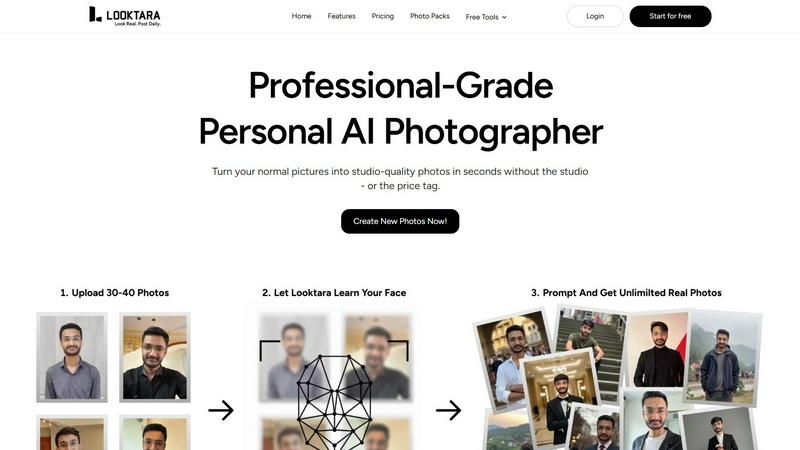
Looktara is your personal AI photographer, permanently on-call in your pocket. Forget the stress of last-minute photoshoots or shelling out cash every time you need a fresh pic. Here's the vibe: you upload about 30 photos of yourself just once. In roughly 10 minutes, it cooks up a private, encrypted AI model that learns your face, your unique energy, and nothing else—your data stays yours. Once your model is trained, you're in total control. Need a new photo? Just type a prompt like "professional headshot with a confident smirk" or "chilling at a cafe with a latte," and boom. In about 5 seconds, Looktara generates a studio-quality solo photo that is undeniably, authentically YOU. It cuts through the cringe of most AI gens that give you plastic skin and those dead, uncanny valley eyes. You get real texture, natural lighting, and the exact mood you need: authority for LinkedIn, approachable warmth for a client reel, a crisp studio look for a keynote, or a casual behind-the-scenes moment. It's built for anyone who puts themselves out there online—creators, founders, professionals, job seekers—who are absolutely tired of recycling the same three photos from 2019. With over 18 million photos created, it's the go-to for getting a flawless pic that matches your personal brand, on-demand.
About SupaSidebar
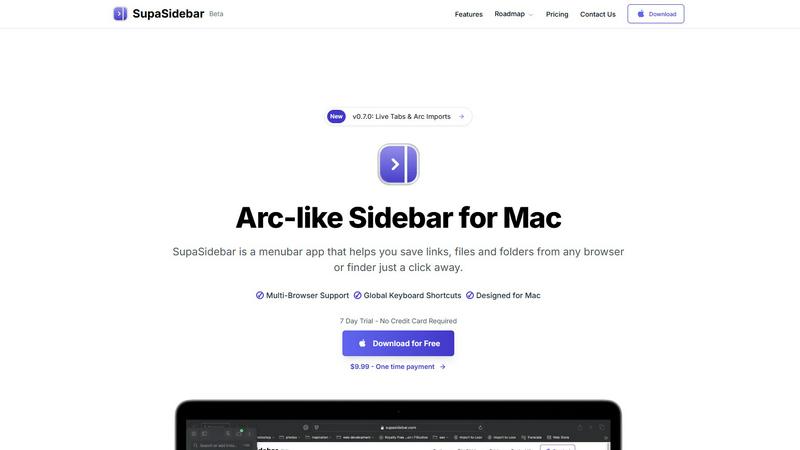
SupaSidebar is like that cool sidekick you didn't know you needed for your Mac. It's a sleek, Arc-inspired sidebar that lives in your menu bar, designed to streamline your digital life. Imagine diving into research, juggling multiple tabs, and feeling the chaos creep in. SupaSidebar swoops in to save the day, giving you instant access to your links, files, and folders without breaking a sweat. Built for creators, researchers, and multitaskers, this app helps you maintain a state of flow and focus. Everything stays on your Mac, ensuring your data is private and secure. Plus, it seamlessly integrates with every major browser, so you can keep your game strong without switching apps. Say goodbye to the clutter of a dozen tools and hello to a single, beautiful sidebar that organizes your digital world with ease. With SupaSidebar, you command your digital space effortlessly.
Frequently Asked Questions
Looktara FAQ
How many photos do I need to upload?
You'll need to upload around 30 photos of yourself for the AI to properly learn your face and features. The key is variety: use different angles, expressions, and lighting conditions (but all should clearly be you!). This helps the model understand you in 3D, so it can generate new, accurate photos from any prompt you give it later.
Are my photos and AI model private?
Absolutely. Your privacy is a big deal. The photos you upload are used to train your own personal, encrypted AI model. This data is not used to train any general public model and is not mixed with other people's photos. Your unique model and your generated photos are for your eyes only, unless you decide to share them.
How long does it take to generate a photo?
Once your personal AI model is trained (which takes about 10 minutes after you upload your initial photos), generating a new image is super fast. Just type your prompt and you'll get your studio-grade photo in about 5 seconds. It's literally faster than trying to set up a ring light for a selfie.
Can I control the style and background of the photos?
Yes, 100%! You are the creative director. The magic is in the text prompt. You describe exactly what you want, including the setting (e.g., "modern office," "coffee shop," "beach at sunset"), your expression, the vibe, and even clothing hints. Looktara's AI interprets your description to create a photo tailored to your specific request, giving you full creative control.
SupaSidebar FAQ
Is SupaSidebar a browser extension?
Nope! SupaSidebar is a standalone menubar app designed specifically for Mac users. It works seamlessly with all major browsers but does not require any extensions.
Which browsers does SupaSidebar work with?
SupaSidebar supports all major browsers, including Safari, Chrome, Firefox, and Arc, ensuring you can use it no matter what your browsing preference is.
What macOS version do I need?
To run SupaSidebar, you will need macOS 13 or later. Make sure your system is up to date to enjoy all the features.
Where is my data stored?
All your data stays on your Mac, ensuring privacy and security. SupaSidebar doesn't send your info to the cloud—your data remains under your control, just as it should be.
Alternatives
Looktara Alternatives
Looktara is your personal AI photographer, letting you generate pro solo pics from a text prompt after training a private model on your face. It sits in the generative art and AI photo creation space, basically giving you a digital twin on demand. People hunt for alternatives for all the usual reasons. Maybe the price point isn't right for them, or they need features for group photos or different art styles. Sometimes it's about platform access—like needing a web version instead of just an app. When you're scouting other options, keep your non-negotiables front of mind. Think about data privacy—is your face model kept locked down? Check the output quality to avoid the creepy uncanny valley. And see if the vibe matches your needs, whether that's ultra-professional headshots or more creative, off-the-wall generations.
SupaSidebar Alternatives
SupaSidebar is your Mac's ultimate command center, designed to streamline access to links, files, and folders. It falls into the productivity and management category, catering to creators, researchers, and multitaskers who crave a seamless workflow. Users often seek alternatives for various reasons, including pricing, feature sets, or platform compatibility. A good alternative should offer similar functionalities, ease of use, and integration with your preferred apps while keeping your data secure and accessible. When searching for the right alternative, consider what features matter most to you. Look for options that provide intuitive navigation, effective organization tools, and the ability to sync across devices or browsers. Also, think about whether you prefer a free solution or are willing to invest in a premium product for enhanced capabilities. The goal is to find a tool that boosts your productivity without complicating your digital life.