
LunoKid vs SchoolGPT
Side-by-side comparison to help you choose the right AI tool.

LunoKid
LunoKid makes chores a blast by turning them into fun tasks with an AI pet, rewarding kids while parents chill out.
Last updated: March 1, 2026

SchoolGPT
SchoolGPT is your AI teaching sidekick that saves you over 10 hours a week on lesson plans and grading.
Last updated: February 28, 2026
Visual Comparison
LunoKid
SchoolGPT

Feature Comparison
LunoKid
AI-Powered Virtual Pet
Meet Luno, your kid's new best friend! This cute virtual pet encourages kids through chores, making them feel supported and motivated. As kids complete tasks, Luno grows, adding an extra layer of excitement to the chore completion process.
Customizable Tasks and Rewards
Parents can easily assign chores with specific point values and instructions tailored to their kids' needs. Plus, they can set custom rewards that kids can work towards, ensuring that every family member's preferences are respected.
Progress Tracking
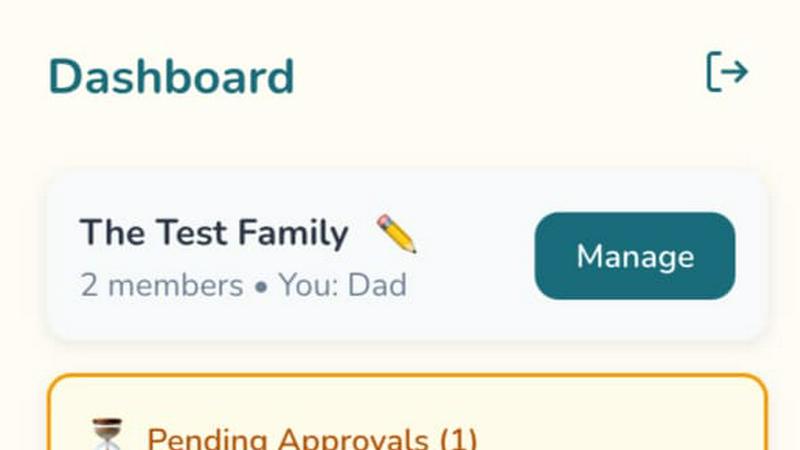
LunoKid provides an intuitive dashboard where parents can monitor their kids' progress with ease. See which tasks have been completed, which are pending, and where your little ones might need a little nudge, all in one glance.
Homework Help with "Ask Luno"
Need help with homework? LunoKid features an AI homework helper called "Ask Luno" that guides kids through problem-solving strategies, teaching them how to tackle their assignments without just handing over the answers.
SchoolGPT
Educator-Designed Template Library
Say goodbye to prompt engineering forever. SchoolGPT comes packed with 60+ templates that were actually designed by teachers, for teachers. This isn't some generic AI you have to trick into working; it's pre-loaded with workflows for lesson plans, rubrics, quizzes, IEPs, emails, and way more. Just pick your tool, fill in a few details about your topic or standard, and bam—you get a solid, usable draft in seconds. It's like having a whole team of veteran educators in your back pocket, ready to spit out exactly what you need.
Your Voice, AI's Speed
The worst part about most AI tools is that the output sounds like a robot wrote it. Not cool. SchoolGPT is built to generate content that sounds like you. It learns from your inputs to deliver lesson hooks, assignment feedback, and communications that match your teaching style and tone. You get a polished, classroom-ready draft that you can actually use immediately instead of spending an hour rewriting awkward AI jargon. It does the grunt work so you can add your magic touch.
Standards-Aligned & Compliant
This tool isn't playing around. It's built with the real classroom in mind, which means it understands state education standards. When you generate a lesson plan or a quiz, you can align it to your specific requirements right from the start. Plus, it's designed to be FERPA and COPPA compliant, so you can use it with confidence knowing student data and privacy are taken seriously. It's powerful AI that actually knows the rules of the education game.
All-in-One Teacher Workspace
Why juggle ten different apps? SchoolGPT consolidates your biggest time-sucks into one dashboard. Need to level a text for differentiation, generate writing feedback with a custom rubric, and draft a professional email to a parent? You can bounce between all those tools in one place without ever logging into another tab. It's your central command for planning, grading, and communicating, saving you from digital clutter and context-switching headaches.
Use Cases
LunoKid
Busy Families Finding Balance
For families with packed schedules, LunoKid offers an easy way to manage chores without chaos. Parents can assign tasks in just a few taps, allowing kids to help out while keeping everyone on track.
Multi-Child Households
In homes with multiple kids, LunoKid ensures fairness by allowing individual tracking of tasks and points. Each child can see their progress, helping to reduce arguments and promote healthy competition.
Teaching Responsibility
Parents looking to teach their children about responsibility will find LunoKid invaluable. By gamifying chores, kids learn to take ownership of their tasks and understand the importance of contributing to the family.
Encouraging Routine for Struggling Kids
For kids who struggle with routines, LunoKid provides a clear structure and visual progress tracking that makes it easier for them to stay consistent. The fun rewards system motivates them to stick to their tasks every day.
SchoolGPT
Conquering the Sunday Scaries (Lesson Planning)
That dreaded Sunday evening lesson planning session? Obliterated. With the Lesson Plan, Unit Plan, and Worksheet Generator tools, you can turn a topic or standard into a fully structured, engaging plan in under a minute. Stuck for a hook? Need differentiated activities? SchoolGPT brainstorms it all, giving you a creative foundation so you can spend your time refining instead of staring at a blank doc. Reclaim your weekend, one generated lesson at a time.
Grading Without the Grief
Grading stacks of essays or projects is a major vibe killer. SchoolGPT's Writing Feedback and Rubric Generator tools are total game-changers. Feed in student work, set your criteria, and get detailed, constructive feedback drafted in seconds. You can generate a custom rubric for any assignment instantly, ensuring your grading is consistent and fair without the manual slog. Turn hours of grading into a focused few minutes.
Communication on Autopilot
Writing the same report card comments or parent emails over and over is the worst kind of busywork. SchoolGPT automates it with heart. The Report Card Comments tool crafts personalized notes highlighting strengths and growth areas. The Email Family tool helps you draft clear, professional, and compassionate messages home for any situation—behavior wins, concerns, or updates. Communicate effectively without the mental drain.
Instant Resource Creation
Need a last-minute quiz, a vocabulary list, or a study guide? No sweat. The Multiple Choice Quiz, Vocabulary List Generator, and Study Guide tools let you create high-quality resources in the time it takes to sip your coffee. Facing a diverse classroom? The Text Leveler tool can adapt any article or passage to fit different reading levels in a click. Be the prepared, resourceful teacher without the late-night scrambling.
Overview
About LunoKid
LunoKid is the ultimate solution for families aiming to transform the chore game! Designed for kids ages 5-12, this app turns household tasks into a fun adventure that kids actually want to be part of. Say goodbye to nagging and hello to a gamified experience where kids help out around the house while earning points that can be used for rewards. Luno, the adorable virtual pet, guides kids through their chores, making them feel like they are on a quest rather than just doing boring tasks. This app is perfect for busy parents, co-parenting situations, or any family eager to instill responsibility in their children without constant reminders. With LunoKid, kids build great habits while enjoying the process, creating a win-win for everyone involved.
About SchoolGPT
Alright, teachers, let's cut the fluff. SchoolGPT is your digital teaching sidekick, the one that actually gets it. Forget wrestling with generic AI chatbots that give you blank-page paralysis and robotic nonsense. This is an all-in-one AI assistant built from the ground up for K-12 educators, by educators. Think of it as your personal planning period on steroids, working at lightspeed to give you your life back. It's not just another tool; it's your new teaching BFF. The magic? It gives you instant access to top AI brains like ChatGPT and Claude through over 60+ ready-to-use, classroom-tested templates. Need a standards-aligned lesson plan, a banger of a rubric, or report card comments that actually sound like a human wrote them? Done. How about whipping up a quiz, an IEP draft, or a parent email in seconds? SchoolGPT's got you. It delivers classroom-ready drafts in your voice, so you can use 'em right away—no tedious prompt engineering required. Join over 10,000 teachers who've finally ditched the Sunday scaries and reclaimed their evenings. Stop working for your paperwork and let your AI handle the heavy lifting.
Frequently Asked Questions
LunoKid FAQ
What age is LunoKid for?
LunoKid is designed for children ages 5 to 12, making it a perfect fit for a wide range of elementary school kids looking to learn responsibility through fun.
Is LunoKid safe for kids?
Absolutely! LunoKid is built with child safety in mind and features kid-friendly content. Parents can rest assured that their kids are using a safe and secure platform.
How is LunoKid different from a sticker chart?
While sticker charts are great, LunoKid offers an interactive and engaging digital experience. Kids earn points, engage with a virtual pet, and experience a sense of accomplishment that a simple sticker chart can't match.
Can multiple kids use one parent account?
Yes! LunoKid allows multiple children to be linked to a single parent account, making it easy to manage chores and tasks across the whole family without any hassle.
SchoolGPT FAQ
Is SchoolGPT really free to start?
Absolutely! The Free Forever plan gives you 10 AI generations per month to test drive the platform with no credit card required. It's perfect for seeing how it fits into your workflow. If you're hooked and want unlimited access to all the tools, you can upgrade to the Pro plan.
Why not just use ChatGPT?
Great question! Using generic ChatGPT for teaching is like using a Swiss Army knife to build a house—powerful, but not the right tool for the job. You spend hours on prompt engineering to get semi-decent results. SchoolGPT is the power tools specifically for education. It has pre-built templates that know about standards and classroom contexts, delivering usable drafts instantly. It's ChatGPT, but with a teaching degree and zero prompt hassle.
Is my data and student information safe?
100%. SchoolGPT is built to be FERPA and COPPA compliant. They take data privacy super seriously. You can use the tool with confidence, knowing your information and your students' information is handled with the proper security and care required in educational settings.
How much time will I actually save?
Teachers using SchoolGPT consistently report saving over 10 hours every week. That's time normally spent on lesson planning, creating materials, grading, and drafting communications. It adds up to getting your evenings and weekends back, reducing burnout, and letting you focus on the actual teaching part of teaching.
Alternatives
LunoKid Alternatives
LunoKid is a totally rad app that transforms boring household chores into an epic adventure for kiddos aged 5-12. By incorporating a super cute AI pet named Luno, kids can earn points for completing tasks, making the whole experience a fun and rewarding journey that parents can easily track. Families love LunoKid, but sometimes they seek alternatives due to various reasons like pricing, specific feature needs, or compatibility with different platforms. When searching for an alternative to LunoKid, it’s essential to consider what features are most important for your family. Look for apps that also prioritize engagement, offer a visual progress system, and can cater to different parenting styles, especially if you're co-parenting. A solid alternative should provide a balance of fun and responsibility, ensuring that chores feel less like a chore and more like an exciting game.
SchoolGPT Alternatives
Alright, so you've heard the buzz about SchoolGPT, the AI teaching sidekick that's basically a superhero for lesson plans and grading. It's a top-tier player in the AI-for-educators game, designed to give teachers their evenings back by automating the paperwork grind. But hey, we get it—no single tool is a perfect fit for everyone. Maybe the price point isn't in your budget this year, or you're locked into a specific platform like Google Classroom. Perhaps you need a feature it doesn't have, or you just wanna shop around before committing. Totally valid. When you're on the hunt for something similar, keep your eyes peeled for a few key things. Look for tools that actually get the teacher struggle, with templates that don't require a PhD in prompt engineering. Check if they play nice with your existing tech stack and, crucially, if they help you meet those pesky state standards without the extra work. The goal is to find your own digital BFF that makes your job easier, not harder.