
LuxSign vs Print Chat
Side-by-side comparison to help you choose the right AI tool.

Get your docs signed with EU-legal e-signatures that are low-key fire and hosted in Luxembourg.
Last updated: February 28, 2026

Print Chat
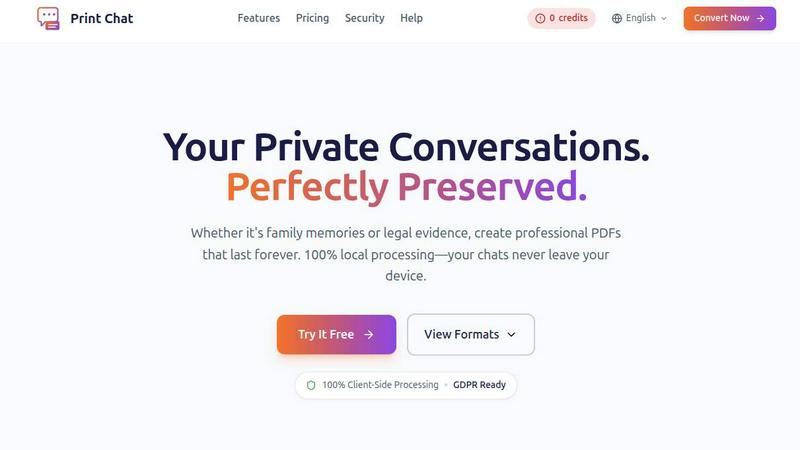
Turn your WhatsApp chats into professional PDFs instantly, keeping your data private and secure on your device.
Last updated: February 28, 2026
Visual Comparison
LuxSign

Print Chat
Feature Comparison
LuxSign
Luxembourg Lockdown Hosting
This is the big one. Every single document you upload is stored on secure servers physically located in Luxembourg. This isn't just about speed; it's the ultimate privacy move. By keeping everything within the country's borders, LuxSign guarantees full compliance with GDPR and Luxembourg's own strict data protection laws right out of the gate. Your sensitive contracts aren't bouncing around the global internet; they're chilling in a digital fortress in the heart of the EU. It's peace of mind you can't put a price on.
eIDAS SES Legally Valid Signatures
Stop worrying if your digital signature will hold up in court. LuxSign provides Simple Electronic Signatures that comply with the EU's eIDAS regulation (910/2014). This means your signed contracts are legally admissible and valid for most business transactions across all 27 EU member states. It's the legal muscle behind the digital pen, making your online agreements as binding as the old wet-ink version, but without the hassle.
Drag, Drop, and Send Workflows
Signing is stupid simple. Upload your PDF or Word doc, then literally drag and drop signature, date, and initial fields exactly where you need them. Need four people to sign? Add them all. You can choose if they sign all at once (parallel) or in a specific order (sequential). Hit send, and the platform automatically fires off personalized email invites to each signer. You can just kick back and track the progress in real-time as everyone does their part.
All-Access Audit Trail
For compliance nerds and detail-oriented bosses, this feature is a godsend. Every action on a document is meticulously logged. We're talking timestamps, IP addresses, and full signer info for every view, click, and signature. This creates a tamper-proof record of the entire signing journey. If anyone ever questions the process, you have a crystal-clear, verifiable paper trail (a digital one, obviously) to prove exactly what happened and when.
Print Chat
100% Client-Side Processing
Your data stays on your device, meaning you can process files without fear of breaches. There’s no need to trust third-party services when everything runs in your browser using WebAssembly.
Unlimited File Size
Say goodbye to limits! Print Chat allows you to process conversations of any size—whether it's 100MB or 50GB—without freezing or crashing. Perfect for handling extensive chat histories.
Legal & Evidence Ready
Print Chat preserves every detail you need for legal proceedings. Exact timestamps and sender information are maintained, ensuring that your final PDF meets court admissibility requirements.
Voice & Video Embeds
Don't lose the context of your conversations. Print Chat embeds clickable links to your voice notes and videos directly into the PDF, making your documents interactive and comprehensive.
Use Cases
LuxSign
Freelancer Closing Deals Fast
You're a designer, consultant, or developer. You just finished a killer proposal for a new client. Instead of attaching a PDF and hoping they print-sign-scan-email it back (lol, never happens), you drop it into LuxSign. Drag a signature field to the bottom, send it via email, and boom—they can sign on their phone in 30 seconds. You look professional, you get paid faster, and you avoid the endless email ping-pong. It's a solo-preneur game changer.
HR Onboarding New Team Members
HR folks, feel the pain of onboarding paperwork no more. Offer letters, NDAs, policy agreements—you can bundle them all into a seamless digital packet. Set up a sequential workflow where the candidate signs the offer first, then HR signs, then it's automatically filed. Everything is encrypted, legally sound, and stored securely in your LuxSign workspace. No more lost forms or chasing down physical signatures on day one.
Small Business Managing Client Contracts
Running a small agency or firm? You're constantly sending out service agreements, project scopes, and approval forms. With LuxSign's Premium plan, you can save these as templates. Next time you need a contract, just fill in the client's details, add signature fields, and send it to multiple stakeholders at once. The audit trail keeps everything above board, and the Luxembourg hosting keeps your clients' data super secure, which is a major trust signal.
Enterprise Legal & Compliance Teams
For larger companies, especially in regulated industries, compliance is non-negotiable. LuxSign's Business tier offers the heavy artillery: full API access and an SDK for baking e-signatures directly into your existing CRM, document management, or ERP systems. Add custom branding so every signing experience screams your company name, and use collaboration workspaces to manage complex, multi-departmental signing processes with strict access controls and a unified audit log.
Print Chat
Legal Documentation
Lawyers can utilize Print Chat to create clean, formatted transcripts of chat communications for court submissions. With Bates stamping and accurate details, your evidence is presented professionally.
Personal Archives
For individuals wanting to keep personal memories intact, Print Chat allows you to convert family chats, including photos and voice messages, into beautifully formatted PDFs that you can cherish forever.
HR Investigations
HR professionals can document workplace communications effectively. Print Chat provides clear transcripts with page numbers, making it easier to reference specific messages during investigations.
Language Support
Print Chat offers global character support, making it easy to convert chats in various languages. This feature is perfect for international communications, ensuring that every detail is accurately rendered.
Overview
About LuxSign
Alright, let's break it down. LuxSign is your new digital signing sidekick, but with the security creds of a Swiss bank (well, a Luxembourgish one). It's a cloud-based platform that lets you get documents signed online in minutes, without all the old-school printing, scanning, and "did you get my email?" chaos. But here's the main flex: it's built and hosted entirely in Luxembourg. This isn't just a random choice—it means all your docs are encrypted end-to-end and stored exclusively within the EU, making it fully GDPR compliant by default. No data sneaking off to servers in who-knows-where. It's perfect for businesses in Europe, or anyone dealing with European clients, who need their contracts to be legally valid (thanks to eIDAS SES standards) and their data privacy on lock. Whether you're a freelancer sending a single proposal or a massive enterprise needing custom workflows, LuxSign cuts through the red tape. You get drag-and-drop signing fields, automated email nudges to signers, and the ability to have multiple people sign at once or in a specific order. It's basically giving your paperwork a first-class, ultra-secure ticket to Doneville.
About Print Chat
Print Chat is a revolutionary tool designed specifically for professionals like lawyers who need to convert chat conversations into secure, accessible PDFs without compromising privacy. Whether you are handling sensitive legal cases or simply want to preserve cherished family memories, Print Chat transforms your chats while keeping everything safe on your device. With 100% client-side processing, your data is never uploaded or stored on third-party servers, ensuring compliance with privacy laws like GDPR. This makes it an ideal choice for anyone who values confidentiality and wants to eliminate the risk associated with traditional PDF converters. Built with features like Bates stamping, redaction tools, and voice message integration, Print Chat is your go-to solution for creating court-ready documents and preserving personal archives seamlessly.
Frequently Asked Questions
LuxSign FAQ
Is a LuxSign signature really legal?
For real! LuxSign provides eIDAS-compliant Simple Electronic Signatures (SES). Under EU Regulation 910/2014, these signatures are legally admissible and valid for the vast majority of business and personal transactions across the entire European Union. Think sales contracts, NDAs, service agreements—you're totally covered. For super high-stakes stuff like property transfers, you might need a Qualified signature, but for 99% of biz, you're golden.
Where exactly is my data stored?
This is the core of LuxSign's vibe. Your documents are stored exclusively on secure servers located within Luxembourg. They never leave the country. This isn't just about good security; it's the key to guaranteeing automatic compliance with GDPR and Luxembourg's own top-tier data protection laws. Your data gets a Luxembourg passport and never has to travel.
Can multiple people sign the same document?
Absolutely, and you get to call the shots on how it goes down. You can add up to 4 signers per document on the Premium plan. Need everyone to sign at the same time? Use parallel signing. Need the CEO to sign before the intern? Set up a sequential workflow. The platform guides each signer through their part automatically with email notifications, so you don't have to play project manager.
What if I need to sign something on my phone?
No sweat! LuxSign is fully mobile and tablet-ready. The interface is optimized for touch, so you can easily draw your signature with your finger or stylus. Whether you're commuting, between meetings, or just away from your desk, you can review and sign documents securely from anywhere. Getting documents signed doesn't have to wait until you're back at your computer.
Print Chat FAQ
Is my data safe with Print Chat?
Absolutely! Print Chat runs entirely on your device, meaning your files never leave your browser. No uploads, no storage, just privacy.
Can I convert large chat histories?
Yes! Print Chat supports files of any size, from small conversations to extensive histories, without crashing or freezing your browser.
What formats can I export my chats in?
You can choose between different layouts—Transcript Mode for legal work or Bubble Mode for a more casual appearance—allowing you to tailor your PDFs to your needs.
Does Print Chat support multiple languages?
Yes! Print Chat is designed to handle various languages, including emojis and scripts from around the world, ensuring that your chats are accurately represented.
Alternatives
LuxSign Alternatives
Alright, let's break it down. LuxSign is that super-compliant e-signature platform from Luxembourg that's all about keeping your digital paperwork legally binding across the EU. It's in that productivity and management category, basically your go-to for signing stuff without the printer drama. So why are people even looking elsewhere? It's the usual suspects. Maybe the price tag feels a bit steep for a solo gig, or you need features it doesn't have, like a specific integration with your other apps. Sometimes you just need a simpler tool that doesn't make you feel like you're launching a rocket. When you're on the hunt for something else, don't just chase the shiny object. Think about your actual needs. Do you really need that top-tier EU-wide legal validity, or is a basic signature enough? Check the pricing, see if it plays nice with your other software, and for the love of wifi, make sure it's actually secure and easy for everyone involved to use.
Print Chat Alternatives
Print Chat is your go-to tool for converting WhatsApp chats to PDF in a snap, designed specifically for legal professionals. It operates entirely offline, meaning your sensitive data stays put and never touches a server. That’s right—no waiting in line for your files to upload or worrying about third-party snooping. But sometimes, folks might look for alternatives to Print Chat due to factors like pricing, additional features, or platform compatibility. When searching for an alternative, consider what features you truly need, how user-friendly the interface is, and, most importantly, how securely your data will be handled. Choosing the right alternative is all about finding a balance between functionality and security. Look for tools that keep processing offline and offer features tailored to your specific use case. Whether you need advanced redaction options, Bates stamping, or easy access to voice messages in your PDFs, make sure the alternative meets your professional needs without compromising your data privacy.