
NanoImg vs RemoveTexts
Side-by-side comparison to help you choose the right AI tool.
NanoImg is your all-in-one AI image gen and editor, turning your wildest ideas into fire visuals in seconds.
Last updated: March 1, 2026

RemoveTexts
RemoveTexts lets you zap text, watermarks, and clutter from images in seconds, no fancy software or skills needed—just paint and go!.
Last updated: March 11, 2026
Visual Comparison
NanoImg
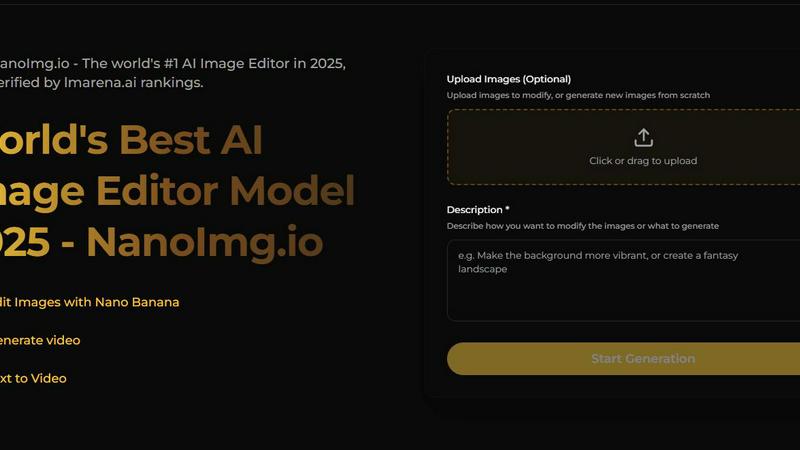
RemoveTexts

Feature Comparison
NanoImg
All-In-One AI Model Playground
Stop juggling a million different apps. NanoImg is your ultimate hub, packing top-tier AI models like Nano Banana Pro, Seedream 4.0, Flux Kontext, and Sora 2 all under one roof. Need speed? Grab Seedream. Want insane character consistency for a story? Nano Banana's your guy. Dreaming of a cinematic video? Sora 2 enters the chat. This means you get the best possible output for any task without ever leaving the platform. It's like having the entire AI creative universe in your back pocket.
Natural Language Editing (Talk to It!)
Forget complicated sliders and menus that make no sense. With NanoImg's brain, you can edit images just by chatting. Typed "make it look vintage" or "add a neon background and a disco ball"? Consider it done. This natural language processing lets you refine your creations with casual, everyday commands. It’s the most intuitive way to tweak your images, making you feel like a pro director rather than someone stuck in a confusing editing suite.
Plug-and-Play Templates & Tools
Hit creative block? No worries. NanoImg comes loaded with over 80+ AI tools and templates designed for instant wins. Need a Spongebob meme, a Bratz doll filter, a product mockup, or a line drawing from your photo? It's all there, ready to roll. These are your secret weapons for creating viral social content, e-commerce shots, or just having fun, all with literally one click. It’s the ultimate shortcut to awesome.
Browser-Based Speed & Simplicity
No downloads, no painful installations, no draining your laptop's memory. Everything runs smooth and fast right in your web browser. This means you can generate, edit, and download high-quality images from any device, anywhere. The 10-second generation speed is no joke—it’s all about removing friction so your ideas can flow straight from your brain to the screen without any annoying tech hurdles slowing you down.
RemoveTexts
Paint to Remove
With the Paint to Remove feature, you have total control over what gets erased. Simply brush over the specific text areas you want to disappear, and our AI does the rest. It's like having a magic paintbrush that only targets unwanted text, leaving everything else intact!
Auto Remove All
If you're feeling lazy (and who isn't?), just hit the Auto Remove All button. The AI automatically detects every text element in your image and removes it with a single click. It's fast, efficient, and saves you from the hassle of manual selections.
Edit & Replace Text
Need to change some text in your image but want to keep the vibe? The Edit & Replace Text feature lets you swap out existing text while perfectly matching the original style. It's like giving your image a fresh new look without losing its essence.
Remove Objects
Want to get rid of distractions like logos, people, or other visual clutter? The Remove Objects feature lets you erase unwanted elements with ease. Just paint over the area, and watch as it disappears, making your image cleaner and more professional.
Use Cases
NanoImg
Social Media Clout Chasing
Trying to make your Instagram, TikTok, or Twitter feed absolutely unmissable? NanoImg is your content factory. Whip up eye-catching posts, stories, and memes in seconds. Use the trending filters (like the Barbie or Glitch effect), generate unique visuals from text, or animate stills for Reels. Keep your audience hooked and your engagement metrics glowing without spending hours in design apps.
E-Commerce Hustle
Small business owners, listen up! Create killer product photos, lifestyle mockups, and ad visuals without the cost of a photographer, studio, or models. Upload your product shot and use AI to place it in a beach scene or a cozy cafe. Generate hundreds of variations for A/B testing. It’s a massive cost-cutter and a total game-changer for building a professional, scroll-stopping online store.
Creative Storytelling & Art
Whether you're storyboarding for a film, designing a game character, or just making digital art for fun, NanoImg’s character consistency and style preservation features are magic. Create a hero character and keep them looking perfect across hundreds of different scenes and actions using models like Flux Kontext. It’s like having an infinitely patient digital illustrator who never gets your vision wrong.
Personal Branding & Avatars
Craft a unique online persona with custom avatars and profile pics. Use the AI Face & Character tools to generate a cool, consistent cartoon version of yourself, or create a totally new alter ego. Perfect for streamers, professionals wanting a unified look, or anyone tired of using the same old selfie. Stand out in comments sections and on profiles with a look that’s 100% you.
RemoveTexts
Cleaning Screenshots
Got a messy screenshot filled with unnecessary text? RemoveTexts is perfect for cleaning it up. Just upload, paint over the text, and bam! You have a sleek, professional-looking image ready to share or present.
E-Commerce Product Photos
E-commerce sellers can benefit big time from RemoveTexts. Remove distracting watermarks or text from product images to make them more appealing to potential buyers, boosting your sales without breaking a sweat.
Educational Materials
Teachers and educators can use RemoveTexts to create clean visuals for presentations or handouts. Whether it's removing subtitles from educational videos or cleaning up images, this tool makes it easy to present information without distractions.
Social Media Creators
For social media marketers and influencers, RemoveTexts is a game-changer. Easily remove unwanted text from images before posting, ensuring your visuals are eye-catching and professional. Stand out in a crowded feed with polished content.
Overview
About NanoImg
Alright, let's break it down. NanoImg is your new creative sidekick, a total game-changer that smashes together a powerhouse AI image generator and a slick photo editor into one ridiculously easy-to-use platform. Think of it as having a whole studio of digital artists and editors on speed dial, but without the hefty price tag or the artistic ego. It's built for literally everyone: the influencer trying to make their feed pop, the small biz owner who needs fire product pics without a photoshoot budget, the meme lord crafting the next viral hit, or just someone who wants to turn their wild imagination into visual reality. The core vibe? Zero barriers. You don't need a degree in prompt engineering or fancy software. Just hop into your browser, type what you're thinking (like "a cat astronaut sipping coffee on Mars"), and bam—you've got a stunning image in about 10 seconds. It's all the best AI models (Nano Banana, Seedream, Flux, Sora 2, you name it) hanging out in one spot, so you can pick the perfect tool for the job. Whether you're generating from scratch, swapping faces, adding glitch effects, or animating your pics into videos, NanoImg handles it. It's creativity, unleashed and totally friction-free.
About RemoveTexts
RemoveTexts is your go-to AI-powered image editing tool that makes removing unwanted text from images a total breeze. Forget fumbling around with Photoshop or wasting time on manual edits; with RemoveTexts, you can simply upload your image and let the magic happen in seconds. Whether you're dealing with pesky watermarks on product photos, annoying meme text, or even those distracting date stamps, this tool has got your back. It's perfect for creators, marketers, and anyone who needs clean visuals without the hassle. The best part? You don't need any design skills to get pro-level results. With advanced AI technologies, RemoveTexts not only obliterates text but also reconstructs the background seamlessly, making it look like the text was never there. Join the community of over 100,000 users who trust RemoveTexts to keep their images looking sharp and professional.
Frequently Asked Questions
NanoImg FAQ
Is NanoImg really free to use?
Heck yes! You can start generating and editing images online for free right away. The platform offers free access to its core tools to get your creativity flowing. They also have premium models and features (like Nano Banana Pro or Sora 2) for when you need next-level power, which might be part of their paid plans. But for a ton of awesome creation, the free tier is a solid starting point.
What makes NanoImg different from other AI image generators?
Two words: All-in-one. While other tools might give you just one model or focus only on generation, NanoImg bundles the best AI models (Nano Banana, Seedream, Flux, Sora 2) with a powerful, chat-based editor and 80+ specific tools (like face swap, filters, meme makers) in a single browser platform. It’s not just about making an image; it’s about having every tool you need to create, edit, and perfect it without ever switching tabs.
Do I need to be good at writing prompts?
Not at all! NanoImg is built for everyone. You can start with their plug-and-play templates for things like memes or e-commerce shots—zero typing required. If you do type, just describe what you want in plain English (or any language). Their prompt generator can give you inspiration, and the natural language editor lets you tweak things with simple commands like "make it sunnier." It’s designed to be intuitive, not intimidating.
Can I use the images I create for commercial projects?
Absolutely! The images you generate and edit on NanoImg are yours to use. They’re perfect for commercial projects like social media ads, marketing campaigns, product listings, and website content. It’s a huge benefit for entrepreneurs, marketers, and creators who need original, royalty-free visuals without the legal headaches. Always double-check the specific terms of service for the latest details, but you're clear to create and sell.
RemoveTexts FAQ
How does RemoveTexts work?
RemoveTexts uses deep learning inpainting technology to analyze the surrounding pixels of the text you want to remove. The AI intelligently reconstructs the background, making it look like the text was never there.
What file formats does RemoveTexts support?
You can upload images in JPG, PNG, or WebP formats. Just make sure your image is under 10MB, and you're good to go!
Is there a limit to how many images I can process?
There is no specific limit to the number of images you can process with RemoveTexts. However, keep in mind that the AI might need a moment to work its magic on larger batches.
Can I use RemoveTexts for commercial purposes?
Absolutely! Many e-commerce sellers and marketers use RemoveTexts to create professional images for their products and campaigns. Just be sure to check any specific usage rights for your images.
Alternatives
NanoImg Alternatives
NanoImg is your go-to AI image generator and photo editor, a slick tool in the crowded image creation space. It’s all about turning text into stunning visuals in seconds, right from your browser, with zero learning curve. So why are people hunting for other options? It’s the usual suspects: maybe the pricing doesn’t fit their budget, they need a specific feature NanoImg doesn’t have, or they’re looking for a desktop app instead of a browser tool. Some folks just wanna shop around and see what else is poppin’ in the AI art world. When you’re checking out other players, think about what matters most to you. Is it raw speed, the quality of the outputs, how easy it is to use, or maybe how much control you have over the final image? Don’t forget to consider where you need to use it—like if it plays nice with other apps you use for work or content creation.
RemoveTexts Alternatives
RemoveTexts is an AI-powered tool that specializes in removing unwanted text from images, like a boss. Whether you're looking to ditch those pesky watermarks, clean up your screenshots, or just want to make that meme pop without the clutter, RemoveTexts has got your back. It's all about speed and ease; no Photoshop skills required, just upload your image and let the AI work its magic. However, not everyone's vibe fits with RemoveTexts. Users often seek alternatives for reasons like pricing, specific features, or platform compatibility. When hunting for an alternative, consider what you really need—whether it's advanced editing options, support for different languages, or even if you want a mobile-friendly app. Finding the right tool can make all the difference in achieving those killer visuals.