
NB2 Hub vs RemoveTexts
Side-by-side comparison to help you choose the right AI tool.

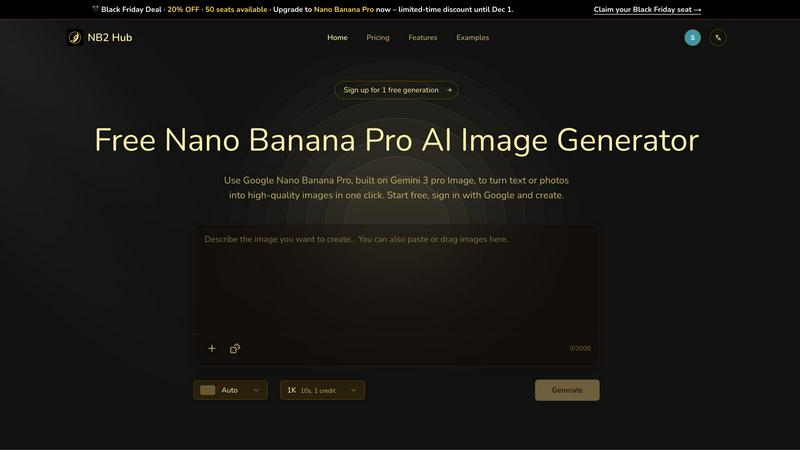
Turn your text and pics into fire 4K images with this free AI generator, no cap.
Last updated: March 1, 2026

RemoveTexts
RemoveTexts lets you zap text, watermarks, and clutter from images in seconds, no fancy software or skills needed—just paint and go!.
Last updated: March 11, 2026
Visual Comparison
NB2 Hub
RemoveTexts

Feature Comparison
NB2 Hub
Faithful Text & Image Remix
This feature is your go-to for leveling up existing visuals. Upload a reference image—like a UI sketch or a product photo—add a short prompt like "make it cyberpunk," and watch the magic happen. Nano Banana Pro is smart enough to preserve the original layout and lighting while totally upgrading the details, textures, and style. It's perfect for iterating on designs without starting from scratch every single time.
Crisp Text Inside Images
Finally, an AI that gets text! This tool lets you generate images with clean, legible text baked right in, from big headlines to small paragraphs, and it supports multiple languages. No more weird blurry letters or funky halos. It’s a game-changer for creating posters, ad banners, or social media covers where the words actually need to be, you know, readable.
Multi-Reference Fusion & Consistency
Got a bunch of different images or ideas? This feature lets you smash them together into one cohesive masterpiece. Even better, it keeps characters, products, or brand elements looking consistent across different shots. It's absolutely killer for creating storyboards, product shot sets from multiple angles, or any project where you need a unified look across several images.
Pro-Level Lighting & Camera Control
Take your images from "meh" to "whoa" with insane control over the cinematic details. You can fine-tune the lighting, adjust the depth of field, change the color grade, or even transform a daytime scene into a moody night shot. It's like having a virtual director of photography and colorist in your pocket, ready to add that dramatic, professional polish on demand.
RemoveTexts
Paint to Remove
With the Paint to Remove feature, you have total control over what gets erased. Simply brush over the specific text areas you want to disappear, and our AI does the rest. It's like having a magic paintbrush that only targets unwanted text, leaving everything else intact!
Auto Remove All
If you're feeling lazy (and who isn't?), just hit the Auto Remove All button. The AI automatically detects every text element in your image and removes it with a single click. It's fast, efficient, and saves you from the hassle of manual selections.
Edit & Replace Text
Need to change some text in your image but want to keep the vibe? The Edit & Replace Text feature lets you swap out existing text while perfectly matching the original style. It's like giving your image a fresh new look without losing its essence.
Remove Objects
Want to get rid of distractions like logos, people, or other visual clutter? The Remove Objects feature lets you erase unwanted elements with ease. Just paint over the area, and watch as it disappears, making your image cleaner and more professional.
Use Cases
NB2 Hub
Rapid UI/UX Prototyping
Designers, listen up. Need to mock up a new app screen or website layout super fast? Throw in a basic wireframe, prompt NB2 Hub to "apply a modern dark theme with blue accents," and get a high-fidelity visual in seconds. It slashes the time from concept to presentable comp, letting you iterate at lightspeed.
Social Media & Marketing Content Creation
Struggling to keep your social feeds fresh? Marketers and content creators can use NB2 Hub to generate a week's worth of eye-catching visuals in an afternoon. Need a poster for an event, a cover image for a blog post, or a cool graphic for a promo? Describe it, generate it, and post it. No more stock photo subscriptions or waiting on a designer.
Concept Art & Storyboarding
Artists and filmmakers can use this as a boundless idea generator. Stuck on a character design or a scene layout? Feed the AI some descriptive prompts or style references to visualize different concepts rapidly. The multi-reference fusion is perfect for building consistent storyboard panels, saving tons of sketching time.
Product Mockups & Branded Scenes
Got a new logo or product design? Instead of a costly 3D render, use NB2 Hub to apply your branding onto various objects and scenes. See your logo on a coffee cup, a t-shirt, or a billboard in a realistic setting instantly. It's the fastest way to create professional ad creatives and presentation materials for clients or stakeholders.
RemoveTexts
Cleaning Screenshots
Got a messy screenshot filled with unnecessary text? RemoveTexts is perfect for cleaning it up. Just upload, paint over the text, and bam! You have a sleek, professional-looking image ready to share or present.
E-Commerce Product Photos
E-commerce sellers can benefit big time from RemoveTexts. Remove distracting watermarks or text from product images to make them more appealing to potential buyers, boosting your sales without breaking a sweat.
Educational Materials
Teachers and educators can use RemoveTexts to create clean visuals for presentations or handouts. Whether it's removing subtitles from educational videos or cleaning up images, this tool makes it easy to present information without distractions.
Social Media Creators
For social media marketers and influencers, RemoveTexts is a game-changer. Easily remove unwanted text from images before posting, ensuring your visuals are eye-catching and professional. Stand out in a crowded feed with polished content.
Overview
About NB2 Hub
Alright, let's break it down. NB2 Hub is basically your new creative sidekick that's powered by some seriously next-level AI—Google's Nano Banana Pro, built on the Gemini 3 pro Image architecture. Think of it as the ultimate cheat code for making absolutely stunning images without needing a degree in graphic design or a wallet full of expensive software. You just type what you're thinking, or drop in a photo, hit a button, and boom: high-quality, pro-looking visuals are served up in seconds. It's for anyone who needs to make images, period. Designers can whip up UI mockups in a heartbeat, artists can get instant inspo for their next comic panel, and marketers can stop stressing and start generating eye-catching ads and social posts that actually pop. The whole vibe is about ditching the tedious, complicated stuff and jumping straight into the fun part: creating. With features that nail things like keeping your text crisp and readable inside the image or remixing your pics while keeping the original layout locked in, NB2 Hub is built for real work, not just playing around. It's the new era of getting your visual ideas out of your head and into the world, fast.
About RemoveTexts
RemoveTexts is your go-to AI-powered image editing tool that makes removing unwanted text from images a total breeze. Forget fumbling around with Photoshop or wasting time on manual edits; with RemoveTexts, you can simply upload your image and let the magic happen in seconds. Whether you're dealing with pesky watermarks on product photos, annoying meme text, or even those distracting date stamps, this tool has got your back. It's perfect for creators, marketers, and anyone who needs clean visuals without the hassle. The best part? You don't need any design skills to get pro-level results. With advanced AI technologies, RemoveTexts not only obliterates text but also reconstructs the background seamlessly, making it look like the text was never there. Join the community of over 100,000 users who trust RemoveTexts to keep their images looking sharp and professional.
Frequently Asked Questions
NB2 Hub FAQ
How do I start using NB2 Hub?
It's stupid easy. Just head to the website, sign up for free using your Google account, and you'll get some free generations to play with right away. Type your idea into the prompt box, or upload an image to remix, and hit "Generate." That's it. No credit card needed upfront to test the waters.
What makes Nano Banana Pro different from other AI image generators?
Two words: control and fidelity. While other AIs might give you a cool but random image, Nano Banana Pro is built on the Gemini 3 pro architecture specifically for accurate, production-ready work. It excels at keeping your original layout, generating readable text, understanding real-world facts, and giving you pro-level editing controls that others just don't have.
Can I use the images I create for commercial projects?
Absolutely! The images you generate on NB2 Hub are yours to use. You can use them in client work, marketing campaigns, social media, products, or pretty much anywhere you need. It's designed to be a professional tool, so you own the output and can use it commercially without worrying about funky licensing issues.
What's the deal with the "Holiday Sale" I see on the site?
Heck yeah, there's a deal! For a limited time, you can snag 20% off an upgrade to the Nano Banana Pro plan. Just use the code HOLIDAY20 at checkout. It's the perfect chance to unlock the full power of 4K generation, more features, and higher limits without breaking the bank. Get on that before it's gone!
RemoveTexts FAQ
How does RemoveTexts work?
RemoveTexts uses deep learning inpainting technology to analyze the surrounding pixels of the text you want to remove. The AI intelligently reconstructs the background, making it look like the text was never there.
What file formats does RemoveTexts support?
You can upload images in JPG, PNG, or WebP formats. Just make sure your image is under 10MB, and you're good to go!
Is there a limit to how many images I can process?
There is no specific limit to the number of images you can process with RemoveTexts. However, keep in mind that the AI might need a moment to work its magic on larger batches.
Can I use RemoveTexts for commercial purposes?
Absolutely! Many e-commerce sellers and marketers use RemoveTexts to create professional images for their products and campaigns. Just be sure to check any specific usage rights for your images.
Alternatives
NB2 Hub Alternatives
So you've heard about NB2 Hub, that slick AI image generator that turns your wildest text prompts and random photos into legit 4K masterpieces. It's basically the new hotness in the AI art scene, letting anyone cook up pro-level visuals without needing a degree in Photoshop. But hey, maybe you're browsing for other options—totally get it. Sometimes you need a different vibe, a different price tag, or maybe you're just curious what else is poppin' in the toolbox. People look for alternatives for all sorts of reasons. Maybe the free trial's up and you're hunting for a better deal. Maybe you need a specific feature NB2 doesn't have, or you want something that runs directly on your phone or computer instead of online. It's all about finding the right tool that fits your specific creative hustle and wallet. When you're scouting for a different AI art gen, think about what really matters for your projects. Are you all about those crystal-clear text-in-image features for memes and posters? Do you need rock-solid consistency for characters across a whole comic series? Or maybe you just want something stupid simple that gets the job done fast. Keep your non-negotiables in mind while you window-shop.
RemoveTexts Alternatives
RemoveTexts is an AI-powered tool that specializes in removing unwanted text from images, like a boss. Whether you're looking to ditch those pesky watermarks, clean up your screenshots, or just want to make that meme pop without the clutter, RemoveTexts has got your back. It's all about speed and ease; no Photoshop skills required, just upload your image and let the AI work its magic. However, not everyone's vibe fits with RemoveTexts. Users often seek alternatives for reasons like pricing, specific features, or platform compatibility. When hunting for an alternative, consider what you really need—whether it's advanced editing options, support for different languages, or even if you want a mobile-friendly app. Finding the right tool can make all the difference in achieving those killer visuals.