
Decode This Text vs Phishly
Side-by-side comparison to help you choose the right AI tool.

Decode This Text
Stop overthinking texts and get the real tea on any confusing convo in 30 seconds flat.
Last updated: February 28, 2026

Phishly
Stop phishing scams in your inbox with AI that sniffs out sketchy emails in one click.
Visual Comparison
Decode This Text

Phishly
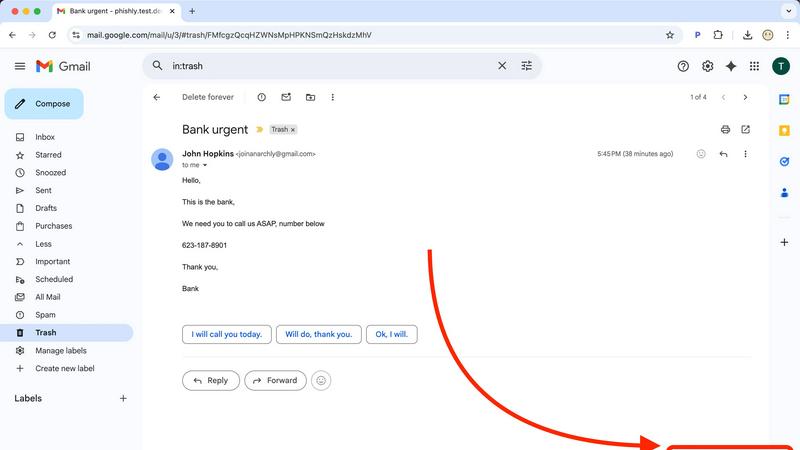
Feature Comparison
Decode This Text
Screenshot Sleuth
Why type it all out when you can just snap and drop? This feature lets you upload a photo of your text thread, and the AI does all the reading for you. It scans the whole conversation—timestamps, read receipts, the works—so you don't miss a single clue. Perfect for when the drama is too long to copy-paste or you're just feeling lazy. It's like having a super-sleuth bestie who can read between the lines of your screenshot gallery.
Tone Detective
Is that "K." actually okay, or is it a declaration of cold, silent war? The Tone Detective feature measures the emotional temperature of any message. It analyzes word choice, punctuation, and context to tell you if someone is being friendly, sarcastic, passive-aggressive, or just genuinely chill. Stop wasting mental energy trying to guess if they're mad; get the cold, hard data on the vibe instead.
Pattern Recognition Bot
This AI doesn't just look at one text—it spots the sneaky patterns you might be blind to because you're in the thick of it. Does this person only text you after midnight? Do they consistently avoid answering direct questions? Are their replies getting shorter and drier? The Pattern Recognition Bot connects the dots and points out these red (or green!) flags, so you see the bigger picture, not just the latest confusing message.
Response Generator
Staring at the keyboard with no idea what to say back? We've got you. Based on its analysis, Decode This Text gives you three tailored response options. Want to play it cool and calm? Need to be direct and clear? Or is it time to set a firm boundary? Pick your vibe and send a reply that actually matches the situation, without the anxiety of wording it perfectly yourself. It's your cheat code for confident communication.
Phishly
One-Click Gmail Scan
This is the bread and butter. With the Chrome extension installed, you never have to leave your inbox to get protection. Just open any email that gives you the heebie-jeebies, look for the "Scan with Phishly" button, and give it a click. It's like having a security expert on speed dial, right there in your browser. No downloading, no forwarding, no fuss—just instant AI analysis without breaking your workflow.
Web-Based Email Paste Tool
Not a Gmail user? Got a sketchy email in your Outlook, Yahoo, or work account? No sweat. Just head over to the Phishly website, copy the entire suspicious email (headers and all if you can), and paste it into their web tool. It's the same powerful AI engine, just in a handy web wrapper. Perfect for those times you're checking mail on a different device or browser.
Clear-Cut Risk Assessment with Breakdown
Phishly doesn't just give you a scary red "DANGER" sign and leave you hanging. It delivers a super clear, easy-to-understand verdict: Safe, Medium Risk, or High Risk. Then, it breaks down the "why" in plain English. It'll point out the specific red flags it found, like "Suspicious Domain Detected," "Urgent Language Used," or "Sender Spoofing Attempt." This way, you learn what to look for next time.
Privacy-First, On-Demand Scanning
Your inbox is your business. Phishly gets that. Unlike some security tools that scan every single email automatically (which can feel creepy), Phishly only analyzes the emails you explicitly choose to scan. You are in complete control. It's an on-demand bodyguard, not a constant surveillance camera. This approach keeps your private conversations private while still protecting you from active threats.
Use Cases
Decode This Text
Dating App Decoder
They said "had fun last night" but then ghosted for 48 hours. Are they actually busy, or are they fading on you? Paste in those vague "we should hang sometime" messages or the slow-fade convo to decode their real level of interest. Stop waiting by the phone for clues and get a straight-up analysis on whether you should double-text or just delete their number and move on.
Workplace Whisperer
Did your boss just send a one-word email? Does "We'll keep your resume on file" actually mean anything? Use Decode This Text to navigate professional minefields. Understand the true tone of terse Slack messages, decode passive-aggressive feedback, and even get help crafting a polite but firm "no." Save yourself from workplace anxiety and reply like a pro.
Friend & Family Drama Diffuser
Did the group chat go dead silent right after you sent that one message? Is your sibling being weirdly short, or are you just paranoid? Paste the awkward family thread or the sus message from a friend to figure out the subtext. Get clarity on social dynamics without having to confront anyone directly, and find the best way to smooth things over or know when to just let it go.
Pre-Send Reality Check
You've drafted a novel. It's emotional. You're about to hit send after a weird fight. PAUSE. Paste your drafted message into Decode This Text first for an instant reality check. The AI will analyze the tone and potential impact, acting like that wise older sibling who tells you, "Maybe sleep on it." It's saved countless people from sending texts they'd regret forever.
Phishly
The "Is This Really From My Boss?" Panic
You get an email from your boss (or someone claiming to be them) asking you to buy gift cards or send sensitive info ASAP. The signature looks right, but something feels off. Instead of stressing out or falling for it, you hit "Scan with Phishly." It can analyze the sender's actual email address against the display name and check for subtle spoofing tricks, giving you the confidence to either reply or report it.
Verifying Sketchy "Account Alert" Emails
Your heart drops when you get an "Urgent: Your account will be closed!" email from PayPal, Netflix, or your bank. Before you click any link or enter any info, scan it. Phishly will check if the links go to legitimate domains or fake lookalike sites and if the language matches classic phishing scare tactics. It turns a moment of panic into a moment of clarity.
Screening Invoices and Payment Requests
Freelancers and small business owners get tons of emails with attachments and payment details. A fake invoice from a "vendor" with a malicious attachment is a common attack. Pasting the email into Phishly's web tool can help verify the legitimacy of the request before you open anything or send any money, protecting your business from financial loss.
Teaching Digital Literacy (To Yourself & Others)
Every time you use Phishly, you get a mini-lesson in phishing detection. By reading the breakdown of why an email was flagged, you start to internalize the red flags. It's a fantastic tool for parents to check emails with their kids, or for office managers to demonstrate safe practices to their team, building everyone's scam-spotting skills.
Overview
About Decode This Text
Ever gotten a text that made you go "????" and then spend the next hour spiraling, overthinking every single word, punctuation mark, and how long it took them to reply? Yeah, we've all been there. Decode This Text is your personal BS translator and sanity-saver for exactly those moments. It's the AI-powered wingman (or wing-woman) that cuts through the vague texts, confusing emails, and ghosting drama to tell you what's really going on. Just paste the sketchy convo, upload a screenshot, or even just describe the messy situation. In like, 30 seconds flat, you'll get the full tea: a breakdown of their hidden intentions, the real emotional tone (are they being shady or just busy?), and even smart, non-cringe ways to hit 'send' back. It's perfect for anyone who's tired of playing detective in their DMs, wants to avoid sending that 3am "u up?" text they'll regret, and just wants to communicate with total confidence. No more group chats blowing up with "WHAT DOES THIS MEAN?!"—get your clarity privately and keep your cool.
About Phishly
Ever get that icky feeling in your gut when an email hits your inbox? You know the one. It's from "Your Bank" but the email address looks sus, or it's screaming "URGENT ACTION REQUIRED" about a package you don't remember ordering. That's your spidey-sense tingling for phishing scams, and Phishly is here to be your AI-powered sidekick. It's basically a scam-sniffing superhero that lives right in your Gmail. Think of it as that super skeptical friend who reads every email over your shoulder and goes, "Hmm, I don't trust it." But instead of a friend, it's a genius AI that's trained to spot all the sneaky tricks phishers use. You just open any sketchy email and hit the "Scan with Phishly" button in your Chrome extension, or copy-paste the email text right on their website. Within seconds, it gives you the real talk: a clear "Safe," "Medium Risk," or "High Risk" verdict with a breakdown of exactly why it's shady—like spotting fake sender addresses, weird domains, panic-inducing language, and other social engineering mind games. It's built for regular folks, freelancers, and small biz teams who want top-tier protection without the headache (or cost) of some giant, complicated enterprise security suite. Plus, it respects your privacy big time; it only scans the emails you specifically tell it to. No tech degree required, it's free to use, and it gives you instant peace of mind. Stop guessing and start knowing.
Frequently Asked Questions
Decode This Text FAQ
Is my data private? Does a human read my texts?
Nope, and nope! 100% anonymous. No human ever lays eyes on your conversations. Your texts are processed securely by our AI to give you that genius analysis. Your drama stays your business. We're like a vault for your venting.
How accurate is the analysis?
It's scarily good, like talking to that one friend who's always right about people. The AI is trained on massive amounts of communication patterns, so it's expert at spotting hidden tones and intentions. It's not a mind-reader, but it's the next best thing—a pattern-reading pro that gives you a perspective you're probably too close to see.
What if I don't have the exact text, just a situation?
Totally fine! You don't need a perfect transcript. Just describe what happened in your own words: "We went out, they said they'd text, it's been 3 days." The AI is great at working with context and your description to still give you solid insights and advice on how to handle the murkiness.
Is this just for romantic stuff?
Not at all! While it's a lifesaver for decoding dating app lingo and situationships, it's just as powerful for confusing work emails, vague texts from friends, or stressful family group chats. Any communication that leaves you scratching your head is fair game for decoding.
Phishly FAQ
Is Phishly really free?
Heck yes, it's really free! There's no catch, no hidden fees, and no premium tier you're forced into (at least for now). The team built it to provide essential phishing protection to everyone. You can use the Chrome extension and the web tool without spending a dime. It's a legit free lunch in the cybersecurity world.
Does Phishly read all my emails?
Absolutely not! That's a major privacy win. Phishly is not constantly monitoring your inbox. It only springs into action when you specifically click the "Scan" button on an email or paste text into the website. You have to explicitly ask it to look at something. Your private emails stay private.
What makes Phishly different from my email provider's spam filter?
Great question! Your built-in spam filter is like a bouncer at the club door, trying to stop obvious junk from getting in. Phishly is like the friend inside who points out the sketchy person trying to scam you. It analyzes the content, context, and clever tricks inside the emails that already made it to your inbox, catching the more sophisticated phishing attempts that bypass basic filters.
Do I need to be a tech expert to use it?
Nope, not at all! If you can click a button or copy and paste text, you can use Phishly. It's designed for total beginners. The results are in simple, straightforward language. There's no configuration, no complex settings—just instant, understandable answers to the question "Is this email a scam?"