
Outbid vs Phishly
Side-by-side comparison to help you choose the right AI tool.

OutBid delivers instant job alerts from Upwork and AI-generated proposals via Telegram, helping freelancers apply faster and win more jobs.

Phishly
Stop phishing scams in your inbox with AI that sniffs out sketchy emails in one click.
Visual Comparison
Outbid

Phishly
Overview
About Outbid
OutBid is an innovative tool designed for freelancers who want to stay ahead in the competitive Upwork marketplace. It continuously monitors job postings on Upwork 24/7 and sends instant alerts via Telegram, allowing users to be among the first to apply for new opportunities. This proactive approach ensures that freelancers can respond to job postings within 60 seconds, significantly increasing their chances of being noticed by potential clients. Each alert includes a tailored, AI-written proposal draft that aligns with the specific job description and the user's skills, making it quick and easy to apply. OutBid is ideal for freelancers at any experience level, whether you are a busy professional who cannot constantly check job listings or a newcomer struggling with proposal writing. By streamlining the application process and providing real-time insights, OutBid empowers freelancers to win more jobs and maximize their earning potential.
About Phishly
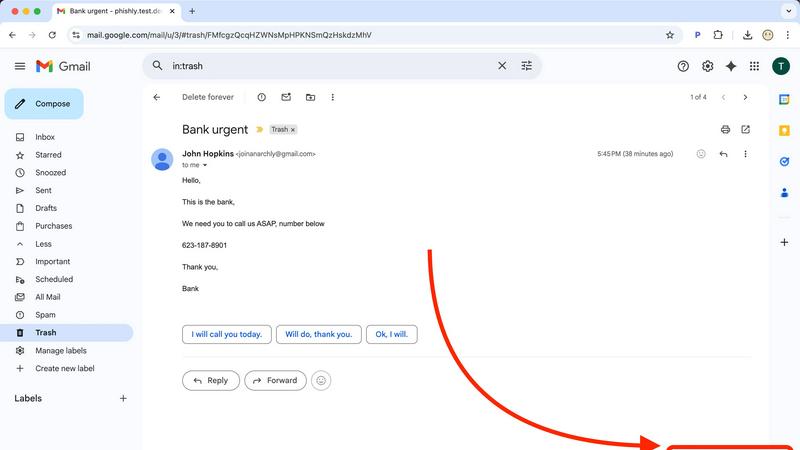
Ever get that icky feeling in your gut when an email hits your inbox? You know the one. It's from "Your Bank" but the email address looks sus, or it's screaming "URGENT ACTION REQUIRED" about a package you don't remember ordering. That's your spidey-sense tingling for phishing scams, and Phishly is here to be your AI-powered sidekick. It's basically a scam-sniffing superhero that lives right in your Gmail. Think of it as that super skeptical friend who reads every email over your shoulder and goes, "Hmm, I don't trust it." But instead of a friend, it's a genius AI that's trained to spot all the sneaky tricks phishers use. You just open any sketchy email and hit the "Scan with Phishly" button in your Chrome extension, or copy-paste the email text right on their website. Within seconds, it gives you the real talk: a clear "Safe," "Medium Risk," or "High Risk" verdict with a breakdown of exactly why it's shady—like spotting fake sender addresses, weird domains, panic-inducing language, and other social engineering mind games. It's built for regular folks, freelancers, and small biz teams who want top-tier protection without the headache (or cost) of some giant, complicated enterprise security suite. Plus, it respects your privacy big time; it only scans the emails you specifically tell it to. No tech degree required, it's free to use, and it gives you instant peace of mind. Stop guessing and start knowing.