
Picture to Drawing vs Seedream 4.0
Side-by-side comparison to help you choose the right AI tool.

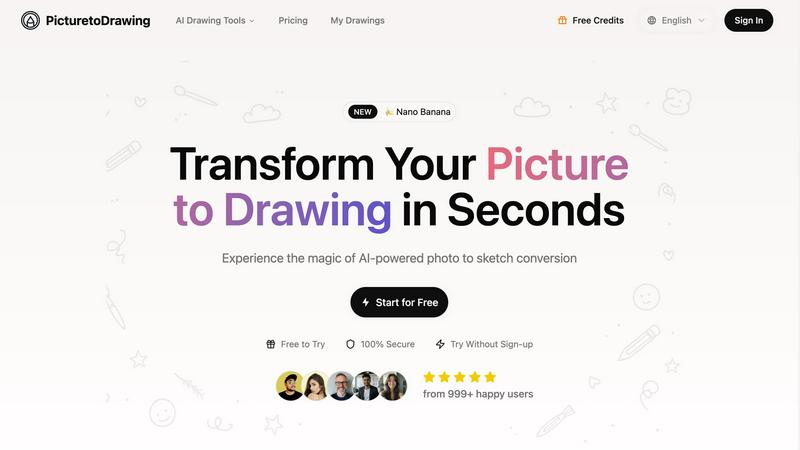
Picture to Drawing
Turn your pics into stunning hand-drawn art in seconds with our AI magic, no skills needed!.
Last updated: February 28, 2026
Seedream 4.0
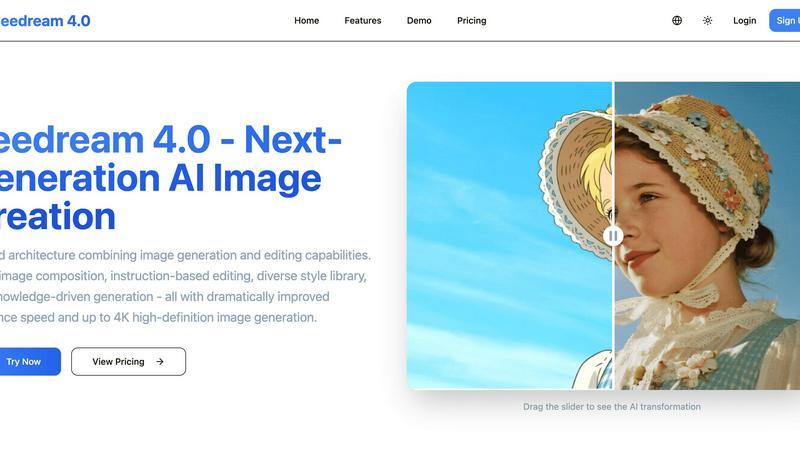
Seedream 4.0 is your AI art genie, whipping up and editing crazy-good 4K images from just a sentence.
Last updated: March 1, 2026
Visual Comparison
Picture to Drawing
Seedream 4.0
Feature Comparison
Picture to Drawing
Advanced AI Technology
Picture to Drawing utilizes cutting-edge AI that meticulously analyzes your photos, ensuring that every detail is preserved in the conversion. This means you get an authentic artistic representation that captures the original's essence, emotions, and textures. It’s like having a personal artist at your fingertips!
Multiple Artistic Styles
Feeling creative? With Picture to Drawing, you can choose from a diverse collection of artistic styles, including pencil sketches, watercolor paintings, and more. Each style offers a unique flair, allowing you to express your creativity and match the artwork to the vibe you’re going for. Say goodbye to generic filters!
High-Resolution Output
Once your photo is transformed into an art piece, you can download it in crisp high resolution. This feature is perfect for those who want to print, frame, or share their artwork on social media platforms without sacrificing quality. Your art deserves to look its best!
Privacy Protection
Worried about your personal images being stored or misused? Picture to Drawing has got your back! All photos are processed securely and automatically deleted after conversion. Your privacy is a top priority, so you can create art worry-free.
Seedream 4.0
The All-in-One Gen & Edit Engine
This is the core magic. Seedream 4.0 smashes generation and editing into one seamless workflow. No more generating in one app, downloading, then opening another to tweak it. You can start from a text prompt or upload your own pic and command the AI to change it. Want to turn your selfie into a cyberpunk portrait? Just say the word. It’s the ultimate creative freedom, letting you iterate and perfect your vision without ever leaving the zone.
Multi-Image Composition Power
Stop struggling to describe a complex scene. With this feature, you can upload multiple reference images and then just tell Seedream what you want to do with them in one sentence. It’s like a cinematic director for your visuals. Need to merge a product shot with a fantasy background and add a specific character? Feed it the pics, give the command, and watch it compose a batch of options. This is a total game-changer for complex visual storytelling, mood boards, and creating cohesive brand assets fast.
Your Wish is Its Command (Instruction-Based Editing)
This feature makes "what you see is what you get" look ancient. We're talking "what you SAY is what you get." Describe the change you want with a simple sentence, and the AI makes it happen with scary precision. "Make the sky more dramatic," "Add a neon sign here," "Change his jacket to leather." It understands context and executes, making both generation and editing feel like a natural conversation. It finally makes AI feel like a true collaborative partner, not a random button masher.
The Style Vault & Brainy Knowledge
Two words: limitless vibes. Seedream comes packed with a diverse style library, so you can apply anything from dreamy watercolor to gritty cyberpunk with one click, whether you're generating new art or stylizing your own photos. But it's also smart. Its knowledge-driven generation means it actually understands stuff. Need a scientifically accurate diagram of a cell or a historically plausible illustration? It can create beautiful, precise educational and professional images that make sense, not just random pretty pictures.
Use Cases
Picture to Drawing
Personalized Gifts
Need a unique gift? Transform cherished family photos into artistic drawings that make for heartfelt presents. Whether it’s for anniversaries, birthdays, or just because, these custom artworks will be a hit!
Social Media Content
Want to stand out on Instagram or Facebook? Use Picture to Drawing to create eye-catching artistic content that captures attention and drives engagement. Your followers will love the fresh, creative vibe!
Marketing Materials
Elevate your brochures, websites, and advertisements with distinctive artwork. Picture to Drawing helps you create memorable visual branding that sets you apart from the competition and leaves a lasting impression.
Home Decoration
Transform your favorite memories into stunning wall art that reflects your style. With Picture to Drawing, you can create cohesive home decor that’s both personalized and visually appealing. Your walls will thank you!
Seedream 4.0
For the Social Media Hustler
You need a constant stream of eye-catching, platform-perfect graphics, and you need them yesterday. Seedream 4.0 is your content factory. Generate unique post images, transform your photos to match your aesthetic, create stunning carousels with multi-image composition, and do it all in 4K quality that makes your feed pop. No more generic stock photos—your brand's visual language just got a major upgrade.
For the Indie Game Dev / World Builder
Concept art, character designs, environment textures, promotional assets—it's a ton of work. Seedream accelerates it all. Use detailed prompts to generate creature concepts, upload a basic landscape sketch and instruct it to "make it look like a haunted forest at dusk," or use the style library to create consistent UI elements. It’s like having an entire art department on-demand to visualize your wildest game worlds.
For the Blogger & Content Creator
Tired of scrambling for featured images or paying for illustrations? Seedream lets you create custom, royalty-free graphics for every blog post, newsletter, or video thumbnail. Use knowledge-driven generation to make accurate charts and diagrams for your tutorials. Transform your basic screenshots into polished, branded graphics with a simple edit command. It makes your content look pro-level without the pro-level budget or time sink.
For the Meme Lord & Digital Artist
Take your meme game from basic to legendary. Upload a funny pic and use instruction-based editing to add hilarious elements or change the context entirely. Digital artists can use it as a powerful brainstorming tool, generating quick variations on a theme, experimenting with styles from the vault, or creating complex composite pieces as a base to paint over. It’s the ultimate tool for rapid visual experimentation and fun.
Overview
About Picture to Drawing
Picture to Drawing is like your personal art studio, but without the mess and paint stains. This AI-powered platform takes your regular photos and turns them into stunning artistic drawings in just seconds. Whether you're looking to transform a family portrait into a timeless pencil sketch or create a vibrant watercolor painting, this tool has got you covered. It's designed for everyone—from casual users wanting to spice up their social media feeds to professionals needing high-quality artwork for marketing materials. The main value proposition? You get authentic, hand-drawn conversions that keep the essence and emotion of your original photo while making it look like a masterpiece. No need to be an art wizard; just upload your image and watch the magic happen!
About Seedream 4.0
Alright, listen up. The AI image game is crowded, but Seedream 4.0 just dropped and it's basically the cheat code we've all been waiting for. Forget bouncing between a dozen different apps to make a single graphic. This isn't just another text-to-image bot; it's a full-blown creative suite on steroids, smashed into one slick, unified tool. Think of it as your ultimate digital art sidekick. Its main flex is a genius architecture that lets you generate AND edit images in the same place. Start from a blank slate with a wild text prompt, or take your existing pics and transform them with a simple command. It's like having a genie for your graphics, but one that actually gets your vision and works at lightspeed. We're talking crazy-fast inference that pumps out your ideas in crispy, jaw-dropping 4K without the eternal loading screen. Whether you're a pro designer trying to streamline your workflow, a social media hustler needing fire content daily, a blogger looking for unique illustrations, or just someone who wants their memes to go ultra-viral, Seedream 4.0 is your new best friend. It's built for creators who are done with the clunky, fragmented old way and want a single, powerful hub to bring their wildest visual ideas to life—from the first spark of an idea to the final, polished edit—without any of the usual headaches.
Frequently Asked Questions
Picture to Drawing FAQ
How does Picture to Drawing work?
Picture to Drawing employs advanced AI algorithms that analyze your uploaded images and convert them into various artistic styles. Just upload a photo, select a style, and watch the transformation in real-time!
What types of images can I upload?
You can upload images in JPG, PNG, WEBP, or HEIC formats. No matter what kind of photo you have, Picture to Drawing can help you turn it into a work of art.
Is there a limit to how many images I can convert?
You can use Picture to Drawing daily for free, with options for additional credits. This means you can experiment with different styles and images without breaking the bank!
Can I use my converted images for commercial purposes?
Absolutely! Once you download your artwork, you have full rights to use it. Whether it’s for personal projects or professional marketing materials, feel free to showcase your unique creations!
Seedream 4.0 FAQ
Can I try Seedream 4.0 for free?
Heck yes! You can jump right in and test the core features without spending a dime. The free tier lets you get a feel for the insane generation speed and editing power, so you can see if it vibes with your workflow before you commit to a paid plan. It's the perfect way to start cooking up some visuals.
How does Seedream 4.0 actually work?
Think of it as a super-smart, creative brain that's been trained on a massive library of images and concepts. You feed it your idea—either through text or an uploaded image plus instructions. Its unified AI architecture then interprets your request, uses its knowledge and style data, and renders your new image at blazing speed. The "all-in-one" part means this same brain handles both making something new and editing existing stuff.
What makes Seedream 4.0 different from other AI art tools?
The biggest diff is the UNIFIED workflow. Most tools make you generate in one place and edit in another (if they even let you edit properly). Seedream 4.0 combines it all, so you can create, tweak, style, and perfect without ever switching apps. Add in the multi-image composition for complex projects and the super-smart, knowledge-aware generation, and you've got a tool that's built for real, practical creation, not just random outputs.
Can I use the images I make for commercial stuff?
Absolutely! The images you generate and edit with Seedream 4.0 are yours to use. You can slap them on merch, use them in client projects, post them on your monetized social channels—go for it. Just make sure your prompts and source images don't infringe on anyone else's copyright or trademarks, and you're golden. It's built to empower creators to build their brands.
Alternatives
Picture to Drawing Alternatives
Picture to Drawing is this super cool AI-powered platform that takes your average pics and turns them into jaw-dropping artistic drawings in just seconds. It falls under the category of AI Assistants and Image & Photo, making it a must-try for anyone looking to give their snapshots a creative twist. Now, you might be wondering why folks are on the hunt for alternatives. Maybe they’re looking to save a few bucks, or perhaps they need features that fit their unique style. Others might be searching for platforms that work better on their devices or offer different artistic styles. When you're on the lookout for an alternative, keep an eye out for pricing, ease of use, and the variety of styles available to make sure you find the perfect fit for your creative vibes.
Seedream 4.0 Alternatives
So you've heard the hype about Seedream 4.0, the AI art genie that cooks up and remixes crazy-good 4K images from just a sentence. It's a powerhouse in the AI image generation and editing world, basically your all-in-one creative sidekick. But maybe you're scoping out the scene, wondering what else is out there that can match its vibe. People hunt for alternatives for all sorts of reasons. Maybe the price tag doesn't fit your current grind, or you need a specific feature it's missing. Perhaps you're locked into a different platform or just want to test the waters before fully committing. It's all about finding the right tool for your specific creative hustle. When you're weighing your options, think about what matters most to you. Is it the quality of the 4K output, the speed of generation, or that magic ability to edit images with simple text commands? Maybe you need top-tier multi-image composition for complex projects. Pin down your non-negotiables, and you'll find your perfect match.