
Perkoon vs Quickfix AI
Side-by-side comparison to help you choose the right AI tool.

Send files directly to anyone for free, no signup or shady business, just pure P2P magic.
Last updated: March 4, 2026

Quickfix AI
Your AI sidekick that instantly figures out why your computer is being weird.
Last updated: March 1, 2026
Visual Comparison
Perkoon

Quickfix AI
Feature Comparison
Perkoon
Truly Unlimited P2P Transfers
This is the main event. When both you and your recipient are online, Perkoon creates a direct, peer-to-peer tunnel between your browsers. Your files zoom from point A to point B without ever stopping on a server in the middle. This means there are literally no file size limits, it's super private, and it costs Perkoon basically nothing in bandwidth. So they don't charge you for it. It's free as in beer, forever. Revolutionary? Apparently.
Honest Encrypted Cloud Storage
Need to send a file to someone who's asleep, offline, or just chronically slow to check links? Perkoon holds it for them with encrypted cloud storage. This is the paid part, and they're upfront about why: servers and bandwidth cost money. Your file is encrypted on their servers, and you pay a straightforward fee to cover those real costs, not to fuel some creepy data-mining ad empire. It's not a free lunch, but it's an honest transaction.
Native AI & Automation Ready
Perkoon lives in 2026, not 2006. They built a proper API into the website itself (window.__perkoon) so your AI assistants and automation scripts can interact with the service directly. No more pathetic DOM scraping like some ancient web bot. Your agents can send and receive files autonomously. It's file transfer built for the age of intelligent machines.
No-Account, No-BS Transfers
Tired of mandatory sign-up walls just to send a single file? Perkoon gets it. For P2P transfers, you don't need an account. At all. Just go to the site, drag your file, get a link, and send it. The recipient clicks, and the transfer starts. No email harvesting, no password creation, no "verification" nonsense. It's file transfer, not a marriage proposal.
Quickfix AI
One-Click Full System Scan
Stop messing around with a dozen different tools. With Quickfix AI, you hit one button and it goes to town, scanning every critical part of your system. We're talking CPU load, memory pressure, GPU temps, disk health, battery cycles, security settings, and network speed. It compiles a comprehensive report faster than you can say "why is my fan so loud?" All the deets, in one spot, no digging required.
Plain-English AI Explanations
Got a report but have no idea what "high memory pressure" actually means for your Zoom call? No sweat. Just ask the built-in AI chatbot anything. It reads your entire diagnostic report and explains the findings like a friend would. "Your Mac is slow because Chrome is hogging 45% of your CPU, my dude." It gives you the "what," the "why," and the "so what," killing tech anxiety for good.
Remote Diagnostics with Sharing Codes
This is a game-changer for helping others or for IT teams. Need to check your mom's laptop or a colleague's workstation? Just generate a sharing code from your Quickfix AI app and send it to them. They enter the code, run the scan, and you instantly see their full diagnostic report on your end. No complicated remote software, no confusing instructions. It's support, simplified.
Performance & Health Dashboards
Quickfix AI doesn't just throw numbers at you. It presents everything on a clean, visual dashboard that actually makes sense. See your CPU, Memory, and GPU usage at a glance with easy-to-read metrics. Get the real deal on your storage space and battery health with clear status indicators (like "Excellent health"). It turns raw data into a story you can understand and act on.
Use Cases
Perkoon
Sending Massive Project Files
Got a 80GB video project, 3D model, or raw dataset that makes every other service cry "limit exceeded!" and demand your credit card? With Perkoon's P2P mode, you just drag, drop, and send the link. The other person opens it, and the data flows directly to them. Unlimited size, zero cost. It's what cloud services promised before they got greedy.
Collaborating with Privacy-Conscious Clients
Working with lawyers, journalists, activists, or just people who value their privacy? You can assure them that with a P2P transfer, their sensitive documents, contracts, or evidence never sits on a third-party server. The transfer is a direct line between you two. No middleman, no scanning, no "data for product improvement." Just the file.
Automating Workflows with AI Agents
Is your AI assistant handling file collection or distribution? Instead of trying to teach it to click buttons on a website, point it at Perkoon. With its native API, your agent can programmatically send and receive files as part of an automated pipeline. Perfect for developers, researchers, or anyone who uses bots to get real work done.
The Occasional "Hey, Can You Send Me That?" File
Forget signing into your bloated cloud drive to share a vacation video, a bunch of photos, or a PDF. Just pop open Perkoon, drag the file over, and text the link. Your friend clicks it, and it downloads. It's faster than finding your login details for that other service you never wanted an account for in the first place.
Quickfix AI
The "Something's Weird" Troubleshooter
You know the vibe. Your computer is slow, hot, or just behaving oddly, but you can't pinpoint why. Instead of spiraling into a forum rabbit hole, you fire up Quickfix AI. One scan later, and the AI tells you exactly which app is the culprit, if your memory is maxed out, or if your drive is failing. Instant clarity, zero guesswork. Problem identified, crisis averted.
The Power User & Gamer Deep Dive
You're not a casual user; you push your rig. Gamers, streamers, developers, and video editors use Quickfix AI to get hardcore insights. Is your GPU thermal throttling? Is your RAM speed bottlenecking your game? The detailed performance metrics and temperatures give you the data you need to optimize settings, cool things down, and squeeze out every last drop of performance.
IT Support Teams & Helping Family
IT pros, stop driving across town for simple checks. Send a Quickfix AI sharing link, get a code, and view the user's full system report remotely. It's also perfect for being the unofficial tech support for your family. Next time your dad says his computer is "broken," have him run a scan with your code. You'll see if it's just a storage issue or something serious before you even pick up the phone.
Pre-Purchase Checkups & Security Audits
Thinking of buying a used MacBook? Ask the seller to run a Quickfix AI scan and share the report. You can check the battery cycle count, disk health, and overall system integrity before you hand over any cash. Also, use it to do a quick security audit on your own machine—verify your firewall is on, check encryption status, and make sure your digital doors are locked.
Overview
About Perkoon
Alright, let's cut the corporate fluff. Perkoon is the file transfer service that actually respects you and your data. It's for anyone who's tired of being nickel-and-dimed, forced to sign up, or treated like a product by services that scan and sell your stuff. You know the ones. Perkoon gets back to the actual point: moving your files from A to B without the circus. It does this with two brutally honest modes. First, the flagship free P2P transfer that beams files directly between browsers. No size limits, no accounts, and because the data never even touches Perkoon's servers, it's private and costs them nada to run. So it's free for you, forever. No catch. For sending to someone who's offline, there's encrypted cloud storage—a paid feature that just covers their server costs, no profit-gouging. But here's the kicker: Perkoon is built for the future. It has native tools so your AI agents and automation scripts can use it directly, no janky screen-scraping required. With a simple CLI too, it's the straightforward, powerful, and privacy-focused transfer tool for real people and the bots that work for them.
About Quickfix AI
Alright, let's cut through the noise. Quickfix AI is your digital mechanic, your tech-savvy bestie who actually knows what they're talking about. Forget the confusing jargon and endless Google searches when your computer's acting up. This slick app is an AI-powered system diagnostics tool that gives you the full tea on your PC or Mac's health in under a minute. It's like having a genius IT pro in your pocket, but way cooler and it doesn't judge you for having 50 Chrome tabs open. Whether you're a gamer wondering why your frames are dropping, a remote worker whose laptop sounds like a jet engine, or just someone who gets that dreaded "something's wrong" feeling, Quickfix AI is for you. It runs a deep scan, serves up a crystal-clear report on everything from CPU drama to battery health, and its built-in AI chatbot breaks it all down in plain English. No tech degree required. It's the ultimate wingman for anyone who uses a computer and wants to stop guessing and start knowing.
Frequently Asked Questions
Perkoon FAQ
Is the P2P transfer really free forever?
Yes, for real. The P2P technology sends files directly between browsers. Since the data never passes through Perkoon's servers, it doesn't cost them meaningful bandwidth or storage. They're not being altruistic idiots; they're just not charging you for a service that costs them nothing to provide. So it stays free. That's the whole deal.
What happens if the other person is offline?
If your recipient isn't online to catch the direct P2P transfer, Perkoon offers encrypted cloud storage as a backup. This is a paid feature because, unlike P2P, holding files on a server actually costs money. You pay a small, honest fee for the server space and bandwidth until your recipient is ready to download it.
Can Perkoon see what I'm sending with P2P?
Nope. Literally impossible. In a P2P transfer, the file data streams directly from your browser to the recipient's browser over a secure connection. It's like passing a note directly hand-to-hand. Perkoon's servers only help set up the introduction; they never see the contents of the note itself. They can't scan, sell, or look at your data.
Can my AI agent or scripts use Perkoon?
Absolutely, and it's encouraged. Perkoon is built with a native API (window.__perkoon) exposed on the web client specifically so AI agents and automation tools don't have to fake being a human by scraping the website. Your bots can interact with the service programmatically for sending and receiving files. Agent clearance this way.
Quickfix AI FAQ
Is Quickfix AI free?
Heck yes, the core diagnostics are free! You can download it, run scans, get your full system report, and chat with the AI to understand your findings without spending a dime. We believe everyone should have this basic insight. There might be some extra-powerful features for pros and teams down the line, but the main stuff to fix your tech drama is totally free.
Is my data secure?
100%. We take your privacy super seriously. The diagnostic scan runs locally on your machine. Your full system report is yours—we don't send it to our servers unless you explicitly choose to share it via a sharing code (and even then, it's encrypted). We're not in the business of selling your data. We're in the business of fixing your computer.
Do I need technical knowledge?
Nope, not at all! That's the whole point. Quickfix AI is built for everyone. The report is designed to be visual and straightforward, and the AI chatbot is there to translate any techy terms into simple English. If you can ask "why is my computer slow?", you have all the knowledge you need to use it.
What platforms are supported?
Right now, Quickfix AI has your back if you're on Windows or macOS. We've got dedicated downloads for both, so whether you're Team PC or Team Mac, you can get in on the action. Just grab the right version from our website, install it, and you're about a minute away from knowing exactly what's up with your system.
Alternatives
Perkoon Alternatives
Alright, so you've heard about Perkoon, the no-BS file transfer tool that's basically the digital equivalent of handing someone a USB stick, but way cooler. It lives in that sweet spot of productivity tools that just get the job done without all the fluff—no sign-ups, no weird limits, just moving your stuff from A to B. People might go hunting for other options for a bunch of reasons. Maybe they need something that works on a specific platform Perkoon doesn't, or they're looking for a different mix of free vs. paid features. Sometimes you just wanna shop around, you know? It's like trying a new coffee shop even though your usual spot is fire. When you're on the lookout, think about what really matters to you. Is it all about that pure, uncut privacy? Or do you need a tool that plays nice with your other apps? Maybe you just want the simplest thing possible that won't make you create yet another account you'll forget. Figure out your non-negotiables first.
Quickfix AI Alternatives
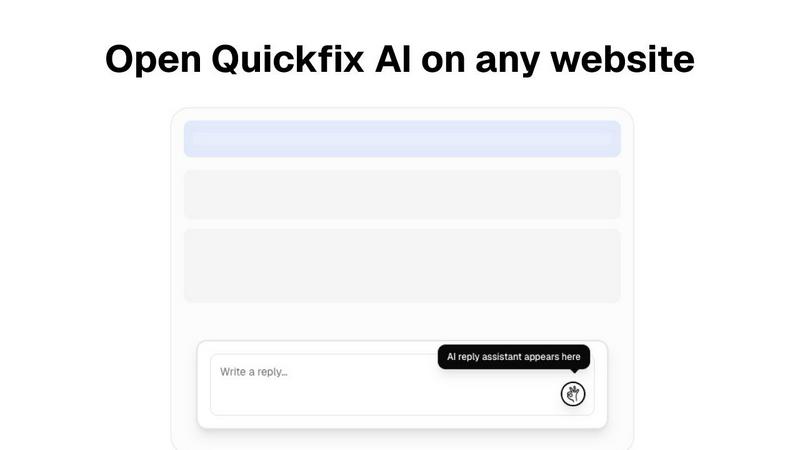
So you're vibing with the idea of Quickfix AI, that genius browser sidekick that crafts your replies with a single click. It's the ultimate wingman for your inbox and DMs, living in your browser to handle emails, social chatter, and more. It's squarely in the productivity tool arena, designed to save you from typing fatigue and awkward phrasing. But hey, maybe you're on the hunt for something else. It happens! Maybe the price point isn't your jam, or you need a feature that's a bit more niche. Some folks might be looking for a tool that's baked into a specific app they live in, or perhaps they want a different flavor of AI. Totally valid reasons to shop around. When you're scouting for other options, keep your non-negotiables in mind. Think about your budget, the specific apps you need it to work with, and what kind of control you want over the AI's tone. Do you need it to sound more professional, or more like your chaotic-best-self? Finding the right fit is all about what makes your digital life smoother.