
Quickfix AI vs Zovo
Side-by-side comparison to help you choose the right AI tool.

Quickfix AI
Your AI sidekick that instantly figures out why your computer is being weird.
Last updated: March 1, 2026

Zovo is 20+ privacy-first browser tools for devs and writers, all unlocked with one sub from a solo dev.
Last updated: February 28, 2026
Visual Comparison
Quickfix AI
Zovo

Feature Comparison
Quickfix AI
One-Click Full System Scan
Stop messing around with a dozen different tools. With Quickfix AI, you hit one button and it goes to town, scanning every critical part of your system. We're talking CPU load, memory pressure, GPU temps, disk health, battery cycles, security settings, and network speed. It compiles a comprehensive report faster than you can say "why is my fan so loud?" All the deets, in one spot, no digging required.
Plain-English AI Explanations
Got a report but have no idea what "high memory pressure" actually means for your Zoom call? No sweat. Just ask the built-in AI chatbot anything. It reads your entire diagnostic report and explains the findings like a friend would. "Your Mac is slow because Chrome is hogging 45% of your CPU, my dude." It gives you the "what," the "why," and the "so what," killing tech anxiety for good.
Remote Diagnostics with Sharing Codes
This is a game-changer for helping others or for IT teams. Need to check your mom's laptop or a colleague's workstation? Just generate a sharing code from your Quickfix AI app and send it to them. They enter the code, run the scan, and you instantly see their full diagnostic report on your end. No complicated remote software, no confusing instructions. It's support, simplified.
Performance & Health Dashboards
Quickfix AI doesn't just throw numbers at you. It presents everything on a clean, visual dashboard that actually makes sense. See your CPU, Memory, and GPU usage at a glance with easy-to-read metrics. Get the real deal on your storage space and battery health with clear status indicators (like "Excellent health"). It turns raw data into a story you can understand and act on.
Zovo
Privacy-First, Local-Only Processing
This is the non-negotiable core of Zovo. Every single extension runs 100% locally on your device. Your data—your clipboard history, your browsing sessions, your JSON files—never gets sent to a cloud server. It's the digital equivalent of a Faraday cage for your browser activity. No tracking, no telemetry, no chance of a data breach because the data never leaves home.
User-Powered Roadmap & Direct Dev Access
Forget shouting into a void of support tickets. With Zovo, you submit feature requests and the dev, Michael, actually reads them. The community votes on what gets built next, so the most-wanted features jump the queue. Got a problem? You email a human directly. No bots, no endless ticket queues. It's software development as a conversation, not a corporation.
Suite-Wide Pro Subscription
One price, one payment, unlock everything. For a single lifetime fee, you get all the Pro features across the entire growing suite—current and future. This means Focus Mode in Tab Suspender, unlimited history in Clipboard Pro, cross-device sync, and every powerful tool that ships down the line. No nickel-and-diming per extension.
Constantly Evolving Toolkit
Zovo is not a static product. New extensions ship every month, with members getting early access. The "Recently Shipped" log is constantly updating with new tools like Regex Tester Pro, Web Scraper Lite, and major upgrades like adding 80 languages to BeLikeNative. It's a living toolkit that grows with your needs.
Use Cases
Quickfix AI
The "Something's Weird" Troubleshooter
You know the vibe. Your computer is slow, hot, or just behaving oddly, but you can't pinpoint why. Instead of spiraling into a forum rabbit hole, you fire up Quickfix AI. One scan later, and the AI tells you exactly which app is the culprit, if your memory is maxed out, or if your drive is failing. Instant clarity, zero guesswork. Problem identified, crisis averted.
The Power User & Gamer Deep Dive
You're not a casual user; you push your rig. Gamers, streamers, developers, and video editors use Quickfix AI to get hardcore insights. Is your GPU thermal throttling? Is your RAM speed bottlenecking your game? The detailed performance metrics and temperatures give you the data you need to optimize settings, cool things down, and squeeze out every last drop of performance.
IT Support Teams & Helping Family
IT pros, stop driving across town for simple checks. Send a Quickfix AI sharing link, get a code, and view the user's full system report remotely. It's also perfect for being the unofficial tech support for your family. Next time your dad says his computer is "broken," have him run a scan with your code. You'll see if it's just a storage issue or something serious before you even pick up the phone.
Pre-Purchase Checkups & Security Audits
Thinking of buying a used MacBook? Ask the seller to run a Quickfix AI scan and share the report. You can check the battery cycle count, disk health, and overall system integrity before you hand over any cash. Also, use it to do a quick security audit on your own machine—verify your firewall is on, check encryption status, and make sure your digital doors are locked.
Zovo
The Multitasking Power User
You've got 50+ tabs open for research, coding, and planning. Zovo's Tab Suspender Pro frees up your RAM, Session Manager Pro auto-saves your setup, and Clipboard History Pro keeps every copied snippet handy. It turns browser chaos into a streamlined, efficient workflow without crashing your machine.
The Developer & QA Engineer
You're knee-deep in code and APIs. JSON Formatter Pro makes messy data readable in a click, Regex Tester Pro lets you build and test patterns on the fly, and API Testing Lite helps you fire off requests directly from the browser. All your dev tools are integrated right where you work.
The Non-Native English Writer
Whether you're writing emails, social posts, or reports, BeLikeNative is your secret weapon. Highlight any clunky text, hit a key, and get it rewritten to sound natural and fluent in English (or 79 other languages). It's like having a native-speaking editor perched on your browser.
The Privacy-Conscious Professional
You handle sensitive data and can't risk it being leaked or harvested. Zovo's entire suite operates locally. Form Filler Pro generates test data without sending it online, Cookie Manager gives you control, and every tool's open-source code can be audited. You get powerful features without the privacy trade-off.
Overview
About Quickfix AI
Alright, let's cut through the noise. Quickfix AI is your digital mechanic, your tech-savvy bestie who actually knows what they're talking about. Forget the confusing jargon and endless Google searches when your computer's acting up. This slick app is an AI-powered system diagnostics tool that gives you the full tea on your PC or Mac's health in under a minute. It's like having a genius IT pro in your pocket, but way cooler and it doesn't judge you for having 50 Chrome tabs open. Whether you're a gamer wondering why your frames are dropping, a remote worker whose laptop sounds like a jet engine, or just someone who gets that dreaded "something's wrong" feeling, Quickfix AI is for you. It runs a deep scan, serves up a crystal-clear report on everything from CPU drama to battery health, and its built-in AI chatbot breaks it all down in plain English. No tech degree required. It's the ultimate wingman for anyone who uses a computer and wants to stop guessing and start knowing.
About Zovo
Tired of browser extensions that are basically spyware in a trench coat? Welcome to Zovo, the ultimate power-up for your Chrome browser, built different from the ground up. This ain't some faceless corporate suite; it's 20+ killer extensions crafted by one solo dev, Michael Lip, who's banked over $400K on Upwork with a flawless record. The vibe? Your data stays on your machine, period. No creepy data harvesting, no investor pressure to monetize your every click—just pure, unadulterated utility. The flagship tool, BeLikeNative, helps over 3,300 users smash language barriers and write like a pro in 80 languages with a single keystroke. But that's just the start. You also get Tab Suspender Pro, JSON Formatter Pro, Clipboard History Pro, and a whole arsenal of tools that actually respect you. New stuff drops monthly, and the roadmap is shaped by user votes, not some boardroom. Want the tools but not ready to pay? Many are free online. Zovo is for anyone who's done with bloated, privacy-invading software and wants a curated toolkit that puts power and privacy back in their hands.
Frequently Asked Questions
Quickfix AI FAQ
Is Quickfix AI free?
Heck yes, the core diagnostics are free! You can download it, run scans, get your full system report, and chat with the AI to understand your findings without spending a dime. We believe everyone should have this basic insight. There might be some extra-powerful features for pros and teams down the line, but the main stuff to fix your tech drama is totally free.
Is my data secure?
100%. We take your privacy super seriously. The diagnostic scan runs locally on your machine. Your full system report is yours—we don't send it to our servers unless you explicitly choose to share it via a sharing code (and even then, it's encrypted). We're not in the business of selling your data. We're in the business of fixing your computer.
Do I need technical knowledge?
Nope, not at all! That's the whole point. Quickfix AI is built for everyone. The report is designed to be visual and straightforward, and the AI chatbot is there to translate any techy terms into simple English. If you can ask "why is my computer slow?", you have all the knowledge you need to use it.
What platforms are supported?
Right now, Quickfix AI has your back if you're on Windows or macOS. We've got dedicated downloads for both, so whether you're Team PC or Team Mac, you can get in on the action. Just grab the right version from our website, install it, and you're about a minute away from knowing exactly what's up with your system.
Zovo FAQ
Is Zovo really free to start?
Absolutely, zero cap. You can install any extension from the Chrome Web Store right now, no account needed. Core features like tab suspension, basic clipboard history, and JSON formatting work completely free, forever. The Pro upgrade is for unlocking the supercharged features like sync and advanced tools, but the free tier is legit and fully functional.
How does the "user-voted roadmap" actually work?
It's simple democracy. As a member (especially a Pro user), you can submit feature requests and vote on existing ones in the community. The developer, Michael, prioritizes building the features with the most votes and community buzz. Your input directly shapes what gets coded and shipped next.
What does "100% local" mean for features like cross-device sync?
Great question! Even for Pro features like cross-device sync, the principle holds. Sync is handled using your own Google Drive or Dropbox account—Zovo's servers are never in the middle holding your data. The extension encrypts and manages the data transfer between your own trusted cloud storage, keeping the chain private.
Are the extensions open source?
Yes! Transparency is key. Many of the core extensions, like Tab Suspender Pro and JSON Formatter Pro, are fully open source. You can check out the code on GitHub to verify there's no funny business. For others, a clear and detailed privacy policy is published so you know exactly what's happening before you install.
Alternatives
Quickfix AI Alternatives
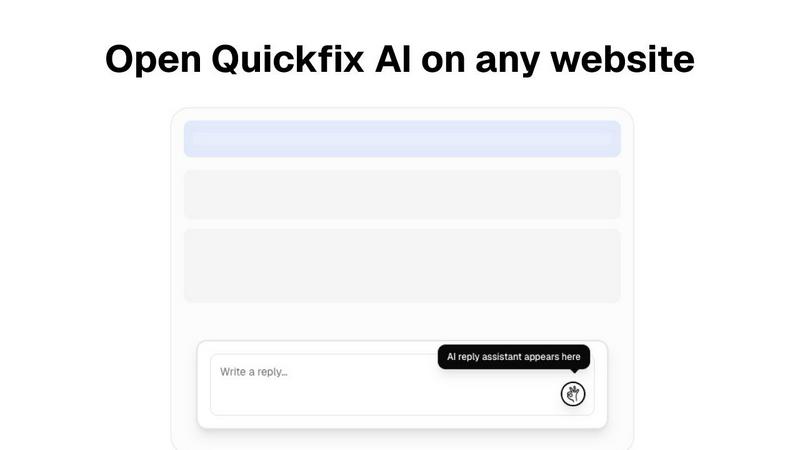
So you're vibing with the idea of Quickfix AI, that genius browser sidekick that crafts your replies with a single click. It's the ultimate wingman for your inbox and DMs, living in your browser to handle emails, social chatter, and more. It's squarely in the productivity tool arena, designed to save you from typing fatigue and awkward phrasing. But hey, maybe you're on the hunt for something else. It happens! Maybe the price point isn't your jam, or you need a feature that's a bit more niche. Some folks might be looking for a tool that's baked into a specific app they live in, or perhaps they want a different flavor of AI. Totally valid reasons to shop around. When you're scouting for other options, keep your non-negotiables in mind. Think about your budget, the specific apps you need it to work with, and what kind of control you want over the AI's tone. Do you need it to sound more professional, or more like your chaotic-best-self? Finding the right fit is all about what makes your digital life smoother.
Zovo Alternatives
So you've heard about Zovo, that mega-suite of Chrome extensions that's basically a productivity Swiss Army knife for devs and writers. It's the all-in-one privacy playground where one subscription unlocks everything from JSON formatting to tab suspending. But maybe you're not ready to commit, or you need something that runs on Firefox, or your budget is more "ramen noodles" than "subscription service." Totally get it. People hunt for alternatives for all sorts of reasons—price, needing just one specific tool, or wanting to spread their extensions across different browsers. When you're on the hunt for a Zovo substitute, you gotta know what you're really after. Are you a privacy hawk who needs everything to run offline? Or are you just looking for a single, killer tool to handle your clipboard history without the extra fluff? Maybe you need a free tier to survive, or you want a tool with a massive community behind it. Getting clear on your non-negotiables is key before you dive into the extension rabbit hole. Think about what makes Zovo tick for its fans: the solo-dev hustle, the zero-data-leak promise, and the fact that users actually vote on new features. If those vibes are important to you, you'll want to look for alternatives that share that same ethos—whether it's indie developer love, a transparent roadmap, or a staunch no-tracking policy. Don't just grab the first thing you see; make sure it actually fits your digital lifestyle.