
RedBison vs SoloTools
Side-by-side comparison to help you choose the right AI tool.

RedBison
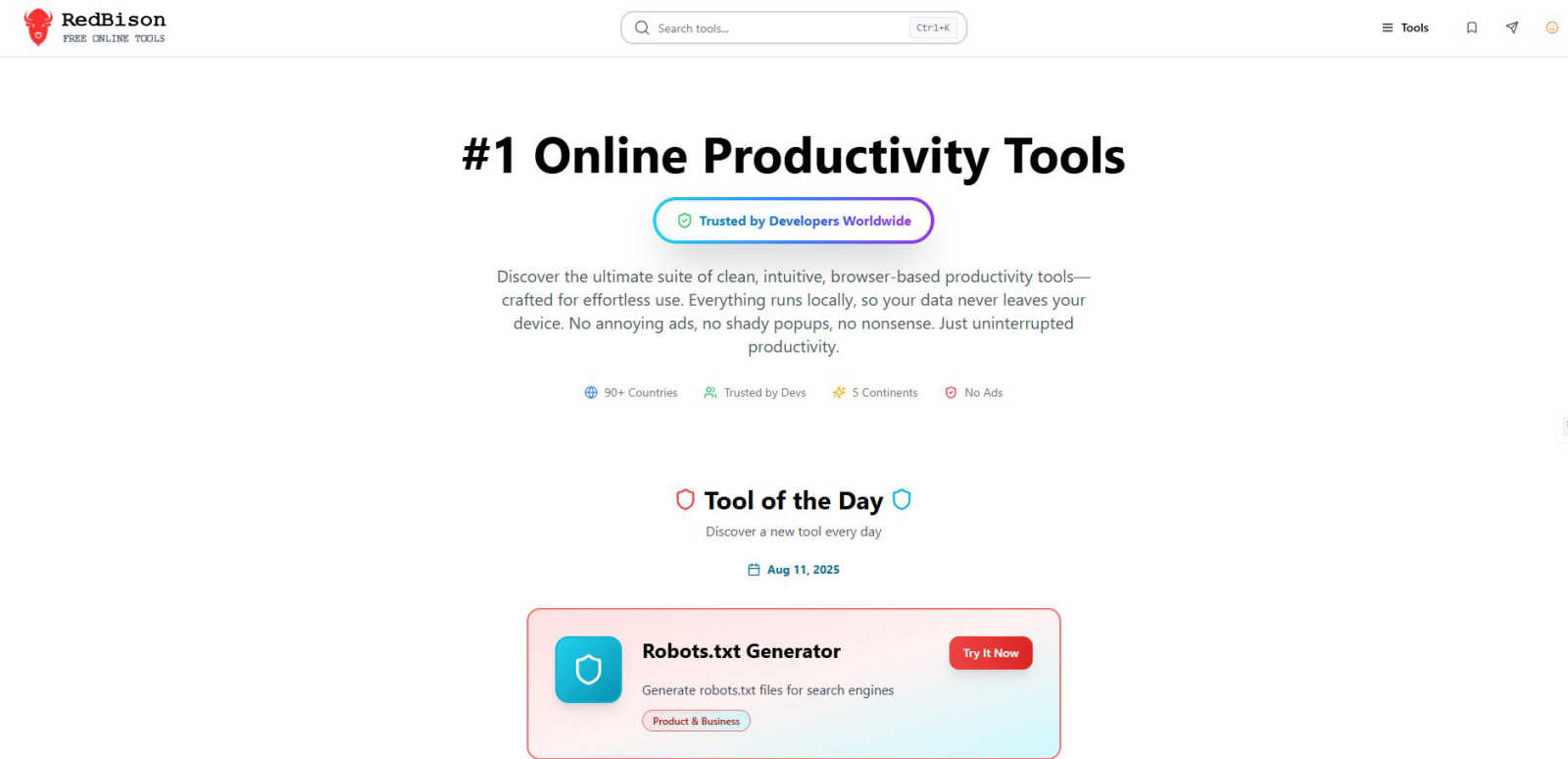
RedBison is your ad-free, local-only toolkit for getting stuff done online without the sketchy data stuff.
Last updated: March 1, 2026

SoloTools
Stop wasting hours on proposals, our AI crafts client-ready ones in seconds.
Last updated: March 4, 2026
Visual Comparison
RedBison
SoloTools

Feature Comparison
RedBison
Massive, No-BS Tool Library
We're not playing around with a handful of basic converters. RedBison packs a serious punch with over 200 meticulously crafted tools. From hardcore tech utilities like Regex testers and Hash generators to productivity power-ups like Kanban boards and SWOT analyzers, all the way to niche gems like Favicon generators and TAM calculators. It's a one-stop-shop, so you can stop Googling "free online [tool name]" and hoping for the best. The depth and breadth here are unmatched, covering Tech, Startup, Productivity, Creative, Finance, and even Wellness.
100% Local & Private Operation
This is the core magic. Unlike most online tool sites that process your data on their servers (yikes), every single RedBison tool runs directly in your browser. Your data, your SQL, your business ideas, your passwords—they all stay on your machine. No creepy tracking, no data selling, no risk of leaks. It's the ultimate peace of mind for pros handling sensitive information. You get the convenience of a web app with the security of a desktop application.
Zero Ads, Zero Distractions
Let's be real: ads and pop-ups are productivity kryptonite. They slow you down, break your focus, and just generally kill the vibe. RedBison is built on a promise of a clean, minimalist, and distraction-free experience. No banner ads, no video pop-ups, no "special offers" cluttering the interface. It's just you and the tool, working in harmony. This focus on a clean UI means you spend less time fighting the website and more time crushing your tasks.
Curated Discovery & Daily Gems
With 200+ tools, finding the perfect one can be a journey. RedBison makes it easy with smart categorization and a killer "Tool of the Day" feature. Discover a new, awesome tool every single day, like a surprise digital gift. Plus, sections like "Most Useful Tools" and "Quick Utilities" highlight the community favorites and fastest helpers, so you can instantly access what you need most without any decision fatigue. It’s like having a savvy co-worker point you to the right resource every time.
SoloTools
AI-Powered Proposal Generation
This isn't just a dumb template filler. You give it the basic project ingredients, and the AI writes the whole meal - a compelling executive summary, detailed scope breakdowns, professional pricing tables, and persuasive terms, all tailored to your specific gig. It does the heavy lifting so you don't have to sound like a robot copying from your last proposal. It generates the full, polished doc in about 12 seconds, turning your few words into client-ready gold.
Smart AI Editing & Refinement
Stuck on a section? No sweat. SoloTools lets you tweak the AI's writing on the fly with simple commands. Just tell it to "Make this more persuasive," "Make it shorter," "Add more detail," or "Rewrite in a formal tone" for any specific part of the proposal. It's like having an editor in your pocket that instantly refines your text to hit the right note, saving you from the frustration of rewording things yourself.
Built-in E-Signatures & Tracking
Go from "sent" to "signed" without the annoying chase. Send proposals directly via email from the platform and then track when the client opens it (you get a notification!). They can sign it right there with a canvas e-signature, accepting or even declining with a reason. You can also set expiry dates to create urgency and automatic follow-up reminders, so you never have to send that awkward "just checking in" email again.
Proposal Analytics & Insights
Wanna know what's working? The analytics dashboard shows you your entire conversion funnel - how many proposals you sent, were viewed, and were accepted or declined. See your win rate and average close time. It helps you spot where you're losing deals so you can tweak your approach. Plus, with real-time view notifications, you know the exact moment a client opens your doc, so you can follow up at the perfect time.
Use Cases
RedBison
The Developer's Debugging Sidekick
You're in the zone, code is flowing, and then bam—a JSON API response is a mangled mess, or your regex isn't capturing that group. Instead of breaking your flow to hunt down separate, ad-infested websites, you pop open RedBison. Instantly format and validate that JSON, test and debug your regex pattern, generate a secure hash, or compare two data lists. All your dev utilities are in one pristine, private tab, keeping you in the coding groove and solving problems in seconds.
The Startup Founder's Strategy Hub
From the first spark of an idea to pitching for funding, RedBison has your back. Use the Idea Validation Framework to pressure-test your concept, then build out your business model with the Lean Canvas Generator. Crunch the numbers with the LTV-CAC and TAM Calculators to nail your market sizing and unit economics. Need user feedback? Whip up a pro survey with the User Survey Designer. It's like having a free, on-demand startup consultancy right in your browser, helping you move from "what if" to "here's the plan."
The Product Manager's Swiss Army Knife
Juggling specs, roadmaps, and team alignment is tough. RedBison smooths it all out. Map out complex features with the powerful Diagram Tool (powered by Excalidraw). Organize your team's tasks with a drag-and-drop Kanban Board. Use The Decision Maker tool to weigh feature pros and cons objectively, and run a SWOT Analysis on a competitor. Even manage your meeting notes with the Note Taker. It consolidates a dozen different SaaS tools into one free, private dashboard for ultimate clarity and organization.
The Personal Productivity Power-Up
Beyond work, RedBison helps you optimize your life. Plan your finances with the Budget Planner and Compound Interest Calculator. Take care of your health by tracking calories, calculating BMI, or using the Mental Wellness Tool. Get creative by generating QR codes or placeholder content for a side project. Even gain perspective with the unique "Life in Weeks" visualizer. It's the ultimate toolkit for anyone looking to streamline their personal projects, health, and finances without compromising their privacy.
SoloTools
The Web Designer/Developer
Perfect for freelancers landing website redesign or development projects. Instead of manually outlining phases like Discovery, UI/UX, and Frontend Dev, you input the client and budget. SoloTools AI auto-generates a professional proposal with a detailed, itemized scope and timeline for each phase, making you look organized and justifying your investment clearly to clients like "Acme Studio."
The Marketing & SEO Consultant
Ideal for pitching content strategies, SEO audits, or social media campaigns. The AI can craft persuasive executive summaries focused on ROI, like "improving conversion rates by an estimated 40%." You can use the smart pricing suggestions if you're unsure of market rates and quickly generate a proposal that breaks down retainer costs or project-based pricing in a client-friendly way.
The Independent Business Consultant
Great for management, strategy, or operations consultants who need to propose complex projects. The tool helps structure detailed scopes of work and professional terms quickly. The AI's ability to "rewrite in a formal tone" ensures the language is perfectly suited for corporate clients, saving hours on drafting and formatting lengthy documents.
The Freelancer Chasing Multiple Deals
For any solo pro juggling several potential clients at once. The free plan lets you test the waters with 3 proposals a month. When you're busy, the Pro plan's unlimited proposals and one-click sending let you fire off high-quality pitches in minutes, not hours. The tracking lets you manage which proposals are viewed and which need a follow-up, keeping your pipeline organized.
Overview
About RedBison
Alright, let's cut through the noise. RedBison is your new digital bestie, a massive toolbox stuffed with over 200 ultra-cool, browser-based tools for anyone who lives and breathes tech. We're talking developers, product managers, startup founders, and basically anyone who's tired of their workflow being a hot mess. Imagine a clean, ad-free zone where you can just get stuff done without a million tabs, sketchy pop-ups, or your data getting farmed to some random server farm. That's the RedBison vibe. Everything runs locally in your browser, meaning your sensitive info—passwords, SQL queries, business models—never leaves your device. It's like having a Swiss Army knife for your digital life, trusted by devs in over 90 countries. Need to format some JSON at 2 AM? Generate a banger of a lean canvas? Or just figure out what to do with your life via a "Life in Weeks" visualizer? RedBison's got your back. It's all about ditching the clutter and unlocking that sweet, sweet state of flow.
About SoloTools
Stop staring at that blinking cursor on a blank doc, wondering how to even start your proposal. SoloTools is your new secret weapon for crushing the freelance hustle. It's an AI-powered proposal generator built specifically for solo pros, freelancers, and independent consultants who'd rather be doing the actual work than writing about it. The vibe? Ditch the hours of copy-pasting from old templates. Instead, you just feed the AI some basic deets about your project - client name, what you're doing, budget, a few scope notes - in like, 30 seconds flat. Then, boom. The AI cooks up a fully-fledged, polished, client-ready proposal that looks like you spent all day on it. We're talking a killer executive summary, a detailed scope of work, clean itemized pricing, a clear timeline, and all the standard terms. It's perfect for busy legends who want to save a ton of time, look super pro, and actually get paid faster. You can edit everything, download it as a slick PDF, or just send a shareable link. Start for free with 3 proposals a month, or go Pro to unlock unlimited proposals, slap your own branding on there, and even see analytics on when clients are peeping your work. It's proposal magic, minus the headache.
Frequently Asked Questions
RedBison FAQ
Is RedBison really free? What's the catch?
Yes, it's 100% free, and honestly, the "catch" is that we hate ads and data farming as much as you do. RedBison is built as a passion project for the tech community. There are no hidden fees, no premium tiers, and no plans to start charging for the core tools. We believe powerful, private productivity tools should be accessible to everyone. You get the entire suite, no strings attached.
How does the "local processing" work? Do I need to install anything?
Nope, no installation needed! "Local processing" means that when you use a tool—like generating a password or formatting JSON—all the calculations and processing happen directly within your web browser (like Chrome, Firefox, or Safari) on your computer or phone. Your data is never sent over the internet to our servers. It's the same technology that lets you play some games offline in your browser. Just visit the site and start using tools; your browser does all the heavy lifting securely on-device.
Can I use RedBison offline?
This is a bit of a "sort of" situation. Because the website itself needs to load initially, you need an internet connection to visit redbison.com for the first time in a session. However, once the site is loaded in your browser tab, many of the individual tools (especially calculators, generators, and text-based utilities) will continue to function perfectly if you lose your connection, as they're already running locally. For full, reliable access, we recommend an online connection.
Do you add new tools? Can I request one?
Absolutely, we're constantly adding new tools based on what the community finds useful! The library is always growing. While we don't have a formal public request board yet, seeing which tools are popular helps guide our development. The best way to signal what you'd like is to use the tools you love and share RedBison with other builders. We're always scouting for the next essential tool to add to the pack.
SoloTools FAQ
Is there really a free plan?
Absolutely, and it's legit. The free plan lets you create and send 3 full proposals every single month, no credit card required to start. You get access to the core AI generator, editable proposals, and shareable links. It's the perfect way to test if SoloTools vibes with your workflow before deciding to upgrade for more power.
How does the AI know what to write?
The AI is trained on tons of successful business proposals. You give it the key details: client name, project type, budget, and your notes. It uses that context to structure a professional proposal tailored to your industry (it has starter templates for web design, SEO, marketing, etc.) and writes compelling, relevant content for each section, pulling from proven formats.
Can I edit the proposals the AI creates?
100% yes! You have full control. Think of the AI as your first draft superstar. Every section is fully editable. You can type directly, or use the AI editing commands to refine text on the spot ("make more persuasive," etc.). You can also customize pricing, timelines, and terms before sending or downloading the final version as a PDF or Word doc.
Are the e-signatures legally binding?
Yes, the e-signatures collected through SoloTools are legally binding. The platform provides a clear audit trail showing the client's drawn signature, the date, time, and IP address associated with the acceptance. This is standard for modern digital signature processes and holds up in business agreements, just like other dedicated e-signature tools.
Alternatives
RedBison Alternatives
So you've heard about RedBison, the all-in-one digital toolbox for techies that's basically a productivity power-up. It's a business and finance toolkit that packs over 200 dev and workflow tools into one slick, ad-free browser experience. It's all about keeping your data on lockdown while you get stuff done. People hunt for alternatives for all sorts of reasons. Maybe the vibe isn't quite right, the feature wishlist is missing that one specific thing, or the platform just needs to fit into a different workflow or budget. It's totally normal to shop around. When you're scouting for other options, keep your non-negotiables in mind. Think about data security—where's your info actually living? Check the tool range and quality to see if they match your daily grind. And of course, the overall user experience; you want something that feels smooth, not like a chore.
SoloTools Alternatives
SoloTools is your AI-powered hype man for closing deals, sitting in the business and finance category as a proposal generator. It’s the digital wingman that turns your rough project notes into a slick, client-ready proposal in seconds, so you can stop sweating over docs and start getting paid. People hunt for alternatives for all the usual suspects. Maybe the pricing feels steep, or they need features that live on a different platform entirely. Some folks just vibe better with a different interface or need their tool to play nice with other apps in their workflow stack. When you're scouting for a different option, think about what really grinds your gears. Is it all about the cost? Do you need next-level customization or specific integrations? Maybe you just want a free plan that doesn't feel like a demo. Pin down your non-negotiables first, then go hunting.