
Seedance 2.0 vs Seedance 2.0
Side-by-side comparison to help you choose the right AI tool.

Seedance 2.0
Create epic AI videos in seconds from text or images with Seedance 2.0, your go-to video generation tool.
Last updated: February 27, 2026

Seedance 2.0 is your AI homie for making cinematic 2K videos from just text or a pic.
Last updated: February 28, 2026
Visual Comparison
Seedance 2.0
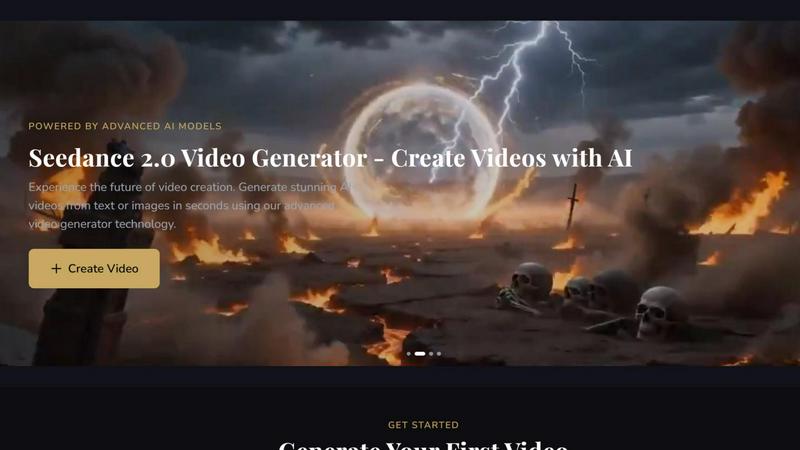
Seedance 2.0

Feature Comparison
Seedance 2.0
Text to Video
Transform your wildest descriptions into stunning videos with our top-tier AI technology. Just type it out and watch your ideas come to life in a visually engaging format, making content creation easier than ever.
Image to Video
Bring your static images to life with our powerful animation capabilities. Whether it's product photos or artistic illustrations, Seedance 2.0 can animate them into dynamic videos that captivate your audience and elevate your storytelling.
Multiple AI Model Integration
Access a variety of cutting-edge AI models like Sora, Veo3, and Kling all in one place. This diverse toolbox empowers you to choose the right model for your specific video needs, ensuring every creation is on point.
User-Friendly Interface
Seedance 2.0 features an intuitive and straightforward UI that makes video creation accessible for everyone, regardless of tech skills. With just a few clicks, you can generate professional-quality videos without the steep learning curve.
Seedance 2.0
Cinematic Text-to-Video Engine
Just type your vision into existence. Describe a "cyberpunk detective chasing a drone through neon-lit rain" or a "calm panda practicing tai chi at sunrise," and Seedance 2.0's V2 motion synthesis cooks it up. We're talking up to 12 seconds of buttery-smooth, 2K resolution footage with realistic physics, lighting, and camera moves. You can even direct the shot with prompts for zooms, pans, and tilts. It's like being a director without the annoying crew.
Multi-Shot Storytelling & Character Lock
This is the killer feature that sets Seedance 2.0 apart. Ever tried making a sequence where the main character looks the same in every shot? It's been a nightmare... until now. The multi-shot engine locks in facial features, hairstyles, outfits, and even body proportions across different angles and scenes. You can build episodic content, product demos, or brand stories where your characters are visually consistent. No more uncanny valley doppelgangers.
Native Audio Generation & Lip-Sync
Forget slapping a generic stock track on your silent video. Seedance 2.0 generates the audio with the video in a single pass. It creates Foley sound effects, ambient background noise, and—get this—phoneme-level lip-sync for dialogue in over 8 languages. The accuracy is near motion-capture level. You can also upload your own voiceover, and it'll sync the mouth movements. It's a complete audio-visual package, saving you hours in a separate editing app.
Image & Audio-to-Video Magic
Got a killer product photo, a piece of concept art, or a storyboard? Upload it, and Seedance 2.0 will animate it with natural motion while keeping all the original details crisp. Even wilder, you can feed it an audio file—a podcast clip, a song, a voiceover—and it'll generate a video that visually interprets and syncs to that sound. It’s the ultimate tool for bringing static assets or pure sound ideas to life.
Use Cases
Seedance 2.0
Content Creation
Ideal for creators and marketers looking to produce engaging content. Seedance 2.0 helps you whip up eye-catching videos for social media that grab attention and drive engagement, turning viewers into followers.
Marketing
Elevate your marketing game with professional product videos. Use Seedance 2.0 to transform your product images into compelling promotional videos that showcase your offerings in a dynamic and appealing way, boosting your sales potential.
Creative Projects
Unleash your inner artist by creating animated art. Whether you're an illustrator or a digital artist, you can use Seedance 2.0 to bring your artwork to life, adding a new layer of intrigue to your creative portfolio.
Storytelling
Turn your written tales into visual masterpieces. With Seedance 2.0, you can create visual narratives that enhance your storytelling, making your stories not just read but felt through captivating video content.
Seedance 2.0
Social Media & Short-Form Content Creation
TikTok, Reels, YouTube Shorts—the hunger for fresh, eye-catching video is endless. Seedance 2.0 lets you pump out high-quality, trending clips in minutes. Imagine creating a seamless, consistent character for a viral skit series or animating a catchy quote graphic. It turns content planning from a chore into a superpower, helping you stand out in a sea of low-effort posts.
Indie Filmmaking & Storyboarding
For indie filmmakers and animators on a budget, this tool is a godsend. You can rapidly prototype scenes, visualize complex shots, and create compelling animatics or even full short films with consistent characters. It allows you to pitch visual ideas convincingly and experiment with cinematic styles without renting equipment or building 3D models from scratch.
Marketing & Advertising Campaigns
Marketing teams can use Seedance 2.0 to create professional ad variants, product demo videos, and branded story content at scale. Need to show your sneaker in action from five different angles with the same model? Done. Want to create a series of explainer videos with a consistent brand spokesperson? Easy. It slashes production time and cost while delivering broadcast-ready 2K quality.
Concept Visualization for Artists & Designers
Artists, game designers, and concept artists can breathe life into their static illustrations. Turn a character design sheet into a walking, talking preview. Animate a landscape painting to show how light filters through trees. It’s an incredible tool for pitching ideas, creating dynamic portfolios, and exploring the "what if" of your creations before committing to full production.
Overview
About Seedance 2.0
Seedance 2.0 is your go-to AI video generation platform that’s all about making video creation a breeze for creators and teams! Whether you’re a solo content creator, a marketing whiz, or part of a collaborative team, this platform is engineered to deliver consistent and high-quality video outputs without the usual hassle. Powered by ByteDance’s advanced Seedance 2 model, it allows you to effortlessly whip up videos from text or images, boasting impressive subject consistency and smooth, natural motion. Imagine bypassing traditional filming and editing chaos and diving straight into generating reusable video assets. Perfect for short-form content, marketing materials, product demos, and wild creative experiments, Seedance 2.0 puts the power of professional video creation right at your fingertips!
About Seedance 2.0
Alright, content creators, filmmakers, and marketing wizards, gather 'round. Let's talk about the absolute game-changer that is Seedance 2.0. This ain't your grandma's basic video generator. Seedance 2.0 is the next-gen AI video model that's basically like having a Hollywood VFX studio in your browser. It's built for anyone who's tired of the same old, janky AI clips and wants to create legit, cinematic-grade content without needing a million-dollar budget or a PhD in editing. The core vibe? Turning your wildest ideas—whether they're typed out, drawn up, or even just a cool audio track—into stunning 2K videos. Its main flex is multi-shot character consistency, meaning you can create a whole scene or even a short film where your characters don't randomly morph into different people between shots. It also bakes in native audio and lip-sync, so you get a complete, polished video package in one go. If you're creating content for socials, YouTube, ads, or even indie film projects, and you want quality that actually looks pro, this is your new secret weapon.
Frequently Asked Questions
Seedance 2.0 FAQ
What types of videos can I create with Seedance 2.0?
You can create a wide range of videos, including marketing materials, short-form social media content, product demos, and even artistic animations. The possibilities are endless!
Do I need extensive video editing skills to use Seedance 2.0?
Not at all! Seedance 2.0 is designed with user-friendliness in mind, meaning you can create professional-quality videos without any prior video editing experience. Just describe what you want, and let the AI do the rest!
Is there a limit on the video length I can create?
Yes, there are specific limits based on the type of video. For text-to-video, the length ranges from 3 to 30 seconds, while image-to-video creations can be up to 10 seconds long.
Can I upgrade my account for more features?
Absolutely! Upgrading your account unlocks all features, provides more credits, and gives you access to better models, allowing for even more creative possibilities with your video projects.
Seedance 2.0 FAQ
What makes Seedance 2.0 better than other AI video generators?
Two words: consistency and audio. While others struggle with keeping characters looking the same, Seedance 2.0's multi-shot engine nails it. Plus, its native audio generation with accurate lip-sync is a huge time-saver. You're not just getting a moving picture; you're getting a polished, final-cut-ready scene with sound that actually matches, all at a slick 2K resolution.
How long of a video can I create?
Right now, you can generate single clips up to 12 seconds long in one go. But here's the pro-tip: because of the killer character consistency feature, you can generate multiple 12-second shots and edit them together seamlessly to create longer narratives, like scenes for a short film or a longer ad spot.
Do I need to be a video editing pro to use this?
Not at all! The whole point is to make pro-level video creation accessible. You describe what you want in plain language (or upload an image/audio file), tweak some simple settings like aspect ratio, and let the AI do the heavy lifting. The interface is built to be intuitive, so you can focus on your creative idea, not on learning complex software.
Can I use the videos commercially?
Yes! The videos you generate with Seedance 2.0 are yours to use. They're perfect for commercial projects like social media ads, website content, marketing materials, and even broadcast, given the professional 2K output quality. Always double-check the specific terms of service, but you're generally clear to monetize your creations.
Alternatives
Seedance 2.0 Alternatives
Seedance 2.0 is all about leveling up your video creation game with its AI-powered capabilities. This platform falls under the video generation category, making it super handy for creators who want to whip up some slick content without the hassle of traditional filming and editing. Users often find themselves seeking alternatives due to various reasons like pricing, specific feature sets, or simply needing a platform that aligns better with their unique production needs. When hunting for an alternative, you’ll want to keep an eye out for usability, the type of content you can create, and how well it integrates with your existing workflows. Look for tools that offer robust features like text-to-video or image-to-video generation, plus a user-friendly interface, so you can focus on being creative rather than getting bogged down in techy stuff.
Seedance 2.0 Alternatives
Alright, so you've heard the buzz about Seedance 2.0, the AI video gen tool that's got everyone talking. It's basically the new kid on the block trying to flex with some serious multi-modal muscle, handling chat, images, and video all in one place. People are checking it out for that all-in-one creative suite vibe. But let's be real, the hunt for alternatives is basically a national sport. Maybe the price tag has you doing a double-take, or you're locked into a specific platform like Discord. You might just need something simpler that does one thing really well, or you're hunting for a specific feature, like a certain animation style, that it doesn't quite nail. It's all about finding the right tool for your specific vibe. When you're scrolling through the options, don't just look at the flashy demos. Peep the fine print on pricing—is it a subscription, pay-per-use, or freemium? Check what formats it spits out and if it plays nice with your other apps. Most importantly, test the output quality for yourself; what looks fire in a promo might not hit the same for your project.