
AdaptlyPost vs Seedance 2.0 AI
Side-by-side comparison to help you choose the right AI tool.

AdaptlyPost
Stop juggling apps and create once to post everywhere, saving you hours of social media grind.
Last updated: March 11, 2026

Seedance 2.0 AI
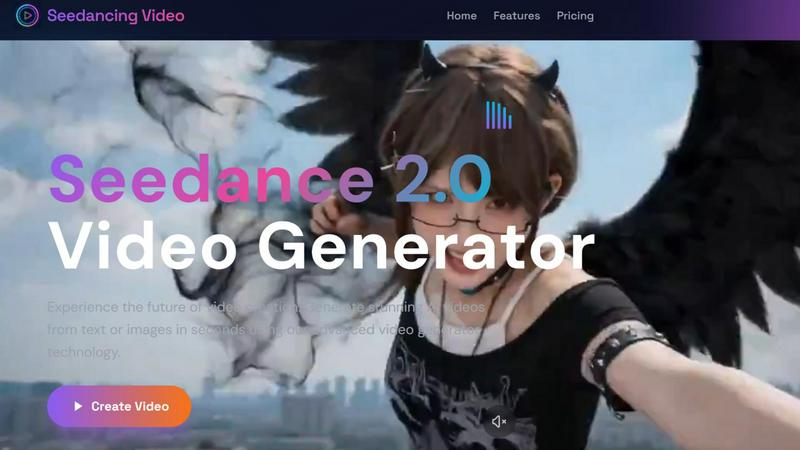
Turn your text or pics into fire AI videos instantly, no cap.
Last updated: February 27, 2026
Visual Comparison
AdaptlyPost

Seedance 2.0 AI
Feature Comparison
AdaptlyPost
AI Copy Co-pilot
Stop staring at a blank text box. This is your ghostwriter for the digital age. Just give it a prompt like "write a hype caption for our new product launch" and watch it spit out multiple options. But here's the kicker: it doesn't just write one caption. It auto-adapts that caption for each platform's unique tone. Think punchy and witty for X, engaging and story-driven for Instagram, and trend-ready for TikTok. It can even sprinkle in trending hashtags for you. It's like having a platform-native expert in your pocket, ready to generate or rewrite on command.
AI Image Studio
Forget spending hours on Canva or searching for stock photos. The AI Image Studio is your instant visual generator. Got a wild idea for a post? Just describe it. Type in "a futuristic robot drinking coffee in a neon-lit cafe" and boom, the AI will generate a unique, eye-catching image in seconds. This tool is built for creating the kind of original, scroll-stopping visuals that actually make people pause their doom-scrolling. Perfect for when you need fresh content fast and don't have a graphic designer on speed dial.
Unified Content Pipeline & Calendar
No more messy spreadsheets or trying to remember what you scheduled where. AdaptlyPost puts your entire content strategy on visual lock. See every single post—drafts, scheduled, and already published—in one clean, drag-and-drop queue. Plus, the visual calendar gives you a bird's-eye view of your week or month. You can spot gaps, move things around easily, and make sure you're hitting your best posting times without breaking a sweat. It's total clarity and control over your content flow.
OpenClaw AI Agent Integration
This is next-level automation. OpenClaw is an AI agent that can literally manage your socials for you through natural language commands. Connect it via API, and you can tell it things like "Schedule a post about our blog article for next Tuesday" or "Draft a thread about this week's industry news." It interacts with AdaptlyPost to execute your commands, turning complex social media management into a simple conversation. It's perfect for automating your workflow and taking tasks off your plate.
Seedance 2.0 AI
Text-to-Video Magic
Just type what you see in your head and watch it come to life. This isn't some basic clip art generator; it's powered by advanced AI that actually understands your vibes. Describe a "cyberpunk cat drinking coffee in a rainy neon city" or "a serene timelapse of a mountain landscape," hit generate, and boom – you've got a stunning 3-30 second video. It handles natural language like a champ, so you don't need to speak robot.
Image-to-Video Animation
Got a fire photo, a product shot, or a digital artwork just sitting there? Don't let it be basic. Upload it to Seedance 2.0 and let the AI add motion. It brings your static images to life with smooth animation, all while preserving the original quality. It's like giving your pictures a soul. Perfect for turning a logo into an intro, making a product photo pop, or animating your latest art piece for Instagram.
All-in-One AI Model Hub
This is the mega-feature. Instead of jumping between a dozen different AI video apps, Seedance 2.0 is your one-stop shop. It gives you access to powerhouse models like OpenAI's Sora for that cinematic feel, Google's Veo3 for insane quality, and Kling, all through a single, clean interface. You get to pick the best tool for the job without the subscription chaos.
Creator-First Interface
They kept it stupid simple. The interface is so intuitive, you'll be making videos before you finish your coffee. It's literally: 1) Type your prompt or drop your image, 2) Choose your AI model (or let the platform suggest the best one), 3) Click "Generate Video." No confusing menus, no timeline to wrestle with. It's designed for speed so you can focus on your ideas, not the software.
Use Cases
AdaptlyPost
The Solo Creator Hustle
You're a one-person show building a personal brand. You're creating content, engaging with followers, and trying to actually run your business. AdaptlyPost is your force multiplier. Use the AI to bang out a week's worth of platform-perfected captions in an hour, generate unique thumbnails for your YouTube videos with the Image Studio, and schedule it all across your channels from one dashboard. It gives you back the time to focus on creating your best work instead of getting bogged down in the posting grind.
Small Business Social Media Management
Running the socials for your local shop or startup? You need to look pro without a pro budget. AdaptlyPost lets your small team look like a social media agency. Plan your campaign launches on the visual calendar, ensure consistent branding across all platforms with the AI's tone adaptation, and use the unified queue to make sure promotions, testimonials, and educational content are all going out on time. It brings order and strategy to your social presence.
Content Repurposing Powerhouse
You poured your soul into a killer YouTube video or a long-form blog post. Don't let it die there! AdaptlyPost is built for the "create once, post everywhere" life. Take that core piece of content, use the AI Co-pilot to chop it up into a Twitter thread, an Instagram carousel, and a series of TikTok teasers, all with the right tone. Schedule them out over time to maximize reach. It stretches your best work further, getting way more mileage from every idea.
Agency Client Management
Managing multiple client accounts? The chaos is real. AdaptlyPost’s workspace and team features let you keep everything separate and organized. You can have different workspaces for each client, use the AI tools to quickly generate client-specific content, and collaborate with your team members within the platform. The clear pipeline and calendar make it easy to report to clients on what's been done and what's coming next, all from a single, professional dashboard.
Seedance 2.0 AI
Social Media Content Grind
TikTok, Reels, YouTube Shorts – the hunger for video is real. Seedance 2.0 is built for this. Need a week's worth of engaging, viral-worthy short clips fast? Describe your concepts, animate your pics, and generate a batch of attention-grabbing videos in minutes. Keep your feed fresh and your audience hooked without burning out.
Marketing & Ad Video Production
Small business or big brand, professional marketing videos can cost a fortune. Not anymore. Transform your product images into slick promotional videos, create eye-catching ads from a simple text brief, or animate your explainer graphics. It's like having a video production team in your pocket, ready 24/7.
Animated Art & Visual Storytelling
For digital artists and storytellers, this tool is a game-changer. Breathe life into your illustrations and paintings. Turn a written scene from your story into a visual mood board or a short animated sequence. It unlocks a whole new dimension for creative projects, letting you explore motion and narrative in ways that were previously super technical.
Educational & Explainer Content
Teachers, coaches, and course creators, listen up. Explaining a complex topic? Generate a quick, engaging video to illustrate the point. Need to spice up a training module? Create custom animated clips in seconds. It makes producing high-quality educational content faster and more accessible than ever before.
Overview
About AdaptlyPost
Alright, let's cut the chaos. If you're a creator, solopreneur, or a small biz trying to slay the social media game, you know the struggle is real. You've got one hand crafting a fire caption for Instagram, the other trying to remember the perfect hashtag for X, and you're somehow supposed to also make a TikTok trend? It's a full-time job just managing the apps. Enter AdaptlyPost, your new social media command center. This ain't just another scheduler. It's the all-in-one dashboard that lets you create, schedule, and publish banger content across X, Instagram, TikTok, YouTube, and more without losing your mind. The secret sauce? Its AI Co-pilot that auto-magically tweaks your captions to fit each platform's vibe and an AI Image Studio that cooks up scroll-stopping visuals from a simple text prompt. You get to see all your drafts and scheduled posts in one slick, unified pipeline. The whole vibe is "create once, post everywhere," and it legit saves you hours every single week. Stop the app-juggling circus and start actually growing your audience.
About Seedance 2.0 AI
Alright, let's break it down. Seedance 2.0 AI is your new secret weapon for making videos without any of the usual headache. Think of it as the ultimate cheat code for video creation. You know that feeling when you have a killer idea for a TikTok, a product promo, or a piece of animated art, but the thought of opening a complicated editing suite makes you want to close your laptop? Yeah, Seedance 2.0 is here to delete that feeling. It's a dedicated AI video creation platform that's all about speed and simplicity. You can go from a text description or a single image to a full-blown, high-res (we're talking at least 720px) video in literal seconds. The magic is in its advanced engine that keeps your image quality crispy while adding smooth, natural motion. It's built for the modern creator, marketer, or anyone who needs to pump out professional-looking content fast. No fancy skills required. Over 5,000 creators are already using it to absolutely slay their content game, skipping the complex editing and getting straight to the good stuff: awesome videos that get views.
Frequently Asked Questions
AdaptlyPost FAQ
Which social media platforms do you support?
We've got you covered on all the major players! You can connect and post directly to X (formerly Twitter), Instagram (Feed, Stories, Reels), TikTok, YouTube (Shorts and community posts), Facebook, LinkedIn, and Pinterest. Basically, if your audience is there, we can help you post there without jumping between a zillion different apps.
Will my posts get less reach than posting manually?
Nope, not at all! We post directly to the platforms using their official APIs, just like you would if you were hitting "post" yourself. It's the same signal to the algorithm. In fact, by helping you post more consistently and at optimal times, AdaptlyPost can actually help improve your overall reach and engagement because you're not forgetting to post or burning out.
How does the AI caption writer work?
It's stupid simple. You give it a prompt—like "funny caption for a coffee shop Monday meme"—and our AI brain goes to work. It generates a selection of caption options for you. But the magic is in the "Adapt" part. When you connect multiple platforms, it automatically tweaks that base caption to match the style of each one. So your Instagram caption might be more descriptive, while your X version is shorter and punchier. You can always edit, regenerate, or tell it to add hashtags.
Can I cancel my subscription anytime?
Absolutely, 100%. No shady stuff here. You can cancel your monthly or yearly plan anytime directly from your account settings. If you cancel, you'll keep access to all the premium features until the end of your current billing period, and then your account will move to a free, limited plan. No locked-in contracts, no hassle.
Seedance 2.0 AI FAQ
How long does it take to generate a video?
It's crazy fast. We're talking seconds, not minutes or hours. You type your prompt or upload your image, hit the button, and the AI gets to work. In a blink, your high-resolution video is ready to download. Perfect for when you're in a content crunch or just have a sudden burst of inspiration.
What video quality can I expect?
You're getting solid HD quality here. All videos are generated at a minimum of 720px resolution, and the tech is built to preserve details, especially when you're animating from an image. It's quality that's totally good enough for social platforms, marketing, and web use. No blurry, pixelated nonsense.
Do I need video editing skills to use this?
Nope, zero, zilch, nada. That's the whole point! Seedance 2.0 is designed so anyone can create. There's no complex timeline, no need to cut clips or adjust keyframes. If you can describe something or upload a picture, you can make a video. It's all the power without the steep learning curve.
Which AI models can I use with Seedance 2.0?
You get access to the big leagues through one dashboard. The platform integrates top models like OpenAI's Sora (for that epic, cinematic style), Google's Veo3 (known for its high-quality and realistic generations), and Kling. You can choose the model that best fits the vibe you're going for in your video.
Alternatives
AdaptlyPost Alternatives
Alright, let's break it down. AdaptlyPost is that slick all-in-one content creation and scheduling tool that lives in the "create once, post everywhere" universe. It’s your digital BFF for whipping up posts, making them platform-perfect with AI, and blasting them out to all your socials without the app-hopping chaos. So why are people even looking for other options? Honestly, it’s the usual suspects. Maybe the price tag doesn’t vibe with their wallet, or they need to post to that one niche app AdaptlyPost hasn’t added yet. Sometimes you just want a different feature mix, a simpler dashboard, or a free plan that doesn’t feel like a trial version. When you’re on the hunt for something else, keep your eyes peeled for a few key things. Nail down which platforms you absolutely need to be on. Check if the AI tools are actually helpful or just hype. Peek at the calendar view—can you actually see your whole content pipeline? And of course, scope out the pricing to make sure you’re getting real value, not just flashy promises.
Seedance 2.0 AI Alternatives
Alright, so you've heard about Seedance 2.0 AI, the go-to tool that magically turns your text or a still pic into a slick, moving video in seconds. It's basically your shortcut to creating fire content for socials, ads, or just flexing your visual storytelling skills without needing to be a video editing pro. It sits in that sweet spot of AI video generators and creative assistants, making high-res clips a total breeze. But let's keep it a buck, no single app is the perfect fit for everyone. Maybe the price point isn't hitting right for your budget, or you need videos longer than 30 seconds. Perhaps you're looking for some super niche feature, or you just vibe better with a different platform's interface. It's all good, the hunt for the right tool is part of the creator's journey. When you're scoping out other options, you gotta know what's important to you. Think about your wallet first—what's the subscription damage? Then, peep the feature list: video length limits, output quality, and what kind of magic it can actually do (like, can it animate your grandma's cat photo?). Don't sleep on the user experience either; you want something that feels intuitive, not like you're solving a puzzle. Get clear on your non-negotiables before you dive in.