
AutomagicWP vs Supawazap
Side-by-side comparison to help you choose the right AI tool.

Stop manually updating every WordPress site and let AutomagicWP push your plugin updates for you.
Last updated: March 4, 2026

Supawazap
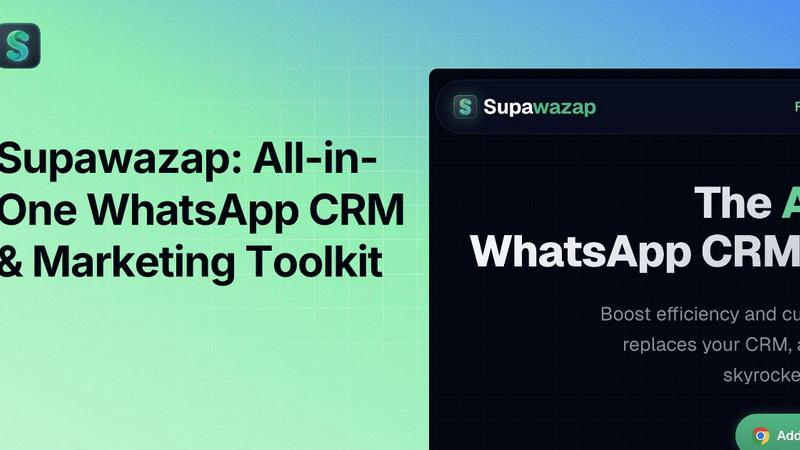
Supawazap is your ultimate WhatsApp CRM that automates tasks and supercharges your sales with ease.
Last updated: February 28, 2026
Visual Comparison
AutomagicWP

Supawazap
Feature Comparison
AutomagicWP
One-Click, Universal Updates
This is the main event. You drag-and-drop your plugin's ZIP file into AutomagicWP one single time. That's it. The platform takes over, pushing that update to every WordPress site you've connected via a simple API key. Those sites then auto-update using WordPress's native mechanism, just like they do with plugins from the official repo. You never have to log into a client dashboard to upload a ZIP file ever again. It turns a multi-hour chore into a literal 30-second task.
Private Plugin Repository with Pro Polish
Your plugins get a legit, professional home. AutomagicWP gives you a dashboard to manage all your plugins, complete with support for icons, banners, screenshots, detailed descriptions, and structured changelogs. This info displays right inside your clients' wp-admin when they view the plugin details, making your work look polished and trustworthy. It's like having your own mini WordPress.org, but private and fully under your control.
CI/CD & GitHub Action Integration
For the devs living in their terminal, this is a game-changer. Connect your GitHub repo, set up the provided GitHub Action, and your release process becomes fully automated. Push a tag to your main branch, and AutomagicWP automatically builds and deploys that version as a new release. It's a seamless pipeline from "code merged" to "update live on all sites," with zero manual steps in between. Pure developer bliss.
Comprehensive Release Management & Rollback
Every upload becomes a proper, versioned release with a clear history. The dashboard shows every version you've ever shipped, when it went out, and the PHP requirements. Made a whoopsie? Need to revert? No sweat. You can pull down any previous version directly from the dashboard. It brings order and control to what's usually a chaotic mess of ZIP files scattered across your desktop.
Supawazap
Contact Management
Manage your leads like a pro with Supawazap’s Contact Management feature. You can view detailed profiles, assign tags, and organize your contact list directly within WhatsApp. Forget about juggling multiple apps; everything is right where you need it!
Workflow Automation
Say goodbye to repetitive tasks with the Workflow Automation feature. Build no-code chatbots that create engaging flows with triggers, keyword auto-replies, and actions to keep your conversations running smoothly 24/7. Automate your interactions without any coding knowledge!
Smart Broadcast
Reach your audience instantly with Smart Broadcast. This feature allows you to send personalized campaigns while using smart batching and spintax to avoid spam detection. Your messages will look like they came from a friend, not a marketing robot, keeping your account safe!
Live Delivery Reports
Keep track of your messages with Live Delivery Reports. Monitor delivery statuses in real-time so you know who received, failed, or is pending. If a message fails, you can retry it or export detailed reports to CSV/Excel for further analysis!
Use Cases
AutomagicWP
The Overwhelmed WordPress Agency
You're managing websites for 30 different clients, each with your custom plugin stack. A critical security fix drops. The old way meant 30 separate logins, 30 uploads, and 30 support tickets. With AutomagicWP, you deploy the fix once. All 30 sites update themselves overnight. Your clients are secure, and you avoided a panic-fueled, all-nighter support session. Your sanity says thank you.
The Solo Developer or Freelancer
You're a one-person shop building custom plugins for a handful of clients. You don't have time for repetitive admin tasks. AutomagicWP lets you look like a pro with a polished update system, while literally saving you hours per week. You can focus on writing great code and growing your business, not on being a file delivery service.
The Premium Plugin/Themes Shop
You sell a premium WooCommerce extension or a fancy theme. You need a reliable, private way to deliver updates to paying customers without the complexity of Easy Digital Downloads or a full-blown membership site. AutomagicWP is that perfect middle ground—a sleek, automated distribution channel that handles updates seamlessly, making your product feel premium and well-supported.
The Modern Dev Team with a Workflow
Your team uses GitHub, does code reviews, and has a CI/CD mindset. Manually handling WordPress updates feels like a step back into the dark ages. By integrating AutomagicWP into your GitHub Actions workflow, you create a professional, automated deployment pipeline. Merge to main, tag a release, and it's instantly propagated to all live sites. It's DevOps for WordPress.
Supawazap
Automating Client Follow-ups
Imagine this: you’ve got a list of potential clients, but following up feels like a mountain to climb. With Supawazap, you can automate those follow-ups effortlessly. Set up smart broadcasts to reach out at just the right time, and watch your conversion rates soar!
Managing Sales Leads
If you're in sales, you know the struggle of keeping track of leads. Supawazap lets you tag and organize your leads, making it easy to see who’s interested and who’s not. You can even add notes to profiles so you never miss a beat when conversing with prospects.
Running Marketing Campaigns
Ready to take your marketing game to new heights? Use Supawazap for running personalized campaigns that engage your audience. Leverage the Smart Broadcast feature to reach thousands in a flash, ensuring your message gets the attention it deserves!
Scheduling Messages for Promotions
Got an upcoming sale or event? Supawazap allows you to schedule messages to be sent out at specific times. Draft your promotional messages in advance and sit back while they get sent out automatically, making sure you never miss a moment to connect with your audience!
Overview
About AutomagicWP
Alright, let's cut the fluff. If you've ever managed more than one WordPress site, you know the drill. The "ZIP loop" is a soul-crushing, time-sucking vortex. You finish coding a sick new feature for your plugin, you zip it up, and then... you have to manually log into every single client's wp-admin to upload that stupid file. Over and over. It's the worst kind of busywork. AutomagicWP is your escape hatch from that nonsense. Think of it as your own private, automated command center for shipping WordPress plugins and themes. You upload a new release ONCE to AutomagicWP, and every single WordPress site you've connected just... updates itself. Automatically. Like magic, but without the smoke and mirrors. It uses WordPress's own built-in update system, so it's smooth and reliable. This isn't just a tool; it's a massive chunk of your week handed back to you. It's built for the heroes in the trenches: the solo devs drowning in admin panels, the agencies juggling 50 client sites, and the indie plugin creators who need a pro distribution channel without building a whole e-commerce empire. Stop shipping files. Start shipping updates.
About Supawazap
Alright, hustlers, let’s get real here. If you’re glued to WhatsApp Web, juggling endless chats and hoping to turn those convos into dollars, Supawazap is your new best friend. This isn’t just a slick Chrome extension; it's a full-on CRM and marketing powerhouse that transforms your WhatsApp experience. Designed for small business owners, agency legends, and anyone who’s tired of clunky, overpriced tools, Supawazap gives you the freedom to automate your outreach and manage your leads without breaking a sweat. Its features are all about keeping your data locked down on your computer; no sketchy APIs or sending your contacts to mysterious servers. With Supawazap, you can send smart broadcasts, create visual chatbots with zero coding skills, and streamline your workflow like a boss. It's a game-changer that replaces five other apps, saves you hours, and lets you scale your WhatsApp hustle without the chaos.
Frequently Asked Questions
AutomagicWP FAQ
How does the automatic updating actually work?
It's slick but simple. You install a tiny connector plugin on each client's WordPress site and add your unique AutomagicWP API key. This tells the site to check your AutomagicWP repository for updates instead of just WordPress.org. When you publish a new release, WordPress sees it on its normal update check (just like it does for any other plugin) and installs it automatically. It's 100% native WordPress behavior, just with your private source.
Is AutomagicWP really free to start?
For real, yes. The Starter plan is completely free, no credit card needed. You can manage one plugin, store 500 MB of releases, and connect unlimited sites for auto-updates. You can fully test the entire workflow and see if it's a game-changer for you (spoiler: it will be) without spending a dime. It's the best kind of free trial—an actually useful one.
What if I need to rollback a bad update?
We've all been there. No panic mode required. Your AutomagicWP dashboard keeps a full history of every release you've ever uploaded. If v1.5.0 breaks something, you can simply roll all your connected sites back to the stable v1.4.5 with a couple of clicks. The sites will pull down the older version on their next update check. Crisis averted.
Can I use this for themes, or just plugins?
Both! AutomagicWP handles WordPress themes just as smoothly as it handles plugins. The process is identical: upload your theme ZIP once, and every connected site with that theme can update itself automatically. It's perfect for agencies shipping custom child themes or developers maintaining a premium theme.
Supawazap FAQ
Is Supawazap safe for my WhatsApp account?
Absolutely, Supawazap is designed with your security in mind. We use 'Smart Batching' and random delays to mimic human behavior, which keeps your account safe from getting banned.
Do I need to sign up or provide a credit card?
Nope! Supawazap is completely free to install, and there’s no need for any sign-up or credit card information. Just add it to Chrome and start boosting your productivity!
Can I use Supawazap for personal chats?
While Supawazap is primarily designed for business use, you can certainly use it for personal chats to streamline your communications. Just remember to keep it within the guidelines of WhatsApp’s terms of service.
What if I have a question or need support?
No worries! Supawazap offers customer support through various channels. You can reach out via our website or through the extension itself, and we'll be happy to help you out with any queries you have!
Alternatives
AutomagicWP Alternatives
So you've heard about AutomagicWP, the secret weapon for WordPress devs and agencies that basically automates the whole "upload the dang plugin zip file to a million sites" grind. It's a private plugin and theme distribution hub, letting you push one update that rolls out automatically to all your connected client sites. It's a total game-changer for anyone stuck in the manual update loop. But hey, maybe you're just browsing the options. People look for alternatives for all sorts of reasons—maybe the pricing needs to fit a super-tight budget, or you need a feature that's a deal-breaker, or your workflow is built entirely on a different platform. It's all good, the tool has to work for you. When you're sizing up other options, think about what really matters for your hustle. Do you need airtight security and private updates? How about integration with your GitHub or CI/CD pipeline? Is a slick, branded client-facing update page important? Nail down your non-negotiables first.
Supawazap Alternatives
Supawazap is your go-to WhatsApp CRM that's all about automating the hustle and supercharging your sales game. This nifty tool transforms WhatsApp Web into a powerhouse CRM and marketing tool, making it perfect for small biz owners and agencies who are sick of clunky, expensive solutions. When users start looking for alternatives, it's usually due to factors like pricing, specific features, or compatibility with their existing platforms. When hunting for an alternative, keep an eye out for options that offer a comprehensive dashboard, user-friendly automation tools, and strong privacy features. The goal is to find something that streamlines your workflow and enhances your outreach without adding unnecessary complexity or costs.