
conceptviz vs vaethat
Side-by-side comparison to help you choose the right AI tool.

conceptviz
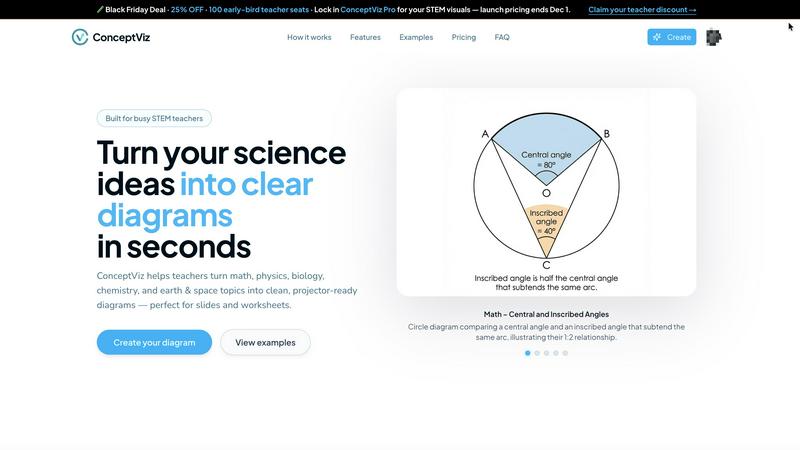
ConceptViz makes turning your science and math ideas into clear, slick diagrams super easy for classrooms and research.
Last updated: March 1, 2026

vaethat
Vaethat is your AI sidekick that instantly levels up archviz renders, no prompts needed.
Last updated: February 28, 2026
Visual Comparison
conceptviz
vaethat

Feature Comparison
conceptviz
Easy Three-Step Process
ConceptViz makes creating diagrams a breeze with a three-step process. Sign in, describe the visual you need, and generate it instantly. No complicated software skills required!
Projector-Ready Clarity
Every diagram you create is designed to look sharp and clear on projectors. With thick lines and legible labels, your visuals will grab attention from the front row to the back.
Subject and Grade Presets
You can start with presets tailored specifically for various STEM subjects and grade levels. Whether it’s physics, biology, or chemistry, you have quick options that fit perfectly in K-12 and beyond.
High-Resolution Downloads
ConceptViz allows you to download high-resolution PNG images that are perfect for slides or printouts. This means you can easily incorporate your diagrams into PowerPoint or Google Slides without losing quality.
vaethat
Archviz-Specialized AI Brain
This isn't your cousin's run-of-the-mill AI enhancer. vaethat's core tech is trained exclusively on a diet of high-quality architectural visualization images. That means it understands the unique language of archviz - clean geometry, realistic material responses, proper lighting balance. It enhances with intent, not random chaos, so your building stays a building and your trees look like trees, not abstract art.
Multi-Image Workspace Dump
Got a whole project folder full of renders? Don't enhance them one-by-one like a peasant. Drag and drop the entire folder into vaethat's Multi-Image Workspace. It lets you work on complete projects, save your sessions, and batch-process everything at once. It's a total game-changer for consistency and speed, making sure every angle of your villa or skyscraper gets the same VIP treatment.
One-Click, No-Prompt Enhancement
Forget writing essays to an AI or playing a guessing game with a million sliders. vaethat cuts through the noise. You literally just upload your render, choose an enhancement preset tailored for archviz, and hit go. The AI does the heavy lifting, delivering polished results without you needing a PhD in "AI Prompt Engineering." It's fast, it's predictable, and it saves your creative energy for the actual design.
Design-Intent Guardian
The biggest fear with any AI tool is it'll go rogue and "improve" your vision into something unrecognizable. vaethat is built to avoid that. Its core promise is to preserve your original composition and design intent. It sharpens, cleans, and enhances the details within your scene, boosting realism and clarity without altering the fundamental story you're trying to tell with your render.
Use Cases
conceptviz
Classroom Presentations
Teachers can use ConceptViz to create engaging visuals for their classroom presentations. Imagine having a custom diagram that perfectly illustrates your lesson without any hassle.
Student Projects
Students can leverage ConceptViz for their science projects, generating diagrams that clearly explain their concepts. This way, they can present their findings with confidence and style.
Research Papers
Researchers can quickly generate diagrams for academic papers or presentations. The ability to create accurate visuals on demand saves time and enhances the quality of their work.
Study Aids
ConceptViz is perfect for creating study aids. Students can design diagrams that summarize key concepts, making it easier to review for tests or exams.
vaethat
Portfolio Glow-Up for Visualizers
You're trying to land that dream client or a new job, and your portfolio needs to slap. Instead of re-rendering for the hundredth time, run your best work through vaethat. It'll upscale the resolution to look crisp on any screen, sharpen details, and make materials and lighting pop with professional polish. It's the final touch that makes your work look expensive and premium, no extra render hours needed.
Client Presentation Power Move
Sending renders to a client or for approvals? You need them to be crystal clear, artifact-free, and instantly impressive. vaethat cleans up noise, fixes weird rendering glitches, and enhances overall clarity so your design decisions are obvious and undeniable. It turns good renders into presentation-ready masterpieces that communicate your vision powerfully and professionally.
Batch-Processing Project Consistency
Finished a massive project with 50+ camera angles? Manually tweaking each one in post is a soul-crushing task. With the Multi-Image Workspace, you can dump all those renders in, apply the same enhancement profile, and get a uniformly awesome set of images back. This ensures every single view in your project deck or animation has the same high-quality, polished look.
Salvaging "Good Enough" Renders
We've all been there: the render is almost there, but you're out of time or render credits. Maybe there's a bit of noise, the materials feel flat, or the vegetation looks a little soft. Instead of settling, throw it into vaethat. It can often rescue a "good enough" render by boosting detail, refining textures, and balancing the lighting, turning a B+ into a solid A without a re-render.
Overview
About conceptviz
Yo, educators and science buffs! Say hello to ConceptViz, your new best buddy for crafting classroom-ready science diagrams in a flash. This tool is a game-changer for STEM teachers, students, and researchers who need to transform complex concepts into super clear visuals without the hassle of endless image searches. Forget about settling for “almost right” images that don’t quite fit your lesson plans. With ConceptViz, you can whip up stunning, projector-ready diagrams in mere seconds. Whether you're in a K-12 classroom or tackling university-level research, ConceptViz has got your back. From illustrating Newton's laws to breaking down the structure of a cell, this tool turns your plain explanations into eye-popping visuals that are ready to dazzle in presentations or handouts. Plus, it’s designed with real classrooms in mind, ensuring that your diagrams are not just pretty but also practical and effective. Time to ditch the stress of prepping visuals and start teaching with style!
About vaethat
Alright, listen up, archviz fam. You know the struggle. You've spent hours, maybe days, crafting the perfect 3D render. The lighting is almost there, the materials are close, but that final presentation-ready pop? It's missing. You could spend another eternity in Photoshop, wrestling with sliders and praying to the graphic design gods. Or... you could just drop that render into vaethat and let the specialized AI do its thing. Vaethat is basically your new favorite sidekick, built from the ground up for one job and one job only: making architectural visualization renders look absolutely fire. It's not some generic, "do-everything" AI that turns people into monsters and bricks into jelly. Nah, this AI has been trained exclusively on archviz imagery, so it gets it. It knows how to upscale without making your clean lines look like a blurry mess, how to boost materials and lighting so they look real enough to touch, and how to handle vegetation and people without the usual AI nightmare fuel. The best part? Zero prompts, zero complicated sliders. Upload, pick a preset, enhance. It's that simple. Built for pros who need speed, consistency, and results that actually respect their original design. Stop wasting credits on guesswork with general AI tools. This is the secret weapon for your portfolio, client decks, and sanity.
Frequently Asked Questions
conceptviz FAQ
What subjects does ConceptViz support?
ConceptViz covers a wide range of subjects, including physics, biology, chemistry, earth and space science, and math, making it suitable for various educational levels.
Do I need any design skills to use ConceptViz?
Not at all! ConceptViz is designed for everyone, so you don't need any design or drawing skills. Just describe what you need, and let the tool do the work for you.
Can I download the diagrams I create?
Absolutely! You can download your diagrams in high-resolution PNG format, perfect for use in presentations, worksheets, or any other educational materials.
Is there a free trial available?
Yes! ConceptViz offers a free 4K Ultra HD trial, so you can try it out without a credit card. See how it works and create stunning visuals before committing to a plan.
vaethat FAQ
How does this AI upscaler work with my render software?
It's software-agnostic, my dude! Since you're just uploading finished image files (like PNGs or JPEGs), it doesn't matter if you cooked them up in V-Ray, Corona, Lumion, Enscape, 3ds Max, SketchUp, or even Unreal Engine. You render it, you export it, you drop it into vaethat. It's a post-production powerhouse that works with whatever pipeline you're rocking.
What makes vaethat different from just using Photoshop or a general AI tool?
Photoshop requires skill and time. General AI tools (like Midjourney or general upscalers) are trained on everything from cats to cartoons, so they often freak out on architectural elements, creating weird textures or melting people. vaethat is a specialist. It's like the difference between a general handyman and an expert archviz finishing carpenter. It knows exactly what to tweak (and what to leave alone) for archviz specifically.
Does vaethat use my renders to train its AI?
Nope! According to their site, they don't use your uploaded architectural renders to train their AI models. Your projects and client work stay yours. Always good to check their latest privacy policy for the full legal vibe, but they signal that your IP isn't becoming their training data.
Can I upgrade or downgrade my plan anytime?
Yeah, you've got flexibility. Their model suggests you can upgrade or downgrade your subscription plan whenever you need to. Need more credits for a big project? Upgrade. Having a slow month? Downgrade. It's designed to scale with your workflow, not lock you into a yearly contract you'll regret.
Alternatives
conceptviz Alternatives
ConceptViz is a rad tool designed to help educators and researchers whip up stunning diagrams for science and math concepts in a flash. As part of the design tools category, it's perfect for anyone looking to transform complex ideas into visual forms that pop. However, users often seek alternatives due to reasons like pricing, specific feature sets, or the need for compatibility across different platforms. When hunting for alternatives, keep an eye out for user-friendly interfaces, customization options, and the quality of the visuals produced. It's crucial to find a tool that aligns with your teaching style and meets your specific subject needs without causing a headache during prep time.
vaethat Alternatives
Alright, so you're in the archviz game and you've heard the buzz about vaethat. It's basically that AI-powered sidekick that takes your 3D renders from "good enough" to "holy smokes, is that a photo?" It lives in the world of design tools, specifically built to upscale your images, clean up noise, and make all those tiny details pop without messing with your original vision. People start hunting for other options for all the usual reasons. Maybe the price tag doesn't fit your current hustle, or you need a feature it doesn't have. Sometimes it's just about platform—you might live and breathe in a specific software ecosystem and need a tool that plugs right in. It happens to the best of us. When you're scoping out other tools, keep your eyes on the prize. You wanna make sure it can actually handle the heavy lifting of architectural images, keeps your design intent locked down, and doesn't make you jump through a million hoops to get a clean, portfolio-ready result. The workflow's gotta be smooth, or it's just not worth the headache.