
Melograph vs Viral AI Video Maker
Side-by-side comparison to help you choose the right AI tool.

Turn your tracks into stunning, ready-to-post videos in minutes with Melograph's easy templates and audio-reactive.
Last updated: February 28, 2026
Viral AI Video Maker
Create epic TikTok and Instagram videos in a snap, no editing skills needed—just your ideas and hit post!.
Last updated: February 28, 2026
Visual Comparison
Melograph

Viral AI Video Maker
Feature Comparison
Melograph
Creative Templates Galore
Choose from a diverse library of visually stunning templates that cater to different genres and vibes. Whether you're going for a chill aesthetic or a futuristic look, Melograph has got you covered.
Audio-Responsive Visuals
Upload your music, and watch as the audio-reactive waveforms come to life! The visuals dynamically respond to your sound, creating an immersive experience for your viewers that matches your track's energy.
Quick and Easy Customization
With Melograph, customizing your visuals is a breeze. Just plug in your audio, add your artist name, song title, and if you want, even upload your logo or album cover. It's all about keeping it simple and stylish.
Export Ready for Every Platform
Say goodbye to compatibility issues! Melograph lets you export your videos in 1080p MP4 format, optimized for social media platforms like TikTok, Instagram Reels, and YouTube Shorts. Perfectly sized and ready to post!
Viral AI Video Maker
Pre-Optimized Templates
With a variety of pre-optimized templates at your fingertips, you can easily create videos that are tailor-made for social media success. These templates cater to different themes and moods, ensuring your content resonates with your audience. Just choose a template and let your creativity flow!
Auto-Formatting for Social Platforms
Worried about aspect ratios? Fret not! The Viral AI Video Maker automatically formats your videos to fit perfectly on platforms like TikTok, Instagram Reels, and YouTube Shorts. This means you can focus on content creation without the annoying hassle of resizing.
Effortless Customization
Personalize your videos easily by adding your own text, images, and even soundtracks. Want to add a catchy tagline or a personal touch? Go for it! The platform gives you the freedom to make your videos uniquely yours, ensuring they stand out from the crowd.
High-Quality Exports
Nobody wants a video that looks like it was filmed on a potato. With Viral AI Video Maker, you can export your creations in stunning high quality, ready to impress your followers. Plus, there are no pesky watermarks to ruin your masterpiece, making it perfect for professional use.
Use Cases
Melograph
Indie Artists Promoting New Tracks
Indie artists can use Melograph to create stunning visuals for their latest singles, giving their music an extra layer of appeal that attracts more listeners and boosts engagement on social media.
DJs Crafting Unique Visual Experiences
DJs can leverage Melograph to generate captivating visuals for their sets. The audio-reactive features sync perfectly with live performances, enhancing the overall experience for the audience.
Music Producers Showcasing Beats
Producers can create eye-catching videos for their beats, making them stand out in a crowded market. The ability to customize visuals allows them to reflect their unique sound and style.
Labels Marketing Releases
Record labels can benefit from Melograph by creating consistent and professional-looking visuals for their artists. This ensures that all releases are visually cohesive, enhancing brand identity across platforms.
Viral AI Video Maker
Social Media Content Creation
Whether you're an influencer or a brand, this tool is your go-to for creating engaging content that gets likes and shares. With its quick turnaround, you can keep your feed fresh and exciting, ensuring you stay relevant in the fast-paced world of social media.
Marketing Campaigns
Digital marketers can leverage the Viral AI Video Maker to produce eye-catching ads in no time. With customizable templates tailored for promotional content, you can easily generate videos that drive engagement and conversions for your products or services.
Educational Videos
Teachers and educators can utilize this tool to create informative and engaging videos that enhance learning experiences. With the ability to include annotations and visuals, you can make complex topics simple and enjoyable for students.
Event Highlights
Capture the essence of any event, from weddings to corporate gatherings, by creating highlight reels that encapsulate the best moments. The Viral AI Video Maker allows you to compile footage quickly, ensuring you can share memories with friends and family in style.
Overview
About Melograph
Melograph is the ultimate web-based music visualizer maker that takes your tracks from audio to eye-popping visuals in no time. Designed for musicians, creators, and anyone looking to amplify their sound with striking visuals, Melograph eliminates the headaches of traditional video editing. Say goodbye to confusing timelines and clunky software! With a super simple interface, you can choose from a variety of premium templates that vibe with your track's mood—be it chill, cinematic, retro, or futuristic. Just upload your audio, customize with your artist name and song title, and boom, you're ready to export a high-quality video that’s perfect for social media and more. Melograph’s main value proposition? It saves you time and energy while giving you stunning visuals that keep your audience engaged. Ideal for indie artists, producers, labels, and DJs, it’s all about creating professional-looking content without the fuss.
About Viral AI Video Maker
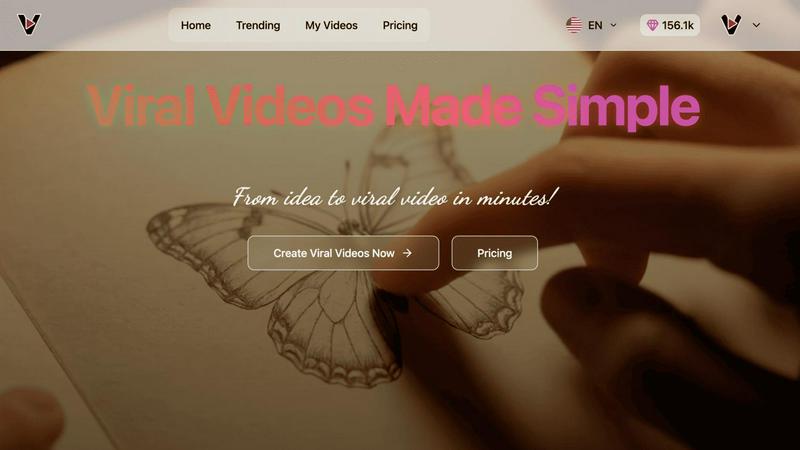
Welcome to the video creation revolution! The Viral AI Video Maker is where your imagination meets cutting-edge technology. This platform is designed for anyone who wants to create stunning videos in just three minutes, whether you're a content creator eyeing that viral moment, a marketer needing engaging ads, or simply a social media enthusiast looking to jazz up your feed. Say goodbye to the stress of traditional video editing; with the Viral AI Video Maker, you can whip up eye-catching videos without breaking a sweat. Powered by the innovative Google Veo3 AI tech, it offers a rich library of pre-optimized templates, perfect for grabbing attention in crowded feeds. From calming ASMR glass cutting to adorable miniature animals, you can dive into a world of creativity. Plus, all videos are automatically formatted to fit TikTok, Instagram Reels, and YouTube Shorts seamlessly. Just pick your vibe, sprinkle in some text or images, and voila! Your high-quality, watermark-free video is ready to shine.
Frequently Asked Questions
Melograph FAQ
Do I need editing experience to use Melograph?
Nope! Melograph is designed for everyone, so if you can pick a template and type a title, you're good to go. No editing skills required!
Will Melograph work for TikTok, Reels, and Shorts?
Absolutely! Melograph exports videos in formats that are perfect for TikTok, Instagram Reels, and YouTube Shorts, making it easy to share your music with the world.
Can I use Melograph for multiple songs?
You sure can! Each export credit lets you create visuals for different tracks, so you can make as many awesome videos as you need for your music projects.
Is Melograph web-based?
Yes! Melograph is entirely web-based, which means you can access it from anywhere with an internet connection. No downloads or installations, just straight-up visual magic!
Viral AI Video Maker FAQ
How long does it take to create a video?
With the Viral AI Video Maker, you can create stunning videos in just three minutes! The user-friendly interface and pre-optimized templates make it super quick and easy to bring your ideas to life.
Is there a limit on the number of videos I can create?
Nope! You can create as many videos as you want. The platform is designed to encourage creativity, so feel free to churn out that content without any limits holding you back.
Can I use the videos for commercial purposes?
Absolutely! The videos you create with Viral AI Video Maker are high quality and watermark-free, making them perfect for commercial use, whether for ads, promotions, or client projects.
Do I need any prior video editing experience?
Not at all! The Viral AI Video Maker is designed for everyone, regardless of their video editing skills. The intuitive platform and ready-to-use templates make it accessible for beginners and pros alike.
Alternatives
Melograph Alternatives
Melograph is your go-to web-based music visualizer maker that transforms your audio tracks into stunning visuals without the fuss of traditional video editing. It’s made for musicians and creators craving eye-catching, audio-reactive videos in a snap. But why are folks on the hunt for alternatives? Maybe it's about finding a better price point, unlocking features that fit their unique style, or simply needing compatibility with different platforms. When scouting for alternatives, keep an eye out for user-friendly interfaces, customization options, and the type of templates that vibe with your music. When choosing an alternative, consider how well it meets your creative needs. Look for features that allow you to easily customize visuals, generate high-quality outputs, and ensure compatibility with your social media platforms. The right pick should save you time and energy while delivering the stunning visuals you need to showcase your tracks.
Viral AI Video Maker Alternatives
Viral AI Video Maker is an innovative tool designed to help users whip up stunning, shareable videos in just a few clicks, perfect for platforms like TikTok and Instagram. It falls into the realm of user-friendly video creation software, catering to everyone from casual social media users to serious content creators. However, many users often find themselves on the hunt for alternatives due to various reasons—maybe they’re looking for different pricing options, unique features, or specific platform compatibilities that suit their needs better. When scouting for an alternative, it’s essential to consider factors like ease of use, quality of output, customization options, and support for various social media formats. Prioritizing these elements will help you land a video maker that not only meets your creative ambitions but also aligns with your budget and workflow.