

Budgeting App
Walleta is the free AI-powered budget planner that scans your receipts and tracks every dollar so you stop overspending.
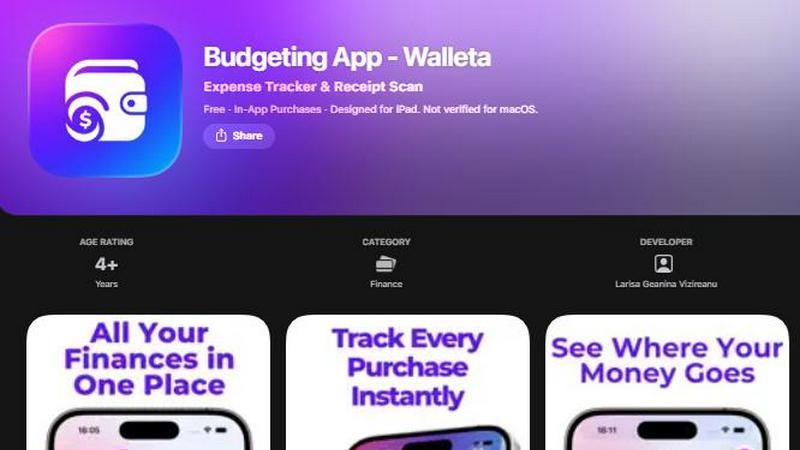
About Budgeting App
Alright, let’s talk about Walleta. This isn’t your grandma’s budget tracker that needs access to your entire financial life story. Walleta is a free iOS app that turns your iPhone into a slick, no-BS expense tracker and receipt scanner. Think of it as your personal finance sidekick that lives entirely on your device, no bank connections, no sketchy cloud sync, and definitely no creepy ad tracking pixels. You just snap a pic of your receipt, and its on-device AI reads the merchant, total, date, and category faster than you can say “where did my paycheck go?” Seriously, it’s that smooth.
This app is built for the privacy-conscious squad: travelers dodging foreign transaction fees, expats juggling multiple currencies, students trying to survive on ramen budgets, and households that want to keep their money moves off the grid. It gives you 14 solid categories from Food and Groceries to Coffee and Fun, plus you can set monthly budget caps that ping you when you’re getting too close to the edge. The analytics are actually beautiful, pie charts, bar graphs, a calendar view that shows your daily spending, and a full history archive so you can roast your past self for that third coffee run. And the best part? You don’t need an account or an email signup. Just download, log, and vibe. Walleta Pro unlocks unlimited AI scans, but free users get three tries to see if the AI is as smart as it claims. It’s private, it’s powerful, and it’s perfect for anyone who wants to track their cash without selling their soul to the cloud.
Features of Budgeting App
AI Receipt Scanning That Actually Works
Point your iPhone camera at any receipt, and Walleta’s on-device AI instantly reads the merchant name, total amount, date, and category. No more typing out every single line from that crumpled receipt you found in your pocket. The AI pulls the data, you just verify it looks right, and boom, it’s saved. Free users get three free OCR tries to test the magic, but if you’re hooked, Walleta Pro gives you unlimited scans. Just make sure your receipt is clear, faded slips might need some manual love.
One-Tap Category Logging
Logging expenses is stupid easy with Walleta’s 14 built-in categories. You’ve got Food, Groceries, Transport, Shopping, Health, Rent, Bills, Subscriptions, Coffee, Travel, Fun, and more. Just tap the category that matches your spend, and you’re done in seconds. No complicated menus, no endless dropdowns, just pure efficiency. This is perfect for those moments when you’re standing at the checkout and want to log that impulse buy before you forget.
Monthly Budget Caps with Real-Time Alerts
Set a monthly spending limit for each category or your total budget, and Walleta shows you a live progress bar. When you’re getting close to the edge, the app sends you a friendly nudge so you don’t accidentally blow your budget on another subscription you don’t use. It’s like having a financial coach in your pocket, but without the judgmental looks. You can adjust caps anytime, and the alerts keep you from overspending without being annoying.
Beautiful Analytics and Calendar View
Walleta serves up your spending data in the most visually satisfying way. You get pie charts that break down your category spending, bar graphs for monthly trends, and a calendar view that lets you see exactly what you spent on any given day. It also supports multi-currency codes for all you globetrotters, and you can archive past spending cycles to review your history later. Weekly, monthly, and yearly views help you spot patterns, like how you always blow your budget on coffee during exam week.
Use Cases of Budgeting App
Privacy-First Households Avoiding Cloud Sync
If you’re the type who freaks out when an app asks for your bank login or wants to sync your data to some random server, Walleta is your jam. All your data stays on your device, no cloud, no accounts, no email signup, and no tracking pixels. This is perfect for families or individuals who want to track their spending without handing over their financial privacy to big tech. You can log every grocery run and coffee splurge without worrying about who’s watching.
Travelers and Expats Managing Multiple Currencies
Traveling abroad or living as an expat means dealing with different currencies, and Walleta has your back. It auto-detects your local currency or lets you manually set any currency code you need. You can log expenses in euros, yen, pesos, or whatever you’re spending, and the analytics still make sense. No more converting everything in your head or using a separate app just for exchange rates. It’s a lifesaver for anyone hopping between countries.
Students on a Tight Budget
Let’s be real, student life is all about stretching that limited cash. Walleta helps you set monthly budgets for categories like Food, Transport, and Fun, and alerts you when you’re getting too close to the limit. The one-tap logging means you can track your spending between classes without breaking your flow. Plus, the receipt scanning is clutch for those late-night pizza receipts you’d otherwise forget. It’s like having a financial safety net for your ramen budget.
Minimalists Who Hate Financial Bloat
Not everyone wants a full-blown accounting app with 50 features they’ll never use. Walleta is for the minimalist who wants a clean, no-nonsense way to track expenses without the clutter. You get receipt scanning, category logging, budgets, and analytics, all in one app with a beautiful interface. No bank connections, no subscriptions for things you don’t need, just pure expense tracking that respects your time and your privacy. It’s the Marie Kondo of finance apps.
Frequently Asked Questions
Does Walleta connect to my bank account?
Nope, not even close. Walleta is a completely offline, on-device expense tracker. It does not connect to your bank, credit card, or any financial institution. All your data stays on your iPhone, and there’s no cloud sync, no accounts, and no email signup required. You manually log everything or scan receipts, so your financial privacy is 100% intact.
How many free AI receipt scans do I get?
Free users get three AI receipt scans to test out the feature. After that, you’ll need to upgrade to Walleta Pro for unlimited scans. But don’t worry, manual one-tap logging is always free and super fast. So even if you burn through your free scans, you can still log expenses in seconds without the AI.
Can I use Walleta on iPad or macOS?
Yes, Walleta is designed for iPhone and iPad, but it is not verified for macOS. So you can use it on your iPad for a bigger screen experience, but don’t expect it to work on your MacBook. It’s optimized for iOS 18.2 and later, so make sure your device is updated.
Is my data safe from advertisers and trackers?
Absolutely. Walleta has a strict privacy-first policy. There are no ad tracking pixels, no data collection for marketing, and no third-party sharing. Your financial data never leaves your device. This app is built for people who value their privacy and don’t want their spending habits sold to the highest bidder.
Similar to Budgeting App

Luminus Tools
A fast, privacy-first suite of online calculators, financial desks, health trackers, and developer utilities running completely in your browser withou


Money Tracker App
Track your cash and snap receipts on iOS with zero bank links or signup, just pure privacy and AI vibes.

CalcFi
CalcFi is your free, no-signup cheat code for every money decision, with calculators that show the math and cite the IRS.

Redbark
Sync your Aussie bank and brokerage data to Google Sheets and YNAB in real-time, no fuss or manual entry needed.

Ricco - Financial Literacy Game
Level up your money game with Ricco, a lit financial sim that teaches real-world finance through play.

BudgetSheet
BudgetSheet makes it super easy to auto-import your bank data into Google Sheets, no more manual hassle needed!.